Learn everything about AI Photography Guide, from AI-powered cameras and photo editing tools to workflow automation, image enhancement, ethical considerations, and future trends. This comprehensive guide helps photographers of all skill levels use AI to create better images while saving time.
Introduction

Artificial intelligence has rapidly become one of the biggest innovations in modern photography. What once required hours of manual editing can now be completed in minutes with the help of intelligent software. From enhancing image quality and removing distractions to automating repetitive editing tasks, AI is changing how photographers create, edit, and deliver their work.
However, AI photography is about much more than applying filters or generating images. Today’s AI-powered tools can analyze lighting, identify subjects, reduce image noise, recover details, improve sharpness, recommend edits, and even assist photographers during image capture. Rather than replacing creativity, AI is becoming a valuable assistant that helps photographers spend more time behind the camera and less time performing repetitive edits.
Whether you’re a beginner learning photography, a content creator producing images for social media, a product photographer building an online store, or a professional photographer managing hundreds of client photos, understanding AI photography can help you improve both efficiency and image quality.
In this comprehensive guide, you’ll learn what AI photography is, how it works, where it excels, its limitations, the best ways to incorporate AI into your workflow, and the tools and techniques that can help you produce professional results while maintaining your creative vision.
AI has transformed product photography by simplifying background removal, improving color accuracy, and speeding up image editing for eCommerce businesses. However, successful product photography still depends on proper lighting, composition, and camera settings. If you’re looking to master both traditional techniques and AI-assisted workflows, explore our Complete Product Photography Guide, where we cover everything from camera setup to professional editing tips.
Why You Can Trust The Candid Shoot for AI Photography Guides
At The Candid Shoot, our goal is to help photographers understand how modern technology can improve their creative workflow without replacing the fundamentals of photography.
Our AI Photography guides are created by combining photography knowledge, industry research, software feature analysis, and practical workflow evaluation. We study how AI tools perform across different photography areas, including portrait photography, couple photography, product photography, wedding photography, and professional photo editing.
When reviewing AI photography software and tools, we focus on important factors that matter to photographers:
- Real-world image quality improvements
- Editing speed and workflow efficiency
- Ease of use for beginners and professionals
- AI features and practical applications
- Pricing, value, and limitations
- Compatibility with modern photography workflows
We evaluate AI tools based on their ability to solve real photography challenges, from reducing editing time and improving image quality to organizing large photo libraries and creating consistent results.
Our recommendations are designed to help photographers make informed decisions about AI technology while maintaining creativity, originality, and control over their final images.
As AI continues to transform photography, The Candid Shoot remains committed to publishing accurate, practical, and experience-driven photography guides that help creators adapt to the future of image creation.
Our AI Photography Editorial Process
To maintain accuracy and reliability, every AI photography article follows a structured research process:
- Researching official software features and updates
- Comparing AI capabilities across different tools
- Evaluating practical use cases for photographers
- Analyzing strengths, limitations, and workflow impact
- Updating content as AI technology evolves
Our goal is not only to explain what AI tools can do, but also to help photographers understand when and how to use them effectively.
What Is AI Photography?
AI photography refers to the use of artificial intelligence to assist with capturing, editing, organizing, and enhancing photographs. Instead of relying solely on manual adjustments, AI algorithms analyze image data and make intelligent decisions based on patterns learned from millions of examples.
These systems can recognize faces, skies, landscapes, products, animals, buildings, text, lighting conditions, and countless other visual elements. They then apply targeted adjustments that would otherwise require significant editing experience.
AI photography includes features such as:
- Intelligent image enhancement
- Automatic exposure correction
- Noise reduction
- Subject recognition
- Background removal
- Portrait retouching
- Image upscaling
- Color correction
- Sky replacement
- Object removal
- AI-powered masking
- Smart photo organization
- Automated keyword tagging
- AI-assisted image generation
Rather than replacing photographers, these technologies help automate technical tasks while allowing creators to focus on storytelling, composition, lighting, and client experience.

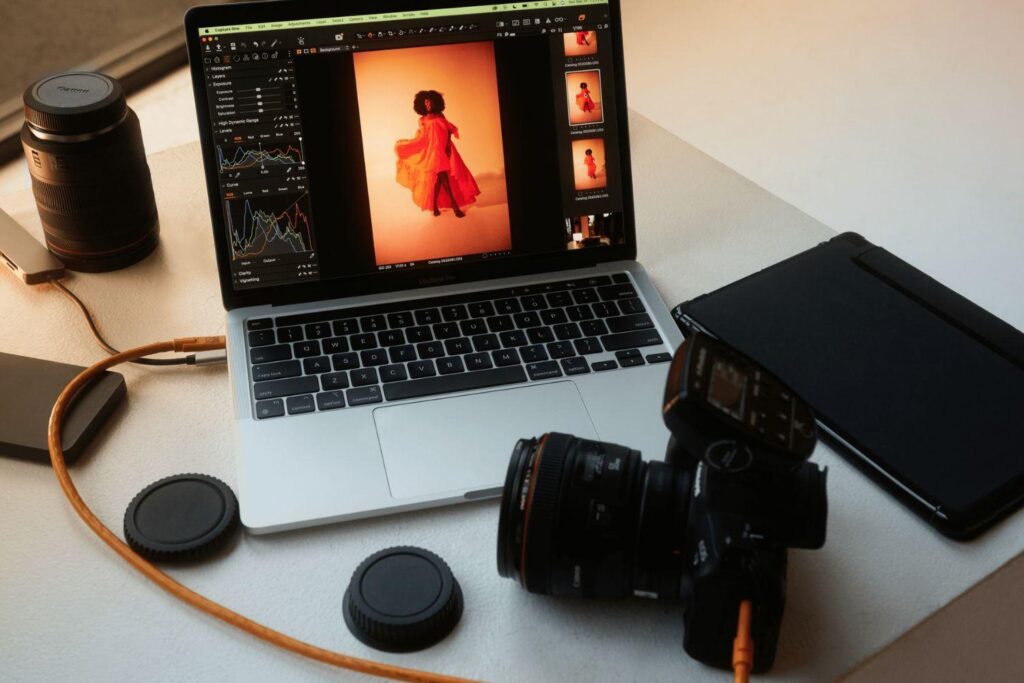

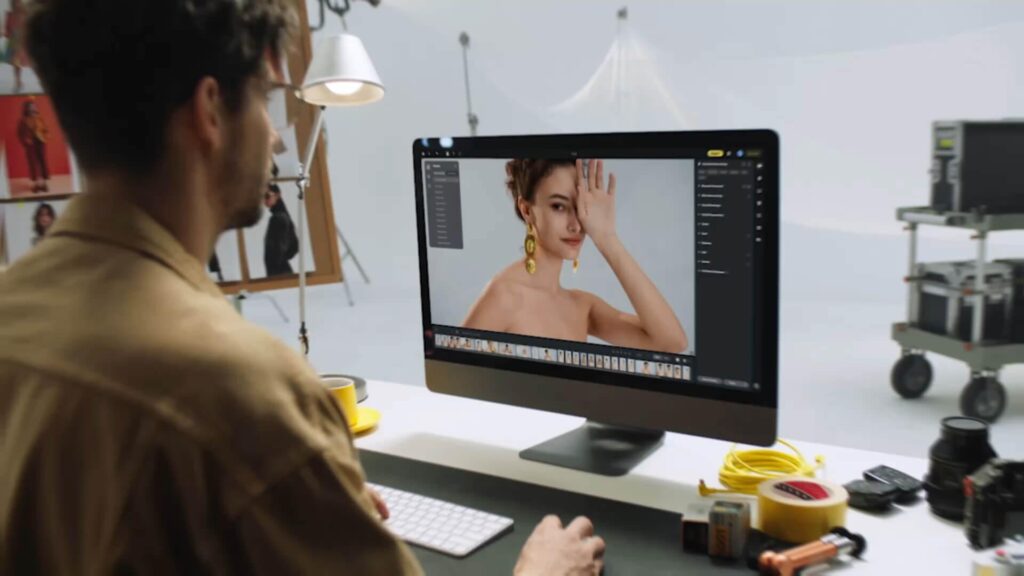
How AI Works in Photography
Artificial intelligence relies on machine learning and computer vision to understand photographic images.
Machine learning models are trained using millions of photographs. During training, the system learns to recognize objects, lighting patterns, colors, textures, faces, and compositions. Once trained, the AI can evaluate new photographs and predict the most suitable adjustments.
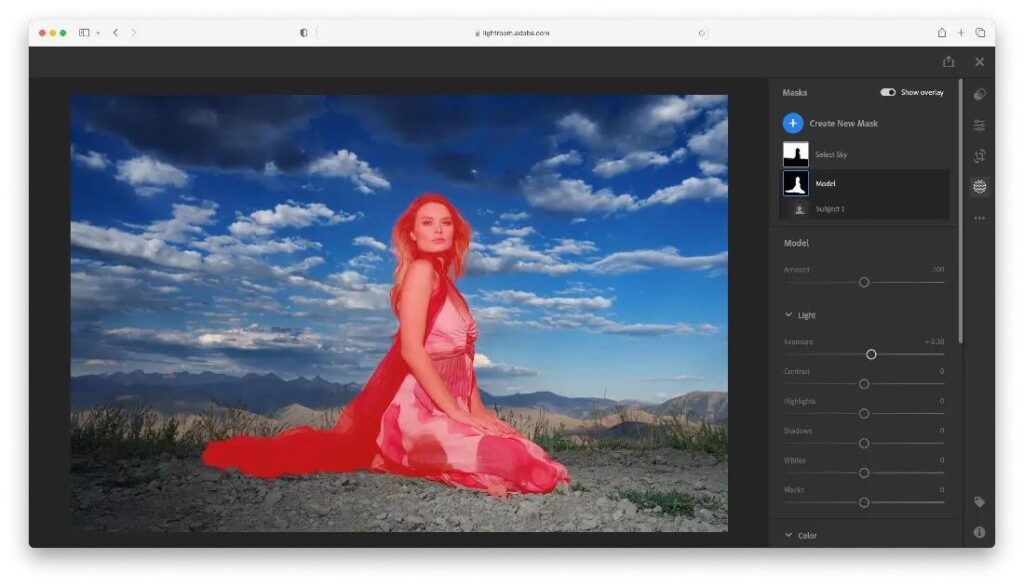
For example, an AI editing tool can detect that a portrait subject is underexposed while the background is correctly exposed. Instead of brightening the entire image, it selectively increases the exposure on the subject while preserving the background.
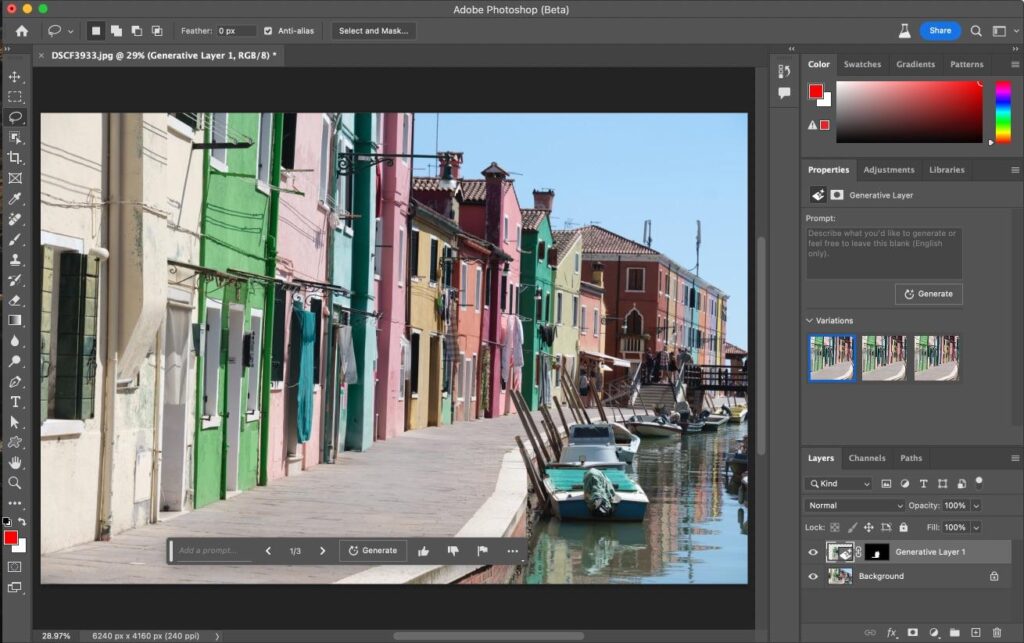
Similarly, AI can identify unwanted objects such as power lines, dust spots, or tourists and remove them while reconstructing the surrounding pixels to create a natural-looking result.
Modern AI systems continue improving as they process more data, making them increasingly accurate and efficient over time.
Many photographers begin their AI editing workflow using Adobe Lightroom, which includes intelligent masking, AI-powered subject selection, adaptive presets, and advanced noise reduction. These features help photographers edit large collections more efficiently while maintaining consistent image quality.
The Evolution of AI in Photography
Photography has always embraced technological innovation. Autofocus, digital sensors, image stabilization, and computational photography have all transformed the way photographers work.
AI represents the next major step in that evolution.
Early AI features focused on simple tasks such as face detection and automatic exposure adjustments. Today’s systems are capable of understanding scenes at a much deeper level.
Recent developments include:
- Intelligent masking that identifies individual subjects instantly
- AI-powered denoising for high-ISO images
- Automatic lens correction
- One-click portrait enhancement
- Realistic object removal
- AI image expansion
- Content-aware image generation
- Smart photo organization
- Automated culling for large photo shoots
As AI continues to advance, photographers are gaining access to tools that improve productivity without sacrificing creative control.
AI Photography vs Traditional Photography
AI photography and traditional photography are often viewed as competitors, but they are better understood as complementary approaches.
Traditional photography emphasizes manual control over exposure, lighting, composition, and editing. It requires photographers to develop technical skills and artistic judgment through practice.
AI photography builds on those fundamentals by automating repetitive or time-consuming tasks. Instead of replacing creative decision-making, AI assists photographers by handling technical processes more efficiently.
For example, a wedding photographer may use AI to quickly sort thousands of images, reduce noise in low-light photos, and create accurate subject masks before applying personal editing styles. The creative choices remain with the photographer, while AI speeds up the workflow.
The strongest results typically come from combining solid photography skills with intelligent AI assistance.
Benefits of AI Photography
AI offers several advantages that can improve both the creative and business aspects of photography.
Faster Editing
Tasks that once required hours—such as masking, retouching, background cleanup, and color correction—can now be completed in a fraction of the time.
Improved Image Quality
AI-powered enhancement tools can reduce noise, sharpen details, recover highlights, and improve image clarity while preserving a natural appearance.
Better Workflow Efficiency
Photographers can automate repetitive tasks such as sorting images, detecting duplicates, organizing files, and applying consistent edits across large photo collections.
Accessibility for Beginners
AI tools help newcomers achieve professional-looking results while they continue learning photography fundamentals.
Consistent Results
Businesses and professionals benefit from maintaining a consistent editing style across hundreds or thousands of images.
Enhanced Client Experience
Faster turnaround times and improved image quality can lead to greater client satisfaction and stronger referrals.
Advances in artificial intelligence are accelerating rapidly, driven by research organizations such as OpenAI. While these technologies continue to evolve, photographers should view AI as a creative assistant that enhances productivity rather than replacing artistic vision.


Limitations of AI Photography
Despite its capabilities, AI is not perfect.
Photographers should be aware of several limitations:
- AI can make incorrect editing decisions.
- Generated details may not always be accurate.
- Excessive AI processing can create unnatural-looking images.
- Some tools struggle with complex lighting or unusual compositions.
- Overreliance on AI may slow the development of editing skills.
- Copyright and licensing rules vary depending on the tool and workflow.
- Human creativity, storytelling, and emotional connection cannot be automated.
For these reasons, AI should be viewed as an assistant rather than a replacement for photographic expertise.
Common Myths About AI Photography
Myth 1: AI Will Replace Photographers
AI can automate repetitive tasks, but it cannot replicate human creativity, emotional storytelling, or the ability to build trust with clients.
Myth 2: AI Does Everything Automatically
Even the best AI tools require photographers to review results, refine edits, and make creative decisions.
Myth 3: AI Guarantees Perfect Images
Image quality still depends on good lighting, thoughtful composition, accurate focus, and a well-executed capture. AI can improve a photo, but it cannot fully compensate for poor photographic technique.
Myth 4: Only Professionals Benefit from AI
AI tools are valuable for photographers of every skill level. Beginners can learn faster, enthusiasts can streamline editing, and professionals can increase productivity while maintaining high standards.
By understanding both the strengths and the limitations of AI photography, you can make informed decisions about when to use automation and when to rely on your own creative judgment. In the next section, we’ll explore the most important categories of AI photography tools, how they work, and how to choose the right solutions for your editing workflow.
Ongoing research from Google AI continues to improve computer vision, image recognition, and machine learning technologies that power many of the AI features now found in cameras, smartphones, and photo editing software.
AI Photography Tools and Technologies
Artificial intelligence has transformed photography by introducing tools that automate complex editing tasks, improve image quality, and simplify professional workflows. Instead of spending hours manually adjusting every photograph, photographers can now use AI-powered software to complete many repetitive tasks in minutes while still maintaining creative control.
The key to using AI successfully is understanding which tools solve specific problems. Some applications specialize in editing portraits, while others focus on image enhancement, background removal, object cleanup, or workflow management.
In this section, we’ll explore the most important categories of AI photography tools, how they work, and when photographers should use them.
AI Photo Editing Software
AI photo editing software uses machine learning to analyze photographs and apply intelligent adjustments automatically. Unlike traditional editing software, AI tools recognize subjects, lighting conditions, facial features, colors, and image composition before making recommendations.
Modern AI editors can perform tasks such as:
- Automatic exposure correction
- White balance adjustments
- Color grading
- Skin retouching
- Subject masking
- Sky replacement
- Noise reduction
- Lens correction
- Background enhancement
- Selective sharpening
Instead of replacing manual editing, these tools dramatically reduce the time needed to create professional-quality results.
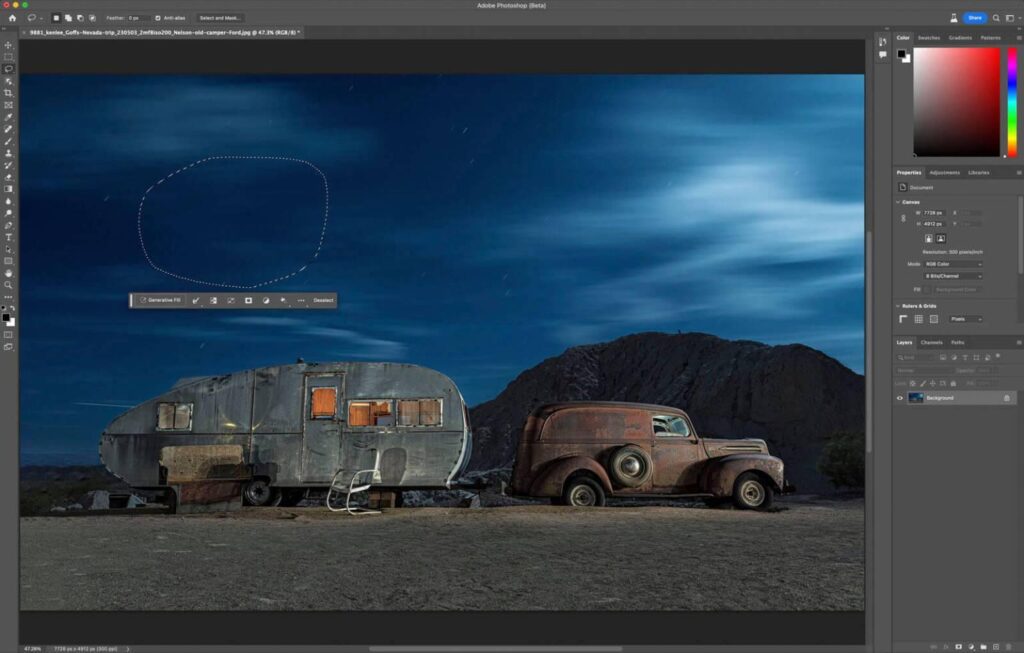
With the growth of AI-powered editing platforms, photographers now have more options to improve image quality, automate adjustments, and create professional results faster. Beginners and professionals can explore different AI photo editing tools depending on their workflow, creative goals, and editing requirements.
Professional photographers often compare advanced platforms before choosing a workflow, especially when deciding between Lightroom AI, Luminar Neo, and other modern editing solutions.
Benefits of AI Photo Editors
- Faster editing workflow
- Consistent image quality
- Beginner-friendly controls
- Professional-level enhancements
- Batch editing capabilities
- Reduced editing fatigue
Best For
- Wedding photographers
- Portrait photographers
- Product photographers
- Content creators
- Social media marketers
AI Image Enhancement
Image enhancement is one of the most practical applications of AI photography.
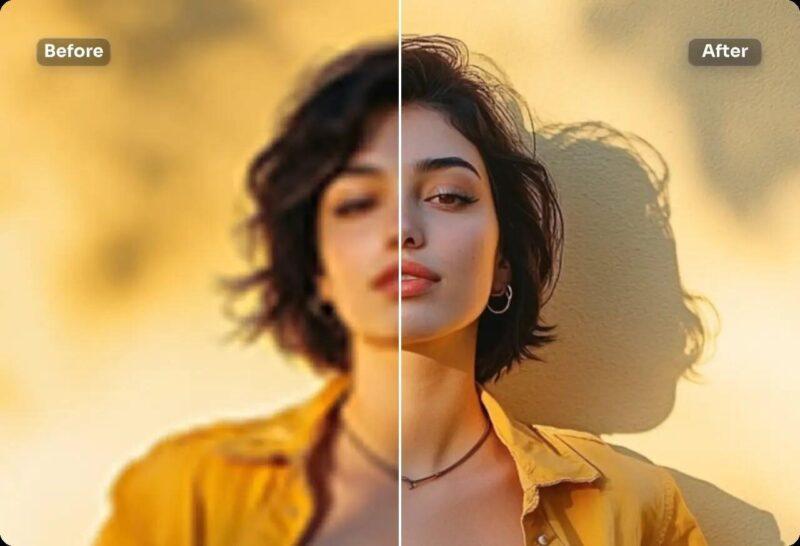
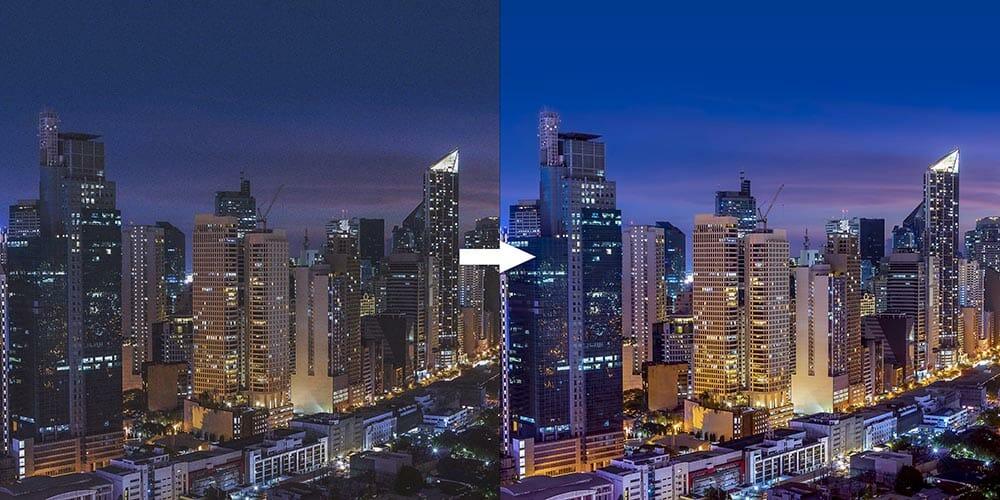
Rather than applying global adjustments across an entire image, AI analyzes each area individually. It can recognize skies, skin tones, clothing, buildings, landscapes, products, and backgrounds, applying targeted improvements to each element.
AI image enhancement typically includes:
- Improved sharpness
- Better color accuracy
- Dynamic range recovery
- Highlight recovery
- Shadow enhancement
- Local contrast improvements
- Texture enhancement
- Detail recovery
These improvements create cleaner, more vibrant images while preserving a natural appearance.
Photographers looking for professional-quality improvements can use dedicated AI image enhancement tools to recover details, reduce noise, improve sharpness, and enhance older or low-quality photographs.
Many creators now use AI photo retouching tools to speed up portrait editing while maintaining natural skin texture, realistic details, and professional-quality results.
When to Use AI Enhancement
AI enhancement is particularly useful when:
- Photos appear dull
- Colors need balancing
- Images require more detail
- Lighting conditions were challenging
- Quick client delivery is important
AI Noise Reduction
Noise becomes noticeable when shooting in low-light environments or using high ISO settings.
Traditional noise reduction often softens important image details. AI-based noise reduction takes a smarter approach by distinguishing between actual image detail and unwanted digital noise.
This allows photographers to maintain sharp textures while removing grain.
Common situations include:
- Indoor weddings
- Concert photography
- Event photography
- Night photography
- Wildlife photography
- Sports photography
Advantages
- Cleaner images
- Better skin texture
- Preserved fine details
- Improved print quality
- Reduced editing time
AI Image Upscaling
Image upscaling increases photo resolution without significantly reducing quality.
Traditional resizing methods stretch pixels, making images blurry. AI upscaling predicts missing details using trained image models, producing much sharper enlargements.
This is especially useful for:
- Large prints
- Product catalogs
- Commercial advertising
- Cropped images
- Older low-resolution photographs
Professional photographers often use AI upscaling when clients require billboard-sized prints or high-resolution marketing materials.
AI Background Removal
Removing backgrounds used to require precise manual selections around hair, clothing, and fine details.
Today, AI can detect subjects automatically and separate them from the background within seconds.
This technology has become essential for:
- Product photography
- E-commerce stores
- Portrait photography
- Professional headshots
- Marketing campaigns
- Graphic design projects
Many AI tools also allow photographers to replace the background with:
- Solid colors
- Transparent backgrounds
- Studio environments
- Outdoor scenes
- Custom graphics
Benefits
- Faster editing
- Cleaner subject selection
- Improved edge detection
- Better hair masking
- Professional product images
AI Object Removal
Unwanted distractions can ruin an otherwise perfect photograph.
AI object removal tools intelligently remove:
- Tourists
- Power lines
- Trash bins
- Vehicles
- Reflections
- Dust spots
- Shadows
- Wires
- Background distractions
Instead of simply deleting pixels, AI reconstructs surrounding areas to produce natural-looking results.
This feature is especially valuable for travel, landscape, architecture, and real estate photography.
AI Portrait Retouching
Portrait editing is one of the areas where AI has had the greatest impact.
Instead of manually editing every face, photographers can automatically improve portraits while maintaining a realistic appearance.
Common AI portrait enhancements include:
- Skin smoothing
- Blemish removal
- Teeth whitening
- Eye enhancement
- Face detection
- Exposure balancing
- Skin tone correction
- Hair refinement
- Catchlight enhancement
Professional photographers should still review every edit to avoid over-processing, ensuring subjects retain their natural features and expressions.
AI Face Recognition and Subject Detection
Modern cameras and editing software use AI to identify people, animals, vehicles, buildings, and many other subjects.
This technology improves:
- Autofocus accuracy
- Subject tracking
- Image organization
- Smart albums
- Automatic tagging
- Face grouping
- Batch editing
For photographers managing thousands of client images, AI-powered recognition saves significant time during image selection and delivery.
AI Sky Replacement
Weather conditions are not always ideal during a photo shoot.
AI sky replacement tools allow photographers to replace dull or overexposed skies while automatically matching:
- Lighting direction
- Color temperature
- Reflections
- Atmospheric haze
- Foreground brightness
When used subtly, sky replacement can improve landscape and outdoor portraits without appearing unrealistic.
Ethical considerations are important, especially in documentary, journalism, and competition photography, where authenticity is essential.
AI Color Grading
Color grading gives photographs a consistent visual style.
AI assists by analyzing image content and recommending color adjustments that complement the scene.
Applications include:
- Wedding photography
- Fashion photography
- Lifestyle photography
- Travel photography
- Commercial branding
- Social media campaigns
Many AI tools can learn a photographer’s editing style and apply similar color grading across hundreds of images, helping maintain consistency.
AI Sharpening
Slightly soft images are common when photographing moving subjects, shooting handheld, or using slower shutter speeds.
AI sharpening selectively improves important details while avoiding excessive halos or artifacts.
Ideal subjects include:
- Wildlife
- Birds
- Sports
- Portraits
- Product photography
- Macro photography
Unlike traditional sharpening, AI identifies edges and textures more intelligently, resulting in more natural-looking improvements.
AI Photo Restoration
Old photographs often suffer from scratches, fading, stains, tears, discoloration, and low resolution.
AI restoration tools can automatically:
- Remove scratches
- Repair damaged areas
- Improve sharpness
- Restore colors
- Reduce fading
- Increase resolution
- Improve facial details
These capabilities make AI especially valuable for preserving family memories and historical archives.
AI Image Generation
One of the newest developments in AI photography is image generation.
Instead of editing an existing photograph, generative AI creates entirely new images based on written descriptions, reference images, or creative prompts.
Common uses include:
- Concept art
- Advertising mockups
- Storyboarding
- Marketing visuals
- Mood boards
- Creative inspiration
Although AI-generated images can be visually impressive, they are fundamentally different from photographs captured with a camera. For photographers, generative AI is often most valuable during planning and visualization rather than replacing original photography.
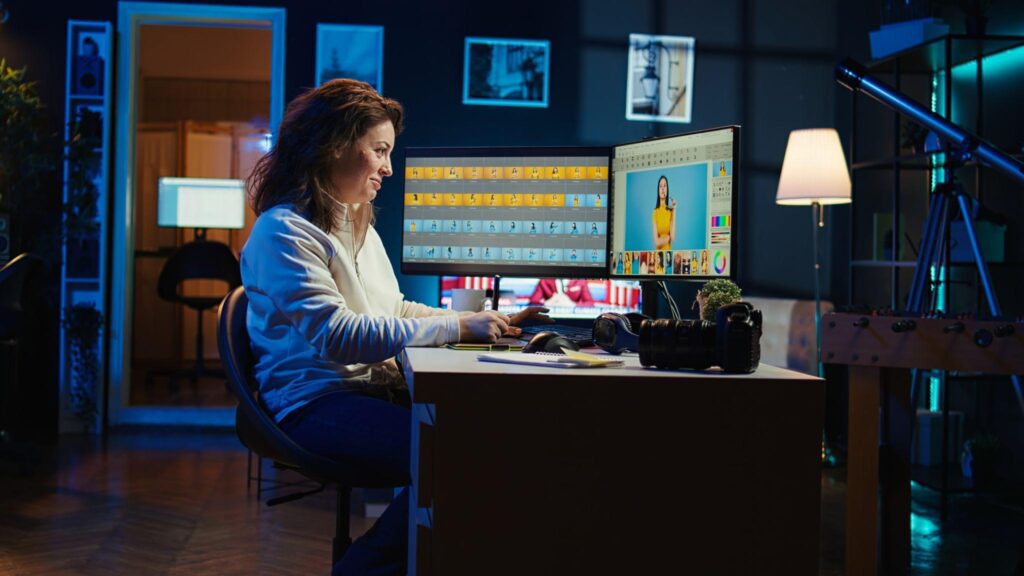
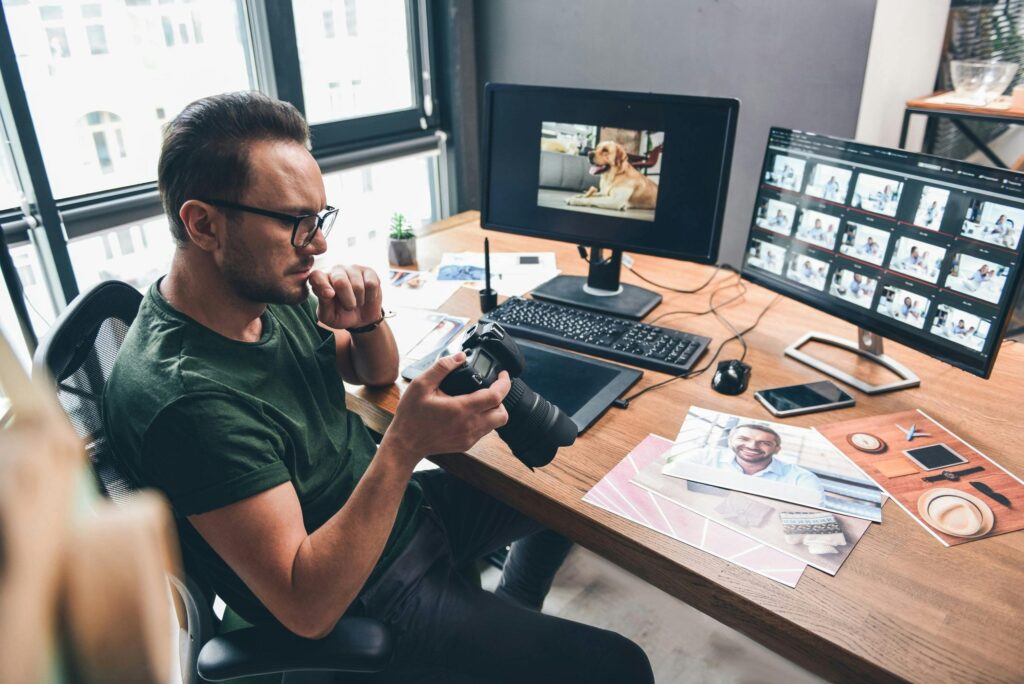

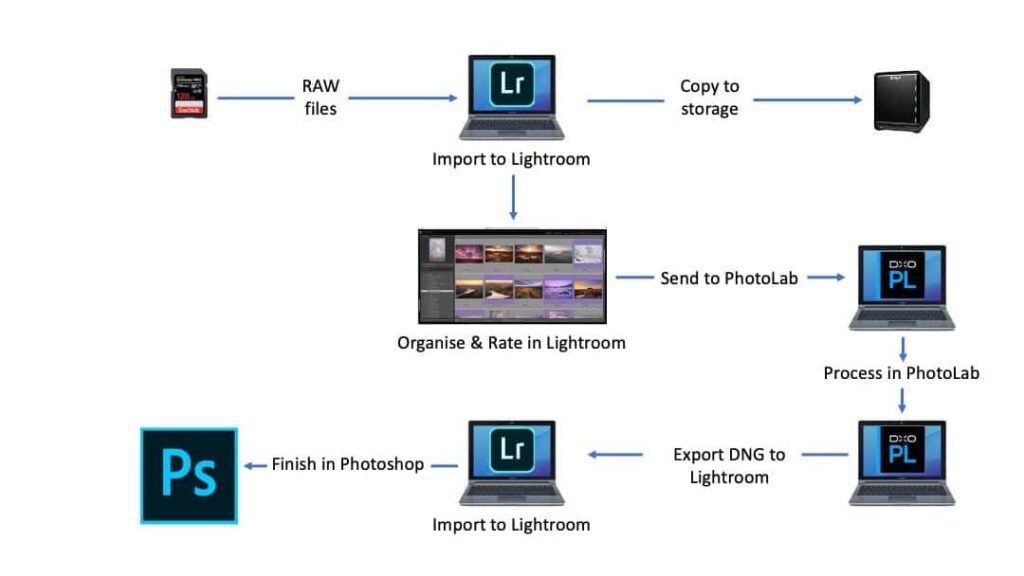


AI Workflow Automation
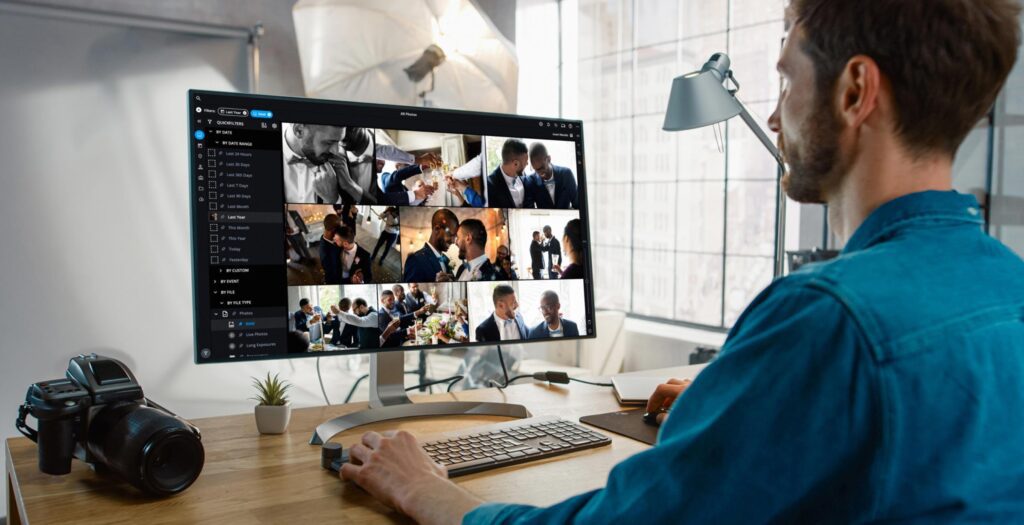
Professional photographers spend much of their time on tasks beyond taking photos.
AI now automates many repetitive processes, including:
- Importing images
- Sorting photographs
- Detecting duplicates
- Rating image quality
- Selecting the sharpest frames
- Renaming files
- Applying metadata
- Creating keywords
- Organizing folders
- Preparing client galleries
For wedding, event, and sports photographers who may return with thousands of images from a single assignment, workflow automation can save several hours per project.
Content creators and photographers can improve productivity by using AI tools for content creation that simplify editing, organization, and publishing workflows.
While AI can improve editing efficiency, creating beautiful couple photographs still requires understanding emotions, posing, and natural interactions. Photographers can explore these techniques through our complete guide to couple photography pose ideas.
AI can simplify many parts of commercial photography, but understanding lighting, composition, and setup remains essential. Learn more professional techniques in our complete product photography guide.
Choosing the Right AI Photography Tool
Not every AI application is suitable for every photographer. Selecting the right tools depends on your photography style, editing requirements, and workflow.
Portrait Photographers
Look for AI features such as:
- Skin retouching
- Face detection
- Eye enhancement
- Background masking
Product Photographers
Prioritize tools that offer:
- Background removal
- Reflection cleanup
- Color accuracy
- Object isolation
- Batch editing
Landscape Photographers
Useful AI features include:
- Sky enhancement
- Noise reduction
- Detail recovery
- Dynamic range optimization
Wedding and Event Photographers
Choose software that provides:
- AI image culling
- Batch editing
- Subject recognition
- Noise reduction
- Fast export options
Content Creators
Look for:
- Automatic resizing
- Social media optimization
- AI enhancement
- Background replacement
- Creative editing tools
Best Practices for Using AI Photography Tools
Artificial intelligence delivers the best results when it complements strong photographic skills rather than replacing them.
Keep these principles in mind:
- Start with a well-composed, properly exposed image.
- Use AI to save time, not to fix every mistake.
- Review automated edits before delivering images to clients.
- Maintain a consistent editing style across projects.
- Avoid excessive retouching that creates unnatural results.
- Stay informed about licensing, copyright, and ethical considerations when using AI-generated content.
- Continue developing your photography skills—lighting, composition, timing, and storytelling remain the foundation of exceptional images.
By combining technical expertise with thoughtfully chosen AI tools, photographers can build faster, more efficient workflows while preserving the creativity and authenticity that make their work unique.
AI Photography Applications, Workflows & Professional Techniques
Artificial intelligence is no longer limited to editing software. It has become an integral part of nearly every photography genre, helping photographers capture better images, edit more efficiently, organize large photo libraries, and deliver work faster without sacrificing quality.
While the core principles of photography—lighting, composition, storytelling, timing, and creativity—remain unchanged, AI acts as an intelligent assistant that streamlines repetitive tasks and enhances productivity.
In this section, we’ll explore how AI is used across different photography genres and how professionals integrate AI into their daily workflows.
AI for Portrait Photography
Portrait photography is one of the biggest beneficiaries of artificial intelligence. Editing portraits often involves repetitive tasks such as skin retouching, color correction, eye enhancement, background cleanup, and subject masking.
AI significantly reduces editing time while helping photographers maintain a natural appearance.
How AI Helps
Modern AI tools can automatically:
- Detect faces and eyes
- Smooth skin without removing natural texture
- Remove temporary blemishes
- Enhance eyes
- Whiten teeth
- Improve skin tones
- Separate subjects from backgrounds
- Correct exposure
- Reduce image noise
- Apply selective sharpening
Instead of manually masking every adjustment, photographers can refine AI-generated masks, allowing more time for creative decisions.
Best Practices
- Keep skin texture realistic.
- Avoid excessive eye enhancement.
- Preserve natural facial features.
- Use AI as a starting point rather than the final edit.
AI for Product Photography
Product photography demands precision, consistency, and efficiency—especially for e-commerce businesses with hundreds or thousands of products.
AI helps automate many repetitive editing tasks.
Common Applications
- Background removal
- White background generation
- Shadow enhancement
- Reflection cleanup
- Color correction
- Dust and scratch removal
- Batch editing
- Product isolation
- Image resizing
- Catalog optimization
AI allows photographers to deliver consistent product images much faster while maintaining professional quality.
Industries That Benefit
- Fashion
- Electronics
- Cosmetics
- Jewelry
- Furniture
- Food
- Handmade products
- Online marketplaces
AI for Couple Photography
Couple photography focuses on capturing genuine emotions and authentic moments. While AI cannot create emotional connections, it can improve the editing process.
Useful AI features include:
- Background cleanup
- Object removal
- Color grading
- Skin tone correction
- Selective masking
- Noise reduction
- Exposure balancing
- Sky enhancement
For outdoor sessions, AI can remove distracting people or objects while preserving the intimacy of the photograph.
AI for Wedding Photography
Wedding photographers often return from a single event with several thousand images.
Sorting, editing, and delivering these images manually can take days.
AI dramatically improves workflow efficiency.
AI Workflow for Weddings
Step 1
Automatically import photographs.
Step 2
Use AI image culling to remove:
- Closed eyes
- Duplicate shots
- Blurry images
- Missed focus
- Poor expressions
Step 3
Apply batch color correction.
Step 4
Reduce noise for low-light reception images.
Step 5
Enhance portraits.
Step 6
Export images using consistent settings.
This process saves hours while allowing photographers to spend more time with clients and less time in front of a computer.
AI for Fashion Photography
Fashion photography requires consistency across hundreds of images.
AI helps maintain a cohesive visual style by automating repetitive adjustments.
Common tasks include:
- Skin retouching
- Fabric texture enhancement
- Color consistency
- Background refinement
- Subject masking
- Lighting adjustments
- Object cleanup
- Batch processing
Fashion photographers can use AI to speed up editing while preserving the artistic direction of each campaign.
AI for Landscape Photography
Landscape photographers frequently work in challenging weather and lighting conditions.
AI assists by improving image quality without dramatically altering the natural scene.
Useful AI tools include:
- Sky enhancement
- Noise reduction
- Detail recovery
- Dynamic range improvement
- Color balancing
- Lens correction
- Dehaze adjustments
- Sharpening
These enhancements help photographers produce cleaner, more detailed images while maintaining realism.
AI for Wildlife Photography
Wildlife photography often involves:
- Long telephoto lenses
- High ISO settings
- Fast-moving subjects
- Difficult lighting
- Large image collections
AI improves productivity by offering:
- Animal eye detection
- Intelligent autofocus
- Subject tracking
- Noise reduction
- Image sharpening
- Smart image selection
These technologies increase the number of usable photographs from each session.
AI for Sports Photography
Capturing fast action requires precision.
Modern AI-powered cameras improve autofocus by recognizing:
- Athletes
- Faces
- Eyes
- Vehicles
- Balls
- Animals
After the shoot, AI editing software can:
- Select the sharpest action frames
- Reduce noise
- Improve clarity
- Batch process thousands of images
This allows sports photographers to deliver images quickly for media outlets and clients.
AI for Food Photography
Food photography depends heavily on color accuracy and presentation.
AI helps photographers:
- Improve white balance
- Enhance textures
- Increase sharpness
- Correct exposure
- Remove distracting objects
- Improve color vibrancy
Restaurants, food bloggers, and advertising agencies benefit from faster editing while maintaining appetizing and realistic images.
AI for Real Estate Photography
Real estate photography requires clean, bright, and inviting images.
AI simplifies many common editing tasks.
Features include:
- Perspective correction
- Window exposure balancing
- Sky replacement
- Object removal
- Color correction
- HDR blending
- Image enhancement
These improvements help properties look more attractive while reducing editing time.
AI for Travel Photography
Travel photographers work in constantly changing environments.
AI assists with:
- Image organization
- Location tagging
- Noise reduction
- Sky enhancement
- Color correction
- Subject masking
- Quick social media exports
When returning from long trips with thousands of photographs, AI makes it much easier to organize and edit large collections efficiently.
AI Camera Features
Many modern cameras now include AI-powered technologies before editing even begins.
Common camera features include:
Intelligent Autofocus
Recognizes:
- Human eyes
- Animal eyes
- Birds
- Vehicles
- Trains
- Aircraft
Scene Recognition
Automatically detects:
- Portraits
- Landscapes
- Night scenes
- Macro subjects
- Action photography
The camera then adjusts exposure and focus settings accordingly.
Computational Photography
Some cameras combine multiple images into one optimized photograph, improving:
- Dynamic range
- Low-light performance
- Sharpness
- Color accuracy
Professional AI Photography Workflow
AI works best when integrated into a structured workflow.
Step 1: Plan the Shoot
- Choose the right location.
- Understand lighting conditions.
- Prepare equipment.
- Define creative goals.
Step 2: Capture High-Quality Images
Remember:
AI improves good photographs.
It rarely transforms poor photographs into exceptional ones.
Focus on:
- Composition
- Lighting
- Exposure
- Sharpness
- Timing
Step 3: Import Images
Use AI-powered software to:
- Organize files
- Detect duplicates
- Group similar photographs
- Add keywords
- Create albums
Step 4: AI Image Culling
Instead of reviewing thousands of photographs manually, AI can identify:
- Best expressions
- Sharpest images
- Closed eyes
- Missed focus
- Duplicate frames
Photographers simply review the suggestions.
Step 5: Global Adjustments
Apply:
- White balance
- Exposure
- Contrast
- Highlights
- Shadows
- Lens corrections
AI speeds up these adjustments across entire collections.
Step 6: Local Adjustments
AI-generated masks simplify editing specific areas such as:
- Faces
- Clothing
- Hair
- Backgrounds
- Sky
- Products
Photographers can then fine-tune these edits for a personalized look.
Step 7: Retouching
Use AI selectively for:
- Skin cleanup
- Object removal
- Noise reduction
- Sharpening
- Color grading
Avoid excessive processing that makes images look artificial.
Step 8: Export
Prepare multiple versions for:
- Clients
- Websites
- Social media
- Advertising
- Online stores
AI can automate resizing and export settings for different platforms.
Mistakes to Avoid When Using AI
Although AI saves time, relying on it too heavily can reduce image quality.
Avoid these common mistakes:
- Over-smoothing skin
- Excessive sharpening
- Unrealistic HDR effects
- Artificial colors
- Overusing sky replacement
- Ignoring manual review
- Depending entirely on automation
- Forgetting proper backup practices
Remember, AI should support your artistic vision—not define it.
Expert Tips for Better AI Photography
Professional photographers use AI strategically rather than indiscriminately.
Keep these best practices in mind:
- Capture the best possible image in-camera.
- Learn manual editing fundamentals before relying on AI.
- Use AI to automate repetitive tasks, not creative decisions.
- Build your own editing style instead of accepting every automatic suggestion.
- Regularly update your software to access improved AI features.
- Review every important image before client delivery.
- Stay informed about copyright and licensing when using AI-generated elements.
- Combine AI with strong storytelling, composition, and lighting techniques for the most compelling results.
Key Takeaways
Artificial intelligence has become a valuable companion across nearly every photography genre. Whether you’re photographing portraits, products, weddings, landscapes, wildlife, or commercial campaigns, AI can reduce editing time, improve consistency, and help manage large volumes of images more efficiently.
However, the most successful photographers continue to rely on their creative vision, technical expertise, and ability to connect with subjects. AI enhances these strengths—it does not replace them.
The Future of AI Photography, Ethics, Best Practices & Final Thoughts
Artificial intelligence is no longer an emerging trend—it has become an essential part of modern photography. From AI-powered autofocus in cameras to intelligent editing software and workflow automation, photographers now have access to tools that were unimaginable just a few years ago.
However, the future of photography will not belong solely to AI or solely to human creativity. Instead, it will be defined by photographers who know how to combine both effectively.
In this final section, we’ll explore where AI photography is heading, the ethical and legal considerations photographers should understand, practical best practices, and how you can prepare for the future without losing your creative identity.
The Future of AI Photography
AI technology is advancing at an incredible pace. Every year, cameras become smarter, editing software becomes more capable, and creative workflows become increasingly automated.
In the coming years, photographers can expect AI to play a larger role in almost every stage of the photography process.
Smarter Cameras
Modern mirrorless cameras already include AI-powered subject detection and autofocus. Future cameras are likely to offer:
- Improved scene recognition
- Better subject tracking
- Predictive autofocus
- Intelligent exposure recommendations
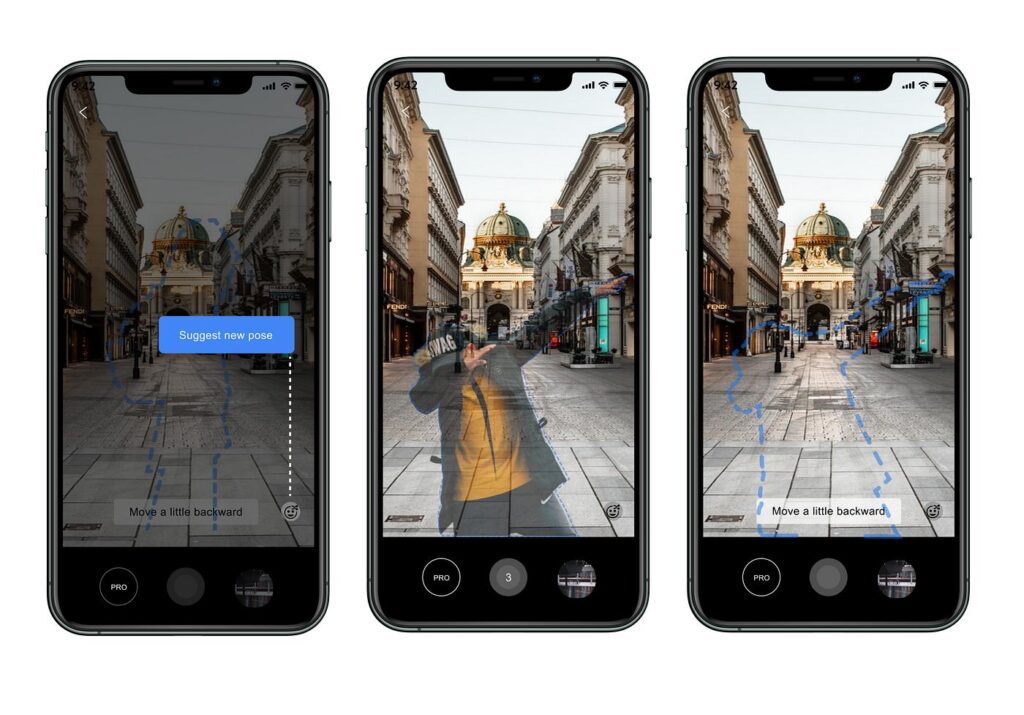
- Automatic composition assistance
- Enhanced low-light performance
- AI-powered computational photography
These improvements will help photographers capture more keepers while allowing them to focus on storytelling instead of technical adjustments.
Faster Editing Workflows
AI editing tools are becoming increasingly sophisticated.
Future software will likely:
- Learn your editing style
- Apply personalized presets automatically
- Organize photos intelligently
- Suggest compositions
- Generate accurate captions and keywords
- Optimize images for websites and social media
- Automate repetitive client workflows
Instead of replacing photographers, these advancements will free up more time for creativity, client communication, and business growth.
Improved Collaboration Between AI and Photographers
The future isn’t about photographers competing with AI—it’s about collaborating with it.
Professional photographers will continue making creative decisions regarding:
- Lighting
- Composition
- Timing
- Emotion
- Storytelling
- Client interaction
AI will handle repetitive tasks such as:
- Culling
- Basic editing
- Noise reduction
- File organization
- Image enhancement
- Export preparation
This partnership allows photographers to spend more time creating meaningful images.
Ethical Considerations in AI Photography
As AI becomes more powerful, ethical questions become increasingly important.
Professional photographers should use AI responsibly while maintaining transparency and trust with clients.
Authenticity
If AI significantly changes an image, consider whether the final result still represents reality.
For commercial photography, artistic edits may be expected.
For journalism, documentary photography, scientific photography, or legal evidence, authenticity is essential.
Understanding the expectations of your audience helps determine how much AI editing is appropriate.
Transparency
If AI-generated elements are added to an image—such as replacing large portions of a scene or creating entirely new content—it may be appropriate to disclose this depending on the project, publication, or client requirements.
Being transparent builds credibility and long-term trust.
Fair Representation
Avoid using AI to create misleading images that could deceive viewers.
Examples include:
- Fabricating events
- Altering products beyond recognition
- Creating unrealistic body proportions
- Misrepresenting people or places
Responsible editing protects both your reputation and your clients.
Copyright and Ownership
AI has introduced new questions about copyright, licensing, and ownership.
Photographers should understand several important considerations:
- Original photographs you capture generally remain your creative work, though applicable laws vary by jurisdiction.
- AI-assisted edits typically do not transfer ownership of your original image.
- AI-generated images may be subject to different copyright rules depending on the country and the specific AI platform.
- Always review the licensing terms of the AI software you use, especially for commercial projects.
When working for clients, it’s also wise to clarify in your contracts how AI tools may be used during editing and post-production.
Challenges of AI Photography
Despite its advantages, AI is not perfect.
Photographers may encounter challenges such as:
Over-Editing
Heavy AI processing can produce:
- Plastic-looking skin
- Unrealistic colors
- Artificial textures
- Excessive sharpening
A subtle approach usually creates more natural and timeless results.
Loss of Personal Style
If every photographer relies on the same automated presets and suggestions, images can begin to look similar.
Developing your own editing style remains one of the best ways to stand out.
Dependence on Automation
AI should never replace an understanding of photography fundamentals.
Continue learning:
- Exposure
- Composition
- Lighting
- Color theory
- Lens selection
- Visual storytelling
These skills remain valuable regardless of technological advancements.
Best Practices for Using AI Photography
To get the most from AI while preserving your artistic vision, follow these practical guidelines.
1. Capture Great Photos First
AI works best with strong source images.
Focus on:
- Proper exposure
- Good lighting
- Sharp focus
- Thoughtful composition
- Correct white balance
The better the original image, the better the AI-enhanced result.
2. Use AI to Save Time
Automate repetitive tasks such as:
- Image sorting
- Background removal
- Noise reduction
- Batch editing
- File organization
Spend the time you save refining creative details.
3. Review Every Important Image
AI can occasionally make mistakes.
Before delivering photographs:
- Check masks
- Review skin tones
- Inspect edges
- Verify colors
- Zoom in to detect artifacts
Human review remains essential for professional work.
4. Maintain Consistency
Clients expect a consistent editing style.
Use AI to improve efficiency while ensuring your photographs retain a recognizable visual identity.
5. Continue Learning
AI evolves quickly.
Stay informed by:
- Testing new tools
- Following photography communities
- Reading software updates
- Practicing manual editing techniques
Continuous learning helps you adapt without losing creative control.
Building an AI-Enhanced Photography Workflow
An efficient workflow combines traditional photography skills with intelligent automation.
Before the Shoot
- Research locations
- Plan lighting
- Prepare equipment
- Define creative objectives
During the Shoot
- Focus on storytelling
- Monitor exposure
- Compose carefully
- Capture multiple perspectives
After the Shoot
- Import files
- Organize images
- Use AI-assisted culling
- Apply global adjustments
- Perform selective retouching
- Review every edit manually
- Export for print, web, and social media
This balanced workflow helps photographers deliver high-quality work efficiently while maintaining full creative control.
AI photography covers many areas, from editing software and mobile applications to professional workflows. Explore our detailed guides on AI photo editors, AI photography apps, AI retouching tools, and AI-powered photography workflows to improve your creative process.
Frequently Asked Questions About AI Photography
Why You Can Trust The Candid Shoot
At The Candid Shoot, we don’t just write about photography—we actively explore cameras, editing software, AI-powered tools, and real-world photography workflows to create practical, experience-driven guides for photographers and content creators.
Our editorial approach focuses on evaluating tools based on factors that matter in everyday use, including image quality, ease of use, AI capabilities, workflow efficiency, pricing, and overall value. Instead of relying solely on marketing claims, we compare features, study official documentation, monitor software updates, and assess how these tools fit different photography styles, from portraits and weddings to landscapes, product photography, and social media content.
Every recommendation is created with one goal: helping readers choose the right tools for their specific needs, whether they’re beginners learning photography or professionals looking to streamline their editing workflow.
As artificial intelligence continues to reshape photography, The Candid Shoot is committed to publishing accurate, up-to-date, and practical content that enables photographers to make informed decisions with confidence.
Our Editorial Process
To maintain accuracy and reliability, every software guide published on The Candid Shoot is developed using a consistent research process.
Our evaluations consider:
- AI features and real-world usefulness
- Editing quality and output consistency
- Ease of use for beginners and professionals
- RAW editing performance
- Portrait and landscape editing capabilities
- Workflow efficiency
- Pricing and overall value
- Software updates and long-term support
- Compatibility across Windows, macOS, and mobile platforms
Whenever significant features, pricing, or AI capabilities change, we review and update our articles to keep them relevant and accurate.
Our Photography & AI Coverage
The Candid Shoot covers a wide range of photography and AI-related topics, including:
- AI Photo Editors
- AI Image Enhancement
- AI Photo Restoration
- AI Product Photography
- Portrait Photography
- Couple Photography
- Camera Reviews
- Photography Tutorials
- Photography Gear
- Photo Editing Workflows
- AI Photography Tools
- Creative Photography Techniques
Our goal is to help photographers capture better images, edit more efficiently, and stay informed about the latest advancements in photography and artificial intelligence.
Conclusion – AI Photography Guide
Artificial intelligence is reshaping photography by making powerful editing tools, intelligent workflows, and advanced camera technologies more accessible than ever before. From portrait retouching and product photography to image enhancement and workflow automation, AI enables photographers to work faster while maintaining high standards of quality.
Yet the heart of photography remains unchanged. Compelling images are still created through vision, patience, timing, light, composition, and the ability to tell meaningful stories. AI can enhance these strengths, but it cannot replace the human perspective that gives photographs their emotional impact.
As AI continues to evolve, the photographers who thrive will be those who embrace technology without becoming dependent on it. By mastering both traditional photography techniques and modern AI tools, you can create a workflow that is efficient, adaptable, and uniquely your own.
Whether you’re just beginning your photography journey or you’re an experienced professional looking to streamline your process, AI should be viewed as a creative partner—one that helps you spend less time on repetitive tasks and more time capturing images that inspire, inform, and connect with people.

Final Thoughts
AI photography is still in its early stages, and the tools available today will continue to improve. Staying curious, experimenting with new workflows, and maintaining a strong foundation in photography will help you adapt as technology evolves.
Use AI thoughtfully, continue refining your craft, and remember that while software can enhance an image, it is your creativity, experience, and perspective that transform a photograph into something truly memorable.
AI photography is most effective when paired with strong photography fundamentals. Learning composition, lighting, and camera settings will always be more valuable than relying solely on automation. To strengthen your skills, explore our Photography Tutorials and Complete Product Photography Guide, while also experimenting with professional software like Adobe Lightroom and Adobe Photoshop to develop an efficient editing workflow.
Related AI Photography Articles
Explore more AI-powered photography tools, editing techniques, and creative workflows to improve your photography skills:
1. 15 Best AI Photo Editors in 2026: Edit Photos Like a Professional
Discover the best AI-powered photo editing software for automatic enhancements, retouching, background removal, and faster editing workflows.
2. 15 Best AI Apps for iPhone Photography in 2026 to Create Stunning Photos
Explore powerful AI photography apps that help smartphone photographers improve image quality, edit photos, and create professional-looking results.
3. Lightroom AI vs Luminar Neo: Which AI Photo Editor Is Better in 2026?
Compare two popular AI photo editing platforms and learn which software is better for photographers, creators, and professionals.
4. Lightroom AI Review (2026): Features, Pricing, Pros & Is It Worth It?
Learn how Lightroom AI features improve photo editing through intelligent masking, noise reduction, automatic adjustments, and workflow automation.
5. 15 Best AI Photo Retouching Tools in 2026 for Professional Portrait Editing
Discover AI-powered retouching solutions for improving portraits, removing imperfections, enhancing skin tones, and creating polished images.
6. Photoshop AI Review (2026): Features, Generative Fill & AI Editing Guide
Learn how Adobe Photoshop AI tools help photographers edit images faster with intelligent selections, object removal, and creative enhancements.
7. Topaz Photo AI Review (2026): AI Noise Reduction, Sharpening & Image Enhancement
Explore how Topaz Photo AI improves image quality through AI-powered sharpening, noise reduction, and photo enhancement.
8. Best AI Software for Content Creators in 2026: 15 Powerful Tools to Boost Productivity
Find AI tools that help photographers and creators automate editing, content production, workflow management, and creative tasks.