
Discover the best AI photography software for editing, culling, retouching, image enhancement, album design, SEO, and workflow automation. Compare 25 powerful AI tools for photographers in 2026.
Introduction
Artificial intelligence has rapidly transformed modern photography. Tasks that once required hours of manual work—such as culling thousands of images, removing distractions, retouching portraits, enhancing image quality, organizing photo libraries, designing albums, and managing client workflows—can now be completed much faster with AI-powered photography software.
Today’s AI tools go beyond basic photo editing. They help photographers automate repetitive tasks, improve consistency, speed up post-production, and focus more on creativity and client experience. Whether you’re a wedding photographer processing thousands of RAW files, a portrait photographer perfecting skin tones, or a commercial photographer managing high-volume projects, the right AI software can significantly improve your workflow.
However, not every AI photography application is designed for the same purpose. Some specialize in AI editing, while others excel at photo culling, image enhancement, keywording, workflow automation, client gallery management, or album design. Choosing the right software depends on your photography style, business needs, budget, and preferred editing process.
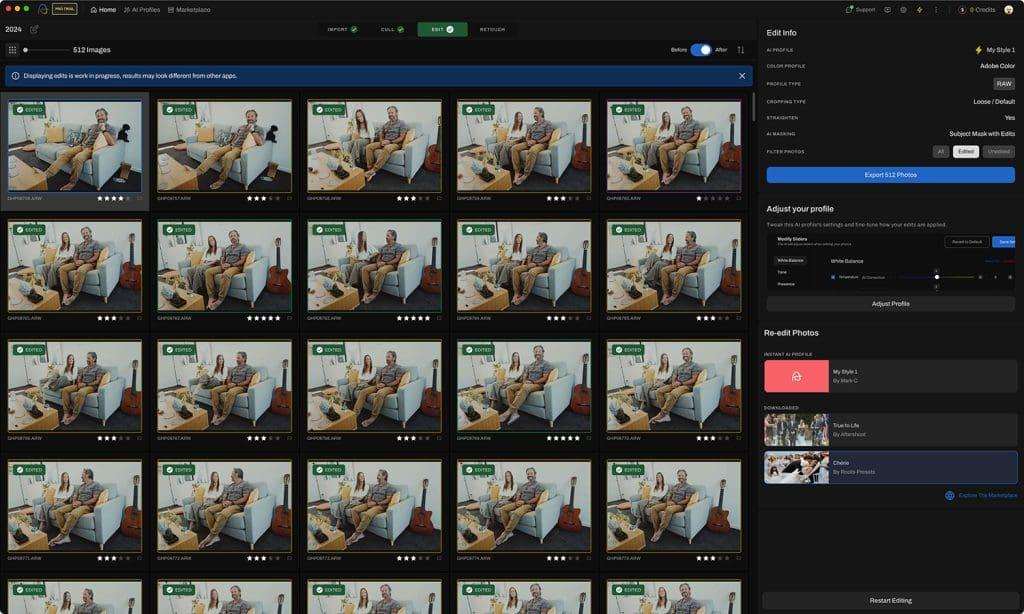
In this comprehensive guide, we’ll compare the best AI photography software available in 2026, highlighting their key features, strengths, limitations, pricing, and ideal use cases. By the end, you’ll have a clear understanding of which AI tools can help you save time, improve image quality, and grow your photography business.
Quick Answer
If you’re looking for the best all-around AI photography software, Adobe Lightroom AI remains one of the strongest choices because it combines AI-powered editing, masking, noise reduction, and an efficient workflow in a familiar ecosystem. For AI photo culling, AfterShoot is a leading option. Topaz Photo AI excels at image enhancement and sharpening, while Adobe Firefly offers powerful generative AI features for creative editing. The ideal software depends on whether your priority is editing, culling, organization, or business automation.
What Is AI Photography Software?
AI photography software uses artificial intelligence and machine learning to automate or assist with photography-related tasks that traditionally required manual effort.
These tools analyze images to recognize patterns, subjects, faces, lighting conditions, sharpness, and technical quality. Based on this analysis, they can recommend edits, organize photos, improve image quality, remove distractions, generate creative content, or streamline business workflows.
Rather than replacing photographers, AI software is designed to reduce repetitive work while allowing professionals to focus on creativity, storytelling, and client relationships.
How AI Is Changing Photography
Modern AI tools support photographers throughout the entire workflow.
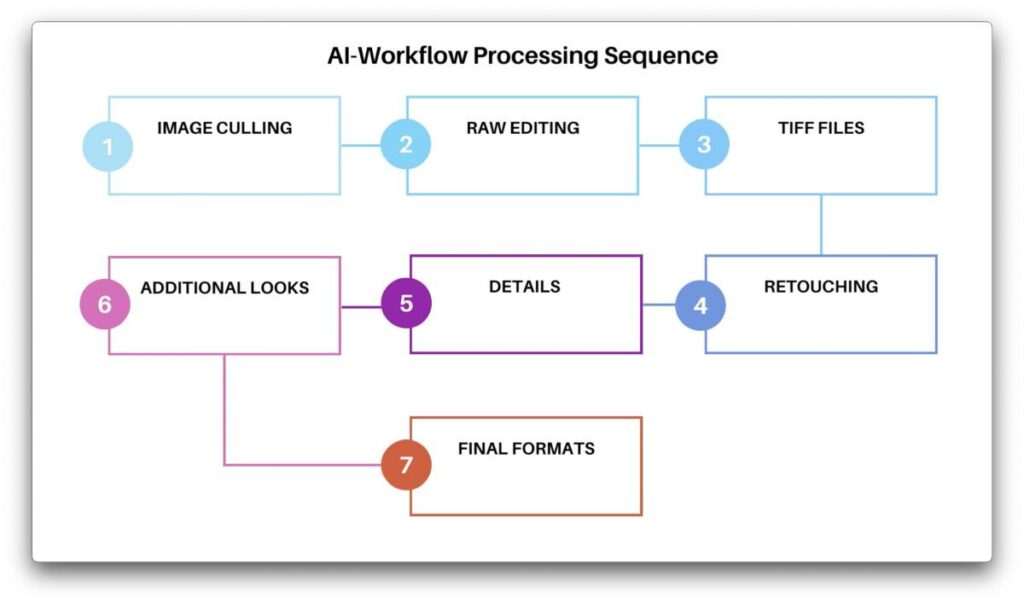
Typical AI-assisted workflow:
Capture Images →
AI Photo Culling →
AI Editing →
Image Enhancement →
Keywording →
Album Design →
Client Delivery →
Marketing & Business Automation
Instead of using a single application, many photographers combine several specialized AI tools to create an efficient end-to-end workflow.
Benefits of AI Photography Software
Save Hours of Editing Time
One of the biggest advantages of AI is automation.
Tasks that once required hours can often be completed much faster, including:
- Selecting the best photos
- Removing duplicate images
- Basic retouching
- Background masking
- Noise reduction
- Color adjustments
This allows photographers to spend more time shooting and less time editing.
Improve Workflow Efficiency
AI software helps eliminate repetitive tasks.
Examples include:
- Batch editing
- Smart organization
- Automatic image selection
- Keyword generation
- Album creation
- Client management
Improved efficiency often leads to faster project completion and quicker client delivery.
Better Image Quality
Many AI-powered editing tools improve image quality by enhancing:
- Sharpness
- Detail
- Noise reduction
- Color accuracy
- Subject selection
- Sky replacement
- Portrait retouching
These enhancements can reduce manual editing while maintaining professional results.
Scale Your Photography Business
As your workload grows, AI can help you handle more projects without proportionally increasing editing time.
For busy professionals, this may mean:
- Faster turnaround times
- Increased productivity
- Improved client satisfaction
- More opportunities to accept new bookings
Types of AI Photography Software
Different AI tools specialize in different parts of the photography workflow.
AI Photo Editing Software
These applications assist with editing and image enhancement.
Popular examples include:
- Adobe Lightroom AI
- Adobe Photoshop AI
- Luminar Neo
- ON1 Photo RAW
- Topaz Photo AI
- Evoto AI
Common features:
- AI masking
- Object removal
- Noise reduction
- Portrait retouching
- Sky replacement
- Color grading
AI Photo Culling Software
Designed for photographers reviewing large galleries.
Popular options include:
- AfterShoot
- Narrative Select
- FilterPixel
Common capabilities:
- Duplicate detection
- Closed-eye detection
- Blur detection
- Face grouping
- AI image selection
AI Image Enhancement Software
Focused on improving image quality.
Popular choices include:
- Topaz Photo AI
- Gigapixel AI
- AI Image Enhancement tools
Typical features:
- Sharpening
- Upscaling
- Noise removal
- Detail recovery
AI Business & Workflow Software
These tools support the business side of photography.
Examples include:
- AI Studio Management Software
- AI Client Gallery Platforms
- AI Workflow Automation Software
- AI Album Design Software
- ChatGPT for Photographers
They help automate communication, organization, marketing, and client management.
How We Selected the Best AI Photography Software
Every tool in this guide was evaluated using practical criteria relevant to photographers.
We considered:
- AI capabilities
- Editing quality
- Workflow efficiency
- Ease of use
- Learning curve
- Lightroom compatibility
- RAW file support
- Performance
- Automation features
- Value for money
- Frequency of updates
- Suitability for different photography niches
Rather than ranking software based on popularity alone, we focused on how effectively each application solves real-world photography challenges.
Comparison Table
| Software | Primary Purpose | Best For | Rating |
|---|---|---|---|
| Adobe Lightroom AI | Editing | All Photographers | ⭐⭐⭐⭐⭐ |
| Adobe Photoshop AI | Advanced Editing | Professionals | ⭐⭐⭐⭐⭐ |
| AfterShoot | AI Culling | Wedding & Event | ⭐⭐⭐⭐⭐ |
| Narrative Select | Manual AI Review | Portraits | ⭐⭐⭐⭐☆ |
| Topaz Photo AI | Image Enhancement | Image Quality | ⭐⭐⭐⭐⭐ |
| Luminar Neo | Creative Editing | Beginners & Enthusiasts | ⭐⭐⭐⭐☆ |
| Evoto AI | Portrait Retouching | Portrait Studios | ⭐⭐⭐⭐☆ |
| ON1 Photo RAW | Editing Workflow | Hybrid Editors | ⭐⭐⭐⭐☆ |
| FilterPixel | AI Culling | High Volume | ⭐⭐⭐⭐☆ |
| Adobe Firefly | Generative AI | Creative Editing | ⭐⭐⭐⭐⭐ |
Our Top AI Photography Software Picks
1. Adobe Lightroom AI
Best Overall AI Photography Software
Ideal for photographers seeking professional editing, AI masking, RAW workflow management, and seamless integration with the Adobe ecosystem.
2. AfterShoot
Best AI Photo Culling Software
Excellent for photographers processing thousands of images who want to automate image selection and reduce editing time.
3. Topaz Photo AI
Best AI Image Enhancement Software
Perfect for sharpening, noise reduction, and improving image quality while preserving detail.
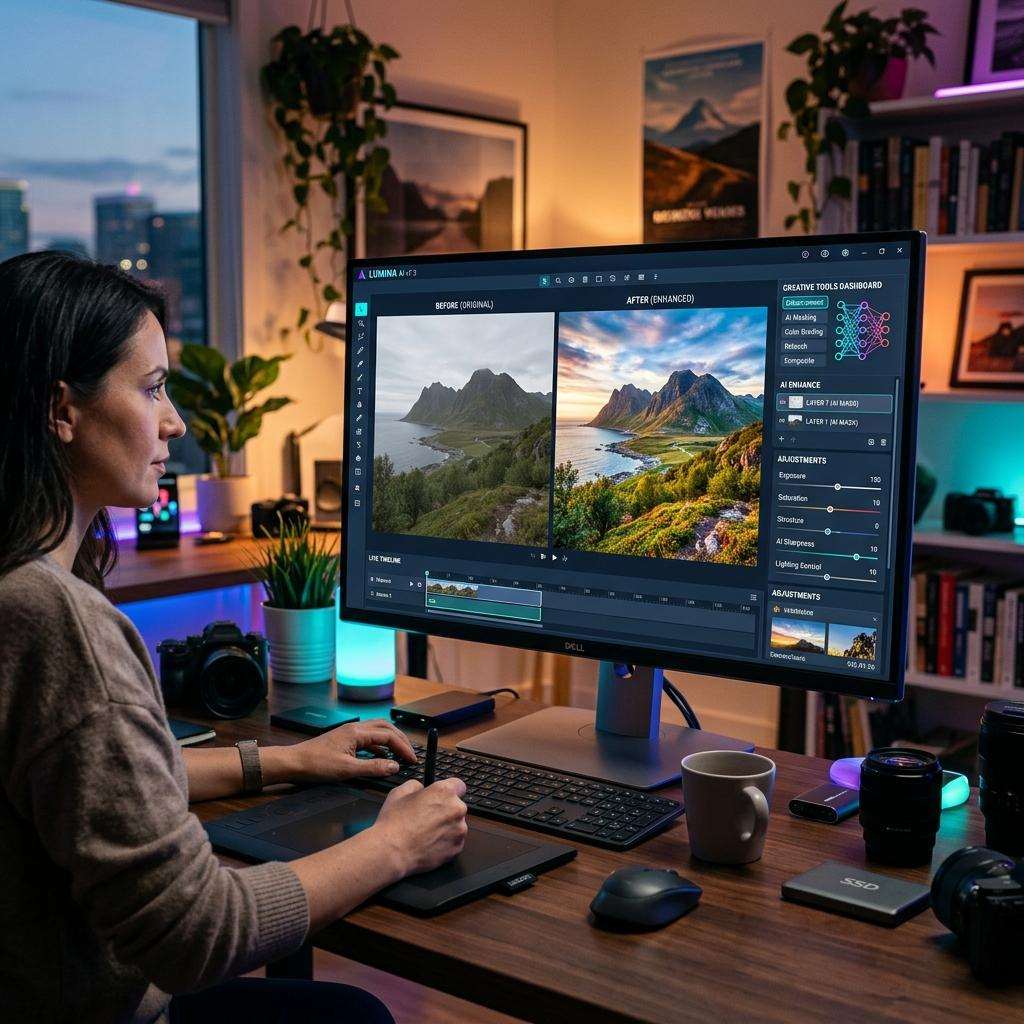
4. Adobe Photoshop AI
Best for Advanced Editing
Offers powerful generative AI tools, object removal, advanced retouching, and creative image manipulation.
5. Narrative Select
Best for Manual AI-Assisted Culling
Designed for photographers who prefer reviewing every image while benefiting from AI-powered face previews and fast navigation.
Who Should Use AI Photography Software?
AI photography software is valuable for a wide range of photographers.
This guide is particularly useful for:
- Wedding photographers
- Portrait photographers
- Commercial photographers
- Product photographers
- Wildlife photographers
- Sports photographers
- Event photographers
- Travel photographers
- Real estate photographers
- Content creators
- Photography educators
- Photography studios
Whether you’re editing a few hundred images or several thousand, AI tools can help improve productivity and consistency.
Choosing the Right AI Photography Software
Before selecting any software, ask yourself:
- Do I need AI editing or AI culling?
- How many images do I process each month?
- Do I use Adobe Lightroom?
- Do I prefer automation or manual control?
- Is image quality my biggest priority?
- Do I need business automation features?
- What is my monthly software budget?
Answering these questions will help narrow your options and prevent paying for features you may never use.
Related Articles:
- AI Photography Guide
- Adobe Firefly for Photographers
- ChatGPT for Photographers
- AI Photo Culling Software
- AfterShoot vs Narrative Select
- AI Workflow Automation for Photography Businesses
- AI Studio Management Software for Photographers
- AI Client Gallery Platforms
- AI Album Design Software
- AI Image Enhancers
- AI Facial Recognition Software for Photo Libraries
- AI Proofing Software for Photographers
- AI Keywording Software
- Lightroom AI vs Photoshop AI
- Best AI Tools for Photographers
Professional Insight: No single AI photography software is the best for every photographer. Wedding photographers often benefit most from AI culling tools, portrait photographers may prioritize retouching software, and commercial photographers frequently combine multiple AI applications to build a workflow tailored to their clients and editing style. Choosing software based on your real-world needs will usually deliver better results than relying on feature lists alone.
1. Adobe Lightroom AI
Best Overall AI Photography Software
Adobe Lightroom has become the industry standard for professional photographers, and its AI-powered features make it one of the most complete photography applications available today. Whether you’re editing weddings, portraits, landscapes, wildlife, or commercial projects, Lightroom combines advanced AI tools with an efficient RAW workflow.
Unlike software that focuses on a single task, Lightroom offers a complete editing environment that supports importing, organizing, editing, exporting, and cloud synchronization.
Key Features
- AI Subject Selection
- AI Sky Selection
- AI Background Masking
- AI Object Detection
- AI Noise Reduction
- AI Lens Blur
- RAW Editing
- Batch Editing
- Cloud Sync
- Lightroom Presets
Pros
- Excellent AI masking
- Professional RAW editing
- Fast workflow
- Large plugin ecosystem
- Industry-standard software
Cons
- Subscription required
- Advanced features require learning
Best For: Professional photographers
Overall Rating: ⭐⭐⭐⭐⭐ (5/5)
2. Adobe Photoshop AI
Best AI Software for Advanced Editing
Photoshop continues to lead the market for advanced image manipulation. With Adobe Firefly integration, AI-powered Generative Fill, object removal, and smart selections, photographers can perform edits that previously required extensive manual work.
Photoshop is particularly useful for commercial photography, advertising, fashion, and detailed retouching.
Key Features
- Generative Fill
- Generative Expand
- AI Object Removal
- AI Selections
- AI Background Replacement
- AI Retouching
- Smart Layers
- Advanced Compositing
Pros
- Extremely powerful editing tools
- Excellent AI features
- Industry standard
- Unlimited creative possibilities
Cons
- Steeper learning curve
- Subscription required
Best For: Commercial & advanced photographers
Overall Rating: ⭐⭐⭐⭐⭐
3. AfterShoot
Best AI Photo Culling Software
AfterShoot is designed to eliminate one of the most time-consuming parts of photography—reviewing thousands of images after a shoot.
Using AI, the software analyzes sharpness, facial expressions, duplicates, and closed eyes before recommending the strongest photographs.
Key Features
- AI Culling
- Blur Detection
- Duplicate Detection
- Closed Eye Detection
- AI Editing
- Lightroom Integration
- Local Processing
Pros
- Saves hours
- Excellent automation
- Easy workflow
- Great for weddings
Cons
- AI selections still need review
Best For: Wedding photographers
Overall Rating: ⭐⭐⭐⭐⭐
4. Narrative Select
Best AI-Assisted Photo Review Software
Narrative Select focuses on speeding up manual image selection rather than replacing photographer judgment.
Its fast interface, facial previews, and keyboard shortcuts make reviewing large galleries much more efficient.
Key Features
- Face Preview
- Sharpness Detection
- Duplicate Grouping
- Keyboard Navigation
- Lightroom Integration
- Local Processing
Pros
- Extremely fast
- Excellent face comparison
- Intuitive workflow
Cons
- Less automated than AI-first tools
Best For: Portrait photographers
Overall Rating: ⭐⭐⭐⭐☆
5. Topaz Photo AI
Best AI Image Enhancement Software
Topaz Photo AI specializes in improving image quality.
It combines AI sharpening, denoising, face recovery, and image enhancement into a single workflow.
Photographers often use it to rescue difficult images that would otherwise be unusable.
Key Features
- AI Sharpen
- AI Denoise
- Face Recovery
- Image Enhancement
- Batch Processing
- RAW Support
Pros
- Outstanding sharpening
- Excellent noise reduction
- Easy workflow
Cons
- Can be resource-intensive on older hardware
Best For: Image quality improvement
Overall Rating: ⭐⭐⭐⭐⭐
6. Luminar Neo
Best AI Creative Editing Software
Luminar Neo focuses on simplifying advanced editing using artificial intelligence.
Its AI-powered masking, relighting, sky replacement, portrait enhancement, and creative effects make it popular among enthusiasts and professionals who want fast results.
Key Features
- AI Sky Replacement
- AI Relight
- AI Structure
- AI Portrait Tools
- Layer Editing
- Presets
Pros
- Beginner-friendly
- Creative AI features
- Attractive interface
Cons
- Performance may vary on older systems
Best For: Creative photographers
Overall Rating: ⭐⭐⭐⭐☆
7. Evoto AI
Best AI Portrait Retouching Software
Evoto AI is designed specifically for portrait photographers.
It automates skin retouching, facial enhancement, body adjustments, and color correction while maintaining a natural appearance.
Key Features
- AI Skin Retouching
- Face Sculpting
- Makeup Adjustments
- Teeth Whitening
- Background Editing
- Batch Portrait Editing
Pros
- Excellent portrait workflow
- Fast editing
- High-quality retouching
Cons
- Limited use outside portrait photography
Best For: Portrait studios
Overall Rating: ⭐⭐⭐⭐☆
8. ON1 Photo RAW
Best Lightroom Alternative
ON1 Photo RAW combines photo organization, RAW editing, AI masking, effects, and asset management into a single application.
Photographers looking to reduce reliance on subscriptions often consider ON1 as an alternative.
Key Features
- AI Masking
- AI Keywording
- RAW Editing
- Layers
- Presets
- Asset Management
Pros
- One-time purchase options
- Complete workflow
- Powerful editing
Cons
- Interface can feel complex initially
Best For: Hybrid editing workflows
Overall Rating: ⭐⭐⭐⭐☆
9. FilterPixel
Best AI Culling Alternative
FilterPixel is another AI-powered culling application designed for photographers working with large image collections.
It automates image selection while allowing photographers to refine the final gallery.
Key Features
- AI Culling
- Duplicate Detection
- Blur Detection
- Face Analysis
- Batch Workflow
- Lightroom Integration
Pros
- Efficient automation
- Beginner-friendly
- Fast processing
Cons
- Smaller ecosystem compared to some competitors
Best For: Event photography
Overall Rating: ⭐⭐⭐⭐☆
10. Adobe Firefly
Best AI Generative Photography Tool
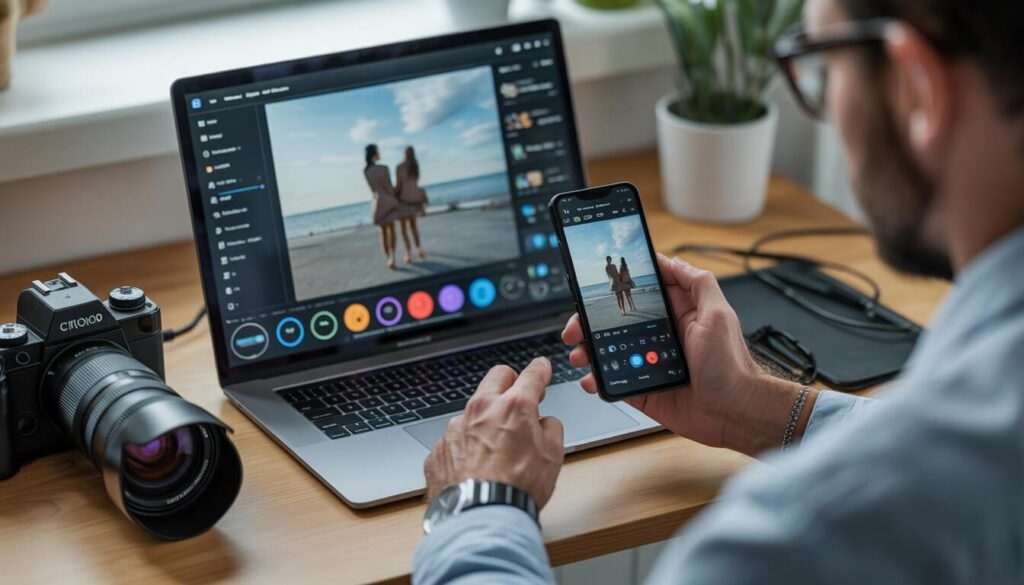
Adobe Firefly brings generative AI into the photography workflow.
It enables photographers to expand images, remove distractions, generate backgrounds, and create creative concepts using text prompts.
When combined with Photoshop, Firefly becomes a powerful tool for commercial and creative projects.
Key Features
- Generative Fill
- Generative Expand
- AI Background Generation
- Text-to-Image
- Object Replacement
- Commercially designed workflows
Pros
- Excellent creative possibilities
- Strong Adobe integration
- Easy to use
Cons
- Best experienced within the Adobe ecosystem
Best For: Creative editing
Overall Rating: ⭐⭐⭐⭐⭐
Quick Comparison Table
| Software | Best For | AI Editing | AI Culling | Rating |
|---|---|---|---|---|
| Adobe Lightroom AI | Overall Workflow | ⭐⭐⭐⭐⭐ | ⭐⭐⭐☆☆ | ⭐⭐⭐⭐⭐ |
| Adobe Photoshop AI | Advanced Editing | ⭐⭐⭐⭐⭐ | ⭐☆☆☆☆ | ⭐⭐⭐⭐⭐ |
| AfterShoot | AI Culling | ⭐⭐☆☆☆ | ⭐⭐⭐⭐⭐ | ⭐⭐⭐⭐⭐ |
| Narrative Select | Manual Review | ⭐⭐☆☆☆ | ⭐⭐⭐⭐☆ | ⭐⭐⭐⭐☆ |
| Topaz Photo AI | Enhancement | ⭐⭐⭐⭐⭐ | ⭐☆☆☆☆ | ⭐⭐⭐⭐⭐ |
| Luminar Neo | Creative Editing | ⭐⭐⭐⭐☆ | ⭐☆☆☆☆ | ⭐⭐⭐⭐☆ |
| Evoto AI | Portrait Retouching | ⭐⭐⭐⭐⭐ | ⭐☆☆☆☆ | ⭐⭐⭐⭐☆ |
| ON1 Photo RAW | Workflow | ⭐⭐⭐⭐☆ | ⭐⭐☆☆☆ | ⭐⭐⭐⭐☆ |
| FilterPixel | AI Culling | ⭐⭐☆☆☆ | ⭐⭐⭐⭐⭐ | ⭐⭐⭐⭐☆ |
| Adobe Firefly | Generative AI | ⭐⭐⭐⭐⭐ | ⭐☆☆☆☆ | ⭐⭐⭐⭐⭐ |
Which Software Is Best for Different Photographers?
Wedding Photographers
Recommended:
- AfterShoot
- Lightroom AI
- Topaz Photo AI
Portrait Photographers
Recommended:
- Evoto AI
- Photoshop AI
- Narrative Select
Commercial Photographers
Recommended:
- Photoshop AI
- Firefly
- Lightroom AI
Travel Photographers
Recommended:
- Lightroom AI
- Luminar Neo
- Topaz Photo AI
Product Photographers
Recommended:
- Photoshop AI
- Firefly
- ON1 Photo RAW
Beginners
Recommended:
- Lightroom AI
- Luminar Neo
- FilterPixel
Why Use Multiple AI Photography Tools?
Most professional photographers don’t rely on a single AI application. Instead, they combine specialized tools to create a faster and more efficient workflow.
A common example might look like this:
- AfterShoot – Cull large RAW galleries.
- Adobe Lightroom AI – Perform RAW editing and color correction.
- Topaz Photo AI – Enhance sharpness and reduce noise.
- Adobe Photoshop AI / Firefly – Remove distractions and complete advanced retouching.
- ChatGPT – Generate blog content, client emails, and marketing copy.
Using each application for its strengths often produces better results than expecting one tool to handle every task.
Professional Insight: The most effective AI photography workflow usually combines several specialized tools rather than relying on one application for everything. For example, many photographers use AI culling software to reduce image selection time, Lightroom for RAW editing, Topaz Photo AI for enhancement, and Photoshop or Firefly for advanced retouching. Selecting tools based on your workflow and photography niche often provides better long-term value than choosing software with the largest feature list alone.
11. Imagen AI
Best AI Photo Editing Automation
Imagen AI is designed to learn a photographer’s editing style and apply consistent edits across large photo collections. Instead of replacing your creative vision, it aims to replicate your preferred editing approach, making it especially useful for photographers with a well-established editing style.
Key Features
- AI Profile Learning
- Batch Editing
- Lightroom Integration
- Personalized Color Adjustments
- Exposure Correction
- White Balance Optimization
- Cloud-Based Processing
Pros
- Consistent editing
- Excellent for high-volume workflows
- Learns personal editing preferences
Cons
- Best results require an existing editing history
- Cloud processing may not suit every workflow
Best For: Wedding and event photographers
Overall Rating: ⭐⭐⭐⭐⭐
12. Impossible Things
Best AI Editing for Wedding Photographers
Impossible Things focuses on automating photo editing for professional photographers while preserving their unique editing style.
Key Features
- AI Color Correction
- Exposure Optimization
- Batch Editing
- Lightroom Workflow
- Style Learning
- Fast Delivery
Pros
- Saves editing time
- Consistent results
- Easy integration
Cons
- Best suited for photographers with established editing styles
Best For: Professional wedding photographers
Overall Rating: ⭐⭐⭐⭐☆
13. Gigapixel AI
Best AI Image Upscaling Software
Gigapixel AI specializes in enlarging photographs while preserving sharpness and fine details.
Photographers often use it when preparing large prints or recovering cropped images.
Key Features
- AI Upscaling
- Detail Recovery
- Face Recovery
- Batch Processing
- Print Optimization
Pros
- Excellent enlargement quality
- Preserves image detail
- Easy workflow
Cons
- Limited to image enhancement
Best For: Large-format printing
Overall Rating: ⭐⭐⭐⭐⭐
14. Remini
Best AI Photo Enhancement App
Remini is popular for restoring older or low-quality images using AI-powered enhancement.
Key Features
- AI Face Enhancement
- Image Restoration
- Sharpening
- Noise Reduction
- Mobile Editing
Pros
- Beginner-friendly
- Quick improvements
- Mobile support
Cons
- Limited professional workflow features
Best For: Casual photographers and social media creators
Overall Rating: ⭐⭐⭐⭐☆
15. AI Keywording Software
AI keywording tools automatically generate searchable metadata for photographs, making it easier to organize and locate images.
Benefits
- Faster organization
- Improved searchability
- Better stock photography workflow
- Reduced manual tagging
Best For: Stock photographers and large photo libraries
16. AI Client Gallery Platforms
Modern AI-powered client gallery platforms simplify image delivery, gallery management, and client proofing.
Benefits
- Online galleries
- AI image organization
- Client favorites
- Download management
- Gallery analytics
Best For: Wedding and portrait photographers
17. AI Album Design Software
Album design software uses AI to speed up page layouts while still allowing photographers to customize the final design.
Benefits
- Automatic layouts
- Face-aware placement
- Smart spacing
- Fast revisions
Best For: Wedding photographers
18. AI Workflow Automation Software
Workflow automation tools reduce repetitive business tasks.
Common features include:
- Client onboarding
- Email automation
- Booking workflows
- Task reminders
- Invoice automation
These tools improve productivity beyond editing alone.
19. AI Studio Management Software
Studio management software combines scheduling, CRM, contracts, invoicing, questionnaires, and client communication into one platform.
Benefits
- Appointment management
- Client tracking
- Automated reminders
- Business reporting
Best For: Photography businesses and studios
20. ChatGPT for Photographers
AI assistants like ChatGPT can support photographers with marketing, client communication, education, and business growth.
Common uses include:
- Blog writing
- SEO optimization
- Email responses
- Social media captions
- Photography prompts
- Client questionnaires
- Marketing ideas
Feature Comparison
| Software | AI Editing | AI Culling | AI Enhancement | Business Tools | Beginner Friendly |
|---|---|---|---|---|---|
| Lightroom AI | ⭐⭐⭐⭐⭐ | ⭐⭐⭐☆☆ | ⭐⭐⭐⭐☆ | ⭐⭐☆☆☆ | ⭐⭐⭐⭐☆ |
| Photoshop AI | ⭐⭐⭐⭐⭐ | ⭐☆☆☆☆ | ⭐⭐⭐⭐⭐ | ⭐☆☆☆☆ | ⭐⭐⭐☆☆ |
| AfterShoot | ⭐⭐☆☆☆ | ⭐⭐⭐⭐⭐ | ⭐⭐☆☆☆ | ⭐☆☆☆☆ | ⭐⭐⭐⭐⭐ |
| Narrative Select | ⭐⭐☆☆☆ | ⭐⭐⭐⭐☆ | ⭐☆☆☆☆ | ⭐☆☆☆☆ | ⭐⭐⭐⭐☆ |
| Topaz Photo AI | ⭐⭐⭐⭐⭐ | ⭐☆☆☆☆ | ⭐⭐⭐⭐⭐ | ⭐☆☆☆☆ | ⭐⭐⭐⭐☆ |
| Imagen AI | ⭐⭐⭐⭐⭐ | ⭐⭐⭐☆☆ | ⭐⭐⭐⭐☆ | ⭐☆☆☆☆ | ⭐⭐⭐⭐☆ |
| Evoto AI | ⭐⭐⭐⭐⭐ | ⭐☆☆☆☆ | ⭐⭐⭐⭐☆ | ⭐☆☆☆☆ | ⭐⭐⭐⭐⭐ |
| Firefly | ⭐⭐⭐⭐⭐ | ⭐☆☆☆☆ | ⭐⭐⭐⭐☆ | ⭐☆☆☆☆ | ⭐⭐⭐⭐☆ |
Pricing Comparison
| Software | Free Trial | Monthly Plan | Annual Plan |
|---|---|---|---|
| Lightroom AI | ✅ | ✅ | ✅ |
| Photoshop AI | ✅ | ✅ | ✅ |
| AfterShoot | ✅ | ✅ | ✅ |
| Narrative Select | ✅ | ✅ | ✅ |
| Topaz Photo AI | Varies | — | One-time purchase options available |
| Luminar Neo | ✅ | ✅ | ✅ |
| Imagen AI | ✅ | Usage-based/varies | — |
| Evoto AI | ✅ | Credit/subscription options | — |
| ON1 Photo RAW | Trial available | — | One-time purchase/subscription options |
Note: Pricing models can change. Always verify current plans and licensing on each software’s official website before purchasing.
Performance Comparison
Fastest AI Culling
- AfterShoot
- Narrative Select
- FilterPixel
Best AI Editing
- Adobe Lightroom AI
- Adobe Photoshop AI
- Imagen AI
- Luminar Neo
Best AI Image Enhancement
- Topaz Photo AI
- Gigapixel AI
- Remini
Best Portrait Editing
- Evoto AI
- Photoshop AI
- Lightroom AI
Best Workflow Automation
- AI Studio Management Software
- AI Workflow Automation Software
- AI Client Gallery Platforms
AI Editing vs Traditional Editing
AI Editing Advantages
- Faster workflow
- Batch processing
- Automatic masking
- AI-powered retouching
- Consistent results
- Reduced repetitive work
Traditional Editing Advantages
- Complete creative control
- Precise local adjustments
- Artistic flexibility
- Advanced compositing
- Fine-detail editing
Can AI Replace Professional Photo Editing?
The short answer is no—not completely.
AI excels at automating repetitive and technical tasks, but it cannot fully replace a photographer’s artistic judgment, storytelling ability, or understanding of client preferences.
The strongest workflows typically combine AI efficiency with manual refinement.
Buying Guide
Before investing in AI photography software, consider the following questions:
What type of photographer are you?
- Wedding
- Portrait
- Commercial
- Product
- Wildlife
- Sports
- Travel
- Real Estate
What problem are you trying to solve?
- Faster editing
- Better image quality
- AI culling
- Client management
- Marketing
- Workflow automation
Do you already use Lightroom?
Many AI applications integrate directly with Adobe Lightroom, making them easier to incorporate into an existing workflow.
What is your budget?
Some tools are subscription-based, while others offer one-time purchase options or usage-based pricing.
Do you prefer automation or manual control?
Some photographers want AI to handle repetitive work, while others prefer AI to assist rather than make decisions.
Recommended AI Photography Stack
Beginner
- Lightroom AI
- Luminar Neo
- ChatGPT
Wedding Photographer
- AfterShoot
- Lightroom AI
- Topaz Photo AI
- AI Album Design Software
- AI Client Gallery Platform
Portrait Photographer
- Evoto AI
- Photoshop AI
- Narrative Select
Commercial Photographer
- Photoshop AI
- Firefly
- Lightroom AI
- ON1 Photo RAW
Photography Studio
- AI Studio Management Software
- AI Workflow Automation Software
- Client Gallery Platform
- ChatGPT
- Lightroom AI
Professional Insight: AI photography software delivers the best results when used as part of a complete workflow rather than as a standalone solution. For example, you might use AI culling software to reduce image selection time, Lightroom for RAW editing, Topaz Photo AI for enhancement, and business automation tools for client communication. Building a workflow around your photography niche, editing style, and delivery process is often more valuable than simply choosing the software with the most features.
Which AI Photography Software Is Best?
There isn’t a single AI photography application that is perfect for every photographer. The ideal software depends on your workflow, photography niche, editing style, and business requirements.
Below are our recommendations based on common photography needs.
| Category | Recommended Software |
|---|---|
| Best Overall | Adobe Lightroom AI |
| Best AI Editing | Adobe Photoshop AI |
| Best AI Photo Culling | AfterShoot |
| Best AI Image Enhancement | Topaz Photo AI |
| Best Portrait Retouching | Evoto AI |
| Best Creative AI | Adobe Firefly |
| Best Manual AI Culling | Narrative Select |
| Best AI Editing Automation | Imagen AI |
| Best Lightroom Alternative | ON1 Photo RAW |
| Best AI Workflow Tool | AI Studio Management Software |
Best AI Photography Software by Photography Type
Wedding Photographers
Recommended Stack:
- AfterShoot
- Lightroom AI
- Imagen AI
- Topaz Photo AI
- AI Album Design Software
- AI Client Gallery Platforms
Why?
Wedding photographers often process thousands of RAW images. AI-powered culling, editing, album creation, and client gallery tools can dramatically reduce post-production time.
Portrait Photographers
Recommended Stack:
- Evoto AI
- Photoshop AI
- Narrative Select
- Lightroom AI
Portrait photographers benefit from AI skin retouching, facial enhancements, expression comparison, and advanced editing tools.
Commercial Photographers
Recommended Stack:
- Photoshop AI
- Adobe Firefly
- Lightroom AI
- ON1 Photo RAW
Commercial photography often requires detailed retouching, object removal, compositing, and creative image manipulation.
Product Photographers
Recommended Stack:
- Photoshop AI
- Firefly
- Lightroom AI
- Topaz Photo AI
These tools simplify background cleanup, object isolation, color correction, and image enhancement.
Wildlife & Sports Photographers
Recommended Stack:
- AfterShoot
- Lightroom AI
- Topaz Photo AI
Fast culling and AI sharpening help manage burst photography and improve image quality.
Travel Photographers
Recommended Stack:
- Lightroom AI
- Luminar Neo
- Topaz Photo AI
These applications provide efficient editing while maintaining portability and flexibility.
Best Free AI Photography Software
If you’re starting on a limited budget, several tools offer free trials or free features that let you explore AI-assisted editing before committing to a paid plan.

Popular options include:
- Adobe Lightroom (Free Trial)
- Adobe Photoshop (Free Trial)
- Adobe Firefly (Free tier with usage limits)
- AfterShoot (Trial)
- Narrative Select (Trial)
- Luminar Neo (Trial)
- ON1 Photo RAW (Trial)
Free versions are excellent for testing workflows, but professional photographers will typically need premium features for larger projects and advanced editing.
Common Mistakes When Choosing AI Photography Software
Many photographers purchase software with impressive feature lists but overlook whether it fits their actual workflow.
Avoid these common mistakes:
Buying Based Only on Popularity
The most popular software may not suit your photography niche or editing style.
Ignoring Workflow Compatibility
Always check whether the software integrates with your preferred applications, such as Adobe Lightroom or Capture One.
Expecting AI to Replace Creativity
AI can automate repetitive tasks, but artistic decisions, storytelling, and client preferences still require human judgment.
Paying for Unused Features
Choose software that solves your biggest workflow challenges instead of paying for capabilities you rarely use.
Skipping Free Trials
Testing software with your own images is one of the best ways to determine whether it fits your workflow.
Future of AI Photography Software
Artificial intelligence is expected to become even more integrated into photography workflows.
Emerging trends include:
- Smarter subject recognition
- Improved AI editing suggestions
- Better facial analysis
- More accurate object removal
- Enhanced AI-generated backgrounds
- Automated album design
- AI-powered client communication
- Intelligent photo organization
- Workflow automation across multiple platforms
While these advancements will continue improving efficiency, photographers will still play the central role in creative direction and final image selection.
Frequently Asked Questions
Why Trust The Candid Shoot?
At The Candid Shoot, our goal is to help photographers make informed technology decisions through practical, research-based content.
Every guide is created using:
- Official product documentation
- Feature comparisons
- Workflow analysis
- Industry best practices
- Real-world photography experience
- Continuous updates as AI tools evolve
Instead of recommending one product for everyone, we evaluate each tool based on its strengths, limitations, and suitability for different photography workflows.
How We Tested and Evaluated These AI Tools
Every software recommendation in this guide was evaluated using consistent criteria.
Our review process considered:
- AI editing capabilities
- AI photo culling accuracy
- Image enhancement quality
- Workflow efficiency
- Ease of use
- Learning curve
- RAW file support
- Lightroom compatibility
- Automation features
- Performance with large photo libraries
- Value for money
- Suitability for different photography genres
Because AI photography software evolves rapidly, we recommend checking each developer’s official website for the latest pricing, compatibility, and feature updates.
References
For the most up-to-date information, consult the official resources provided by each software developer.
Recommended references include:
- Adobe Lightroom Official Documentation
- Adobe Photoshop Official Documentation
- Adobe Firefly Official Resources
- AfterShoot Product Documentation
- Narrative Product Documentation
- Topaz Labs Documentation
- Skylum Luminar Documentation
- Imagen Documentation
- ON1 Documentation
- FilterPixel Resources
Using official documentation ensures access to the latest information on features, pricing, compatibility, and licensing.
Final Verdict
AI photography software has become an essential part of modern photography workflows. Whether you’re managing thousands of wedding images, retouching portraits, enhancing landscapes, or running a busy photography studio, the right AI tools can help reduce repetitive work and improve efficiency.
Rather than searching for a single “perfect” application, consider building a workflow that combines complementary tools. For example:
- AfterShoot for AI photo culling
- Adobe Lightroom AI for RAW editing and catalog management
- Topaz Photo AI for sharpening and noise reduction
- Adobe Photoshop AI and Adobe Firefly for advanced retouching and generative editing
- AI Studio Management Software and AI Client Gallery Platforms for business operations
- ChatGPT for content creation, marketing, and client communication
By selecting software based on your workflow instead of marketing claims, you’ll be better positioned to save time, improve consistency, and deliver a better experience for your clients.
Related Articles
Continue exploring AI photography with these guides:
- AI Photography Guide
- Best AI Tools for Photographers
- Adobe Firefly for Photographers
- ChatGPT for Photographers
- AI Photo Culling Software
- AfterShoot vs Narrative Select
- Lightroom AI vs Photoshop AI
- AI Workflow Automation for Photography Businesses
- AI Studio Management Software for Photographers
- AI Client Gallery Platforms
- AI Album Design Software
- AI Image Enhancers
- AI Image Upscalers
- AI Facial Recognition Software for Photo Libraries
- AI Proofing Software for Photographers
- AI Keywording Software




Leave a Reply