
Discover the 15 best AI image enhancers in 2026. Compare free and paid AI tools to sharpen, upscale, denoise, and improve photo quality effortlessly.
Introduction
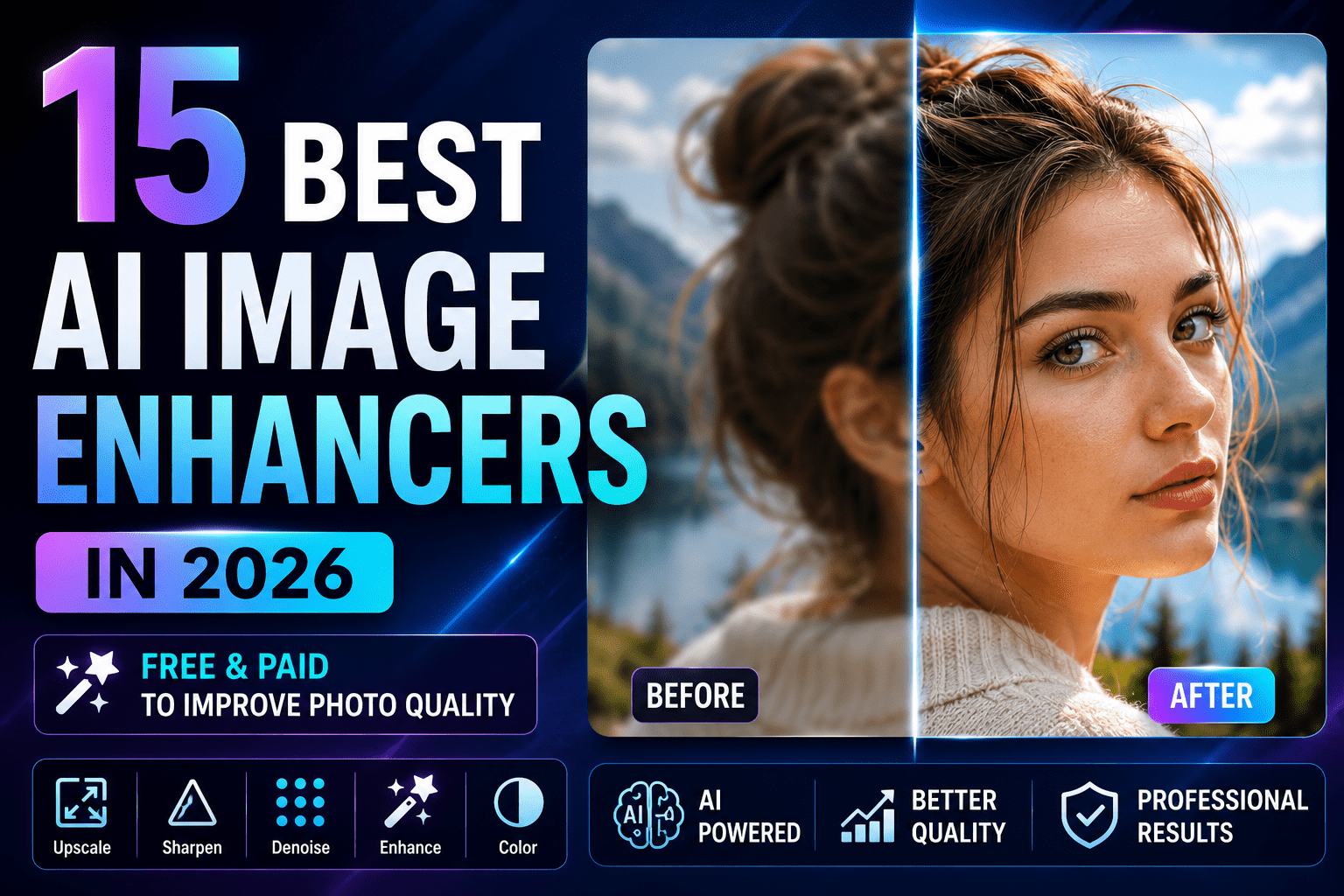
High-quality images are essential for photographers, businesses, content creators, and eCommerce brands. However, not every photo is captured under perfect conditions. Low lighting, camera shake, image compression, and older camera sensors can result in blurry, noisy, or low-resolution images that lack the clarity needed for professional use. Fortunately, modern AI image enhancers can transform these imperfect photos into sharp, vibrant, and high-resolution images with just a few clicks.
Unlike traditional editing software that relies on manual adjustments, AI image enhancers use advanced machine learning algorithms to analyze every part of an image. They can intelligently restore details, reduce noise, improve sharpness, increase resolution, and correct colors while preserving a natural look. Whether you’re restoring old family photos, enhancing product images for an online store, or preparing high-quality visuals for social media, AI-powered enhancement tools can save hours of editing time.
In this guide, we’ll explore the 15 Best AI Image Enhancers in 2026, comparing their features, strengths, pricing, and ideal use cases. By the end of this article, you’ll know which AI image enhancer is best suited for your photography workflow and editing requirements.
AI image enhancement is just one aspect of a modern AI-powered photography workflow. To understand how artificial intelligence is transforming everything from image capture to editing, automation, and post-processing, explore our comprehensive AI Photography Guide. It covers the latest AI tools, camera technologies, editing techniques, and practical workflows for photographers of all skill levels.
What Is an AI Image Enhancer?
An AI image enhancer is a software application or online tool that uses artificial intelligence to automatically improve the quality of digital images. Instead of applying simple filters or sharpening effects, these tools analyze image content using deep learning models trained on millions of photographs.
AI image enhancers can identify faces, objects, textures, edges, and lighting conditions to apply intelligent improvements while maintaining realistic details.
Common enhancement features include:
- AI-powered image upscaling
- Automatic noise reduction
- Intelligent sharpening
- Color and exposure correction
- Portrait enhancement
- Face restoration
- Background enhancement
- Old photo restoration
- Compression artifact removal
- Batch image processing
Unlike conventional editing methods, AI enhancement requires minimal manual adjustments, making it suitable for both beginners and professional photographers.
How AI Image Enhancers Work
AI image enhancement relies on deep learning and computer vision technologies. During development, AI models are trained using millions of high-quality and low-quality image pairs. This allows the software to recognize missing details and reconstruct images intelligently.
The enhancement process typically follows these steps:
Image Analysis
The AI first scans the image to identify:
- Faces
- Objects
- Backgrounds
- Textures
- Edges
- Noise levels
- Lighting conditions
This analysis helps the software determine which areas require enhancement.
Intelligent Detail Recovery
Instead of simply sharpening pixels, AI predicts and reconstructs missing details based on learned image patterns. This produces more natural-looking results than traditional sharpening filters.
Noise Reduction
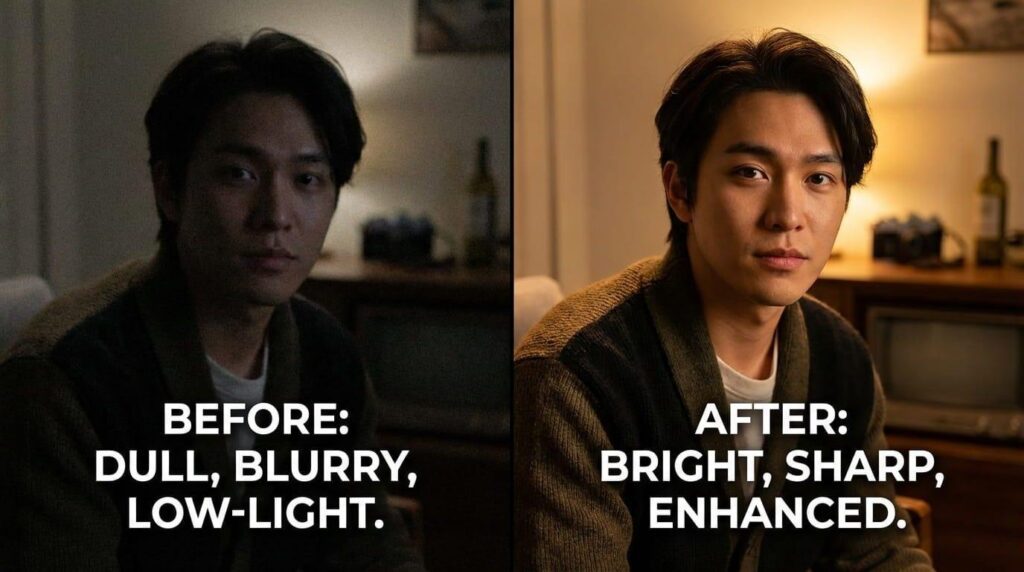
Digital noise is one of the most common problems in low-light photography. AI algorithms remove unwanted grain while preserving fine textures such as hair, fabric, and skin.
Resolution Enhancement
AI upscaling increases image size while generating additional details, making low-resolution photos suitable for larger displays or high-quality printing.
Final Optimization
The software performs additional adjustments such as:
- Contrast optimization
- White balance correction
- Dynamic range enhancement
- Color refinement
- Edge cleanup
The result is a sharper, cleaner, and more visually appealing image.
While AI image enhancers focus on improving photo quality through sharpening, noise reduction, and upscaling, many photographers also need advanced editing features such as object removal, portrait retouching, and creative manipulation. If you’re comparing complete editing solutions, don’t miss our guide to the Best AI Photo Editors, where we review the top AI-powered software for professional and beginner photographers.

Benefits of Using an AI Image Enhancer
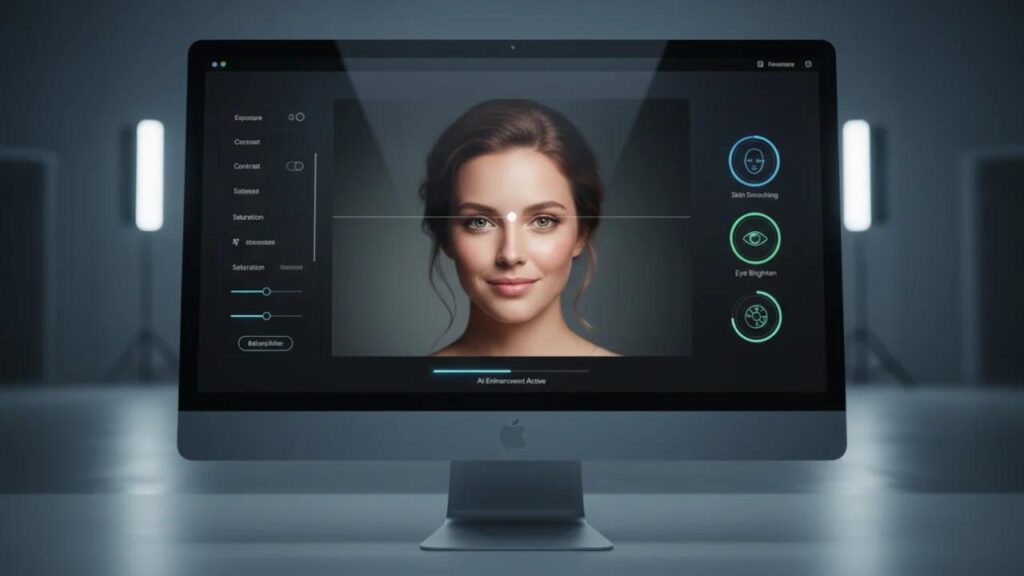
AI image enhancement has become an essential part of modern photography because it offers significant improvements in both efficiency and image quality.
Save Hours of Manual Editing
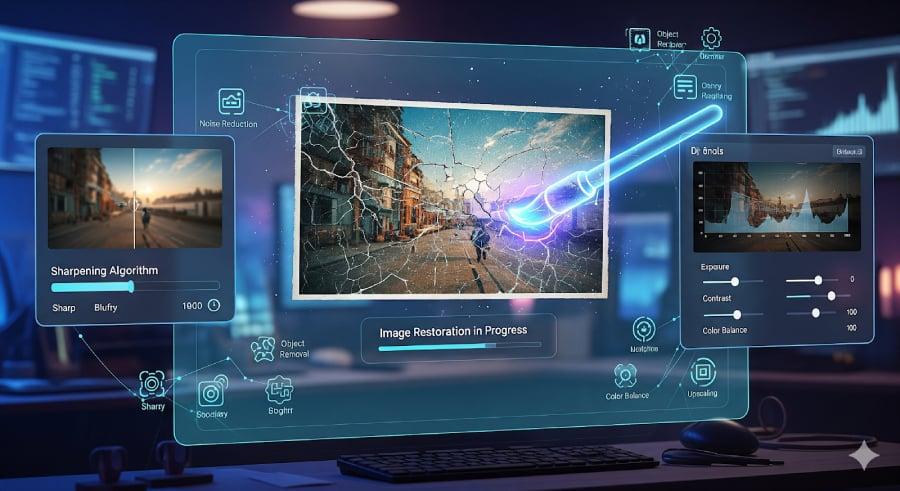
Tasks like sharpening, denhazing, and reducing noise traditionally required multiple adjustment layers and careful masking. AI automates these repetitive tasks, allowing photographers to edit large batches of images much faster.
Improve Low-Quality Images
Older photographs, smartphone images, and compressed files can often be restored with remarkable detail using AI enhancement tools. This makes them suitable for printing, portfolios, or professional presentations.
Better Results for Every Photography Genre
AI image enhancers can improve images across a wide range of photography styles, including:
- Portrait photography
- Landscape photography
- Wildlife photography
- Product photography
- Wedding photography
- Real estate photography
- Food photography
- Travel photography
Each genre benefits from cleaner details, improved colors, and reduced image imperfections.
Increase Productivity
Professional photographers often edit hundreds or even thousands of photos after a single shoot. AI-powered batch processing dramatically reduces editing time while maintaining consistent image quality across the entire collection.
Beginner-Friendly Editing
Many AI image enhancers provide one-click enhancement options, allowing users with little editing experience to achieve professional-looking results without mastering complex software.
How We Tested the Best AI Image Enhancers
Every tool included in this guide was evaluated using practical photography scenarios rather than relying solely on feature lists or promotional claims.
Our evaluation focused on:
AI Enhancement Quality
We assessed how effectively each tool restored image details, reduced noise, improved sharpness, and enhanced overall image quality without introducing unnatural artifacts.
Ease of Use
A good AI image enhancer should be accessible to beginners while still providing advanced options for experienced users.
Processing Speed
We compared how quickly each application processed high-resolution images individually and in batches.
Supported File Formats
Preference was given to tools that support popular formats such as:
- JPEG
- PNG
- TIFF
- RAW
- HEIC
Batch Processing
Batch editing capabilities are especially valuable for professional photographers managing large image libraries.
Pricing and Value
We considered subscription plans, lifetime licenses, free versions, and the overall value provided by each platform.
1. Topaz Photo AI (Best Overall AI Image Enhancer)
Topaz Photo AI is widely regarded as one of the most advanced AI image enhancement tools available today. It combines intelligent sharpening, noise reduction, and image upscaling into a single application, making it an excellent choice for photographers who want professional-quality results with minimal manual effort.
Unlike traditional sharpening tools, Topaz Photo AI analyzes every image individually to determine the best enhancement settings automatically. This helps preserve fine details while avoiding halos and overprocessed textures.
Key Features
- AI image sharpening
- Advanced noise reduction
- Intelligent image upscaling
- Face recovery technology
- Automatic subject detection
- RAW image support
- Batch processing
- High-resolution export
Pros
- Exceptional image quality
- Excellent detail recovery
- Professional-grade results
- Fast batch enhancement
- Beginner-friendly interface
Cons
- Premium pricing
- Requires a powerful computer for optimal performance
Best For
Professional photographers, wildlife photographers, landscape photographers, and anyone looking for the highest-quality AI image enhancement.


2. Adobe Lightroom (Best AI Image Enhancer for Photographers)
Adobe Lightroom has evolved into one of the most powerful AI-assisted photo editing applications for photographers. While it is primarily known as a RAW photo editor, its AI-powered enhancement features make it an excellent choice for improving image quality without extensive manual editing.
The software uses intelligent masking and machine learning to analyze photos, allowing photographers to make precise adjustments to subjects, skies, backgrounds, and individual objects. Its AI Denoise feature is particularly effective for reducing noise in high ISO images while preserving fine details.
Key Features
- AI Denoise for RAW images
- AI subject, sky, and background masking
- Automatic exposure and color adjustments
- AI-powered adaptive presets
- Batch editing and synchronization
- Cloud storage and cross-device editing
Pros
- Excellent RAW editing workflow
- Industry-standard software
- Powerful AI masking tools
- Outstanding batch processing
- Seamless integration with Photoshop
Cons
- Subscription-based pricing
- Advanced features require some learning
Best For
Wedding photographers, event photographers, travel photographers, and professionals managing large image libraries.
3. Adobe Photoshop (Best for Advanced AI Image Editing)
Adobe Photoshop remains the benchmark for professional image editing. Recent AI-powered features have transformed complex editing tasks into simple, time-saving workflows while still offering complete creative control.
Photoshop’s AI capabilities extend beyond enhancement, making it ideal for photographers who need advanced retouching, compositing, and image restoration.
Key Features
- Generative Fill
- AI Remove Tool
- Neural Filters
- Smart Object Selection
- AI background replacement
- Advanced sharpening and enhancement
- Layer-based editing
Pros
- Extremely powerful editing capabilities
- Professional-quality output
- Industry-leading AI features
- Unlimited creative flexibility
Cons
- Steeper learning curve
- Monthly subscription required
Best For
Commercial photographers, portrait retouchers, advertising agencies, and advanced photo editors.
4. Luminar Neo (Best AI Image Enhancer for Creative Editing)
Skylum Luminar Neo combines intelligent automation with creative editing tools, making it one of the most enjoyable AI image enhancers available.
Its AI analyzes lighting, depth, and subject separation to produce natural-looking enhancements while still allowing photographers to customize every adjustment.
Key Features
- Enhance AI
- Relight AI
- Sky AI
- Portrait Background Removal
- Face AI
- Skin AI
- Structure AI
- Color Harmony tools
Pros
- Very easy to learn
- Excellent creative AI features
- Fast editing workflow
- Beautiful user interface
Cons
- Slightly slower with very large RAW files
- Some advanced features require additional extensions
Best For
Portrait photographers, landscape photographers, travel creators, and social media professionals.
5. Remini (Best AI Image Enhancer for Face Restoration)
Remini has become one of the most popular AI-powered apps for restoring blurry, compressed, and low-quality portraits.
Using deep learning, Remini reconstructs facial features while preserving a natural appearance. It is especially effective for enhancing old family photographs and smartphone images.
Key Features
- AI facial enhancement
- Portrait sharpening
- Old photo restoration
- Blur correction
- AI video enhancement
- One-tap enhancement
Pros
- Excellent face restoration
- Very beginner-friendly
- Fast mobile processing
- High-quality portrait enhancement
Cons
- Limited control over manual adjustments
- Free version contains restrictions
Best For
Portrait photography, family photo restoration, social media creators, and mobile photographers.
6. HitPaw Photo Enhancer (Best One-Click AI Image Enhancer)
HitPaw Photo Enhancer focuses on simplicity without sacrificing image quality. It provides multiple AI models designed for different enhancement tasks, allowing users to improve images with minimal effort.
Its specialized enhancement models help optimize portraits, landscapes, animation, and low-light photographs.
Key Features
- AI Upscaling
- Face Enhancement
- Denoise AI
- Color enhancement
- Scratch removal
- Batch processing
- Multiple enhancement models
Pros
- Extremely easy to use
- Fast processing
- Good beginner experience
- Affordable pricing
Cons
- Fewer professional editing controls
- Desktop version performs better than the web version
Best For
Beginners, bloggers, content creators, and small business owners.
7. AVCLabs Photo Enhancer AI (Best for Image Upscaling)
AVCLabs Photo Enhancer AI specializes in restoring image clarity and increasing resolution without introducing noticeable artifacts.
The software performs particularly well when enlarging older or low-resolution photographs.
Key Features
- AI image upscaling
- Face refinement
- Noise reduction
- Color correction
- Image sharpening
- Batch enhancement
Pros
- Excellent image enlargement
- Strong detail recovery
- Natural enhancement results
- Supports high-resolution exports
Cons
- Processing large batches can be slower
- Fewer editing features than full photo editors
Best For
Photo restoration, printing, marketing materials, and archive digitization.
8. VanceAI Image Enhancer (Best Online AI Image Enhancer)
VanceAI provides cloud-based AI enhancement tools that require no software installation. Users simply upload an image, choose an enhancement option, and download the improved version.
Its online workflow makes it an excellent choice for users who need quick enhancements from any device.
Key Features
- AI image upscaling
- AI denoise
- AI sharpening
- Portrait enhancement
- Background removal
- Online processing
Pros
- Browser-based editing
- Easy to use
- No installation required
- Fast cloud processing
Cons
- Internet connection required
- Free version has export limitations
Best For
Students, bloggers, marketers, freelancers, and users who prefer browser-based editing.
9. Fotor AI Image Enhancer (Best for Quick Online Photo Enhancement)
Fotor is one of the easiest AI image enhancers for beginners. It combines automatic image enhancement with basic editing tools, making it ideal for users who want professional-looking photos without learning advanced editing software.
With just one click, Fotor can improve brightness, contrast, sharpness, and color balance while reducing image noise.
Key Features
- One-click AI enhancement
- AI portrait retouching
- Background remover
- AI image upscaling
- Batch editing
- Cloud-based editing
Pros
- Extremely beginner-friendly
- Fast online processing
- No professional editing experience required
- Affordable premium plans
Cons
- Limited advanced editing controls
- Watermarks in the free version
Best For
Content creators, bloggers, students, and casual photographers.
10. Canva AI Photo Enhancer (Best for Social Media Content)
Canva has evolved into much more than a graphic design platform. Its AI-powered photo enhancement tools help users improve image quality while creating marketing materials, presentations, and social media graphics.
Key Features
- Magic Edit
- AI image enhancement
- AI background remover
- One-click photo improvement
- Built-in design templates
- Cloud collaboration
Pros
- Easy-to-use interface
- Excellent for social media
- Integrated design workflow
- Browser and mobile support
Cons
- Limited advanced photography controls
- Designed more for creators than professional photographers
Best For
Social media managers, digital marketers, YouTubers, bloggers, and small businesses.
11. Let’s Enhance (Best AI Upscaling Platform)
Let’s Enhance specializes in increasing image resolution while preserving details and minimizing artifacts. It is widely used by eCommerce businesses and designers who require high-quality images for print and online use.
Key Features
- AI image upscaling
- Color correction
- Noise reduction
- JPEG artifact removal
- Bulk image enhancement
Pros
- Excellent image enlargement
- High-quality exports
- Cloud-based workflow
- User-friendly interface
Cons
- Credit-based pricing
- Limited free usage
Best For
Print designers, product photographers, marketing teams, and online stores.
12. Upscayl (Best Free Open-Source AI Image Enhancer)
Upscayl is one of the best free AI image enhancement tools available. Unlike many online services, it works locally on your computer, giving users complete control over their images.
Key Features
- AI image upscaling
- Offline processing
- Open-source software
- Multiple enhancement models
- Batch processing
Pros
- Completely free
- No subscription
- No watermarks
- Works offline
Cons
- Limited editing features
- Focused primarily on upscaling
Best For
Students, hobbyists, and photographers looking for a free AI enhancement solution.
13. Pixlr AI (Best Browser-Based AI Image Enhancer)
Pixlr offers AI-powered image enhancement directly in your web browser, making it convenient for users who don’t want to install desktop applications.
Key Features
- AI enhancement
- AI background removal
- Object removal
- Auto color correction
- Smart filters
Pros
- No installation required
- Beginner-friendly
- Fast editing
- Works on multiple devices
Cons
- Advanced features require a premium plan
- Internet connection required
Best For
Freelancers, students, bloggers, and quick image editing tasks.
14. Clipdrop (Best AI Object Cleanup & Enhancement)
Clipdrop uses advanced AI models to improve image quality while offering powerful object removal and cleanup tools.
Key Features
- AI image enhancement
- Background removal
- Object cleanup
- Relighting
- AI image generation
- High-resolution exports
Pros
- Excellent cleanup tools
- Fast cloud processing
- High-quality AI results
- Simple interface
Cons
- Internet connection required
- Subscription needed for advanced features
Best For
Content creators, marketers, product photographers, and designers.
15. Nero AI Image Upscaler (Best Budget AI Image Enhancer)
Nero AI Image Upscaler focuses on improving image resolution while maintaining clarity and realistic textures.
It offers an affordable solution for photographers and businesses that need higher-resolution images without investing in expensive editing software.
Key Features
- AI upscaling
- Face enhancement
- Noise reduction
- Image sharpening
- Batch processing
Pros
- Affordable pricing
- Easy to use
- Good quality enhancement
- Beginner-friendly
Cons
- Limited advanced editing tools
- Primarily designed for upscaling
Best For
Small businesses, bloggers, and users needing affordable image enhancement.



Free vs Paid AI Image Enhancers
Choosing between free and paid AI image enhancers depends on your editing needs and workflow.
Free AI Image Enhancers
- Upscayl
- Pixlr AI
- Fotor (Free Plan)
- Canva (Free Plan)
- VanceAI (Limited Free Version)
Advantages
- No upfront cost
- Great for beginners
- Quick online editing
- Basic AI enhancement features
Limitations
- Watermarks (on some platforms)
- Export limits
- Fewer AI models
- Limited batch processing
Paid AI Image Enhancers
- Topaz Photo AI
- Adobe Lightroom
- Adobe Photoshop
- Luminar Neo
- AVCLabs
- Let’s Enhance
Advantages
- Professional image quality
- Advanced AI algorithms
- RAW image support
- Batch enhancement
- Commercial licensing
- Regular updates
Limitations
- Subscription or one-time purchase
- Higher system requirements
- Learning curve for advanced tools
How to Choose the Best AI Image Enhancer
Before selecting an AI image enhancer, consider the following factors:
- Image quality after enhancement
- Support for RAW files
- Batch editing capabilities
- Ease of use
- AI noise reduction quality
- Upscaling performance
- Processing speed
- Pricing
- Cloud vs desktop workflow
- Integration with your photography software
Professional photographers usually benefit from desktop applications, while casual users often prefer browser-based or mobile solutions.
Tips for Better AI Image Enhancement
To achieve the best possible results:
- Start with the highest-quality original image available.
- Avoid excessive sharpening, which can create artificial textures.
- Combine AI enhancement with manual editing for greater creative control.
- Use batch processing for consistent edits across large photo collections.
- Always compare the original and enhanced versions before exporting.
- Save images in high-quality formats such as TIFF or PNG when possible.
- Keep your software updated to benefit from the latest AI improvements.
Conclusion
AI image enhancers have become indispensable tools for photographers, designers, marketers, and content creators who want to improve image quality without spending hours on manual editing. Whether you’re restoring old photographs, sharpening wildlife images, enhancing portraits, or preparing product photos for an online store, today’s AI-powered software can produce impressive results with remarkable speed and accuracy.
The best AI image enhancer for you ultimately depends on your workflow and requirements. Professionals who need maximum image quality and advanced controls will appreciate solutions like Topaz Photo AI, Adobe Photoshop, Lightroom, and Luminar Neo. On the other hand, beginners and casual users may find browser-based tools like Pixlr, Canva, or Fotor more approachable while still delivering excellent enhancements.
It’s important to remember that AI should be viewed as a creative assistant rather than a replacement for photography skills. Great lighting, thoughtful composition, and proper camera settings remain the foundation of outstanding images. AI enhancement simply helps bring out the full potential of those photographs while reducing editing time and increasing productivity.


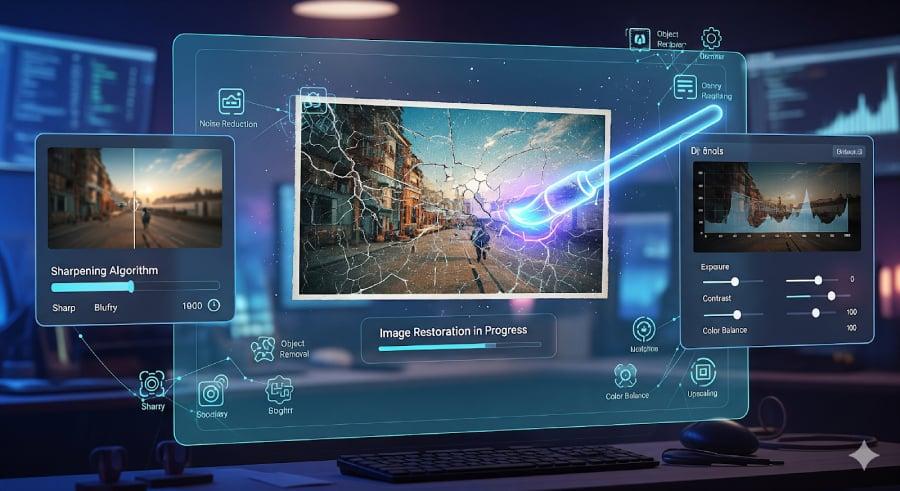
As artificial intelligence continues to evolve, we can expect even smarter enhancement algorithms, faster processing, and more realistic image restoration capabilities. Learning how to incorporate these tools into your workflow today will help you stay ahead in an increasingly AI-driven photography industry.
Whether you’re a beginner experimenting with AI for the first time or a professional photographer optimizing thousands of images, investing in the right AI image enhancer can dramatically improve both your workflow and the quality of your final photographs.
Frequently Asked Questions:
Why You Can Trust The Candid Shoot
At The Candid Shoot, we don’t just write about photography—we actively explore cameras, editing software, AI-powered tools, and real-world photography workflows to create practical, experience-driven guides for photographers and content creators.
Our editorial approach focuses on evaluating tools based on factors that matter in everyday use, including image quality, ease of use, AI capabilities, workflow efficiency, pricing, and overall value. Instead of relying solely on marketing claims, we compare features, study official documentation, monitor software updates, and assess how these tools fit different photography styles, from portraits and weddings to landscapes, product photography, and social media content.
Every recommendation is created with one goal: helping readers choose the right tools for their specific needs, whether they’re beginners learning photography or professionals looking to streamline their editing workflow.
As artificial intelligence continues to reshape photography, The Candid Shoot is committed to publishing accurate, up-to-date, and practical content that enables photographers to make informed decisions with confidence.
Our Editorial Process
To maintain accuracy and reliability, every software guide published on The Candid Shoot is developed using a consistent research process.
Our evaluations consider:
- AI features and real-world usefulness
- Editing quality and output consistency
- Ease of use for beginners and professionals
- RAW editing performance
- Portrait and landscape editing capabilities
- Workflow efficiency
- Pricing and overall value
- Software updates and long-term support
- Compatibility across Windows, macOS, and mobile platforms
Whenever significant features, pricing, or AI capabilities change, we review and update our articles to keep them relevant and accurate.
Our Photography & AI Coverage
The Candid Shoot covers a wide range of photography and AI-related topics, including:
- AI Photo Editors
- AI Image Enhancement
- AI Photo Restoration
- AI Product Photography
- Portrait Photography
- Couple Photography
- Camera Reviews
- Photography Tutorials
- Photography Gear
- Photo Editing Workflows
- AI Photography Tools
- Creative Photography Techniques
Our goal is to help photographers capture better images, edit more efficiently, and stay informed about the latest advancements in photography and artificial intelligence.
Ready to Transform Your Photos with AI?
Choosing the best AI image enhancer is the first step toward producing sharper, cleaner, and more professional-looking photographs. Whether you’re restoring old memories, improving product images, or editing an entire client gallery, the right AI tool can save valuable time while delivering impressive results.
If you’re serious about mastering AI-powered photography, don’t stop here. Explore our AI Photography Guide to learn how artificial intelligence is changing every stage of the photography process, from camera technology and image capture to editing workflows and creative techniques. You can also read our Best AI Photo Editor guide to compare the top AI editing software and build a complete workflow tailored to your needs.
As new AI tools continue to emerge, we’ll keep this guide updated with the latest features, comparisons, and expert recommendations—so be sure to bookmark this page and check back for future updates. Happy editing! 📸




Leave a Reply