
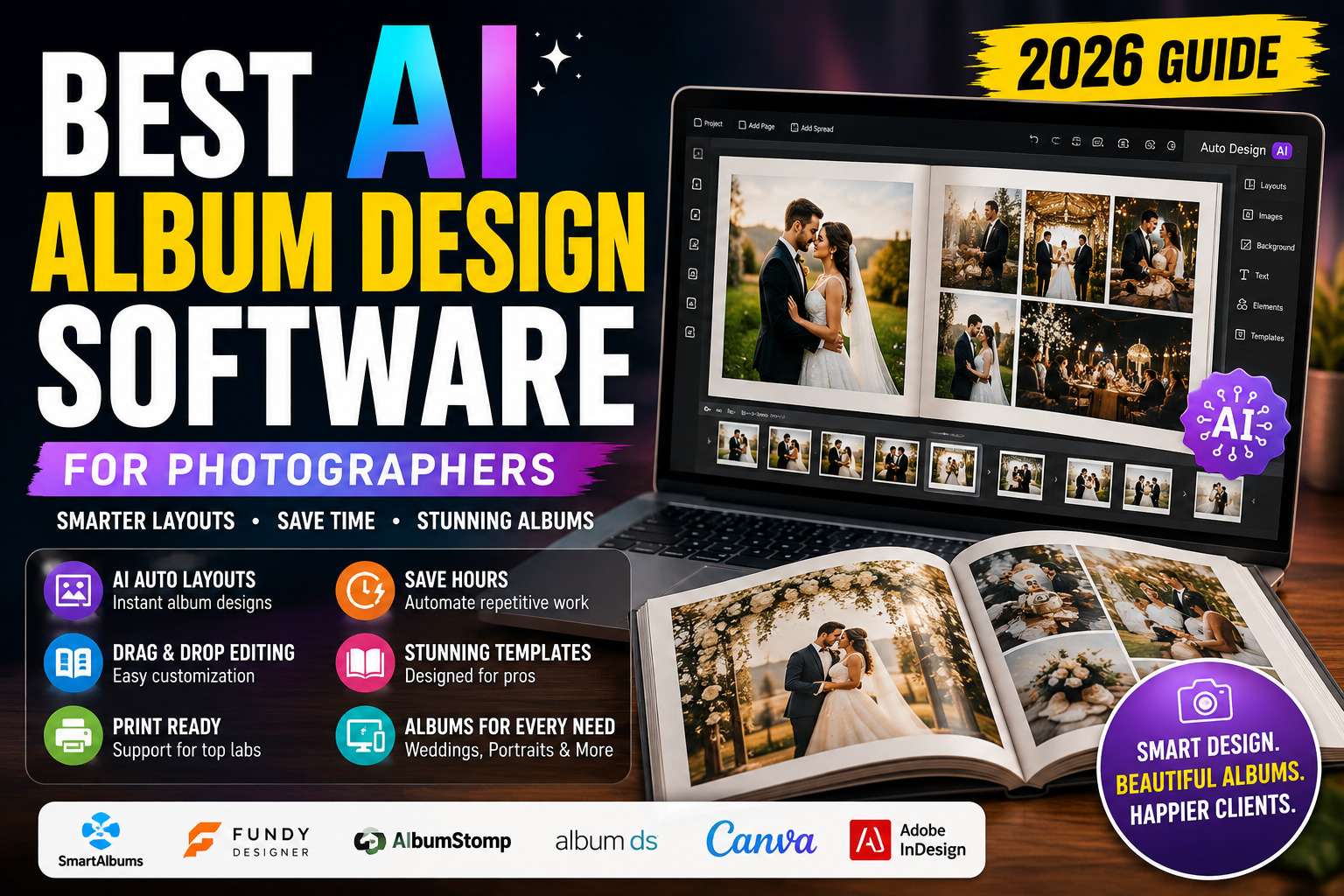
Discover the best AI album design software for photographers. Compare features, pricing, automation, AI layout tools, and the top software for creating professional wedding and portrait albums.
Table of Contents
Introduction
Designing a beautiful photo album is one of the most rewarding parts of a photographer’s workflow—but it can also be one of the most time-consuming. Wedding photographers, portrait photographers, and studio owners often spend hours arranging images, adjusting layouts, balancing page designs, and preparing albums for client approval and print.
Traditional album design requires careful attention to storytelling, spacing, image placement, and visual consistency. While creative decisions still belong to the photographer, modern AI album design software can automate many repetitive tasks, making the process significantly faster without sacrificing quality.
Today’s album design platforms use artificial intelligence and intelligent automation to analyze selected photographs, suggest page layouts, group similar images, optimize spacing, and create professional album drafts within minutes. Photographers can then fine-tune the design to match their artistic style before sending it to clients for review.
Whether you’re creating luxury wedding albums, family photo books, newborn keepsakes, or commercial portfolios, AI-assisted album design software can streamline production while helping deliver a polished client experience.
In this guide, we’ll explore the best AI album design software for photographers, explain how these tools work, compare their features, and help you choose the right solution for your business.
If you’re exploring how artificial intelligence is transforming modern photography workflows, read our AI Photography Guide, where we cover AI editing, workflow automation, proofing, client galleries, album design, and business productivity tools.
Quick Answer
If you’re looking for the best AI album design software, SmartAlbums (Pixellu) is one of the strongest overall choices thanks to its intelligent auto-layout tools, photographer-friendly workflow, drag-and-drop editing, and seamless album creation. Other excellent options include Fundy Designer, AlbumStomp, Album DS, Jalbum, Canva Magic Design, Adobe InDesign with Adobe Firefly, and FlipHTML5, each offering different strengths depending on your workflow and design needs.
What You’ll Learn
In this guide, you’ll discover:
- What AI album design software is.
- How AI-assisted album creation works.
- The benefits of using AI for album design.
- The best AI album design software in 2026.
- Which platform is best for weddings, portraits, and commercial photography.
- How to choose the right software.
- Common mistakes to avoid when designing professional albums.
Why Album Design Matters
For many photographers, the album is the final product that clients will treasure for years. A well-designed album tells a story, highlights key moments, and creates a cohesive visual experience that goes beyond simply displaying individual photographs.
However, manually designing albums can be repetitive and time-intensive, especially when working with hundreds of images from weddings or events.
AI-assisted album design helps photographers:
- Build layouts more quickly.
- Maintain consistent page designs.
- Reduce repetitive adjustments.
- Speed up client delivery.
- Focus more on creative storytelling.
Rather than replacing creative judgment, AI acts as an assistant that accelerates the design process while leaving final artistic decisions in the hands of the photographer.
Album Design Workflow Statistics
Although workflows differ among photographers, album production often involves several repetitive steps:
- Selecting approved images.
- Organizing photos into a narrative sequence.
- Creating page layouts.
- Balancing white space.
- Adjusting image sizes.
- Reviewing spreads.
- Collecting client feedback.
- Preparing files for print.
AI-powered design tools automate many of these repetitive layout tasks, helping photographers complete projects more efficiently while maintaining professional quality.
Quick Comparison Table
| Software | Best For | AI Layouts | Wedding Albums | Print Ready | Ease of Use |
|---|---|---|---|---|---|
| SmartAlbums | Overall | ✅ | ✅ | ✅ | ⭐⭐⭐⭐⭐ |
| Fundy Designer | Wedding photographers | ✅ | ✅ | ✅ | ⭐⭐⭐⭐⭐ |
| AlbumStomp | Fast album creation | Limited | ✅ | ✅ | ⭐⭐⭐⭐☆ |
| Album DS | Photoshop users | Limited | ✅ | ✅ | ⭐⭐⭐⭐☆ |
| Jalbum | Online albums | Limited | Optional | Digital | ⭐⭐⭐⭐☆ |
| Canva Magic Design | Simple photo books | ✅ | Limited | Optional | ⭐⭐⭐⭐⭐ |
| Adobe InDesign + Firefly | Creative professionals | AI-assisted | ✅ | ✅ | ⭐⭐⭐⭐☆ |
| FlipHTML5 | Digital albums | Limited | Optional | Digital | ⭐⭐⭐⭐☆ |
Benefits of AI Album Design Software
Using AI-assisted album design software offers several advantages for photography businesses.
1. Faster Album Creation
AI can generate initial layouts in minutes, significantly reducing the time spent arranging photographs manually.
2. Consistent Page Layouts
Intelligent layout suggestions help maintain visual balance and consistency across the entire album.
3. Better Storytelling
Some platforms intelligently group related photographs, making it easier to create a natural flow from beginning to end.
4. Easier Client Revisions
Because layouts are generated digitally, photographers can quickly make changes based on client feedback without rebuilding pages from scratch.
5. Improved Productivity
Saving time on repetitive design tasks allows photographers to focus on editing, marketing, and serving more clients.
6. Professional Print Preparation
Many album design platforms support templates from major print labs, helping ensure designs are print-ready with the correct dimensions and bleed settings.
Who Should Use AI Album Design Software?
AI album design software is useful for photographers across a variety of specialties.
Wedding Photographers
Design elegant wedding albums with hundreds of images while maintaining a consistent story throughout the book.
Portrait Photographers
Create family albums, maternity books, graduation albums, and newborn keepsakes efficiently.
Event Photographers
Produce polished event albums for corporate functions, schools, sports, and celebrations.
Commercial Photographers
Present portfolios, lookbooks, or client showcases in a professional album format.
Photography Studios
Standardize album production across multiple photographers and designers while maintaining consistent quality.
Common Album Design Challenges
Without specialized software, photographers often face challenges such as:
- Rearranging dozens of pages manually.
- Keeping layouts visually balanced.
- Maintaining consistent spacing.
- Matching album templates to print labs.
- Managing multiple client revisions.
- Preparing print-ready files.
AI-assisted tools simplify these repetitive processes while allowing photographers to refine the final design according to their creative vision.
Read More Article:
- AI Workflow Automation for Photography Businesses
- AI Proofing Software for Photographers
- AI Client Gallery Platforms
- AI Studio Management Software for Photographers
- AI Photo Culling Software
- AI Keywording Software for Photographers
- AI Image Generator Tools
- Best AI Tools for Photographers
Practical Insight: AI album design software accelerates page layouts and repetitive production tasks, but compelling albums still rely on the photographer’s storytelling, image selection, and creative judgment. The best results come from combining automation with thoughtful design decisions.
What Is AI Album Design Software?
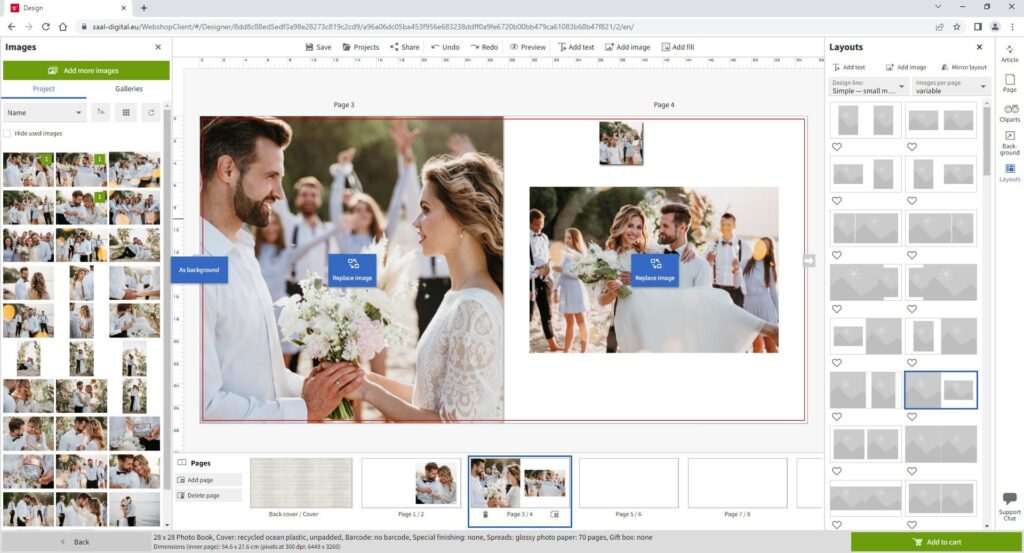
AI album design software is a specialized tool that helps photographers create professional photo albums more efficiently by combining intelligent automation with customizable design features. Instead of manually arranging every image, photographers can use AI-assisted layout generation to quickly build attractive album spreads and then refine them to match their creative vision.
Unlike traditional graphic design software, album design platforms are built specifically for photographers. They include ready-to-use templates, print lab compatibility, drag-and-drop editing, and intelligent layout suggestions that reduce repetitive work while maintaining professional quality.
Modern AI album design software does not replace the photographer’s creativity. Instead, it speeds up production by automating layout creation, image arrangement, spacing, and page organization while leaving storytelling and final design decisions to the photographer.
Whether you’re designing wedding albums, portrait books, newborn collections, or commercial portfolios, AI-assisted tools can significantly reduce production time without compromising the finished product.
How AI Album Design Software Works
Although each platform offers unique features, most AI album design software follows a similar workflow.
Step 1: Select Your Best Images
Album design begins after the client has approved their favorite photographs.
Many photographers first complete:
- Photo culling
- Editing
- Client proofing
- Final image selection
Once the approved images are ready, they are imported into the album design software.
This creates a streamlined workflow that builds naturally on earlier stages such as AI Photo Culling Software, AI Proofing Software, and AI Client Gallery Platforms.
Step 2: Import Images
Most professional album design software supports direct importing from:
- Adobe Lightroom
- Adobe Photoshop
- Local folders
- External hard drives
- Cloud storage
- Photography management software
Some platforms preserve metadata, ratings, and image order during import, reducing additional manual organization.
Step 3: AI Generates Initial Layouts
This is where AI significantly reduces production time.
Rather than manually placing every photograph, the software can automatically:
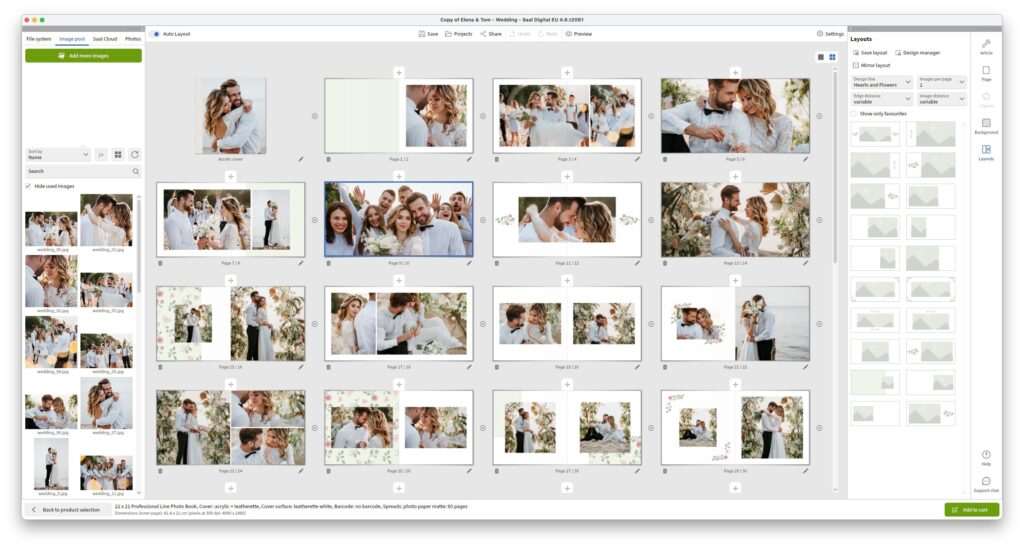
- Create page layouts
- Arrange photographs
- Balance image sizes
- Optimize spacing
- Group related images
- Suggest full-page spreads
- Distribute images evenly across the album
These automatically generated layouts provide a strong starting point that photographers can customize further.
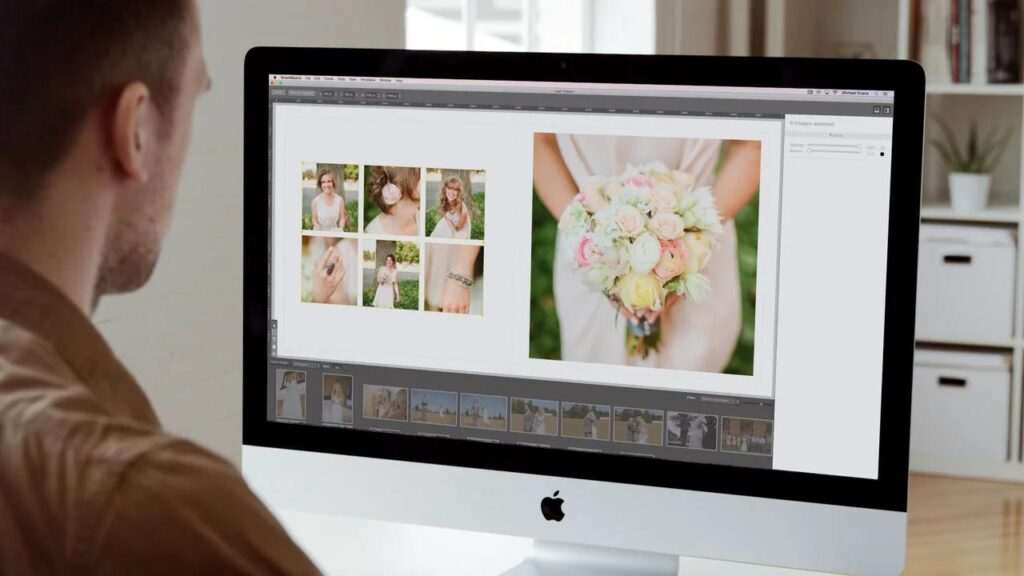
Step 4: Customize the Design
Although AI creates the initial draft, photographers maintain complete creative control.
Common editing tools include:
- Drag-and-drop positioning
- Resize photographs
- Swap images
- Change page layouts
- Add backgrounds
- Modify spacing
- Adjust margins
- Insert text
- Add cover designs
This flexibility ensures every album reflects the photographer’s unique style and the client’s preferences.
Step 5: Review the Album
Before sending the design to the client, photographers typically review:
- Story flow
- Image sequence
- Page balance
- Cropping
- Alignment
- Print safety margins
- Design consistency
This quality check helps identify any layout issues before client approval.
Step 6: Client Approval
Many photographers export the album proof as a digital preview or use integrated review tools where clients can:
- Review every spread
- Request layout changes
- Approve the design
- Suggest image replacements
- Confirm the cover
Collecting feedback at this stage helps avoid unnecessary revisions after printing.
Step 7: Export for Print
Once approved, the album can be exported using print-ready settings.
Most software supports:
- High-resolution PDFs
- JPEG spreads
- Print lab templates
- Bleed settings
- Color profile support
- Album manufacturer specifications
This simplifies production while reducing the risk of print errors.
How AI Improves Album Design
AI supports photographers in several practical ways throughout the design process.
Intelligent Layout Suggestions
AI can recommend layouts based on the number, orientation, and composition of selected photographs, helping photographers begin with a balanced design.
Smart Image Grouping
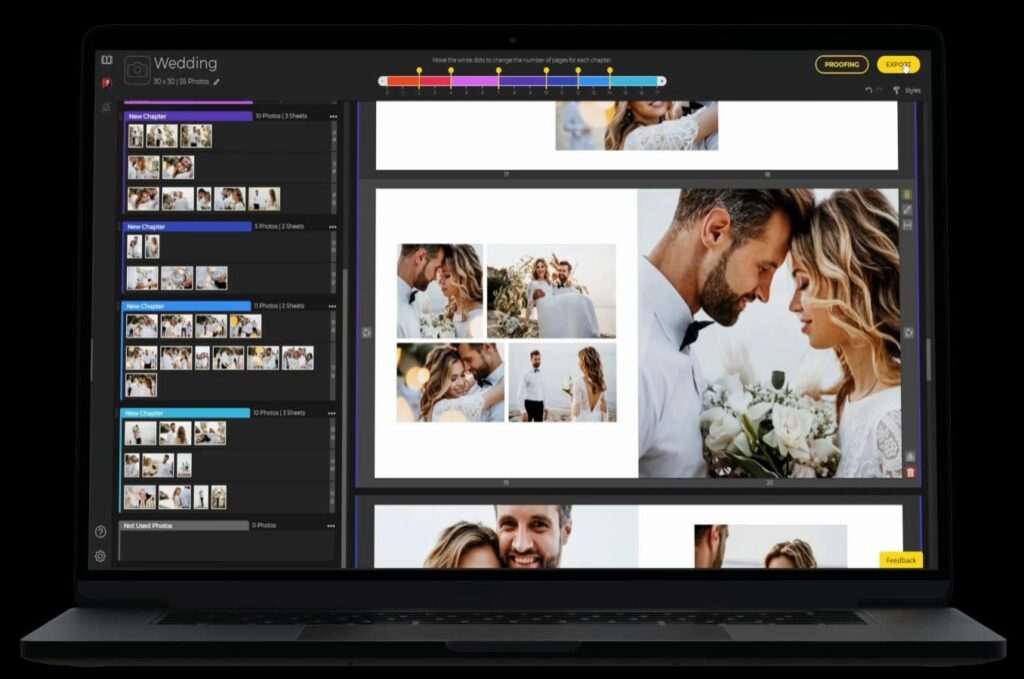
Related photographs—such as ceremony, reception, portraits, or family groups—can be organized into logical sections, creating a smoother visual narrative.
Automatic Spacing
AI helps maintain consistent spacing and alignment, reducing the need for repetitive manual adjustments.
Duplicate Detection
Some platforms identify duplicate or near-duplicate photographs, making it easier to avoid repeating similar images across multiple pages.
Storytelling Assistance
While AI cannot replace artistic storytelling, intelligent layout suggestions can support photographers by presenting images in a coherent sequence that can then be refined creatively.
Traditional Album Design vs AI Album Design
| Feature | AI Album Design | Traditional Design |
|---|---|---|
| Automatic Layout Generation | ✅ | ❌ |
| Manual Image Placement | Minimal | Extensive |
| Story Organization | AI-assisted | Manual |
| Layout Adjustments | Faster | Slower |
| Print Lab Templates | ✅ | Depends on software |
| Revision Speed | Faster | Manual |
| Creative Control | Photographer | Photographer |
AI improves efficiency, but photographers remain responsible for storytelling, image selection, and the final artistic presentation.
Benefits of AI Album Design Software
Using AI-assisted album design offers several practical advantages.
Save Time
Automated layouts significantly reduce the hours required to design large wedding or event albums.
Maintain Consistency
Built-in templates and intelligent spacing help create a cohesive appearance throughout the album.
Simplify Revisions
When clients request changes, layouts can often be updated quickly without redesigning entire spreads.
Improve Productivity
Less time spent arranging pages means more time for editing, marketing, and serving additional clients.
Professional Print Preparation
Most album software integrates with leading print labs, helping photographers produce print-ready files with accurate dimensions and bleed settings.
Real-World Workflow Example
Imagine a wedding photographer delivering 900 edited images to a couple.
After the clients select their favorite photographs using an online proofing gallery, the photographer imports the approved images into an AI album design platform.
Within minutes, the software generates a complete draft album with balanced layouts, grouped ceremony photographs, portrait spreads, and reception highlights.
The photographer reviews each page, fine-tunes the design, adjusts storytelling where needed, and sends the album proof to the couple.
After receiving final approval, the photographer exports print-ready files using the specifications provided by the selected album manufacturer.
Compared with designing every spread manually, AI-assisted software reduces repetitive production work while allowing the photographer to retain complete creative control over the final album.
Key Features to Look For
When choosing AI album design software, prioritize platforms that include:
- AI-assisted layouts
- Drag-and-drop editing
- Wedding album templates
- Portrait album templates
- Print lab compatibility
- Lightroom integration
- Photoshop integration
- Auto-fill layouts
- Cover design tools
- Typography options
- High-resolution export
- Client review support
- Template customization
- Multi-page editing
- Fast rendering performance
Choosing software with these capabilities can improve both efficiency and album quality.
Who Should Use AI Album Design Software?
AI-assisted album creation benefits photographers across many specialties.
Wedding Photographers
Create elegant story-driven wedding albums while reducing layout time.
Portrait Photographers
Produce family albums, maternity books, newborn collections, and graduation keepsakes.
Event Photographers
Design polished event albums with consistent layouts for schools, sports, and corporate clients.
Commercial Photographers
Develop professional portfolios, lookbooks, and presentation books.
Photography Studios
Standardize album production across multiple photographers and designers while maintaining brand consistency.
Practical Insight: AI can dramatically reduce the time spent arranging pages, but it cannot replace the photographer’s understanding of storytelling, emotion, and client preferences. The strongest albums combine AI-generated layouts with thoughtful creative refinement before they are sent for print.
Best AI Album Design Software for Photographers
Choosing the right album design software can significantly reduce production time while helping photographers create professional, print-ready albums. Modern platforms combine intelligent layout automation with flexible editing tools, allowing photographers to build elegant wedding, portrait, family, and commercial albums more efficiently.
Below are the best AI-assisted album design software solutions for photographers in 2026.
1. SmartAlbums (Pixellu) – Best Overall AI Album Design Software
SmartAlbums by Pixellu is one of the most widely used album design applications among professional photographers. It automatically generates album layouts based on selected photographs while allowing complete creative control through an intuitive drag-and-drop editor.
Its speed, simplicity, and compatibility with major print labs make it a favorite among wedding and portrait photographers.
Key Features
- AI-assisted auto layouts
- Drag-and-drop editing
- Smart page balancing
- Lightroom integration
- Photoshop integration
- Print lab templates
- Album cover design
- High-resolution export
- Template customization
- Fast rendering
Pros
- Extremely fast workflow
- Beautiful automatic layouts
- Easy to learn
- Excellent print lab compatibility
- Highly polished interface
Cons
- Premium pricing
- Desktop application only
Best For: Wedding, portrait, and family photographers.
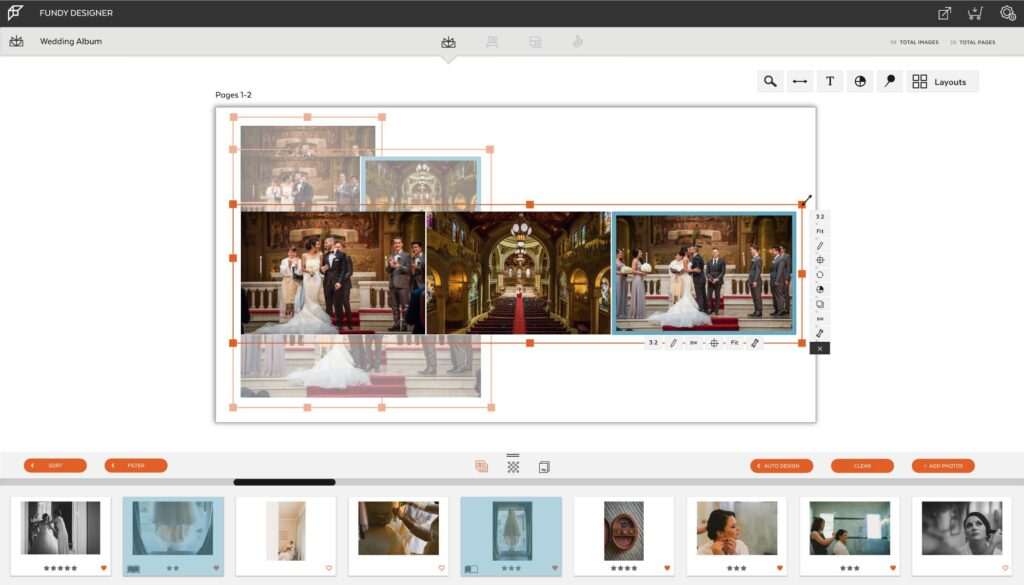
2. Fundy Designer – Best for Wedding Album Storytelling
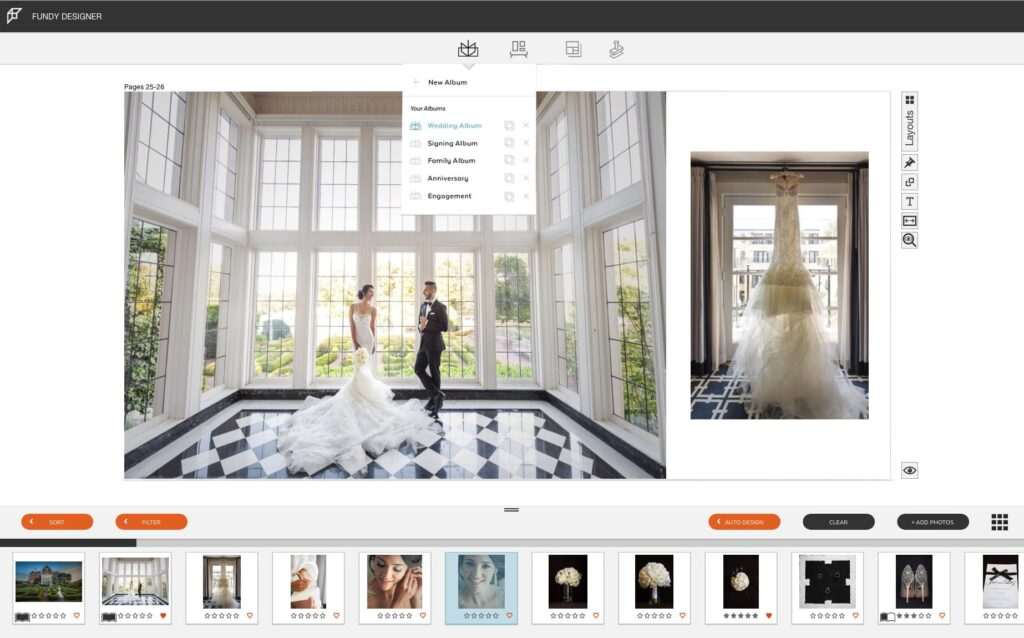
Fundy Designer focuses on helping photographers create albums that tell a visual story. Its intelligent layout engine automatically builds spreads while giving photographers powerful customization tools.
The software also includes wall art design and sales features, making it more than just an album designer.
Key Features
- AI-assisted layout generation
- Auto design
- Storytelling layouts
- Wall art designer
- Album builder
- Lightroom integration
- Print lab compatibility
- Client presentation tools
Pros
- Excellent storytelling workflow
- Powerful automation
- Beautiful layouts
- Supports multiple product types
Cons
- Higher learning curve than SmartAlbums
- Premium subscription cost
Best For: Wedding photographers creating luxury albums.
3. AlbumStomp – Best for Fast Album Creation
AlbumStomp is designed to help photographers produce albums quickly by simplifying repetitive layout tasks.
While its AI capabilities are lighter than some competitors, it provides efficient automation that reduces manual page arrangement.
Key Features
- Auto page layouts
- Batch image placement
- Album templates
- Drag-and-drop editing
- Print-ready export
- Fast rendering
Pros
- Simple workflow
- Fast album production
- Easy interface
- Affordable option
Cons
- Limited AI features
- Fewer design templates
Best For: Photographers wanting quick album production.

4. Album DS – Best for Photoshop Users
Album DS works directly within Adobe Photoshop, allowing photographers to design albums using Photoshop while benefiting from automation features.
It is particularly popular among photographers who already rely heavily on Adobe products.
Key Features
- Photoshop integration
- Album templates
- Auto layouts
- Smart guides
- Cover design
- Print lab templates
- Batch automation
Pros
- Seamless Photoshop workflow
- Flexible customization
- Professional output
- Supports many print labs
Cons
- Requires Photoshop
- Learning curve for beginners
Best For: Adobe Photoshop users.
5. Jalbum – Best for Online Album Publishing
Jalbum specializes in creating interactive online photo albums for sharing and presentation.
While it is not a traditional print-focused album designer, it offers automated organization and attractive online galleries.
Key Features
- Online album creation
- AI-assisted organization
- Responsive galleries
- Custom themes
- Cloud publishing
- Client sharing
Pros
- Easy online publishing
- Attractive gallery themes
- Lightweight software
- Cross-platform support
Cons
- Limited print album tools
- Fewer advanced layout features
Best For: Digital album publishing.
6. Canva Magic Design – Best for Beginners
Canva’s Magic Design uses AI to help users generate attractive layouts for photo books and simple albums.
Although not built specifically for professional photographers, it offers an accessible solution for creating marketing albums, portfolios, and client presentations.
Key Features
- AI-generated layouts
- Drag-and-drop editor
- Thousands of templates
- Text generation
- Cloud collaboration
- Brand kit
Pros
- Very easy to use
- Excellent template library
- Browser-based
- Great for beginners
Cons
- Limited professional print workflow
- Less photography-specific
Best For: Small photography businesses and beginners.
7. Adobe InDesign + Adobe Firefly – Best for Creative Professionals
Adobe InDesign combined with Adobe Firefly’s AI features offers exceptional creative flexibility for photographers who require complete control over album layouts.
Although it requires more design experience, it provides professional publishing capabilities unmatched by simpler tools.
Key Features
- AI-assisted design
- Professional typography
- Advanced page layouts
- Adobe ecosystem integration
- Creative Cloud support
- Print-ready export
Pros
- Maximum creative freedom
- Professional publishing tools
- Excellent typography
- Industry-standard software
Cons
- Steeper learning curve
- Manual workflow compared with dedicated album software
Best For: Designers and photographers needing advanced customization.
8. FlipHTML5 – Best for Digital Photo Books
FlipHTML5 converts albums into interactive digital flipbooks that can be viewed online across multiple devices.
It works well for digital portfolios, client presentations, and online publications.
Key Features
- Digital flipbooks
- Interactive viewing
- Multimedia support
- Cloud hosting
- Sharing tools
- Responsive design
Pros
- Excellent digital presentation
- Interactive experience
- Easy sharing
- Mobile-friendly
Cons
- Not intended for traditional print albums
- Limited AI layout automation
Best For: Digital albums and online portfolios.
9. Momento Pro – Best for High-Volume Album Production
Momento Pro is widely used by professional wedding and portrait studios that produce large numbers of albums. It combines automated page layouts with customizable templates and supports a wide range of professional print labs.
Key Features
- Automated layout generation
- Professional album templates
- Print lab integration
- Batch editing
- Multi-page editing
- High-resolution exports
Pros
- Optimized for production workflows
- Reliable print compatibility
- Efficient editing tools
- Suitable for high-volume studios
Cons
- Smaller user community than some competitors
- Interface may feel dated to new users
Best For: Studios producing albums at scale.
10. Fundy Suite – Best Complete Sales & Design Ecosystem
Fundy Suite expands on Fundy Designer by combining album design with wall art design and in-person sales tools, allowing photographers to manage multiple product types within one ecosystem.
Key Features
- AI-assisted layouts
- Album design
- Wall art visualization
- Client presentation tools
- Sales automation support
- Lightroom integration
Pros
- Comprehensive workflow
- Excellent sales features
- Professional album creation
- Great client presentation tools
Cons
- Higher investment
- Best suited for established businesses
Best For: Studios offering albums and wall art together.
AI Album Design Software Comparison
| Software | AI Layouts | Print Ready | Lightroom Support | Photoshop Support | Best For |
|---|---|---|---|---|---|
| SmartAlbums | ⭐⭐⭐⭐⭐ | ✅ | ✅ | ✅ | Overall |
| Fundy Designer | ⭐⭐⭐⭐⭐ | ✅ | ✅ | Limited | Weddings |
| AlbumStomp | ⭐⭐⭐⭐☆ | ✅ | Optional | Optional | Fast Production |
| Album DS | ⭐⭐⭐⭐☆ | ✅ | ❌ | ✅ | Photoshop Users |
| Jalbum | ⭐⭐⭐☆☆ | Digital | Optional | ❌ | Online Albums |
| Canva Magic Design | ⭐⭐⭐⭐☆ | Optional | ❌ | ❌ | Beginners |
| Adobe InDesign + Firefly | ⭐⭐⭐⭐☆ | ✅ | Limited | Adobe Ecosystem | Designers |
| FlipHTML5 | ⭐⭐⭐☆☆ | Digital | ❌ | ❌ | Digital Albums |
| Momento Pro | ⭐⭐⭐⭐☆ | ✅ | Optional | Optional | High-Volume Studios |
| Fundy Suite | ⭐⭐⭐⭐⭐ | ✅ | ✅ | Limited | Premium Studios |
Which AI Album Design Software Is Best?
The best software depends on your workflow, client expectations, and preferred editing environment.
- Best Overall: SmartAlbums (Pixellu)
- Best for Wedding Storytelling: Fundy Designer
- Best for Fast Album Creation: AlbumStomp
- Best for Photoshop Users: Album DS
- Best Online Album Publishing: Jalbum
- Best for Beginners: Canva Magic Design
- Best Creative Flexibility: Adobe InDesign + Adobe Firefly
- Best Digital Albums: FlipHTML5
- Best for High-Volume Studios: Momento Pro
- Best Complete Sales Ecosystem: Fundy Suite
For photographers who regularly produce wedding and portrait albums, SmartAlbums remains one of the strongest overall choices because it combines intelligent layout automation with an intuitive workflow and broad print lab support. Photographers seeking advanced storytelling tools may prefer Fundy Designer, while Album DS is an excellent option for those already working extensively in Adobe Photoshop.
AI Album Design Software vs Traditional Album Design
For years, photographers created albums manually using graphic design software or by placing every image individually in page layouts. While this method offers complete creative control, it can be time-consuming—especially for wedding photographers working with hundreds of photographs.
AI album design software accelerates this process by generating intelligent page layouts, balancing image placement, and preparing print-ready albums while still allowing photographers to refine every detail.
Comparison Table
| Feature | AI Album Design Software | Traditional Album Design |
|---|---|---|
| Automatic Page Layouts | ✅ | ❌ |
| Intelligent Image Placement | ✅ | ❌ |
| Manual Editing | Optional | Required |
| Story Flow Assistance | AI-assisted | Manual |
| Print Lab Templates | ✅ | Depends on software |
| Client Revisions | Faster | More time-consuming |
| Production Speed | High | Moderate to Low |
| Creative Control | Photographer | Photographer |
Which Approach Is Better?
For photographers producing multiple albums each month, AI-assisted software can significantly reduce production time while maintaining professional quality. Traditional design methods may still appeal to designers who prefer complete manual control, but many professionals now combine AI-generated layouts with manual refinements to achieve both efficiency and creative flexibility.
How to Choose the Best AI Album Design Software
Every photographer has a different workflow. Selecting the right software depends on your photography niche, preferred editing tools, and album production volume.
1. Consider Your Photography Specialization
Different photographers have different album requirements.
For example:
- Wedding photographers often need support for large albums with hundreds of images.
- Portrait photographers may create smaller family, maternity, or newborn books.
- Commercial photographers often build portfolios or presentation books.
Choose software that aligns with your most common projects.
2. Evaluate AI Layout Features
The quality of AI-assisted layout generation varies between platforms.
Look for features such as:
- Automatic page layouts
- Smart image grouping
- Layout balancing
- Story sequence suggestions
- Auto-fill spreads
- Duplicate detection
These features reduce repetitive work while giving you a solid foundation for customization.
3. Check Print Lab Compatibility
Professional album software should support popular print labs and manufacturers.
Look for:
- Ready-made album templates
- Bleed settings
- Safe margins
- High-resolution export
- Manufacturer-specific formats
Print compatibility reduces production errors and simplifies the ordering process.
4. Review Editing Flexibility
Automation should save time without limiting creativity.
The best software allows you to:
- Move images freely
- Resize photos
- Change layouts
- Add text
- Customize covers
- Adjust spacing
- Replace photographs easily
Creative control should always remain with the photographer.
5. Consider Software Integrations
If you already use editing and workflow software, choose an album designer that integrates smoothly.
Popular integrations include:
- Adobe Lightroom
- Adobe Photoshop
- Pixieset
- Fundy Designer ecosystem
- SmartAlbums
- Photography CRM platforms
Integrations reduce duplicate work and streamline the overall workflow.
6. Compare Pricing & Scalability
Album software is available through:
- One-time licenses
- Monthly subscriptions
- Annual subscriptions
- Free trials
When comparing plans, consider:
- Number of templates
- Print lab support
- AI layout capabilities
- Export options
- Future scalability
Investing in software that grows with your business often provides better long-term value.
Pricing & Free Trial Comparison
| Software | Free Trial | Pricing Model |
|---|---|---|
| SmartAlbums | ✅ | Subscription |
| Fundy Designer | ✅ | Subscription |
| AlbumStomp | Varies | License / Subscription |
| Album DS | Trial Available | License |
| Jalbum | Free & Paid Plans | Subscription |
| Canva Magic Design | Free & Pro Plans | Subscription |
| Adobe InDesign + Firefly | Trial Available | Creative Cloud Subscription |
| FlipHTML5 | Free & Premium Plans | Subscription |
| Momento Pro | Trial Available | Subscription |
| Fundy Suite | Trial Available | Subscription |
Tip: Pricing, licensing, supported print labs, and AI features may change over time. Always check the provider’s official website before making a purchasing decision.
Common Mistakes to Avoid
Even with AI assistance, album quality depends on thoughtful design.
Avoid these common mistakes:
- Including too many similar photographs.
- Overcrowding pages with excessive images.
- Ignoring visual storytelling.
- Mixing inconsistent editing styles.
- Choosing layouts that distract from key photographs.
- Skipping print safety checks.
- Forgetting to proof the album before client review.
- Exporting with incorrect print settings.
A well-designed album should guide viewers naturally from one moment to the next while maintaining visual consistency.
Privacy & File Management Considerations
Albums often contain personal and emotionally significant photographs.
To protect client work:
- Back up original images before designing albums.
- Store project files securely.
- Use trusted software providers.
- Confirm print specifications before exporting.
- Archive completed album projects for future revisions.
- Follow your client’s privacy preferences when sharing proofs or previews.
Good file management practices help prevent data loss and simplify future updates.
Real-World Workflow Example
Imagine a wedding photographer delivering 800 edited photographs to a couple.
After the couple selects their favorite images through an online proofing gallery, the photographer imports the approved files into SmartAlbums.
Within minutes, the software generates a complete draft album with ceremony highlights, portrait spreads, reception moments, and detail pages.
The photographer reviews each spread, adjusts layouts where needed, refines the visual story, and sends a digital proof to the couple.
Once the couple approves the design, the photographer exports the album using the specifications required by their chosen print lab.
Instead of spending several days designing the album manually, the photographer completes the project in a fraction of the time while maintaining full creative control.
Frequently Asked Questions
What is AI album design software?
AI album design software helps photographers create professional photo albums by automatically generating page layouts, organizing images, and simplifying repetitive design tasks while allowing full creative customization.
Which AI album design software is best?
SmartAlbums (Pixellu) is one of the most popular choices because of its intelligent layouts, ease of use, and broad print lab compatibility. Fundy Designer is another excellent option, especially for wedding photographers focused on visual storytelling.
Can AI create an entire wedding album?
AI can generate an initial album layout and organize photographs efficiently, but photographers should review and refine the design to ensure it reflects the story, emotions, and client preferences.
Does album design software integrate with Lightroom?
Many professional platforms support Adobe Lightroom integration, making it easy to import edited photographs directly into the album design workflow.
Is AI album design suitable for portrait photographers?
Yes. AI-assisted album software works well for portrait, family, maternity, newborn, graduation, and commercial photography in addition to weddings.
Can clients review albums before printing?
Yes. Most professional workflows allow photographers to share digital proofs so clients can request revisions and approve the final design before it is sent to print.
Does AI replace creativity in album design?
No. AI accelerates repetitive production tasks such as layout generation and spacing, but photographers remain responsible for storytelling, image selection, and artistic decisions.
Final Verdict
Album design is one of the final and most meaningful stages of the photography workflow. A thoughtfully designed album preserves memories while showcasing the photographer’s creative vision. However, producing professional albums manually can require many hours of repetitive layout work.
AI album design software simplifies this process by generating intelligent layouts, organizing photographs efficiently, and preparing print-ready designs while leaving creative storytelling in the hands of the photographer.
Among the platforms reviewed, SmartAlbums (Pixellu) stands out as the best overall solution due to its intuitive workflow, intelligent layout engine, and strong print lab support. Fundy Designer excels in wedding storytelling and premium album creation, while Album DS, AlbumStomp, Momento Pro, and other tools provide excellent alternatives depending on your preferred workflow and editing environment.
The right software should complement your creative process, reduce repetitive work, and help you deliver beautifully designed albums that exceed client expectations.
Why Trust The Candid Shoot?
At The Candid Shoot, we evaluate AI-powered photography software, workflow tools, and creative applications based on their practical value for photographers. Our recommendations are informed by official product documentation, publicly available features, integration options, workflow capabilities, pricing models, and real-world photography use cases rather than sponsored placements.
Every platform is reviewed using consistent criteria including ease of use, AI-assisted features, customization, print readiness, integrations, scalability, and overall value for professional photographers.
How We Evaluated These AI Album Design Tools
We compared each platform based on:
- AI-assisted layout generation
- Ease of use
- Storytelling capabilities
- Print lab compatibility
- Lightroom and Photoshop integration
- Customization options
- Export quality
- Performance
- Pricing and licensing
- Overall value for photographers
References & Official Resources
Use official documentation for the latest features and pricing:
- SmartAlbums (Pixellu)
- Fundy Designer
- AlbumStomp
- Album DS
- Jalbum
- Canva
- Adobe InDesign
- Adobe Firefly
- FlipHTML5
- Momento Pro
Official product documentation is the best source for current features, supported print labs, licensing options, and compatibility information.
Related Articles
Strengthen your AI Photography learning journey with:
- AI Photography Guide
- AI Workflow Automation for Photography Businesses
- AI Proofing Software for Photographers
- AI Client Gallery Platforms
- AI Studio Management Software for Photographers
- AI Photo Culling Software
- AI Keywording Software for Photographers
- AI Image Generator Tools
- Best AI Tools for Photographers
- Lightroom vs Photoshop





Leave a Reply