
Discover the best AI software for content creators in 2026. Compare top AI writing, image, video, SEO, and productivity tools to create high-quality content faster.
Table of Contents
Introduction: How AI Software Is Transforming Content Creation in 2026
Creating high-quality content has become more competitive than ever. Whether you are a blogger, YouTuber, social media creator, marketer, designer, or online business owner, producing consistent and engaging content requires significant time, creativity, and technical skills.
Artificial intelligence has changed this process by helping creators write articles, generate images, edit videos, optimize SEO, manage social media, and automate repetitive tasks. The best AI software for content creators can reduce production time while helping individuals create professional-quality content without needing a large team or expensive tools.
In the past, content creation often required multiple professionals, including writers, designers, video editors, and marketing specialists. Today, AI-powered software allows a single creator to handle many parts of the workflow with greater speed and efficiency.
From AI writing assistants that help generate ideas and drafts to AI video tools that simplify editing, modern creators have access to powerful solutions for almost every stage of content production.
However, choosing the right AI software can be challenging because hundreds of tools claim to improve productivity. Some are excellent for writing, others specialize in images, videos, SEO, automation, or marketing.
In this guide, we will explore the best AI software for content creators in 2026, covering their features, pricing, ideal use cases, and how they can improve your content workflow.
About This Guide
At The Candid Shoot, we publish in-depth, research-driven guides to help creators, photographers, bloggers, and businesses make informed decisions about the latest AI tools and creative software.
For this guide, we evaluated popular AI software based on real-world content creation needs rather than marketing claims alone. We considered factors such as ease of use, AI capabilities, output quality, pricing, workflow integration, customer reputation, and suitability for different types of creators.
Whether you’re writing blog posts, designing graphics, editing videos, optimizing content for search engines, or managing multiple publishing channels, our goal is to help you choose AI software that saves time while maintaining quality and creativity.
Because AI evolves rapidly, we regularly review and update our recommendations to reflect new features, pricing changes, and emerging tools so you can make confident decisions with the most relevant information available.
Quick Answer: What Is the Best AI Software for Content Creators?
The best AI software depends on the type of content you create. Writers may need AI writing assistants, video creators may prefer AI editing platforms, while social media creators may benefit from design and automation tools.
Here are some of the top AI tools for different creator needs:
| AI Software | Best For | Category |
|---|---|---|
| ChatGPT | Content ideas, writing, research | AI Assistant |
| Claude | Long-form writing and analysis | AI Writing |
| Jasper | Marketing content creation | AI Writing |
| Canva AI | Graphics and social content | AI Design |
| Midjourney | Creative AI images | AI Image Generation |
| Runway | AI video creation | AI Video |
| Descript | Video and podcast editing | AI Editing |
| Surfer SEO | SEO optimization | AI SEO |
| Grammarly AI | Writing improvement | AI Writing Assistant |
| Notion AI | Productivity and organization | AI Productivity |
For most creators, the best approach is not choosing a single AI tool but building an AI-powered workflow where different tools handle specific tasks.
Why Are Content Creators Using AI Software?
AI software has become popular among creators because it solves one of the biggest challenges in digital content creation: producing more high-quality content in less time.
Modern audiences expect regular content across multiple platforms, including:
- Websites and blogs
- YouTube channels
- Instagram and social media platforms
- Newsletters
- Podcasts
- Online courses
- Digital products
Managing all these channels manually can be overwhelming. AI tools help creators streamline their workflow by assisting with research, planning, creation, editing, and publishing.
How AI Software Helps Content Creators Work Faster
AI Content Research and Idea Generation
Coming up with fresh content ideas consistently is one of the biggest challenges for creators.
AI tools can analyze topics, suggest content ideas, identify popular questions, and help creators discover new angles for articles, videos, and social posts.
For example, a blogger can use AI to:
- Generate topic ideas
- Create content outlines
- Find related questions
- Develop article structures
- Improve existing content
This allows creators to spend more time on creativity and less time on repetitive research.
AI Writing Assistance for Blogs, Scripts, and Social Media
Writing is one of the most common uses of AI software.
AI writing tools can help creators:
- Create first drafts
- Improve grammar
- Rewrite content
- Generate headlines
- Create video scripts
- Write social media captions
However, successful creators use AI as an assistant rather than a complete replacement for human creativity.
The strongest content combines AI efficiency with personal experience, expertise, and unique insights.
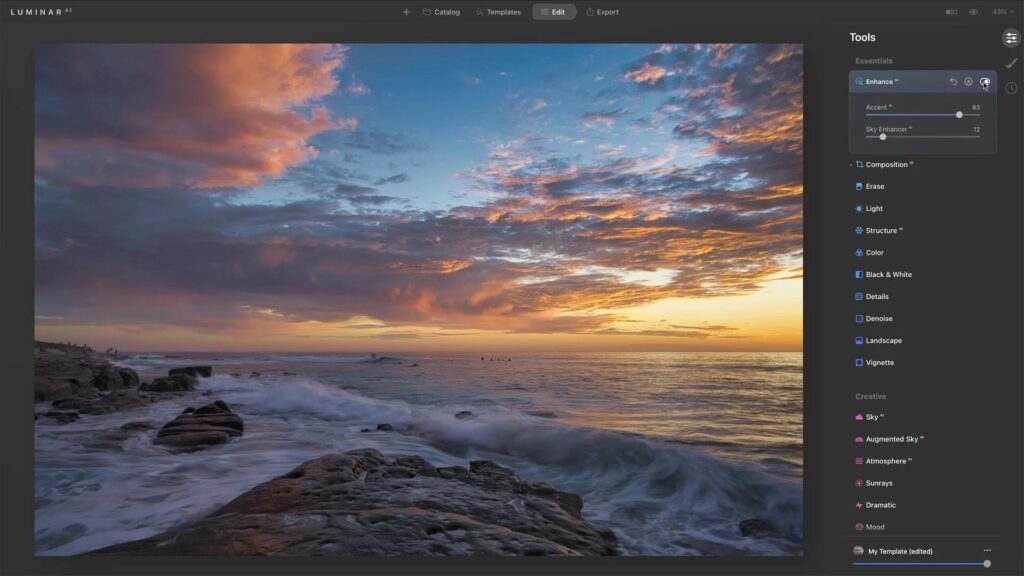
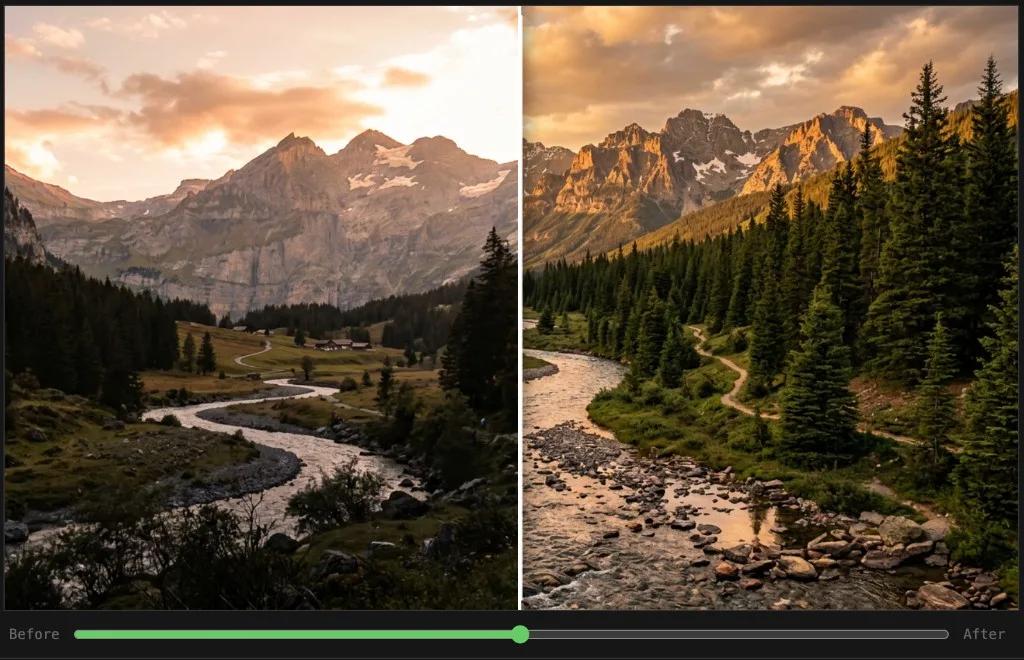
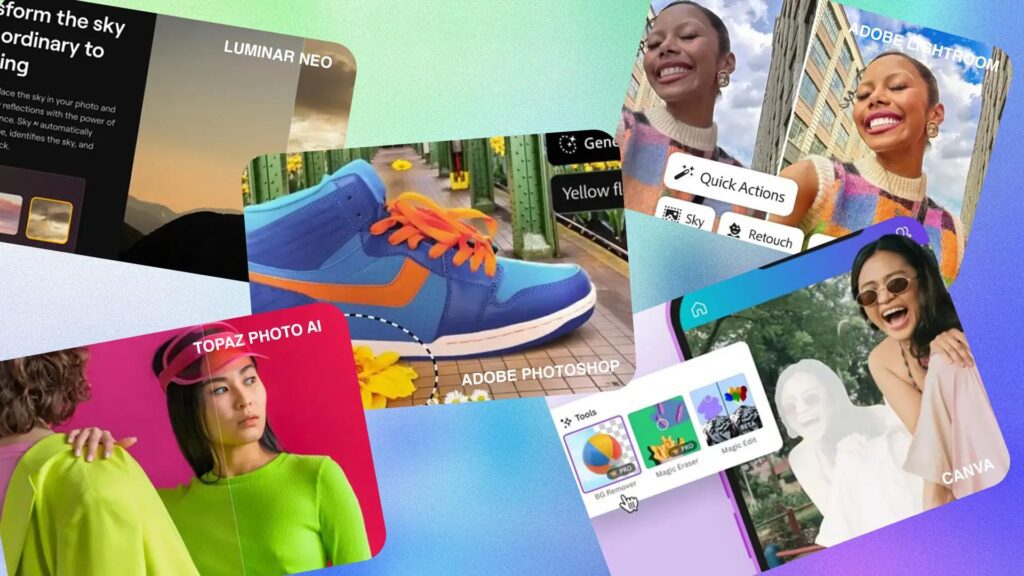
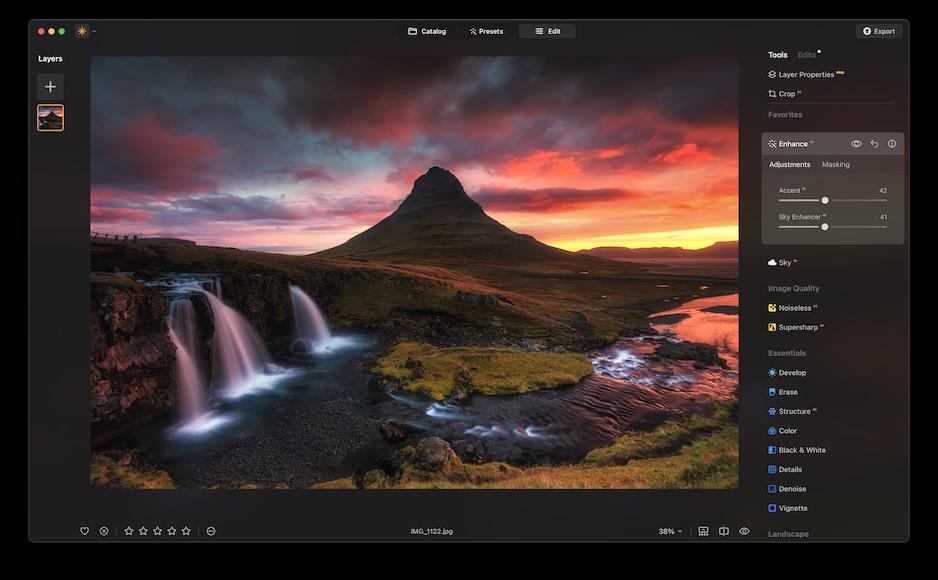
AI Image Creation and Graphic Design
Visual content plays an important role in attracting attention online.
AI design tools help creators produce:
- Blog featured images
- Social media graphics
- YouTube thumbnails
- Marketing visuals
- Presentation designs
This is especially useful for independent creators who may not have access to professional designers.
For example, a blogger can create a featured image using AI design tools and optimize it for website performance without hiring a graphic designer.
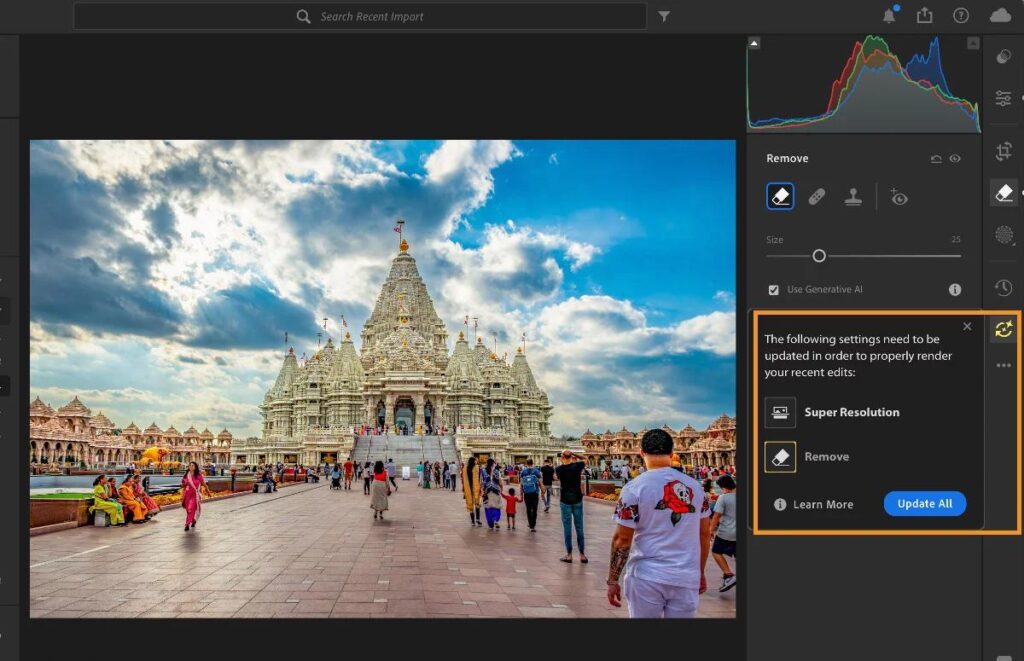
AI Video Creation and Editing
Video content continues to grow across platforms such as YouTube, Instagram, and short-form video channels.
AI video software helps creators with:
- Automatic video editing
- Captions and subtitles
- Background removal
- Voice generation
- Script assistance
- Video resizing
Creators can now produce professional-looking videos faster while focusing more on storytelling and audience engagement.




Benefits of Using AI Software for Content Creation
Save Time on Repetitive Tasks
AI can automate tasks that normally take hours, such as:
- Creating outlines
- Editing transcripts
- Generating captions
- Formatting content
- Organizing ideas
This allows creators to focus on strategy and creativity.
Improve Content Quality
AI tools can help improve:
- Writing clarity
- Visual design
- Video quality
- SEO optimization
- Content consistency
When used correctly, AI works like a creative assistant that helps creators produce better results.
Create More Content Consistently
Consistency is important for online growth.
AI software helps creators maintain regular publishing schedules by reducing the time required for:
- Research
- Drafting
- Editing
- Repurposing content
A creator who previously published one article per week may be able to increase output while maintaining quality.
How to Choose the Right AI Software for Content Creation?
Choosing AI software depends on your goals, workflow, and content type.
Before selecting a tool, consider:
Your Content Format
Different creators need different AI solutions.
A blogger may prioritize:
- AI writing tools
- SEO tools
- Research assistants
A YouTuber may need:
- AI video editors
- Script generators
- Thumbnail tools
A social media creator may benefit from:
- AI design tools
- Caption generators
- Scheduling platforms
Ease of Use
The best AI tool is not always the one with the most features. It should fit naturally into your workflow.
Beginners should look for:
- Simple interfaces
- Templates
- Automation features
- Easy learning curves
Advanced creators may prefer tools with:
- Custom workflows
- Integrations
- Detailed controls
Pricing and Value
Many AI tools offer free versions, but premium plans often provide:
- Higher usage limits
- Better AI models
- More features
- Faster processing
Creators should compare the cost against the amount of time and effort the tool saves.
Best AI Writing Software for Content Creators in 2026
Writing remains one of the most important parts of content creation. Whether you are creating blog articles, YouTube scripts, newsletters, social media posts, product descriptions, or marketing campaigns, AI writing software can help speed up the process while improving productivity.
The best AI writing tools do not simply generate text. They help creators research ideas, organize information, improve writing quality, optimize content structure, and adapt messages for different audiences.
However, successful creators use AI writing assistants as collaboration tools. Human experience, creativity, storytelling ability, and personal expertise are still essential for creating content that connects with audiences.
1. ChatGPT — Best Overall AI Software for Content Creators
ChatGPT is one of the most widely used AI tools among content creators because of its versatility. It can assist with almost every stage of content production, from brainstorming ideas to creating drafts, improving writing, analyzing information, and developing creative strategies.
For bloggers, marketers, YouTubers, and entrepreneurs, ChatGPT works like a virtual creative assistant that helps turn ideas into structured content.
Key Features of ChatGPT for Content Creators
Content Idea Generation
Coming up with new content ideas consistently can be difficult. ChatGPT can help creators generate:
- Blog topics
- Video ideas
- Social media concepts
- Newsletter ideas
- Content calendars
For example, a creator running a photography website can use AI to discover new article topics, seasonal content ideas, and audience-focused questions.
Blog Writing and Content Outlines
ChatGPT can help with:
- Creating article structures
- Developing introductions
- Writing section drafts
- Improving readability
- Creating FAQs
It is especially useful during the planning stage because it helps creators organize their thoughts before writing.
Content Repurposing
One powerful use of AI is transforming existing content into different formats.
A single blog post can become:
- Social media posts
- Email newsletters
- Video scripts
- Short-form content ideas
This helps creators maximize the value of their existing work.
Pros of ChatGPT
✅ Useful for multiple content types
✅ Excellent brainstorming ability
✅ Helps improve productivity
✅ Useful for research and planning
✅ Supports creative workflows
Cons of ChatGPT
❌ Requires proper instructions for best results
❌ Content still needs human editing and fact-checking
❌ Generic prompts may produce generic results
Best For
ChatGPT is best suited for:
- Bloggers
- YouTubers
- Social media creators
- Freelancers
- Digital marketers
- Business owners
AI writing tools can help creators produce content faster, but understanding SEO strategy is equally important. Learn how to build stronger content workflows with our guide on AI tools for content creation and digital marketing.
2. Claude — Best AI Writing Tool for Long-Form Content
Claude has become popular among writers and researchers because of its ability to handle long documents, detailed analysis, and structured content creation.
For creators who work on long-form articles, ebooks, reports, scripts, or research-heavy content, Claude can be a valuable writing partner.
Key Features of Claude
Claude is useful for creating and improving:
Long-Form Content Assistance
- Detailed articles
- Guides
- Reports
- Educational content
- Long scripts
It can maintain context across longer conversations, making it useful for complex projects.
Content Editing and Improvement
Creators can use Claude to improve:
- Writing flow
- Structure
- Clarity
- Tone
- Readability
This makes it useful for polishing content before publishing.
Research Organization
Claude can help creators organize:
- Research notes
- Ideas
- Outlines
- Content frameworks
This is helpful for creators who produce educational or authority-based content.
Pros of Claude
✅ Excellent for long-form writing
✅ Strong content organization
✅ Good writing style assistance
✅ Useful for research-heavy projects
Cons of Claude
❌ Less focused on built-in marketing features
❌ Requires creative direction from the user
Best For
Claude is ideal for:
- Bloggers
- Authors
- Researchers
- Educators
- Long-form content creators
3. Jasper — Best AI Writing Software for Marketing Content
Jasper is designed specifically for businesses, marketers, and teams that need AI assistance for promotional content.
Unlike general AI assistants, Jasper focuses heavily on marketing workflows, brand messaging, and business communication.
Key Features of Jasper
Marketing Content Creation
Jasper can help create:
- Blog content
- Advertising copy
- Product descriptions
- Email campaigns
- Social media posts
Brand Voice Customization
One useful feature for businesses is maintaining consistent brand communication.
Creators can define their preferred:
- Writing style
- Tone
- Messaging approach
This helps maintain consistency across multiple content channels.
Marketing Templates
Jasper provides templates for different content needs, including:
- Sales pages
- Advertisements
- Campaign ideas
- Social posts
Pros of Jasper
✅ Designed for marketing teams
✅ Strong brand voice features
✅ Useful templates
✅ Good for business content
Cons of Jasper
❌ More expensive than many alternatives
❌ Less suitable for casual creators
Best For
Jasper is best for:
- Marketing professionals
- Businesses
- Agencies
- Content teams
4. Grammarly AI — Best AI Writing Assistant for Improving Content Quality
Grammarly is widely known for grammar improvement, but its AI features now help creators rewrite, improve, and optimize their writing.
For creators who already write their own content but want better clarity and professionalism, Grammarly AI is a useful companion.
Key Features of Grammarly AI
Grammar and Style Improvement
Grammarly helps improve:
- Sentence structure
- Grammar accuracy
- Writing clarity
- Professional tone
AI Writing Suggestions
Creators can use AI assistance to:
- Rewrite paragraphs
- Make content shorter
- Change tone
- Improve readability
Content Consistency
It helps maintain consistent writing quality across:
- Blog posts
- Emails
- Social media content
- Business communication
Pros of Grammarly AI
✅ Excellent writing improvement
✅ Easy to use
✅ Works across platforms
✅ Great for beginners
Cons of Grammarly AI
❌ Not designed for full article generation
❌ Advanced features require premium plans
Best For
Grammarly AI is best for:
- Bloggers
- Freelancers
- Students
- Business writers
- Professionals
5. Copy.ai — Best AI Tool for Social Media and Marketing Copy
Copy.ai focuses on helping creators and marketers generate short-form content quickly.
It is particularly useful for:
- Social media captions
- Marketing messages
- Product descriptions
- Sales copy
Key Features of Copy.ai
Social Media Content Creation
Creators can generate:
- Post ideas
- Captions
- Promotional messages
- Content variations
Marketing Copy Assistance
Copy.ai helps create:
- Headlines
- Advertisements
- Landing page content
- Product messaging
Pros of Copy.ai
✅ Fast content generation
✅ Useful marketing templates
✅ Good for short-form content
Cons of Copy.ai
❌ Requires editing for unique brand voice
❌ Better suited for marketing than long articles
Best For
Copy.ai is ideal for:
- Social media managers
- Marketers
- Small businesses
- Entrepreneurs
Quick Comparison: Best AI Writing Software for Creators
| AI Software | Best For | Ideal User |
|---|---|---|
| ChatGPT | All-purpose content creation | Almost every creator |
| Claude | Long-form writing | Bloggers and researchers |
| Jasper | Marketing content | Businesses |
| Grammarly AI | Writing improvement | Professional writers |
| Copy.ai | Marketing copy | Social media creators |
Best AI Image Generation and Design Software for Content Creators
Visual content has become just as important as written content. Whether you publish blog articles, YouTube videos, social media posts, online courses, or marketing campaigns, high-quality images help attract attention, increase engagement, and strengthen your brand.
AI image generation software allows creators to produce professional visuals without advanced design skills. From blog featured images and YouTube thumbnails to product mockups and social media graphics, these tools make it easier to create unique content while saving time.
Although AI can generate impressive visuals, the best results still come from combining thoughtful prompts, good design principles, and human creativity. Many professional creators use AI to speed up their workflow while adding their own finishing touches before publishing.
6. Midjourney — Best AI Image Generator for Professional Creative Artwork
Midjourney is one of the most popular AI image generation platforms for creating highly detailed and artistic visuals. It is widely used by designers, marketers, photographers, and content creators who want unique images that stand out.
Unlike traditional stock photography, Midjourney creates original artwork based on text prompts, making it useful for branding, illustrations, blog graphics, and creative marketing materials.
Key Features of Midjourney
High-Quality AI Image Generation
Midjourney can generate:
- Blog featured images
- Website illustrations
- Marketing graphics
- Book covers
- Social media visuals
- Concept art
The image quality is consistently impressive, making it a favorite among professional creators.
Creative Style Control
Users can customize image styles by describing:
- Lighting
- Camera angles
- Color palettes
- Artistic direction
- Aspect ratios
This flexibility allows creators to maintain a consistent visual identity across multiple platforms.
Unique Visual Concepts
Instead of relying on generic stock images, creators can generate original artwork that reflects their specific ideas and branding.
Pros of Midjourney
✅ Outstanding image quality
✅ Unique artistic styles
✅ Excellent prompt interpretation
✅ Suitable for commercial projects
Cons of Midjourney
❌ Paid subscription required
❌ Learning effective prompting takes practice
Best For
Midjourney is ideal for:
- Bloggers
- Designers
- Marketing agencies
- YouTube creators
- Brand owners
7. Canva AI — Best AI Design Software for Everyday Content Creation
Canva combines AI-powered design tools with an easy-to-use editor, making it one of the most accessible platforms for content creators.
Instead of switching between multiple applications, creators can design blog graphics, presentations, social media posts, infographics, and promotional materials in one place.
For individuals and small businesses, Canva AI offers a practical balance between simplicity and creative flexibility.
Key Features of Canva AI
AI Design Assistance
Canva AI helps users:
- Generate layouts
- Remove backgrounds
- Resize designs
- Create presentations
- Produce marketing graphics
Ready-to-Use Templates
Thousands of professionally designed templates make it easier to create:
- Instagram posts
- Pinterest Pins
- Facebook graphics
- YouTube thumbnails
- Blog banners
Brand Consistency
Creators can maintain a consistent visual identity by using brand colors, fonts, and reusable templates across different projects.
Pros of Canva AI
✅ Beginner-friendly interface
✅ Excellent template collection
✅ Fast graphic creation
✅ Useful collaboration features
Cons of Canva AI
❌ Advanced features require Canva Pro
❌ Less creative flexibility than professional design software
Best For
Canva AI is best suited for:
- Bloggers
- Small businesses
- Content marketers
- Social media managers
8. Adobe Firefly — Best AI Software for Commercial Design Projects
Adobe Firefly is Adobe’s generative AI platform designed to help creators produce commercially usable images, illustrations, and design assets.
For creators already using Adobe applications, Firefly integrates well into existing workflows and offers AI-powered tools for generating and editing creative content.
Key Features of Adobe Firefly
Text-to-Image Generation
Firefly creates images from written prompts, helping users quickly visualize creative ideas.
Generative Fill
One of Firefly’s standout features is Generative Fill, which allows creators to add, remove, or replace objects within an image while maintaining a natural appearance.
This is particularly useful for marketing visuals, product photography, and creative editing.
Commercial-Friendly Content
Adobe focuses on providing AI-generated content suitable for commercial use, giving businesses greater confidence when creating marketing materials.
Pros of Adobe Firefly
✅ Seamless Adobe integration
✅ Commercial-friendly workflow
✅ Powerful image editing tools
✅ High-quality results
Cons of Adobe Firefly
❌ Best experience requires Adobe ecosystem
❌ Premium features may require subscription
Best For
Adobe Firefly is ideal for:
- Graphic designers
- Marketing professionals
- Creative agencies
- Business owners
9. Leonardo AI — Best AI Software for Marketing Graphics and Creative Projects
Leonardo AI has gained popularity because it gives creators greater control over AI-generated visuals while maintaining impressive image quality.
It is particularly useful for content creators who produce custom illustrations, website graphics, gaming assets, and branded marketing visuals.
Key Features of Leonardo AI
Custom AI Image Generation
Leonardo AI supports creating:
- Website banners
- Marketing illustrations
- Blog images
- Digital artwork
- Creative concepts
Style Customization
Users can generate images that match specific artistic styles or branding requirements.
This helps businesses maintain consistency across multiple marketing channels.
Pros of Leonardo AI
✅ High-quality image generation
✅ Flexible creative controls
✅ Suitable for commercial projects
✅ Growing feature set
Cons of Leonardo AI
❌ Learning curve for advanced features
❌ Some capabilities require paid plans
Best For
Leonardo AI is suitable for:
- Designers
- Bloggers
- Marketing teams
- Digital creators
10. Ideogram — Best AI Tool for Images with Accurate Text
Ideogram stands out because it generates images containing readable and well-formatted text, an area where many AI image generators still struggle.
For content creators who regularly produce thumbnails, advertisements, posters, and promotional graphics, this capability can save significant editing time.
Key Features of Ideogram
AI Image Generation with Typography
Ideogram performs well when creating:
- YouTube thumbnails
- Event posters
- Marketing banners
- Product advertisements
- Branded social media graphics
Fast Creative Iteration
Creators can quickly test different concepts, layouts, and visual styles before selecting a final design.
Pros of Ideogram
✅ Strong text rendering in images
✅ Excellent for marketing graphics
✅ Beginner-friendly interface
✅ Fast image generation
Cons of Ideogram
❌ Fewer advanced editing features than full design platforms
❌ Some premium capabilities require subscription
Best For
Ideogram is ideal for:
- YouTube creators
- Bloggers
- Social media marketers
- Small businesses
Quick Comparison: Best AI Image Software for Content Creators
| AI Software | Best For | Ideal User |
|---|---|---|
| Midjourney | Artistic and premium visuals | Designers & creators |
| Canva AI | Everyday graphic design | Bloggers & marketers |
| Adobe Firefly | Commercial creative projects | Businesses & agencies |
| Leonardo AI | Marketing graphics | Designers & brands |
| Ideogram | Images with accurate text | YouTubers & advertisers |
Creating compelling visuals is only one part of the content creation process. If you want to explore more tools for generating images, editing photos, and improving visual quality, check out our guides on AI image generators, AI photo editing software, and AI image enhancers to build a complete AI-powered creative workflow.
Best AI Video Editing Software for Content Creators
Video content continues to dominate platforms such as YouTube, TikTok, Instagram Reels, Facebook, and LinkedIn. However, editing videos manually can be one of the most time-consuming parts of the content creation process.
AI video editing software simplifies this process by automating repetitive tasks like removing silence, generating captions, improving audio, creating transitions, and even producing videos from text prompts.
Whether you’re a beginner or a professional creator, these AI-powered platforms can significantly reduce editing time while helping you create polished, engaging videos.
11. Runway — Best AI Video Generation Software
Runway is one of the leading AI video platforms for creators who want to produce high-quality videos without advanced editing skills.
Runway offers a collection of AI-powered tools that help users generate videos, edit clips, remove backgrounds, and apply creative visual effects.
Key Features of Runway
AI Video Generation
Runway allows creators to generate videos from text prompts and reference images, making it useful for concept videos, advertisements, and creative storytelling.
Background Removal
Users can remove or replace video backgrounds without requiring a green screen, making it easier to create professional-looking content.
AI Motion Tracking
Runway also includes intelligent motion tracking features that simplify advanced editing tasks.
Pros of Runway
✅ Powerful AI video generation
✅ Professional editing capabilities
✅ Excellent visual effects
✅ Beginner-friendly interface
Cons of Runway
❌ Premium plans can be expensive
❌ Rendering complex projects may take time
Best For
Runway is ideal for:
- YouTube creators
- Marketing agencies
- Filmmakers
- Social media creators
12. Descript — Best AI Software for Video and Podcast Editing
Descript has changed the way creators edit videos and podcasts by allowing them to edit media simply by editing text.
Instead of working on complicated timelines, creators can modify transcripts, and the corresponding audio or video is updated automatically.
Key Features of Descript
Transcript-Based Editing
Creators can:
- Edit videos by editing text
- Remove filler words
- Delete mistakes
- Rearrange content quickly
AI Voice Enhancement
Descript includes tools for:
- Noise reduction
- Voice cleanup
- Studio-quality sound enhancement
Automatic Captions
The platform automatically generates captions, improving accessibility and engagement across social media platforms.
Pros of Descript
✅ Extremely easy video editing
✅ Excellent podcast workflow
✅ High-quality transcription
✅ Great collaboration features
Cons of Descript
❌ Advanced AI features require premium plans
❌ Less suitable for cinematic editing
Best For
Descript is best suited for:
- Podcasters
- YouTubers
- Educators
- Business creators
13. Synthesia — Best AI Avatar Video Software
Synthesia enables creators to produce professional videos using AI-generated presenters.
Instead of recording yourself on camera, you can generate videos by entering text, choosing an AI avatar, and selecting a voice.
This makes it particularly useful for businesses, training organizations, and educational creators.
Key Features of Synthesia
AI Avatar Generation
Create presenter-style videos without cameras or recording equipment.
Multiple Languages
Synthesia supports numerous languages and accents, helping creators reach international audiences.
Business Training Videos
The platform is widely used for:
- Employee training
- Product demonstrations
- Educational content
- Corporate presentations
Pros of Synthesia
✅ Professional AI presenters
✅ Supports multiple languages
✅ Saves production time
✅ Consistent video quality
Cons of Synthesia
❌ Limited emotional expression compared to real presenters
❌ Premium pricing
Best For
Synthesia is ideal for:
- Businesses
- Educators
- Online course creators
- Corporate training teams
Best AI SEO Software for Content Creators
Publishing great content is only part of the process. Without search engine optimization (SEO), even high-quality articles and videos may struggle to reach the right audience.
AI-powered SEO software helps creators identify keywords, optimize content, improve readability, and increase the chances of ranking higher in search results.
14. Surfer SEO — Best AI SEO Optimization Software
Surfer SEO helps creators optimize content using real-time SEO recommendations based on top-ranking pages.
Instead of guessing what Google prefers, creators receive data-driven suggestions for improving their articles.
Key Features of Surfer SEO
Content Optimization
Surfer SEO analyzes:
- Keyword usage
- Heading structure
- Content depth
- Search intent
- Readability
AI Content Editor
The built-in editor provides recommendations while you write, making optimization easier before publishing.
Competitor Analysis
Creators can compare their content against high-ranking pages to identify improvement opportunities.
Pros of Surfer SEO
✅ Excellent SEO guidance
✅ Real-time optimization suggestions
✅ Helpful content scoring
✅ Strong competitor analysis
Cons of Surfer SEO
❌ Premium subscription required
❌ Learning curve for beginners
Best For
Surfer SEO is best suited for:
- Bloggers
- SEO professionals
- Content marketers
- Agencies
Best AI Productivity Software for Content Creators
Managing ideas, research, projects, and publishing schedules can become overwhelming as content grows.
AI productivity tools help creators organize information, brainstorm ideas, summarize notes, and manage workflows more efficiently.
15. Notion AI — Best AI Productivity Tool
Notion AI combines note-taking, project management, documentation, and AI assistance in one platform.
Instead of switching between multiple applications, creators can organize their entire workflow from a single workspace.
Key Features of Notion AI
Smart Note Organization
Creators can organize:
- Content ideas
- Editorial calendars
- Research notes
- Client projects
- Publishing schedules
AI Writing Assistance
Notion AI helps users:
- Summarize notes
- Rewrite content
- Brainstorm ideas
- Generate outlines
Workflow Management
The platform supports collaboration and project tracking, making it suitable for both individuals and teams.
Pros of Notion AI
✅ Excellent organization features
✅ Flexible workspace
✅ AI-powered writing assistance
✅ Great collaboration tools
Cons of Notion AI
❌ Initial setup takes time
❌ Some advanced features require paid plans
Best For
Notion AI is ideal for:
- Bloggers
- Freelancers
- Agencies
- Business owners
- Content teams
Quick Comparison of the Best AI Software for Content Creators
| AI Software | Category | Best For | Free Plan |
|---|---|---|---|
| ChatGPT | AI Assistant | Writing, research, brainstorming | Yes |
| Claude | AI Writing | Long-form content | Yes |
| Jasper | AI Writing | Marketing content | Trial |
| Grammarly | Writing Assistant | Grammar and editing | Yes |
| Copy.ai | Copywriting | Marketing copy | Yes |
| Midjourney | AI Images | Creative artwork | No |
| Canva AI | AI Design | Graphics and social media | Yes |
| Adobe Firefly | AI Design | Commercial image creation | Yes |
| Leonardo AI | AI Images | Marketing visuals | Yes |
| Ideogram | AI Images | Text-based graphics | Yes |
| Runway | AI Video | Video generation and editing | Yes |
| Descript | Video & Audio | Podcasts and video editing | Yes |
| Synthesia | AI Video | AI avatar videos | Trial |
| Surfer SEO | AI SEO | Search optimization | Trial |
| Notion AI | Productivity | Content planning | Trial |
How to Build an AI-Powered Content Creation Workflow
Instead of relying on one application, many successful creators combine multiple AI tools into a streamlined workflow.
A practical workflow might look like this:
- Research and planning: ChatGPT or Claude
- Writing and editing: Grammarly AI or Jasper
- Graphic design: Canva AI or Adobe Firefly
- Image generation: Midjourney or Leonardo AI
- Video creation: Runway or Descript
- SEO optimization: Surfer SEO
- Content planning: Notion AI
Using specialized tools for different tasks often produces better results than expecting one platform to do everything.
Many of these platforms specialize in specific tasks such as AI writing, image generation, SEO optimization, and marketing automation. To explore these categories in more detail, check out our in-depth guides on Best AI Writing Tools, Best AI Image Generators, and Best AI Marketing Tools to build a complete AI-powered content creation workflow.
How We Selected the Best AI Software for Content Creators
With hundreds of AI tools available today, selecting the right software can be overwhelming. Rather than recommending every popular platform, we focused on tools that provide real value for modern content creators.
Each AI software included in this guide was evaluated using the following criteria:
Ease of Use
The software should have an intuitive interface that allows beginners and professionals to become productive quickly without a steep learning curve.
AI Features
We looked for tools that use artificial intelligence to automate repetitive tasks, improve efficiency, and simplify content creation.
Content Quality
The best AI software should help creators produce high-quality content instead of simply generating large amounts of text or visuals.
Pricing and Value
Every recommendation offers good value for its intended audience. Many tools also provide free plans or trial versions, allowing creators to test features before purchasing.
Workflow Integration
Content creators often use multiple applications together. We prioritized tools that integrate well into existing workflows and support productivity.
Free vs. Paid AI Software: Which Should You Choose?
Most AI software offers both free and premium plans, but the right choice depends on your goals and how frequently you create content.
Free AI Software
Free plans are ideal for:
- Beginners
- Students
- Hobby bloggers
- Occasional content creators
- Users exploring AI for the first time
Benefits include:
- No upfront cost
- Basic AI features
- Opportunity to learn different platforms
However, free plans often have usage limits, fewer templates, and restricted access to advanced features.
Paid AI Software
Premium plans are better suited for:
- Professional bloggers
- YouTubers
- Marketing agencies
- Freelancers
- Businesses
- Full-time content creators
Advantages include:
- Faster processing
- Advanced AI capabilities
- Higher export quality
- More automation
- Team collaboration
- Priority support
If AI tools save several hours of work each week, a paid subscription can often provide a strong return on investment.
Tips for Choosing the Best AI Software for Content Creation
Before subscribing to any AI platform, consider these practical recommendations.
Define Your Primary Content Type
Start by identifying the type of content you create most often.
For example:
- Bloggers should prioritize AI writing and SEO tools.
- YouTubers may benefit more from AI video editing and thumbnail design software.
- Social media managers should focus on AI design, caption generation, and scheduling tools.
- Businesses often require a combination of writing, marketing, automation, and analytics platforms.
Choosing software that aligns with your primary workflow will deliver better results than selecting tools based solely on popularity.
Avoid Paying for Features You Won’t Use
Many AI platforms offer comprehensive feature sets, but not every creator needs every capability.
Instead of purchasing multiple subscriptions immediately, begin with one or two tools that solve your biggest challenges. As your workflow grows, you can expand your AI toolkit based on actual needs.
Test Free Versions Before Upgrading
Most leading AI software provides free plans or trial periods.
Testing a platform before purchasing allows you to evaluate:
- Ease of use
- Output quality
- Performance
- Integration with your workflow
- Overall value
This approach helps you invest confidently in software that genuinely improves your productivity.
Keep Human Creativity at the Center
Artificial intelligence is designed to assist creators, not replace them.
The most successful content combines:
- Personal experience
- Original insights
- Storytelling
- Industry expertise
- AI-powered efficiency
Readers and viewers continue to value authentic perspectives, so use AI to enhance your work rather than generate everything automatically.
Final Verdict: Which AI Software Is Best for Content Creators?
There is no single AI platform that fits every creator. The best choice depends on your goals, content format, experience level, and workflow.
If you primarily write blog posts or conduct research, tools like ChatGPT and Claude offer excellent support for brainstorming, drafting, and organizing ideas.
For marketing teams and businesses, Jasper and Copy.ai help create promotional content more efficiently.
Creators focused on visuals will benefit from Canva AI, Midjourney, Adobe Firefly, or Leonardo AI, while video professionals can streamline production with Runway, Descript, and Synthesia.
If improving search visibility is a priority, Surfer SEO provides valuable optimization insights, and Notion AI remains an excellent companion for planning, project management, and content organization.
Rather than relying on a single platform, many successful creators build an AI-powered workflow where each tool performs a specific task. This approach improves efficiency while maintaining creative quality and consistency.
Frequently Asked Questions
What is the best AI software for content creators?
The best AI software depends on the type of content you create. ChatGPT is an excellent all-purpose AI assistant for writing, brainstorming, and research, while Canva AI is ideal for graphic design, Runway excels in AI video editing, and Surfer SEO helps optimize content for search engines. Most professional creators combine multiple AI tools instead of relying on just one.
Which AI software is best for bloggers?
Bloggers typically benefit from a combination of AI writing and SEO tools. ChatGPT and Claude can help generate ideas, create outlines, and draft articles, while Grammarly AI improves readability and Surfer SEO helps optimize content for better search visibility.
Can AI software replace human content creators?
No. AI software is designed to assist rather than replace creators. It can automate repetitive tasks such as drafting, editing, summarizing, and generating ideas, but originality, creativity, storytelling, and personal experience remain essential for producing valuable content.
Is free AI software good enough for beginners?
Yes. Many beginners can achieve excellent results using free versions of AI tools such as ChatGPT, Canva AI, Grammarly, and Notion AI. As your content creation needs grow, upgrading to premium plans may provide additional features and improved productivity.
Which AI software is best for YouTube creators?
YouTube creators often use multiple tools together. Runway and Descript simplify video editing, Canva AI helps design thumbnails, ChatGPT assists with scripting, and Ideogram can create graphics with readable text for promotional materials.
What is the best AI software for social media content?
Creators managing social media campaigns often use Canva AI for graphics, Copy.ai for captions and marketing copy, and ChatGPT for brainstorming content ideas and planning posting schedules.
Are AI-generated images safe for commercial use?
It depends on the platform. Some AI tools, such as Adobe Firefly, are designed with commercial usage in mind, while other platforms may have different licensing terms. Always review the software’s current licensing agreement before using AI-generated content in commercial projects.
How many AI tools do content creators actually need?
Most creators can build an efficient workflow using three to five AI tools. For example, one tool for writing, one for design, one for video editing, one for SEO, and one for project management is often sufficient for producing high-quality content consistently.
How can AI improve content creation without affecting quality?
AI improves productivity by handling repetitive tasks like research, outlining, grammar correction, transcription, and image generation. This allows creators to spend more time refining ideas, adding personal insights, and producing content that better serves their audience.
Is AI software worth paying for?
If you create content regularly or earn income through blogging, YouTube, freelancing, or digital marketing, premium AI software can save significant time and improve efficiency. For many professionals, the productivity gains outweigh the subscription costs.
Conclusion
Artificial intelligence has become an essential part of modern content creation. Whether you’re writing articles, designing graphics, editing videos, optimizing SEO, or managing projects, AI software can help you work faster and more efficiently.
The key is choosing tools that complement your workflow instead of trying to automate everything. By combining AI with your creativity, experience, and expertise, you can produce content that is both engaging and valuable for your audience.
As AI technology continues to evolve, creators who learn how to use these tools strategically will be better positioned to grow their websites, expand their reach, and build sustainable online businesses.
Ready to Build a Smarter Content Creation Workflow?
The right AI software can help you save time, improve quality, and publish content more consistently—but the best results come from combining powerful tools with proven strategies.
Explore more in-depth guides on AI writing, image generation, SEO, automation, and digital marketing to build a complete AI-powered content creation system.
Continue Learning:
- Explore AI Writing Tools
- Discover AI Image Generators
- Learn AI SEO Strategies
- Browse the Complete AI Tools Collection
Related Articles
- AI Photography Guide: 35 Powerful Tools, Tips & Techniques for Stunning Photos
- Best AI Photo Editors in 2026 for Professional Photo Editing
- Best AI Photo Editing Software for Photographers and Creators
- Best AI Image Enhancers to Improve Photo Quality
- Best AI Background Removers for Fast & Professional Editing
- AI Photo Retouching Tools for Professional Portrait Editing
- AI Product Photography Tools for Creating Professional Images
- Best AI Image Generators for Creative Content



Leave a Reply