Discover the best AI apps for iPhone photography in 2026. Enhance photos, edit portraits, remove backgrounds, and create stunning images with AI tools.
Introduction: How AI Apps Are Changing iPhone Photography in 2026

Smartphone photography has evolved dramatically over the last few years. Modern iPhones already offer impressive camera hardware, computational photography, and advanced image processing. However, artificial intelligence has taken mobile photography to another level by helping users capture, edit, and enhance images with professional-level results.
Today, the best AI apps for iPhone photography can automatically improve image quality, fix lighting problems, remove unwanted objects, enhance portraits, generate creative effects, and transform ordinary photos into visually stunning images within seconds.

Earlier, professional photo editing required expensive software and years of experience. Now, AI-powered mobile apps allow beginners, content creators, travelers, and photographers to achieve high-quality results directly from their iPhones.
Whether you want better Instagram photos, professional portraits, improved travel photography, or product images for your online business, AI photography apps can help you create better visuals without complicated editing workflows.
In this guide, we’ll explore the top AI photography apps for iPhone in 2026, their unique features, pricing options, and which type of photographer they are best suited for.
Artificial intelligence is changing the way photographers capture and edit images. From automatic enhancements to creative editing workflows, AI tools are becoming an essential part of modern photography. Explore our complete AI photography guide to understand how AI is transforming photography techniques, editing processes, and creative possibilities.
Quick Answer: Which Are the Best AI Photography Apps for iPhone?
If you need a quick recommendation, these are some of the best AI photography apps based on different photography needs:
| AI App | Best For | Why Choose It |
|---|---|---|
| Adobe Lightroom Mobile | Professional editing | Advanced AI tools, RAW editing, color control |
| Lensa | Portrait photography | AI face enhancement and creative effects |
| Remini | Photo enhancement | Restoring blurry and old photos |
| Photoleap | Creative AI editing | AI effects and image transformation |
| Canva AI | Social media content | AI editing combined with design tools |
| Picsart AI | Creative photography | AI filters, backgrounds, and effects |
| Pixelcut | Product photography | AI background removal and product visuals |
| Snapseed | Free editing | Professional tools without subscription |
For most iPhone photographers, Adobe Lightroom Mobile is the best overall choice because it combines professional editing controls with AI-powered features. Beginners who want instant improvements may prefer apps like Remini or Canva AI, while creators looking for creative effects may enjoy Photoleap or Picsart.
Why Are AI Photography Apps Becoming Popular Among iPhone Users?
The popularity of AI photography apps is growing because they solve one of the biggest challenges in mobile photography — creating professional-looking images quickly.
A great photo is not only about having a powerful camera. Factors like lighting, composition, colors, background distractions, and editing skills play an important role. AI helps simplify these tasks by analyzing the image and automatically making intelligent improvements.
For example, an AI photo editor can recognize the subject in a photo, detect the sky, identify faces, adjust exposure, remove distractions, and improve details without requiring users to manually edit every element.
This makes AI photography apps especially useful for:
- Beginner photographers learning mobile photography
- Instagram and social media creators
- Bloggers and website owners
- Small businesses creating product images
- Professional photographers who want faster workflows
How AI Improves iPhone Photography
AI Photo Enhancement for Better Image Quality
One of the most useful features of AI photography apps is automatic image enhancement.
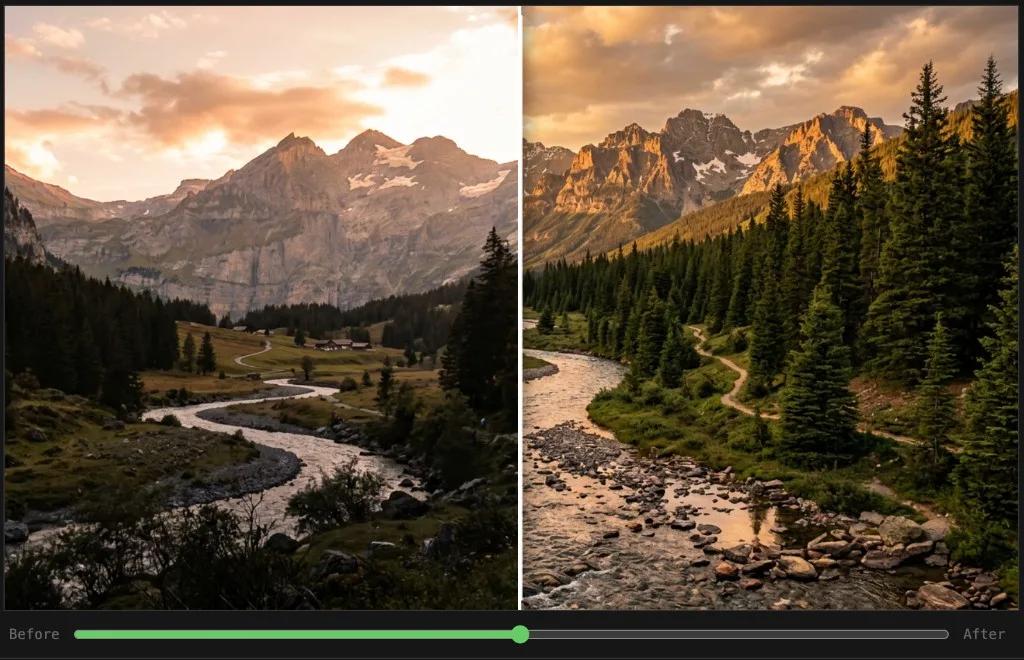
AI algorithms analyze different elements of a photo, including brightness, contrast, colors, sharpness, and details. Based on this analysis, the app applies improvements to create a more balanced and visually appealing image.
For example, a dark indoor photo can be improved by enhancing shadows, correcting colors, and increasing details while keeping the image natural.
Apps like Remini, Lightroom Mobile, and Fotor AI are popular choices for users who want quick image improvements.
AI Portrait Editing for Professional-Looking Photos
Portrait photography is one area where AI has made a huge impact.
Modern AI portrait tools can automatically detect faces and improve:
- Skin tones
- Facial details
- Eye clarity
- Lighting
- Background separation
This is especially useful for selfies, couple photography, lifestyle portraits, and professional profile images.
However, the best AI editing apps focus on enhancing natural beauty rather than creating unrealistic results. A good portrait edit should improve the image while maintaining the original personality of the subject.
For photographers interested in improving portrait skills beyond AI tools, you can also explore our guide on portrait photography techniques for better composition, lighting, and posing ideas.
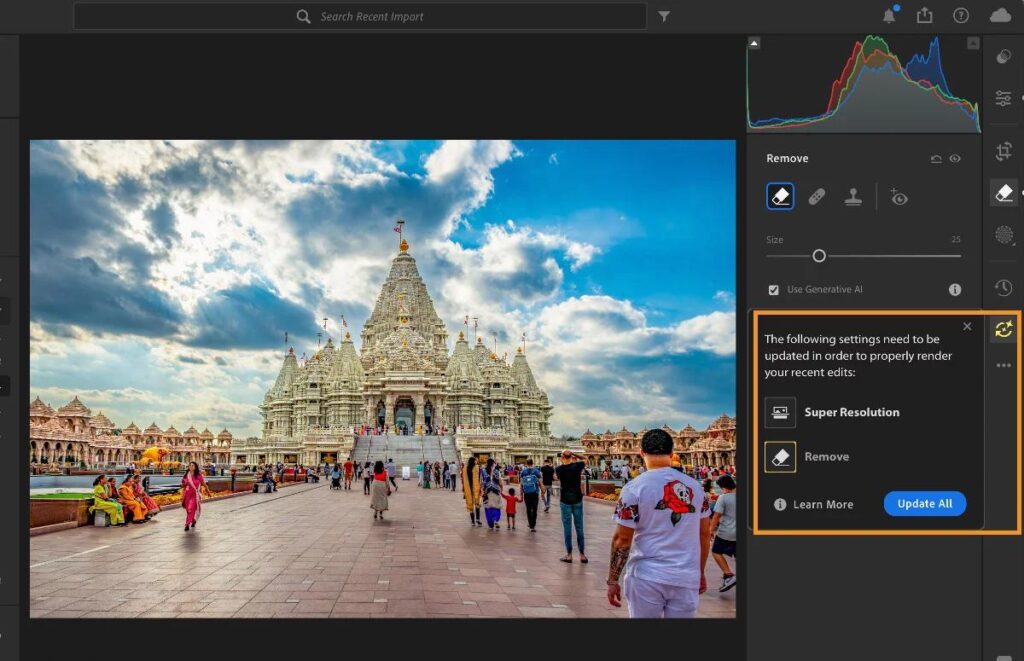
AI Background Removal and Object Erasing
Removing unwanted objects from photos used to require advanced editing software. AI has simplified this process significantly.
Modern AI apps can identify unwanted elements such as:
- People in the background
- Extra objects
- Wires
- Distractions
and intelligently rebuild the missing area.
This feature is extremely useful for travel photography, product photography, and social media content creation.
For example, an online seller can remove a distracting background from a product image and create a cleaner professional-looking photo using AI tools.
AI Photography Apps vs Traditional Photo Editing Software
Many photographers wonder whether AI apps can replace traditional editing software.
The answer depends on your photography goals.
Traditional editing software provides maximum control and is still preferred by professionals who need detailed adjustments. However, AI photography apps are designed for speed, convenience, and accessibility.
| Feature | Traditional Editing | AI Photography Apps |
|---|---|---|
| Learning difficulty | Requires experience | Beginner-friendly |
| Editing speed | Manual process | Instant improvements |
| Background removal | Manual selection | Automatic detection |
| Portrait enhancement | Requires skills | AI-assisted editing |
| Creative effects | Limited workflow | AI-generated options |
For everyday photographers and content creators, AI apps provide a faster way to achieve professional-looking results. Professional photographers often use AI tools alongside traditional software to save time.
How to Choose the Right AI Photography App for iPhone?
Choosing the right AI app depends on what type of photography you create.
If you are a professional photographer or someone who wants complete editing control, choose apps that provide RAW support, advanced adjustments, and AI masking features.
If you mainly capture portraits and selfies, portrait-focused apps with AI face enhancement will provide better results.
For social media creators, apps that combine AI editing with templates and design features can save significant time.
Before downloading any AI photography app, consider:
Editing Features
Look for features such as:
- AI enhancement
- Object removal
- Background replacement
- Portrait improvement
- AI filters
- RAW editing support
Ease of Use
A good AI photography app should make editing easier, not more complicated. Beginners should choose apps with automatic tools, while advanced users may prefer apps offering more control.
Privacy and Photo Security
Since many AI apps process images using cloud-based systems, users should always review privacy settings and permissions before uploading personal photographs.
1. Adobe Lightroom Mobile — Best Overall AI Photography App for iPhone
Adobe Lightroom Mobile is one of the most powerful AI photography apps available for iPhone users. It is widely used by professional photographers, content creators, and enthusiasts because it combines advanced editing controls with intelligent AI-powered features.
Unlike basic photo filters, Lightroom Mobile gives photographers more control over how their images look. The app can improve colors, adjust lighting, enhance details, and make selective edits using AI-powered tools.
For iPhone photographers who want a professional workflow without moving to a desktop computer, Lightroom Mobile provides an excellent balance between automation and creative control.
Key AI Features of Adobe Lightroom Mobile
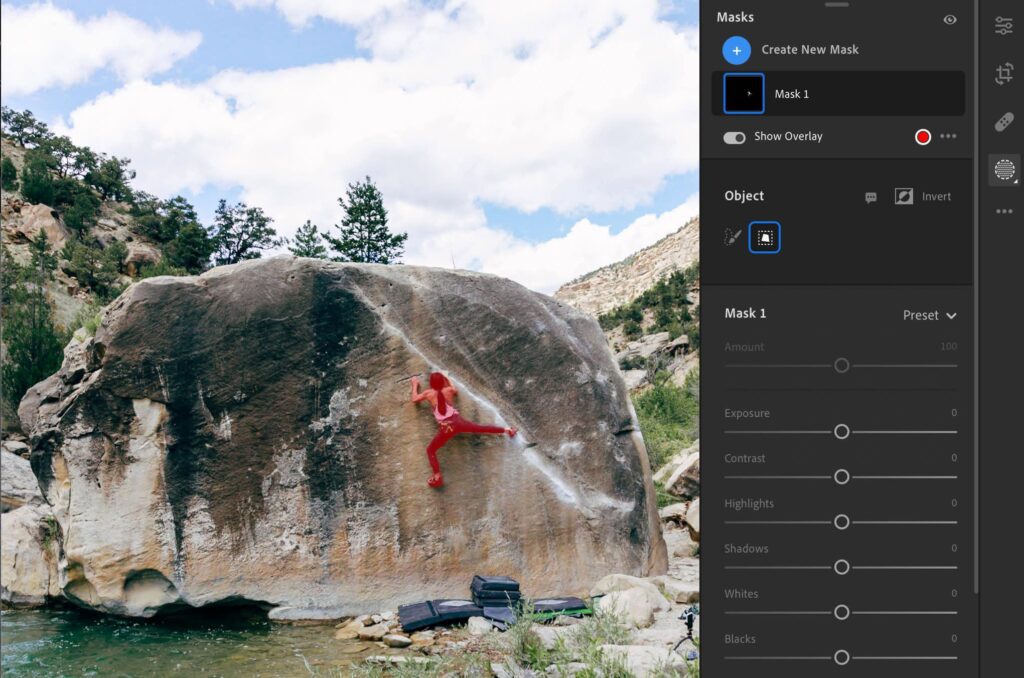
AI Masking and Smart Selection
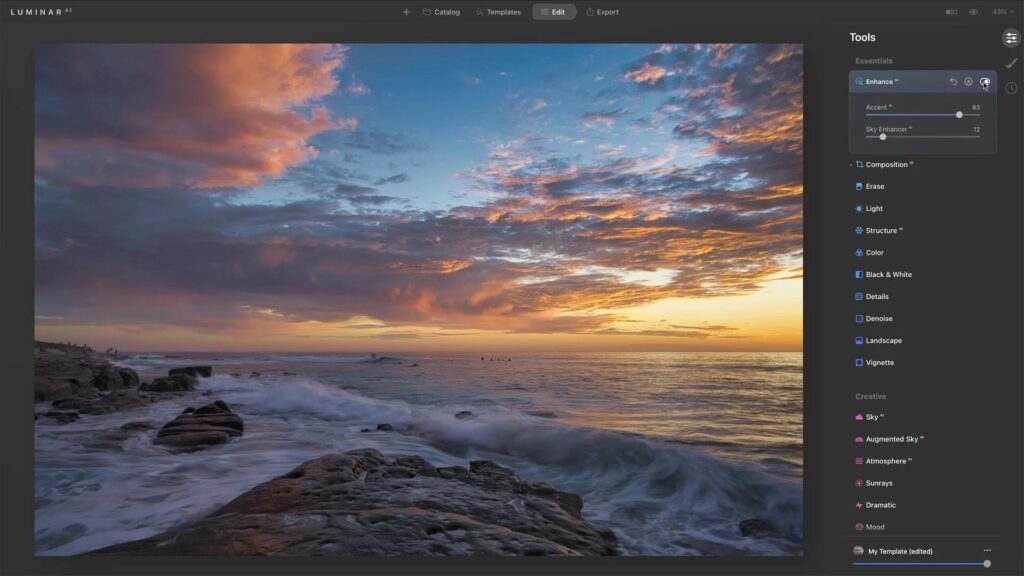
One of Lightroom Mobile’s strongest features is AI-powered masking. The app can automatically recognize different areas of an image, such as:
- People
- Sky
- Background
- Objects
This allows users to edit specific parts of a photo without manually selecting every area.
For example, you can brighten a person’s face while keeping the background unchanged or enhance the sky in a landscape photo without affecting the subject.
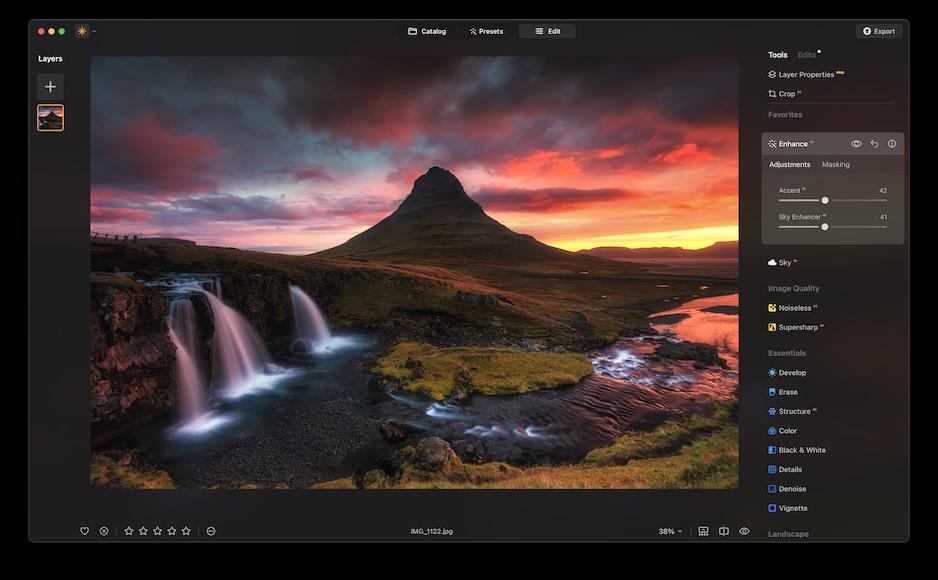
AI Photo Enhancement
Lightroom’s intelligent editing tools help improve:
- Exposure
- Shadows
- Highlights
- Image clarity
- Noise reduction
- Colors
These features are especially useful for iPhone photos taken in difficult lighting conditions.
RAW Photo Editing Support
For photographers who want maximum image quality, Lightroom Mobile supports RAW photography. This gives users more flexibility when adjusting colors and details.
Professional mobile photographers often combine RAW capture with AI editing to create images that look closer to DSLR or mirrorless camera results.
Pros of Adobe Lightroom Mobile
✅ Professional editing controls
✅ Powerful AI masking features
✅ Supports RAW images
✅ Excellent color correction tools
✅ Trusted by professional photographers
Cons of Adobe Lightroom Mobile
❌ Advanced features require a subscription
❌ Beginners may need time to learn the interface
Best For
Adobe Lightroom Mobile is best suited for:
- Professional photographers
- Travel photographers
- Content creators
- Users who want DSLR-style editing on iPhone
While AI tools can improve your editing workflow, understanding photography fundamentals helps you create better images from the beginning. Explore our photography tutorials for beginners to learn composition, lighting, camera settings, and essential shooting techniques.
You can explore Adobe’s official information about Lightroom features and mobile editing capabilities to understand how professional photographers use AI-powered tools.
2. Lensa — Best AI Portrait Photography App for iPhone
Lensa is a popular AI-powered photo editing app focused mainly on portraits and selfies. It became widely recognized because of its ability to enhance faces, create artistic effects, and produce polished portrait images quickly.
For iPhone users who regularly capture selfies, couple photos, lifestyle portraits, or social media images, Lensa provides an easy way to improve photos without spending hours editing.
Key AI Features of Lensa
AI Face Enhancement
Lensa uses artificial intelligence to analyze facial features and improve:
- Skin appearance
- Facial details
- Lighting balance
- Overall portrait quality
The goal is to create cleaner and more attractive portraits while maintaining a natural appearance.
AI Background Effects
The app can enhance portrait images by adding creative background effects and improving separation between the subject and surroundings.
This can help create a more professional look similar to portrait mode photography.
AI Artistic Effects
Lensa also offers creative AI effects that allow users to transform ordinary photos into unique visual styles.
These features are useful for:
- Social media profile pictures
- Creative portraits
- Personal branding images
Pros of Lensa
✅ Excellent portrait enhancement
✅ Easy for beginners
✅ Fast AI processing
✅ Good for social media photos
Cons of Lensa
❌ Mainly focused on portraits
❌ Premium features require payment
❌ Over-editing may reduce natural appearance
Best For
Lensa is ideal for:
- Selfie photographers
- Instagram creators
- Portrait enthusiasts
- Personal branding photos
Portrait photography is not only about editing. Lighting, expressions, posing, and composition also play an important role in creating powerful images.
If you want to improve your portrait results further, explore our portrait photography guide covering professional techniques, creative ideas, and shooting tips.
3. Remini — Best AI App for Improving Old and Blurry Photos
Remini is one of the most popular AI image enhancement apps for iPhone. It is designed specifically for improving low-quality, blurry, compressed, or old photographs.
Many users have old family pictures or smartphone images that lack sharpness and detail. Remini uses AI technology to analyze these images and reconstruct missing details to create clearer results.
Key AI Features of Remini
AI Photo Enhancement
Remini can improve:
- Image sharpness
- Facial details
- Resolution
- Colors
- Overall clarity
This makes it especially useful for restoring older photographs.
Old Photo Restoration
One of Remini’s most popular uses is restoring historical or family photographs.
The AI can enhance details in:
- Vintage photos
- Childhood pictures
- Scanned images
- Low-resolution portraits
AI Video Enhancement
Besides photos, Remini also provides AI enhancement tools for videos, helping improve clarity and quality.
Pros of Remini
✅ Excellent photo restoration capability
✅ Simple one-tap enhancement
✅ Great for old photographs
✅ Beginner-friendly
Cons of Remini
❌ Free version has limitations
❌ Some results may appear overly processed
❌ Limited manual editing controls
Best For
Remini is best for:
- Restoring old memories
- Improving blurry photos
- Enhancing family photographs
- Quick image improvements
If you want to explore more AI tools that improve image quality, check our guide on AI image enhancement tools that can help photographers restore, sharpen, and optimize photos.
4. Photoleap — Best AI Creative Editing App for iPhone
Photoleap is designed for photographers and creators who want to go beyond traditional editing. It combines AI-powered creative tools with advanced image manipulation features.
While apps like Lightroom focus on professional correction, Photoleap focuses on imagination and creativity.
Users can transform ordinary photos into artistic visuals using AI effects, backgrounds, and creative editing tools.
Key AI Features of Photoleap
AI Background Generation
Photoleap can help users create new environments and replace existing backgrounds.
This is useful for:
- Creative portraits
- Social media graphics
- Marketing images
AI Effects and Transformations
Users can apply:
- Artistic styles
- Cinematic effects
- Creative overlays
- AI-generated elements
Pros of Photoleap
✅ Excellent creative AI features
✅ Great for social media content
✅ Easy-to-use interface
✅ Unique editing possibilities
Cons of Photoleap
❌ Many advanced tools require premium access
❌ Less focused on professional photography workflow
Best For
Photoleap is best for:
- Creative photographers
- Social media creators
- Digital artists
- Bloggers
AI creativity is also transforming professional photography workflows. Learn more about advanced AI photography tools and techniques in our complete guide.
5. Canva AI Photo Editor — Best AI App for Social Media Photography
Canva has become a popular choice among content creators because it combines photo editing, graphic design, and AI-powered creative tools in one platform.
For iPhone photographers who create content for Instagram, blogs, Pinterest, YouTube, or business websites, Canva makes it easier to turn photos into professional-looking visual content without requiring advanced design skills.
While traditional photo editors focus mainly on improving images, Canva helps users edit photos and convert them into complete designs.
Key AI Features of Canva
AI Background Removal
Canva’s AI background remover allows users to quickly separate subjects from backgrounds.
This is useful for:
- Product images
- Profile photos
- Social media graphics
- Marketing content
For example, an online business owner can remove the background from a product photo and place it into a professional promotional design.
AI-Powered Editing Tools
Canva provides AI tools that can help users:
- Modify image elements
- Generate creative designs
- Improve visual layouts
- Create content faster
Ready-Made Templates
One major advantage of Canva is its large collection of templates for:
- Instagram posts
- Stories
- YouTube thumbnails
- Blog graphics
- Advertisements
This makes it especially valuable for creators who need both photography and design capabilities.
Pros of Canva AI
✅ Excellent for social media creators
✅ Combines editing and design tools
✅ Beginner-friendly interface
✅ Large template library
Cons of Canva AI
❌ Not designed for advanced professional photo editing
❌ Many AI features require a premium plan
Best For
Canva AI is best suited for:
- Bloggers
- Social media managers
- Small businesses
- Content creators
Professional visuals require more than editing. If you create images for websites or online stores, explore our complete guide to product photography techniques for better lighting, composition, and presentation.
6. Picsart AI — Best Creative AI Photography App for Beginners
Picsart is one of the most feature-rich AI photo editing apps available for iPhone users. It combines traditional editing tools with AI-powered effects, background generation, filters, and creative features.
The app is especially popular among beginners and social media creators who want quick results without learning complicated editing software.
Key AI Features of Picsart
AI Background Generator
Picsart can create new backgrounds using AI technology.
Users can generate backgrounds for:
- Portraits
- Product images
- Creative photography projects
AI Filters and Effects
The app includes many creative options such as:
- Artistic styles
- AI transformations
- Photo effects
- Creative overlays
AI Avatar Creation
Picsart also offers AI-powered avatar and portrait creation features for users who want unique profile images.
Pros of Picsart AI
✅ Large collection of creative tools
✅ Easy for beginners
✅ Great for social media content
✅ Many editing options
Cons of Picsart AI
❌ Interface can feel crowded
❌ Premium tools require subscription
Best For
Picsart AI is ideal for:
- Beginner photographers
- Instagram creators
- Creative editors
- Social media users
7. Fotor AI Photo Editor — Best One-Click AI Enhancement App
Fotor focuses on simplicity and speed. It is designed for users who want professional-looking improvements without spending time adjusting complicated settings.
The app uses AI technology to analyze photos and automatically improve important elements.
Key AI Features of Fotor
AI Photo Enhancer
The AI enhancer improves:
- Image clarity
- Colors
- Brightness
- Contrast
- Details
This is useful when an image looks dull or lacks sharpness.
AI Portrait Retouching
Fotor can enhance portrait images by improving:
- Skin appearance
- Facial details
- Lighting balance
AI Creative Effects
Users can apply AI-based styles and effects to create unique images.
Pros of Fotor AI
✅ Simple one-click editing
✅ Fast results
✅ Beginner-friendly
✅ Useful enhancement tools
Cons of Fotor AI
❌ Limited professional controls
❌ Advanced features require premium access
Best For
Fotor is suitable for:
- Casual photographers
- Beginners
- Quick social media edits
8. YouCam Perfect — Best AI Selfie and Portrait Editing App
YouCam Perfect is designed specifically for portrait and selfie photography. It uses AI-powered tools to improve facial appearance while maintaining a natural look.
For users who frequently capture selfies, lifestyle photos, and social media portraits, YouCam Perfect offers an easy editing experience.
Key AI Features
AI Face Enhancement
The app can improve:
- Facial details
- Skin tone
- Lighting
- Portrait quality
AI Object Removal
Users can remove unwanted objects from photos, helping create cleaner images.
Creative Portrait Effects
The app includes:
- Filters
- Background effects
- Beauty adjustments
Pros of YouCam Perfect
✅ Excellent selfie editing
✅ Easy portrait improvements
✅ Beginner-friendly
✅ Good social media features
Cons of YouCam Perfect
❌ Mostly focused on portraits
❌ Some edits may look unnatural if overused
Best For
- Selfie lovers
- Lifestyle photographers
- Social media creators
9. Snapseed — Best Free Photo Editing App for iPhone
Snapseed is a powerful free editing app developed by Google. Although it is not an AI-first application, its intelligent editing tools make it one of the best free choices for iPhone photographers.
Snapseed is particularly useful for beginners who want professional editing features without paying for subscriptions.
Key Features
Snapseed offers:
- Smart adjustments
- RAW editing
- Healing tools
- Selective edits
- HDR effects
Pros
✅ Completely free
✅ No watermark
✅ Professional editing controls
✅ Beginner-friendly
Cons
❌ Fewer AI features compared with newer AI apps
❌ Requires learning for advanced editing
Best For
- Beginner photographers
- Students learning editing
- Users wanting free tools
10. VSCO — Best App for Cinematic Mobile Photography
VSCO is known for its premium-looking filters and cinematic photography styles.
Although VSCO is not mainly an AI editing app, it remains popular among creators because it helps produce consistent visual styles.
Key Features
VSCO provides:
- Film-inspired presets
- Color grading tools
- Exposure adjustments
- Creative editing options
Pros
✅ Beautiful cinematic styles
✅ Clean interface
✅ Popular among creators
Cons
❌ Many features require membership
❌ Less AI automation compared with dedicated AI apps
Best For
- Travel photographers
- Lifestyle creators
- Instagram photographers
Summary
| App | Best Use |
|---|---|
| Canva AI | Social media design |
| Picsart AI | Creative effects |
| Fotor AI | Quick enhancement |
| YouCam Perfect | Selfie editing |
| Snapseed | Free professional editing |
| VSCO | Cinematic photography |
11. Adobe Photoshop Express — Best AI Editing App for Quick Professional Results
Adobe Photoshop Express brings many powerful photo editing capabilities from the Photoshop ecosystem to iPhone users in a simpler mobile format.
For photographers who want fast corrections, creative improvements, and professional-looking results without opening desktop software, Photoshop Express provides a convenient editing workflow.
The app is especially useful for improving images before sharing them on social media, websites, or digital platforms.
Key AI Features of Adobe Photoshop Express
AI-Powered Auto Enhancement
The app can automatically adjust:
- Exposure
- Contrast
- Colors
- Image tone
- Sharpness
This helps improve photos quickly, especially when the original image needs better balance.
AI Object Removal
Photoshop Express includes tools that help remove unwanted elements from images.
Common uses include:
- Removing distractions
- Cleaning backgrounds
- Fixing small imperfections
Creative Editing Tools
Users can also add:
- Filters
- Text effects
- Collages
- Creative adjustments
Pros of Adobe Photoshop Express
✅ Trusted Adobe technology
✅ Fast editing workflow
✅ Easy sharing options
✅ Professional-quality results
Cons of Adobe Photoshop Express
❌ Some features require a subscription
❌ Less advanced compared with desktop Photoshop
Best For
Adobe Photoshop Express is ideal for:
- Content creators
- Bloggers
- Social media photographers
- Users who want quick professional edits
12. Pixelcut — Best AI App for Product Photography on iPhone
Pixelcut is one of the best AI photography apps for online sellers, brands, and product photographers.
Product photography often requires clean backgrounds, professional presentation, and consistent image quality. Pixelcut simplifies this process by using AI tools that automatically improve product visuals.
This makes it valuable for e-commerce businesses, marketplace sellers, and photographers who create commercial images.
Key AI Features of Pixelcut
AI Background Removal
Pixelcut can automatically detect products and remove unwanted backgrounds.
This helps create:
- Clean product images
- Marketplace listings
- Advertising visuals
AI Product Background Generation
The app can create professional-looking backgrounds for products.
Examples:
- Studio-style backgrounds
- Lifestyle scenes
- Marketing visuals
AI Templates for Businesses
Users can create:
- Product advertisements
- Promotional graphics
- Social media posts
Pros of Pixelcut
✅ Excellent for product photography
✅ Saves editing time
✅ Useful for online businesses
✅ Simple workflow
Cons of Pixelcut
❌ Mainly focused on commercial images
❌ Premium features require payment
Best For
Pixelcut is best suited for:
- E-commerce sellers
- Product photographers
- Small businesses
- Marketing creators
If you want to improve your product images beyond AI editing, explore our complete product photography guide covering lighting, equipment, backgrounds, and professional shooting techniques.
13. Facetune — Best AI Portrait Retouching App for iPhone
Facetune is a popular portrait editing application focused on improving selfies, lifestyle photos, and professional portraits.
The app uses AI-powered features to simplify portrait enhancement while allowing users to control the intensity of edits.
Key AI Features of Facetune
AI Skin Enhancement
Facetune can improve:
- Skin appearance
- Facial details
- Portrait lighting
- Overall image quality
AI Lighting Adjustments
The app helps improve portrait lighting by enhancing brightness and balance.
This is useful for indoor photos or images captured in challenging conditions.
Background and Creative Tools
Users can also apply:
- Background effects
- Filters
- Creative adjustments
Pros of Facetune
✅ Powerful portrait tools
✅ Easy to use
✅ Great for social media photos
Cons of Facetune
❌ Mainly focused on portraits
❌ Over-editing can reduce natural appearance
Best For
- Portrait photographers
- Influencers
- Personal branding images
14. Halide Mark II — Best AI-Assisted Professional Camera App for iPhone
Halide Mark II is designed for photographers who want more control while capturing images.
Unlike editing apps that improve photos after shooting, Halide focuses on helping users capture higher-quality images from the beginning.
For serious mobile photographers, a better capture process combined with AI editing can create significantly improved results.
Key Features of Halide
Professional Camera Controls
The app provides:
- Manual exposure control
- Focus control
- RAW photography support
- Advanced camera settings
Smart Photography Assistance
Halide helps users make better shooting decisions through intelligent camera features.
Pros of Halide
✅ Professional camera controls
✅ Excellent RAW support
✅ Better image capture workflow
Cons of Halide
❌ Requires photography knowledge
❌ Premium application
Best For
- Serious iPhone photographers
- Mobile photography enthusiasts
- RAW shooters
15. NeuralCam / ProCamera — Best AI Camera Apps for Low-Light Photography
NeuralCam and ProCamera are excellent choices for iPhone users who want better image capture, especially in challenging lighting situations.
While editing apps improve images afterward, AI camera apps help create better photos at the moment of capture.
Key Features
These apps focus on:
- Night photography improvement
- Better exposure control
- Low-light enhancement
- Professional shooting options
Best For
- Night photographers
- Travel photography
- Indoor photography
- Mobile photography enthusiasts
Best AI Apps for iPhone Photography Based on Your Needs
Choosing the right AI photography app depends on your photography style and goals.
Best Overall AI Photo Editing App
Adobe Lightroom Mobile
Best for:
- Professional editing
- RAW photography
- Complete workflow control
Best Free AI Photography App
Snapseed
Best for:
- Beginners
- Learning editing
- Free professional tools
Best AI Portrait App
Lensa / Facetune
Best for:
- Selfies
- Portrait enhancement
- Social media images
Best AI Photo Enhancement App
Remini
Best for:
- Old photo restoration
- Blurry image improvement
- Quick quality improvement
Best AI App for Product Photography
Pixelcut
Best for:
- Online sellers
- Product images
- Commercial photography
Best AI Creative Editing App
Photoleap
Best for:
- Artistic effects
- AI-generated edits
- Creative projects
Recommended AI Photography Workflow for iPhone Users
A powerful AI photography workflow combines capturing, enhancing, editing, and publishing.
Step 1: Capture Better Photos
Start with:
- iPhone Camera app
- Halide
- ProCamera
Focus on:
- Good lighting
- Strong composition
- Clear subject
Step 2: Improve Image Quality
Use AI enhancement tools such as:
- Lightroom Mobile
- Remini
- Fotor AI
Improve:
- Sharpness
- Colors
- Exposure
- Details
Step 3: Apply Creative Editing
Use:
- Photoleap
- Picsart
- Canva AI
For:
- Background changes
- Creative effects
- Social media designs
Step 4: Optimize for Publishing
Use:
- Canva
- VSCO
Create:
- Instagram posts
- Blog images
- Marketing graphics
Free vs Paid AI Photography Apps: Which One Should You Choose?
Many AI photography apps offer free versions, but premium plans unlock advanced features.
| Type | Examples | Best For |
|---|---|---|
| Free Apps | Snapseed, Canva Free | Beginners |
| Freemium Apps | Lightroom, Remini, Picsart | Regular users |
| Premium Apps | Halide, Photoshop Express Premium | Professionals |
Free apps are excellent for learning and casual photography. However, creators who regularly produce content may benefit from premium features that save time and provide better control.
Tips to Get Better Results From AI Photography Apps
Use High-Quality Original Photos
AI works best when the original image has:
- Good lighting
- Sharp focus
- Clear subject
Avoid Excessive AI Editing
AI should enhance your creativity, not completely replace it.
Overusing AI effects can make images appear:
- Artificial
- Overprocessed
- Unrealistic
Learn Photography Basics Alongside AI Tools
Understanding:
- Composition
- Lighting
- Camera angles
- Storytelling
will help you create stronger images.
AI can improve a good photograph, but creativity remains the most important part of photography.
Frequently Asked Questions
Conclusion
AI photography apps have transformed how iPhone users capture and edit images. Today, anyone can enhance photos, improve portraits, remove distractions, and create professional-looking visuals directly from a smartphone.
For professional photographers, apps like Adobe Lightroom Mobile and Halide provide advanced control. Beginners can achieve excellent results with tools like Snapseed, Canva, and Remini. Creative users can explore Photoleap and Picsart for unique visual effects.
The best AI app for iPhone photography depends on your goals. Whether you want better portraits, improved image quality, product photos, or social media content, there is an AI tool designed for your needs.
By combining AI technology with strong photography fundamentals, your iPhone can become a powerful creative tool capable of producing stunning images anywhere.
Ready to Take Your iPhone Photography to the Next Level?
AI apps can make photo editing faster and easier, but great photography starts with understanding creativity, composition, lighting, and storytelling. Continue improving your skills with The Candid Shoot’s expert photography guides, AI tutorials, camera tips, and creative inspiration.
Whether you are a beginner exploring mobile photography or a creator building professional-quality content, discover more techniques to capture and edit stunning images.