
This guide explores the essential tools for eCommerce product photography, detailing their significance and how to use them effectively.
Table of Contents
Introduction
In the world of eCommerce, exceptional product photography is non-negotiable. High-quality visuals not only attract customers but also drive sales and enhance your brand’s credibility. However, achieving professional-grade product images requires more than just a camera. It demands the right set of tools and techniques to ensure your visuals resonate with your target audience.
Quick Answer
Product photography is the process of creating high-quality images that accurately showcase a product’s appearance, features, and details. Effective product photography combines proper lighting, composition, camera settings, backgrounds, and editing techniques to produce professional images that increase customer trust and improve online sales.
Learn More About Product Photography
If you’re looking to master product photography from beginner to advanced level, don’t miss our complete guide:
👉 Powerful Product Photography Secrets for Photos
Inside this comprehensive guide, you’ll learn:
- Camera settings for product photography
- Lighting techniques for every budget
- Background selection
- Composition tips
- Lens recommendations
- Editing workflow
- AI tools for product photography
- Studio setup ideas
- Photography mistakes to avoid
- Professional workflow from planning to final image
This pillar guide connects all of our product photography tutorials in one place, making it the perfect starting point for beginners and experienced photographers alike.
Why Invest in Product Photography Tools?
Before diving into the specific tools, it’s important to understand why investing in the right equipment matters.
1. Visual Communication Drives Sales
Product photos are often the first interaction potential buyers have with your product. Subpar visuals can lead to a loss of trust and sales.
- Highlight Details: High-quality images allow customers to see textures, colors, and intricate details.
- Build Confidence: Professional visuals reassure buyers of your product’s quality.
2. Competitive Edge in the Market
Well-executed photography sets your brand apart from competitors, especially in saturated markets.
- Brand Consistency: Consistent imagery strengthens your brand identity.
- Customer Retention: Memorable visuals encourage repeat purchases.


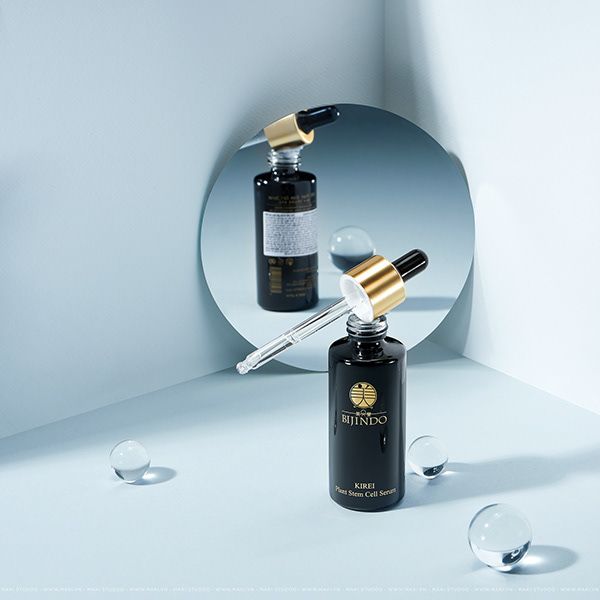




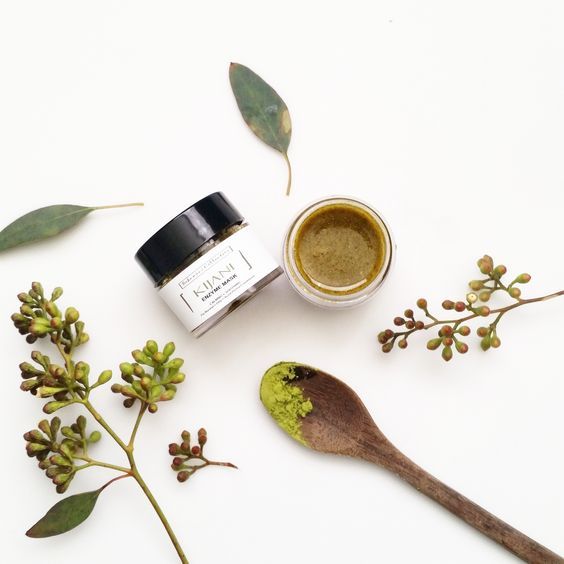
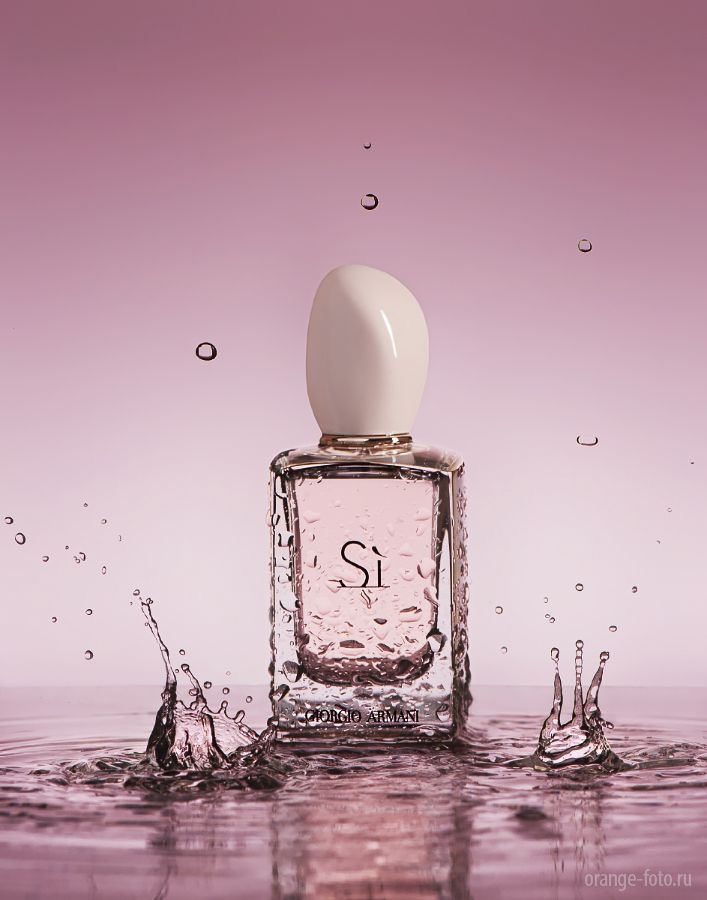
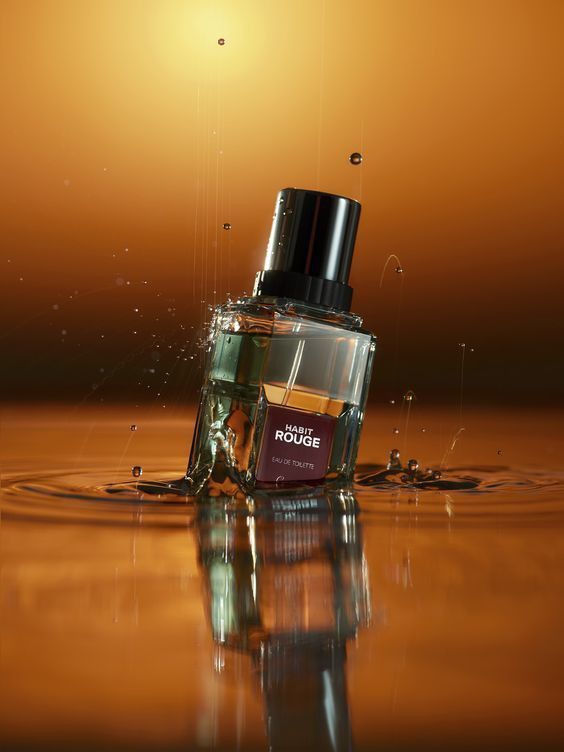




Essential Tools for eCommerce Product Photography
1. Cameras: The Heart of Photography
A good camera is the cornerstone of professional product photography. While smartphone cameras have improved, DSLRs and mirrorless cameras remain the gold standard.
Features to Look For:
- High Resolution: Ensures sharp, detailed images.
- Manual Controls: Offers greater flexibility for adjusting aperture, shutter speed, and ISO.
- Interchangeable Lenses: Allows versatility for different types of shots.
Recommended Cameras:
- Canon EOS R6
- Sony Alpha a7 III
- Nikon Z6 II
2. Lenses: Elevate Your Image Quality
The right lens can dramatically improve your photo quality. Different lenses serve different purposes, so it’s important to choose one that suits your needs.
Types of Lenses:
- Macro Lenses: Ideal for capturing intricate details.
- Prime Lenses: Known for their sharpness and wide apertures.
- Zoom Lenses: Great for versatility and framing flexibility.
Recommended Lenses:
- Canon EF 100mm f/2.8L Macro IS USM
- Sony FE 50mm f/1.8
- Nikon NIKKOR Z 24-70mm f/2.8 S
3. Tripods: Achieve Stability and Consistency
A tripod is crucial for keeping your camera stable and ensuring consistent angles across shots.
Benefits:
- Reduced Blur: Eliminates camera shake for sharp images.
- Consistent Framing: Maintains uniformity in product photos.
Features to Look For:
- Adjustable height and angles
- Sturdy build for heavier cameras
- Compatibility with your camera model
Recommended Tripods:
- Manfrotto Befree Advanced Tripod
- Gitzo Lightweight Traveler Tripod
- Vanguard Alta Pro 263AB
4. Lighting Equipment: Illuminate Your Products
Proper lighting is essential for showcasing your products in the best possible way. Natural light works well, but artificial lighting ensures consistency.
Types of Lighting:
- Softboxes: Diffuse light to reduce harsh shadows.
- Ring Lights: Ideal for small products and close-ups.
- LED Panels: Provide adjustable brightness and color temperature.
Recommended Lighting Kits:
- Neewer 2-Pack Dimmable LED Softbox Lighting Kit
- Godox SL-60W LED Video Light
- Lume Cube Panel Pro
5. Light Modifiers: Control Light Intensity and Direction
Light modifiers help shape and control the light, creating a professional look.
Types of Modifiers:
- Reflectors: Bounce light to reduce shadows.
- Diffusers: Soften harsh light for an even glow.
- Flags: Block light to create contrast and depth.
Recommended Modifiers:
- Westcott 5-in-1 Reflector Kit
- Selens 24×36-inch Diffuser Panel
- Neewer Light Blocker Kit
6. Backgrounds: Keep the Focus on Your Product
Backgrounds play a vital role in ensuring the product remains the focal point of the image.
Common Backgrounds:
- White Backgrounds: Clean and professional; great for marketplaces like Amazon.
- Colored Backgrounds: Adds personality and complements the product.
- Textured Backgrounds: Perfect for lifestyle or mood shots.
Recommended Background Solutions:
- Savage Seamless Paper Backdrops
- Foldable Pop-Up Backgrounds
- DIY Backgrounds with Foam Boards
7. Editing Software: Polish Your Images
Even the best photos need some post-production to perfect them.
Key Features to Look For:
- Crop and resize tools
- Color correction and white balance adjustment
- Spot removal for minor blemishes
Recommended Software:
8. Props: Add Context and Appeal
Props can make your product photos more engaging by adding context and storytelling elements.
Tips for Choosing Props:
- Ensure they complement rather than overpower the product.
- Use props relevant to the product’s usage.
- Keep the color palette cohesive.
Examples of Props:
- Fresh produce for food products
- Office supplies for stationery items
- Seasonal decor for holiday promotions
9. Turntables: Capture Every Angle
For 360-degree product views, turntables are indispensable.
Benefits:
- Showcase all sides of the product.
- Enhance customer confidence by providing a comprehensive view.
Recommended Turntables:
- Foldio360 Smart Turntable
- Ortery PhotoBench 360
- Neewer Motorized Rotating Display Stand
10. Remote Shutters: Minimize Contact with the Camera
Remote shutters allow you to capture images without touching the camera, reducing vibrations and ensuring sharp photos.
Recommended Options:
- Canon BR-E1 Wireless Remote
- Sony RMT-P1BT Wireless Remote
- Nikon ML-L3 Remote Control
Tips for Using Your Tools Effectively
1. Plan Your Setup
Before shooting, plan your layout, including the background, lighting, and camera position.
2. Test and Adjust
Take test shots to identify any issues with lighting, composition, or focus.
3. Maintain Your Equipment
Clean your lenses, charge your batteries, and store equipment properly to prolong its lifespan.
4. Keep Learning
Stay updated on the latest tools and techniques through tutorials, blogs, and courses.
Conclusion: Equip Yourself for Success
Investing in the right tools for eCommerce product photography is not an expense but an investment in your brand’s growth. From cameras and lighting to editing software and turntables, each tool plays a pivotal role in elevating the quality of your visuals.
When used effectively, these tools can transform your product photos into compelling visuals that drive sales and build customer trust. Start building your photography toolkit today and watch your eCommerce business flourish.
FAQ:
1. What is product photography?
Product photography is the process of photographing products in a way that highlights their features, quality, and design. High-quality product photos help businesses increase customer trust, improve conversions, and reduce product returns.
2. What equipment is best for product photography?
For most products, you’ll need:
A camera or modern smartphone
A tripod
Softbox or LED lighting
White or colored background
Reflectors or diffusers
Basic photo editing software
Professional equipment can improve quality, but proper lighting is usually more important than an expensive camera.
3. What lighting is best for product photography?
Soft, diffused lighting is generally the best choice because it minimizes harsh shadows and accurately represents product colors. Softboxes, LED panels, and natural window light are commonly used depending on the shooting environment.
4. How can I improve product photography for eCommerce?
To improve eCommerce product photos:
Use consistent lighting
Keep backgrounds clean
Photograph multiple angles
Show product details and textures
Maintain accurate colors
Optimize image size for faster website loading
Edit images without making the product look unrealistic
5. Can I use a smartphone for product photography?
Yes. Modern smartphones can produce professional-looking product photos when paired with good lighting, a stable tripod, and proper editing. For many small businesses, a smartphone is an excellent starting point before investing in dedicated camera equipment.
6. Why is product photography important for online sales?
Customers cannot physically inspect products online. High-quality product images build trust, improve user experience, increase click-through rates, and often lead to higher conversion rates while reducing product returns.
7. Can AI improve product photography?
Yes. AI tools can remove backgrounds, enhance image quality, improve lighting, generate realistic backgrounds, resize images for different marketplaces, and automate editing workflows. AI should be used to enhance product photos while keeping them accurate and representative of the actual product.
8. What image size is best for product photography websites?
The ideal image size depends on the platform, but most websites perform well with:
JPEG or WebP format
1200–2000 pixels on the longest side
Compressed images under 300 KB when possible
Proper alt text for accessibility and SEO
Related Product Photography Guides
Continue improving your photography skills with these helpful resources:
- Product Photography Lighting Guide
- Best Cameras for Product Photography
- DIY Product Photography Setup at Home
- White Background Product Photography Tips
- Product Photography Camera Settings Explained
- Best Lenses for Product Photography
- AI Product Photography Tools
- Product AI Photo Editing Guide
- Photography Tutorials for Beginners
Recommended Resources
- Adobe Lightroom Learning Center
- Adobe Photoshop Learn
- Nikon Learn & Explore
Improve Your Product Photography Skills
Photography is a skill that improves with practice. Try experimenting with different lighting setups, camera angles, and editing techniques to discover what works best for your products. Even small improvements in composition and lighting can make your images look significantly more professional.
If you enjoyed this guide, explore more tutorials on The Candid Shoot to continue improving your photography s
About The Candid Shoot
The Candid Shoot is an independent photography resource dedicated to helping photographers, creators, couples, models, brands, and photography enthusiasts make better decisions and create better images.
Our content covers practical photography techniques, camera and equipment guidance, posing ideas, portrait and fashion photography, product photography, AI photography tools, and photography workflows.
We focus on practical, experience-informed guidance rather than simply repeating generic information found across the web. Our goal is to make photography easier to understand, easier to apply, and more useful in real-world situations.
Why Trust The Candid Shoot?
We build our articles around a simple editorial principle: useful information first, clear explanations second, and unnecessary hype last.
Our articles are developed with attention to:
- Practical photography use cases and real-world shooting situations
- Camera, lens, software, and photography workflow considerations
- Clear explanations for beginners while retaining useful information for experienced creators
- Current tools, techniques, and photography trends where relevant
- Comparisons of advantages, limitations, features, and practical applications
- Original editorial organization instead of simply rewriting existing articles
- Internal linking to related photography resources so readers can explore a topic in depth
Our objective is not to recommend something simply because it is popular. We aim to explain when a technique, tool, workflow, or approach makes sense — and when it may not.
Our Editorial Process
Every article published on The Candid Shoot follows a structured editorial process designed to improve accuracy, usefulness, and clarity.
Research: We review relevant photography concepts, tools, techniques, product information, and established industry resources before developing an article.
Practical Evaluation: Information is considered from the perspective of actual photography use cases, including shooting conditions, workflow, composition, posing, editing, equipment selection, and creator needs.
Editorial Development: We organize information into clear sections, practical explanations, examples, recommendations, and actionable takeaways.
Fact Checking: Technical claims, specifications, terminology, and important factual information are checked against reliable sources where appropriate.
Reader-First Review: We evaluate whether the article actually answers the search intent, whether the recommendations are understandable, and whether the content provides useful next steps.
Ongoing Updates: Articles may be reviewed and updated when photography technology, software, equipment, techniques, or industry practices change.
Our Editorial Standards
The Candid Shoot aims to keep its editorial content:
Accurate: We work to verify important technical and factual information.
Useful: Information should help the reader solve a real photography problem or make a better decision.
Transparent: We distinguish educational guidance, editorial opinions, comparisons, and factual information.
Practical: Wherever possible, we focus on how photography concepts can actually be applied.
Independent: Articles are created to serve readers first rather than simply promote a product, technique, or trend.
Sources & Photography Resources
We believe readers should be able to continue their research. Depending on the topic, our articles may reference or recommend authoritative photography and technology resources.
Useful external resources may include:
- Adobe Photography
- Adobe Lightroom
- Nikon Learn & Explore
- Canon Learning
- Sony Alpha Universe
- Google Search Central
- Google AI
- OpenAI
External links are included where they provide additional context, technical information, official documentation, or useful learning resources.
Explore More From The Candid Shoot
Continue learning through our photography resources:
Photography Tutorials:
https://thecandidshoot.com/category/photography-tutorials/
Couple Photography:
https://thecandidshoot.com/category/couple-photography/
Camera & Equipment:
https://thecandidshoot.com/category/camera-equipment/
Portrait & Fashion Photography:
https://thecandidshoot.com/category/portrait-fashion-photography/
Product Photography:
https://thecandidshoot.com/category/product-photography/
AI Photography:
https://thecandidshoot.com/category/ai-photography/
Photography Guides & Resources:
https://thecandidshoot.com/
Reader Feedback & Reviews
The Candid Shoot values feedback from photographers, creators, and readers who use our guides in their own work.
Reader questions and feedback help us identify confusing topics, missing information, outdated recommendations, and areas where an article can become more useful.
We continually use this feedback to improve the quality, clarity, and practical value of our photography resources.
Editorial Note
Photography is highly dependent on the subject, lighting conditions, equipment, creative goals, budget, and shooting environment. Recommendations that work for one photographer may not be ideal for another.
For that reason, The Candid Shoot focuses on explaining the reasoning behind a recommendation instead of presenting every technique, product, or workflow as universally suitable.
Related Articles
Continue exploring The Candid Shoot’s photography guides:
- 25 Essential Photography Tutorials for Beginners
Learn the fundamentals of photography, camera settings, exposure, lenses, and essential techniques. - 25 Essential Camera & Equipment Buying Secrets
Understand cameras, lenses, sensors, autofocus, and how to choose photography equipment wisely. - 35 Powerful Portrait & Fashion Photography Secrets
Explore portrait composition, lighting, posing, cameras, and fashion photography techniques. - 45 Powerful Product Photography Secrets
Discover practical product photography techniques, lighting setups, equipment, and creative ideas. - 30 Easy Couple Poses for Photoshoot at Home
Find simple, romantic, candid, and creative couple poses for indoor and outdoor photoshoots. - How to Use Golden Hour for Stunning Travel Photos
Learn how golden-hour lighting can improve portraits, landscapes, travel photos, and outdoor photography. - AI Photography Guide: Powerful Tools and Tips
Explore AI photography tools, editing workflows, image enhancement, and practical AI techniques. - Couple Photography Guide
Explore more couple photography ideas, posing guides, romantic concepts, and creative photoshoot inspiration. - Photography Tutorials
Browse practical photography tutorials covering camera techniques, composition, lighting, editing, and beginner guidance. - Camera & Equipment Guides
Explore camera buying guides, lenses, equipment comparisons, photography gear, and technical resources.
Last reviewed: [August, 2026]
Editorial team: The Candid Shoot Editorial Team





Leave a Reply