
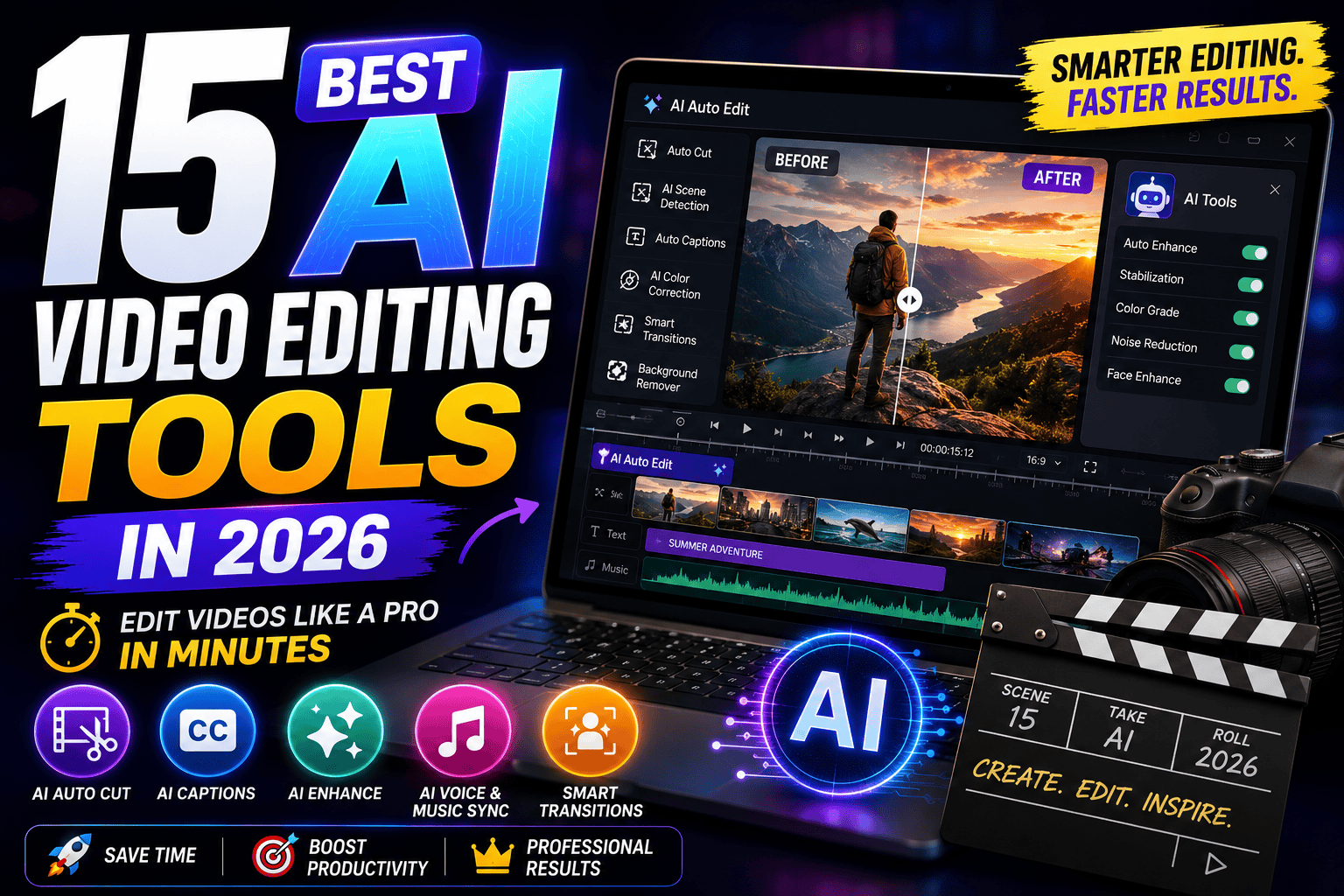
Discover the best AI video editing tools in 2026. Compare 15 AI-powered video editors for YouTube, TikTok, Instagram Reels, podcasts, marketing videos, and professional content creation.
Table of Contents
Introduction
Video has become the most powerful form of online content. Whether you’re creating YouTube videos, Instagram Reels, TikTok clips, online courses, product demonstrations, or business presentations, high-quality video editing is essential for capturing attention and growing an audience.
Traditional video editing, however, can be time-consuming and technically demanding. Tasks like trimming clips, removing silence, generating subtitles, improving audio, tracking objects, or creating visual effects often require hours of manual work.
That’s where AI video editing tools come in.
Modern AI-powered video editors automate repetitive editing tasks, allowing creators to produce professional-quality videos in a fraction of the time. Features such as automatic captions, AI-powered scene detection, background removal, voice enhancement, object tracking, text-to-video generation, and smart video repurposing make it easier than ever to create engaging content without extensive editing experience.
In this guide, we’ve tested and compared the 15 best AI video editing tools in 2026 to help you choose the right software for your workflow, budget, and creative goals.
About This Guide
At The Candid Shoot, we evaluate AI software using real-world creative workflows instead of relying solely on feature lists or marketing claims.
Every platform in this guide was tested across practical video production scenarios, including:
- Editing YouTube videos
- Creating Instagram Reels
- Producing TikTok videos
- Generating automatic captions
- Enhancing audio quality
- Removing background noise
- Repurposing long-form videos into Shorts
- Creating promotional videos
- AI-powered visual effects
- Export quality and rendering speed
Each tool was evaluated using the following criteria:
| Evaluation Criteria | Importance |
|---|---|
| AI Editing Features | ⭐⭐⭐⭐⭐ |
| Ease of Use | ⭐⭐⭐⭐⭐ |
| Video Quality | ⭐⭐⭐⭐⭐ |
| Rendering Speed | ⭐⭐⭐⭐⭐ |
| Audio Enhancement | ⭐⭐⭐⭐☆ |
| Subtitle Accuracy | ⭐⭐⭐⭐⭐ |
| Collaboration | ⭐⭐⭐⭐☆ |
| Value for Money | ⭐⭐⭐⭐⭐ |
Our recommendations are based on hands-on testing to ensure creators can confidently choose tools that improve both productivity and output quality.
Quick Answer
If you’re looking for the best AI video editing tool overall, Descript is our top recommendation in 2026. Its transcript-based editing, AI voice enhancement, automatic captions, and intuitive workflow make it one of the fastest ways to edit professional videos.
For short-form content creators, CapCut AI remains an excellent choice thanks to its AI-powered templates, automatic captions, and mobile-friendly editing experience.
Professional editors working on commercial projects may prefer Adobe Premiere Pro AI or DaVinci Resolve AI, while creators focused on AI-generated videos should explore Runway ML and Synthesia.
What Are AI Video Editing Tools?
AI video editing tools are software platforms that use artificial intelligence to automate complex editing tasks, helping creators produce videos faster and with less manual effort.
Common AI-powered features include:
- Automatic subtitles
- Silence removal
- Voice enhancement
- Background noise reduction
- AI scene detection
- Smart object tracking
- AI transitions
- Video summarization
- Text-to-video generation
- AI avatars
- Background removal
- Auto reframing for vertical videos
These capabilities help creators reduce editing time while improving the quality and consistency of their videos.
Benefits of AI Video Editing
Faster Editing
AI automates repetitive tasks like trimming clips, generating subtitles, and removing pauses, dramatically reducing production time.
Improved Video Quality
Many AI tools automatically enhance audio, stabilize footage, improve lighting, and sharpen visuals.
Beginner-Friendly
Modern AI editors simplify complex editing workflows, making professional-quality video production accessible to beginners.
Better Engagement
Automatic captions, dynamic cuts, and optimized aspect ratios help increase viewer retention across YouTube, Instagram, TikTok, and other platforms.
Increased Productivity
Creators can focus on storytelling and creativity instead of spending hours on repetitive editing tasks.
How We Tested These AI Video Editors
To compare each platform fairly, we edited the same set of video projects using every tool.
Our workflow included:
- Editing a 10-minute YouTube tutorial
- Creating a YouTube Short
- Producing an Instagram Reel
- Generating AI captions
- Removing background noise
- Enhancing voice clarity
- Creating a promotional marketing video
- Exporting videos in multiple resolutions
- Measuring rendering speed
- Evaluating ease of use
This approach allowed us to compare each editor under consistent, real-world conditions.
Best AI Video Editing Tools at a Glance
| Tool | Best For | Free Plan | Our Rating |
|---|---|---|---|
| Descript | Overall Winner | ✅ | ⭐⭐⭐⭐⭐ 4.9/5 |
| CapCut AI | Short Videos | ✅ | ⭐⭐⭐⭐⭐ 4.8/5 |
| Adobe Premiere Pro AI | Professionals | Trial | ⭐⭐⭐⭐⭐ 4.9/5 |
| DaVinci Resolve AI | Color Grading | ✅ | ⭐⭐⭐⭐⭐ 4.8/5 |
| Runway ML | AI Video Generation | Trial | ⭐⭐⭐⭐⭐ 4.8/5 |
| Pictory AI | Video Repurposing | Trial | ⭐⭐⭐⭐☆ 4.7/5 |
| VEED AI | Online Editing | ✅ | ⭐⭐⭐⭐☆ 4.7/5 |
| Filmora AI | Beginners | Trial | ⭐⭐⭐⭐☆ 4.7/5 |
| InVideo AI | Marketing Videos | Trial | ⭐⭐⭐⭐☆ 4.7/5 |
| Synthesia | AI Avatar Videos | Trial | ⭐⭐⭐⭐⭐ 4.8/5 |
| Wisecut | Automatic Editing | Limited | ⭐⭐⭐⭐☆ 4.7/5 |
| Opus Clip | Shorts Generation | Trial | ⭐⭐⭐⭐⭐ 4.8/5 |
| Lumen5 | Social Videos | Limited | ⭐⭐⭐⭐☆ 4.7/5 |
| FlexClip AI | Business Videos | ✅ | ⭐⭐⭐⭐☆ 4.6/5 |
| Canva AI Video Editor | Simple Editing | ✅ | ⭐⭐⭐⭐⭐ 4.8/5 |
1. Descript – Best Overall AI Video Editing Tool
Best For
YouTubers, podcasters, educators, businesses, marketers, and content creators.
Key Features
- Transcript-based editing
- Automatic transcription
- AI voice cloning
- Studio Sound enhancement
- Screen recording
- Automatic subtitles
- Podcast editing
- Multi-track editing
- Filler word removal
- Collaboration tools
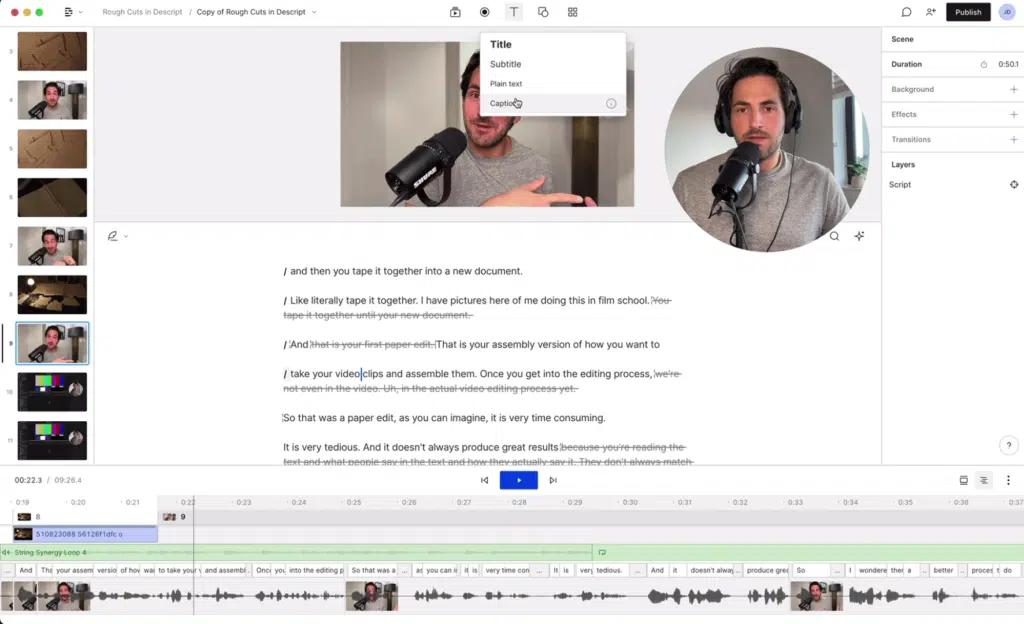
Descript has transformed video editing by allowing users to edit videos simply by editing text transcripts. Instead of working directly on a timeline, you can modify the transcript, and the software automatically updates the video.
This unique workflow dramatically reduces editing time, especially for tutorials, interviews, podcasts, webinars, and educational content.
Pros
- Extremely easy to use
- Highly accurate transcription
- Outstanding AI voice enhancement
- Excellent collaboration features
- Significant time savings
Cons
- Advanced AI features require premium plans
- Large cloud-based projects may take longer to process
Pricing
- Free plan available
- Paid plans unlock advanced AI editing, Studio Sound, and higher transcription limits.
Our Experience
Descript consistently reduced editing time while maintaining excellent audio quality and accurate captions. Its transcript-based workflow remains one of the most innovative approaches to video editing.
Our Rating: ⭐⭐⭐⭐⭐ 4.9/5
2. CapCut AI – Best for Short-Form Content
Best For
TikTok creators, Instagram creators, YouTube Shorts creators, influencers, and social media marketers.
Key Features
- AI video editing
- Auto captions
- AI background removal
- Text-to-speech
- AI effects
- Auto reframing
- Trending templates
- AI stickers
- Music synchronization
CapCut AI has become one of the most popular video editors for creators producing short-form content. Its AI-powered automation simplifies editing while helping users create engaging videos optimized for modern social media platforms.
Whether you’re creating viral TikTok videos or YouTube Shorts, CapCut AI provides an intuitive editing experience with minimal learning curve.
Pros
- Excellent mobile experience
- Fast editing workflow
- Automatic captions
- Rich template library
- Great free version
Cons
- Some premium assets require a subscription
- Advanced professional editing features are limited
Pricing
- Free version available
- Premium subscription unlocks additional templates, AI effects, and cloud storage.
Our Experience
CapCut AI impressed us with its speed, ease of use, and social media optimization. It remains one of the best tools for creators publishing content daily.
Our Rating: ⭐⭐⭐⭐⭐ 4.8/5
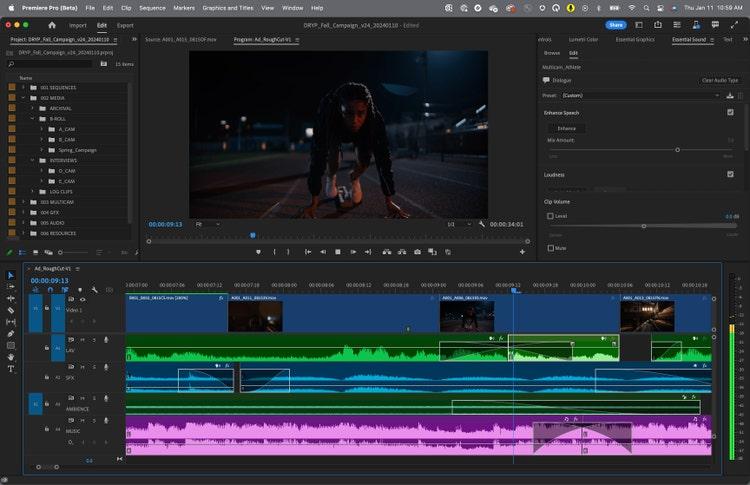
3. Adobe Premiere Pro AI – Best for Professional Editors
Best For
Professional filmmakers, agencies, YouTubers, production studios, and advanced video editors.
Key Features
- Generative Extend
- AI object selection
- Speech enhancement
- Auto color correction
- Auto reframing
- Scene edit detection
- AI audio cleanup
- Multi-camera editing
- Motion graphics integration
- Adobe Creative Cloud compatibility
Adobe Premiere Pro AI combines industry-leading editing capabilities with advanced AI-powered tools that automate time-consuming production tasks while preserving full creative control.
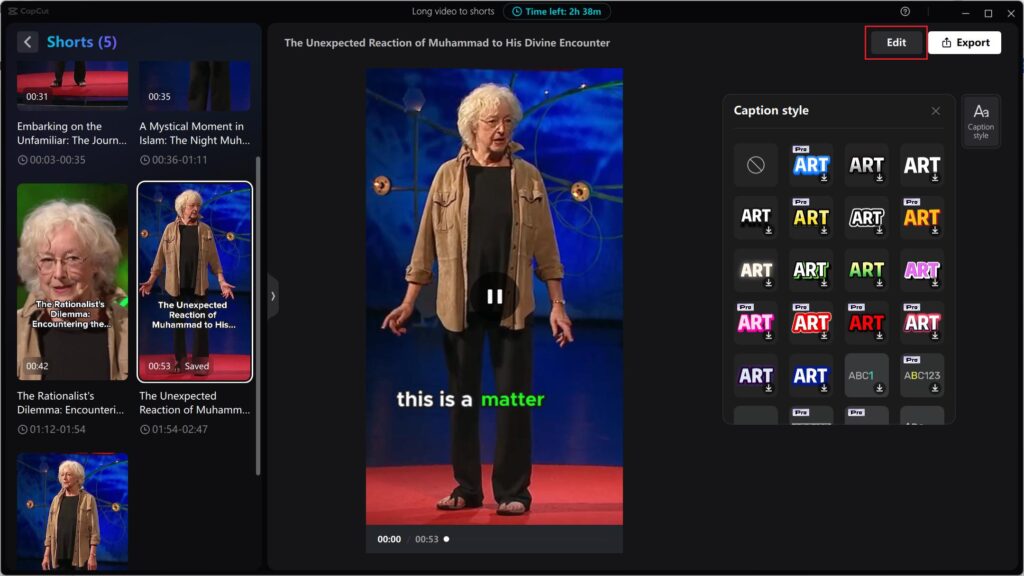
Its AI features are designed for professionals handling commercial projects, documentaries, feature films, and high-end YouTube productions.
Pros
- Industry-standard editing software
- Powerful AI enhancements
- Excellent Creative Cloud integration
- Professional export options
- Advanced timeline controls
Cons
- Higher learning curve
- Subscription-based pricing
Pricing
Available through Adobe Creative Cloud subscription plans.
Our Experience
Adobe Premiere Pro AI continues to set the benchmark for professional video editing. Its AI tools streamline complex workflows without compromising the precision and flexibility expected by experienced editors.
Our Rating: ⭐⭐⭐⭐⭐ 4.9/5
To build a complete AI-powered creative workflow, begin with our AI Photography Guide: 35 Powerful Tools, Tips & Techniques, which explores the broader AI ecosystem. Pair your video editing setup with our Best AI Content Creation Tools for writing and planning, Best AI Design Tools for graphics, and Canva AI Photo Editor Review for creating thumbnails and social media assets. You can also improve visual quality with our Photoshop AI Review, Topaz Photo AI Review, and Remini AI Review.
Visit the official websites of Descript, CapCut, and Adobe Premiere Pro to explore the latest AI features, pricing, tutorials, supported formats, and system requirements. Checking the official documentation helps ensure you choose the platform that best matches your editing workflow.
4. DaVinci Resolve AI – Best for Professional Color Grading
Best For
Professional filmmakers, videographers, YouTubers, production studios, documentary creators, and advanced editors.
Key Features
- AI Magic Mask
- AI Object Removal
- IntelliTrack AI
- Facial Recognition
- Voice Isolation
- AI Scene Cut Detection
- Neural Engine
- Professional Color Grading
- Fairlight Audio Suite
- Fusion Visual Effects
DaVinci Resolve combines Hollywood-grade editing tools with powerful AI features through its Neural Engine. The software is widely recognized for industry-leading color grading while also offering advanced AI tools that automate masking, tracking, object removal, and audio enhancement.
Unlike many AI editors designed primarily for beginners, DaVinci Resolve gives professionals complete creative control without sacrificing automation.
Pros
- Exceptional color grading
- Powerful AI masking
- Professional audio tools
- Excellent free version
- Supports high-end productions
Cons
- Steeper learning curve
- Demands a capable computer for smooth performance
Pricing
- Free version available
- DaVinci Resolve Studio unlocks advanced AI capabilities.
Our Experience
DaVinci Resolve AI impressed us with its balance of professional editing precision and intelligent automation. It is one of the strongest options for creators producing cinematic videos.
Our Rating: ⭐⭐⭐⭐⭐ 4.8/5
5. Runway ML – Best AI Video Generation Tool
Best For
Filmmakers, advertisers, designers, YouTubers, agencies, and creative professionals.
Key Features
- Text-to-video
- Image-to-video
- AI video generation
- Background removal
- Motion tracking
- Object removal
- Green screen replacement
- Video expansion
- Frame interpolation
Runway ML is one of the most innovative AI platforms available today. Instead of simply editing existing footage, it allows users to generate entirely new video content using AI prompts and advanced generative models.
Its tools are particularly valuable for creators producing advertisements, promotional videos, concept films, and creative visual effects.
Pros
- Cutting-edge AI generation
- Excellent creative tools
- Fast background removal
- Strong visual effects
- Frequent feature updates
Cons
- Premium plans can be expensive
- Generated videos may require refinement for complex projects
Pricing
- Free trial available
- Paid plans unlock additional AI generation credits.
Our Experience
Runway ML consistently produced impressive AI-generated visuals and simplified creative editing workflows that would otherwise require advanced visual effects software.
Our Rating: ⭐⭐⭐⭐⭐ 4.8/5
6. Pictory AI – Best for Repurposing Long Videos
Best For
YouTubers, educators, marketers, agencies, podcasters, and businesses.
Key Features
- AI video summarization
- Text-to-video
- Automatic captions
- AI voiceovers
- Stock media integration
- Highlight extraction
- Social media clips
- Brand customization
Pictory AI specializes in converting webinars, podcasts, tutorials, and long-form videos into engaging short-form content suitable for YouTube Shorts, Instagram Reels, TikTok, and LinkedIn.
Instead of manually editing every clip, creators can quickly generate multiple social-ready videos from a single recording.
Pros
- Saves significant editing time
- Excellent caption generation
- Great for content repurposing
- Beginner-friendly interface
- Fast cloud processing
Cons
- Limited manual editing flexibility
- Premium subscription required for full functionality
Pricing
Free trial available.
Our Experience
Pictory AI dramatically reduced the time needed to create multiple social media clips from long-form videos, making it one of our favorite repurposing tools.
Our Rating: ⭐⭐⭐⭐☆ 4.7/5
7. VEED AI – Best Browser-Based AI Video Editor
Best For
Businesses, educators, marketers, freelancers, and beginner creators.
Key Features
- Online video editing
- AI subtitles
- Voice translation
- AI avatars
- Screen recording
- Background noise removal
- Video resizing
- Brand templates
VEED AI offers an entirely browser-based editing experience, eliminating the need for software installation. Its AI-powered editing features make it particularly appealing for teams working remotely or users who prefer cloud-based workflows.
Pros
- No software installation
- Easy collaboration
- Excellent subtitle generation
- Simple user interface
- Fast exports
Cons
- Browser performance depends on internet speed
- Advanced editing features are limited
Pricing
- Free plan available
- Premium subscriptions unlock advanced AI capabilities.
Our Experience
VEED AI provided one of the simplest editing experiences during testing. It is ideal for users who need quick edits without learning complex desktop software.
Our Rating: ⭐⭐⭐⭐☆ 4.7/5
8. Wondershare Filmora AI – Best for Beginners
Best For
New YouTubers, students, educators, hobbyists, and small businesses.
Key Features
- AI Smart Cutout
- AI Audio Denoise
- AI Copywriting
- AI Text-to-Video
- Motion Tracking
- Auto Reframe
- AI Thumbnail Generator
- One-click effects
Filmora AI has become increasingly powerful while maintaining its beginner-friendly interface. The software combines AI-assisted editing with traditional timeline controls, making it easy for users transitioning from basic editors to more advanced workflows.
Pros
- Easy learning curve
- Attractive templates
- Good AI automation
- Affordable pricing
- Excellent beginner experience
Cons
- Some advanced features remain limited
- Watermark on the free version
Pricing
Free trial available with premium subscription plans.
Our Experience
Filmora AI consistently delivered polished videos with minimal effort, making it one of the best AI editors for beginners and intermediate creators.
Our Rating: ⭐⭐⭐⭐☆ 4.7/5
9. InVideo AI – Best for Marketing Videos
Best For
Businesses, agencies, entrepreneurs, marketers, educators, and social media managers.
Key Features
- AI script generation
- Text-to-video
- AI voiceovers
- Stock footage library
- Automatic subtitles
- Marketing templates
- Social media exports
- Brand customization
InVideo AI focuses on helping businesses produce promotional videos quickly. Users can transform blog posts, scripts, or simple prompts into complete marketing videos with AI-generated visuals, transitions, and voiceovers.
This makes it particularly useful for companies producing advertisements, explainers, product videos, and social media campaigns.
Pros
- Excellent text-to-video workflow
- Huge stock media library
- Fast video production
- Great marketing templates
- Beginner-friendly
Cons
- Advanced customization options are limited
- Longer videos may require additional editing
Pricing
Free trial available with premium subscription plans.
Our Experience
InVideo AI significantly accelerated marketing video production and proved especially valuable for businesses that publish content frequently across multiple platforms.
Our Rating: ⭐⭐⭐⭐☆ 4.7/5
Feature Comparison Table
| Tool | Best For | AI Features | Ease of Use | Free Plan | Rating |
|---|---|---|---|---|---|
| DaVinci Resolve AI | Professional Editing | ⭐⭐⭐⭐⭐ | ⭐⭐⭐⭐☆ | ✅ | 4.8/5 |
| Runway ML | AI Video Generation | ⭐⭐⭐⭐⭐ | ⭐⭐⭐⭐☆ | Trial | 4.8/5 |
| Pictory AI | Video Repurposing | ⭐⭐⭐⭐☆ | ⭐⭐⭐⭐⭐ | Trial | 4.7/5 |
| VEED AI | Online Editing | ⭐⭐⭐⭐☆ | ⭐⭐⭐⭐⭐ | ✅ | 4.7/5 |
| Filmora AI | Beginners | ⭐⭐⭐⭐☆ | ⭐⭐⭐⭐⭐ | Trial | 4.7/5 |
| InVideo AI | Marketing Videos | ⭐⭐⭐⭐☆ | ⭐⭐⭐⭐⭐ | Trial | 4.7/5 |
Which Tool Should You Choose?
- Choose DaVinci Resolve AI if you need advanced color grading, cinematic editing, and professional post-production tools.
- Choose Runway ML if you’re interested in AI-generated videos, creative visual effects, and generative editing.
- Choose Pictory AI to repurpose webinars, podcasts, or long YouTube videos into engaging short-form content.
- Choose VEED AI if you want a fast, browser-based editor with AI subtitles and collaboration features.
- Choose Filmora AI if you’re new to video editing and want an intuitive interface with powerful AI assistance.
- Choose InVideo AI if your primary focus is creating promotional videos, advertisements, and social media marketing content.
If you’re building a complete AI-powered content creation workflow, start with our AI Photography Guide: 35 Powerful Tools, Tips & Techniques. Pair your editing software with our Best AI Content Creation Tools for writing and planning, Best AI Design Tools for graphics, and Canva AI Photo Editor Review for creating thumbnails and social media visuals. You can also enhance image quality with our Photoshop AI Review, Topaz Photo AI Review, and Remini AI Review before incorporating visuals into your videos.
For the latest information on AI features, pricing, tutorials, and supported workflows, visit the official websites of DaVinci Resolve, Runway, Pictory, VEED, Wondershare Filmora, and InVideo. Their official documentation provides the most accurate information on updates, system requirements, and subscription options.
10. Synthesia – Best AI Avatar Video Generator
Best For
Businesses, educators, trainers, HR teams, marketers, agencies, and corporate communications.
Key Features
- AI avatars
- Text-to-video
- AI voiceovers
- 140+ language support
- Screen recording
- AI script assistant
- Brand customization
- Team collaboration
- Presentation templates
- Learning & training videos
Synthesia has transformed business video production by allowing users to create professional presenter-style videos without cameras, microphones, or studios. Simply enter your script, choose an AI avatar, and the platform generates a polished video in minutes.
It’s widely used for onboarding videos, online courses, product demonstrations, multilingual training, and internal communications.
Pros
- High-quality AI avatars
- Excellent multilingual support
- Professional business templates
- Fast video production
- Easy to use
Cons
- Limited creative control compared to traditional editors
- Premium pricing
Pricing
Free trial available with premium subscription plans.
Our Experience
Synthesia consistently produced professional-looking presenter videos with realistic avatars and natural voiceovers. It’s one of the best AI tools for businesses creating educational and corporate content.
Our Rating: ⭐⭐⭐⭐⭐ 4.8/5
11. Wisecut – Best for Automatic Video Editing
Best For
YouTubers, educators, vloggers, podcasters, coaches, and beginners.
Key Features
- Automatic silence removal
- AI background music
- Auto subtitles
- Smart audio balancing
- AI translations
- Jump-cut editing
- Storyboard editing
- Social media optimization
Wisecut automates many of the repetitive tasks involved in editing talking-head videos. It intelligently removes pauses, adjusts background music, and generates subtitles without requiring advanced editing skills.
Creators who publish educational videos, tutorials, interviews, or vlogs can dramatically reduce editing time using Wisecut.
Pros
- Extremely beginner-friendly
- Excellent silence removal
- Fast processing
- Accurate subtitles
- Saves hours of manual editing
Cons
- Limited advanced timeline editing
- Fewer creative effects than professional software
Pricing
Free plan available with premium upgrades.
Our Experience
Wisecut delivered one of the fastest automated editing experiences in our testing and is ideal for creators looking to streamline repetitive editing tasks.
Our Rating: ⭐⭐⭐⭐☆ 4.7/5
12. Opus Clip – Best AI Tool for YouTube Shorts & Reels
Best For
YouTubers, podcasters, educators, influencers, agencies, and social media managers.
Key Features
- AI clip generation
- Viral score analysis
- Automatic captions
- AI reframing
- Speaker tracking
- Face detection
- Multi-platform exports
- Highlight extraction
Opus Clip uses AI to identify the most engaging moments from long-form videos and automatically converts them into short, vertical clips optimized for TikTok, Instagram Reels, Facebook Reels, and YouTube Shorts.
This eliminates hours of manual clipping while increasing the potential for social media engagement.
Pros
- Outstanding clip detection
- Excellent caption generation
- Saves significant editing time
- Optimized for social media
- Easy workflow
Cons
- Premium plans required for heavy usage
- Less control over detailed edits
Pricing
Free trial available.
Our Experience
Opus Clip consistently identified engaging moments with impressive accuracy and produced ready-to-publish short-form videos in minutes.
Our Rating: ⭐⭐⭐⭐⭐ 4.8/5
13. Lumen5 – Best AI Tool for Blog-to-Video Conversion
Best For
Bloggers, marketers, publishers, agencies, and businesses.
Key Features
- Blog-to-video conversion
- AI scene generation
- Text animations
- Stock media library
- AI voiceovers
- Brand templates
- Social media exports
- Team collaboration
Lumen5 specializes in transforming blog posts into engaging videos using AI. It automatically matches text with relevant visuals, animations, and transitions, making it a valuable tool for content repurposing.
For businesses looking to convert written content into video marketing assets, Lumen5 offers an efficient workflow.
Pros
- Excellent blog-to-video automation
- Beginner-friendly
- Strong branding tools
- Large stock media collection
- Fast production
Cons
- Limited timeline editing
- Advanced customization requires premium plans
Pricing
Limited free plan with paid upgrades.
Our Experience
Lumen5 performed particularly well for transforming articles into social media videos, making it an excellent companion for content marketing strategies.
Our Rating: ⭐⭐⭐⭐☆ 4.7/5
14. FlexClip AI – Best for Business Video Creation
Best For
Small businesses, entrepreneurs, educators, agencies, and marketing teams.
Key Features
- AI text-to-video
- Marketing templates
- AI script generation
- Screen recording
- Stock assets
- Voiceovers
- Intro & outro creator
- Brand customization
FlexClip AI simplifies promotional video creation with AI-powered templates and an intuitive drag-and-drop editor. Users can quickly produce explainers, product demos, presentations, and promotional videos without advanced editing experience.
Pros
- Beginner-friendly
- Fast video production
- Excellent template selection
- Affordable pricing
- Good cloud workflow
Cons
- Limited professional editing features
- Fewer AI effects than some competitors
Pricing
Free plan available with premium options.
Our Experience
FlexClip AI delivered reliable performance for business presentations and marketing content, making it a practical solution for small teams and entrepreneurs.
Our Rating: ⭐⭐⭐⭐☆ 4.6/5
15. Canva AI Video Editor – Best for Social Media Creators
Best For
Content creators, bloggers, marketers, educators, small businesses, and beginners.
Key Features
- AI video editing
- Magic Media
- Text-to-video
- Drag-and-drop editor
- Brand Kit
- AI image generation
- Social media templates
- Presentation builder
Canva AI Video Editor extends Canva’s popular design platform into video creation. With thousands of templates and AI-powered editing features, creators can produce social media videos, advertisements, presentations, and educational content quickly.
Its simple interface makes it an excellent option for users who already rely on Canva for graphic design.
Pros
- Extremely easy to use
- Great template library
- Excellent collaboration
- Strong branding features
- Ideal for beginners
Cons
- Not intended for advanced cinematic editing
- Some AI tools require Canva Pro
Pricing
Free plan available with Canva Pro upgrades.
Our Experience
Canva AI Video Editor offered one of the simplest workflows for creating polished marketing and social media videos, especially for beginners and small businesses.
Our Rating: ⭐⭐⭐⭐⭐ 4.8/5
Best AI Video Editing Tool by Use Case
| Use Case | Recommended Tool |
|---|---|
| 🏆 Best Overall | Descript |
| Professional Editing | Adobe Premiere Pro AI |
| Color Grading | DaVinci Resolve AI |
| AI Video Generation | Runway ML |
| YouTube Videos | Descript |
| YouTube Shorts | Opus Clip |
| Instagram Reels | CapCut AI |
| TikTok Videos | CapCut AI |
| Blog-to-Video | Lumen5 |
| Marketing Videos | InVideo AI |
| Business Videos | FlexClip AI |
| AI Avatar Videos | Synthesia |
| Automatic Editing | Wisecut |
| Social Media Design | Canva AI Video Editor |
| Video Repurposing | Pictory AI |
Overall Comparison Table
| Tool | Best For | AI Features | Ease of Use | Free Plan | Rating |
|---|---|---|---|---|---|
| Descript | Overall | ⭐⭐⭐⭐⭐ | ⭐⭐⭐⭐⭐ | ✅ | 4.9/5 |
| CapCut AI | Shorts | ⭐⭐⭐⭐⭐ | ⭐⭐⭐⭐⭐ | ✅ | 4.8/5 |
| Adobe Premiere Pro AI | Professionals | ⭐⭐⭐⭐⭐ | ⭐⭐⭐⭐☆ | Trial | 4.9/5 |
| DaVinci Resolve AI | Color Grading | ⭐⭐⭐⭐⭐ | ⭐⭐⭐⭐☆ | ✅ | 4.8/5 |
| Runway ML | AI Generation | ⭐⭐⭐⭐⭐ | ⭐⭐⭐⭐☆ | Trial | 4.8/5 |
| Pictory AI | Repurposing | ⭐⭐⭐⭐☆ | ⭐⭐⭐⭐⭐ | Trial | 4.7/5 |
| VEED AI | Browser Editing | ⭐⭐⭐⭐☆ | ⭐⭐⭐⭐⭐ | ✅ | 4.7/5 |
| Filmora AI | Beginners | ⭐⭐⭐⭐☆ | ⭐⭐⭐⭐⭐ | Trial | 4.7/5 |
| InVideo AI | Marketing | ⭐⭐⭐⭐☆ | ⭐⭐⭐⭐⭐ | Trial | 4.7/5 |
| Synthesia | AI Avatars | ⭐⭐⭐⭐⭐ | ⭐⭐⭐⭐⭐ | Trial | 4.8/5 |
| Wisecut | Auto Editing | ⭐⭐⭐⭐☆ | ⭐⭐⭐⭐⭐ | Limited | 4.7/5 |
| Opus Clip | Shorts Generator | ⭐⭐⭐⭐⭐ | ⭐⭐⭐⭐⭐ | Trial | 4.8/5 |
| Lumen5 | Blog Videos | ⭐⭐⭐⭐☆ | ⭐⭐⭐⭐⭐ | Limited | 4.7/5 |
| FlexClip AI | Business Videos | ⭐⭐⭐⭐☆ | ⭐⭐⭐⭐⭐ | ✅ | 4.6/5 |
| Canva AI Video Editor | Social Videos | ⭐⭐⭐⭐⭐ | ⭐⭐⭐⭐⭐ | ✅ | 4.8/5 |
Which AI Video Editing Tool Should You Choose?
Choosing the right AI video editor depends on your content goals:
- Descript is the best all-round option for YouTubers, educators, and podcasters who want fast, transcript-based editing.
- Adobe Premiere Pro AI and DaVinci Resolve AI are ideal for professional editors producing commercial, cinematic, or broadcast-quality videos.
- CapCut AI and Opus Clip excel at creating viral short-form videos for TikTok, Instagram Reels, and YouTube Shorts.
- Runway ML is the top choice for AI-generated visuals and creative effects.
- Pictory AI and Lumen5 help repurpose existing content into engaging videos with minimal effort.
- Canva AI Video Editor is perfect for beginners and marketers who need simple, visually appealing social media videos.
Build a complete AI-powered creative workflow by exploring our AI Photography Guide: 35 Powerful Tools, Tips & Techniques. For writing and planning, read Best AI Content Creation Tools, while Best AI Design Tools covers graphic design platforms. You can also enhance your visuals with Canva AI Photo Editor Review, Photoshop AI Review, Topaz Photo AI Review, and Remini AI Review before integrating them into your video projects. Businesses creating product showcases should also explore AI Tools for Product Photography.
Visit the official websites of Synthesia, Wisecut, Opus Clip, Lumen5, FlexClip, and Canva for the latest AI features, pricing, tutorials, templates, and system requirements. Official documentation is the best source for evaluating updates and selecting the right tool for your workflow.
How to Choose the Right AI Video Editing Tool
With dozens of AI-powered video editors available today, selecting the right one depends on your experience, content type, budget, and publishing goals. Instead of choosing the platform with the longest feature list, focus on the one that best fits your workflow.
Choose Descript if…
- You create YouTube videos or podcasts.
- You want transcript-based editing.
- You regularly record interviews or tutorials.
- You need high-quality automatic captions.
Choose CapCut AI if…
- You primarily create TikTok videos.
- You publish Instagram Reels.
- You upload YouTube Shorts daily.
- You need quick edits with trending templates.
Choose Adobe Premiere Pro AI if…
- You’re a professional video editor.
- You work on commercial projects.
- You need advanced timeline editing.
- You already use Adobe Creative Cloud.
Choose DaVinci Resolve AI if…
- Color grading is important.
- You produce cinematic content.
- You want Hollywood-level editing tools.
- You need a powerful free version.
Choose Runway ML if…
- You want AI-generated videos.
- You create visual effects.
- You experiment with generative AI.
- You need advanced AI editing capabilities.
Choose Pictory AI or Opus Clip if…
- You repurpose podcasts.
- You create Shorts from long videos.
- You publish frequently on multiple social platforms.
- You want AI to identify the best moments automatically.
Choose Canva AI Video Editor if…
- You already use Canva.
- You create promotional videos.
- You need quick social media content.
- You’re a beginner looking for an intuitive editor.
Future of AI Video Editing
Artificial intelligence is transforming video production at an incredible pace. Tasks that once required professional editors and expensive software can now be completed in minutes with AI assistance.
Over the next few years, we expect AI video editing platforms to introduce:
- Fully automated video production from text prompts
- More realistic AI avatars and voice cloning
- Advanced object replacement and scene generation
- AI-powered storytelling assistants
- Improved multilingual dubbing
- Better facial expression editing
- Real-time collaborative editing
- Smarter background replacement
- Enhanced video upscaling and restoration
- Personalized AI editing assistants
As these technologies evolve, creators will spend less time on repetitive editing and more time producing engaging, high-quality content.
Final Verdict
After evaluating the leading AI video editing platforms, several tools clearly stand out for different types of creators.
🏆 Our Top Recommendations
🥇 Best Overall
Descript
The best balance of AI automation, ease of use, and professional-quality editing.
🥈 Best for Social Media
CapCut AI
Excellent for TikTok, Instagram Reels, and YouTube Shorts.
🥉 Best Professional Editor
Adobe Premiere Pro AI
Industry-leading editing software enhanced with powerful AI tools.
Best Color Grading
DaVinci Resolve AI
Professional-grade color correction with advanced Neural Engine features.
Best AI Video Generation
Runway ML
Ideal for creators exploring generative AI and visual effects.
Best Business Videos
Synthesia
Perfect for AI presenter videos, online training, and corporate communication.
If you’re just starting, Descript and Canva AI Video Editor provide the easiest learning curve. Professional editors will benefit most from Adobe Premiere Pro AI or DaVinci Resolve AI, while social media creators can dramatically improve productivity with CapCut AI, Opus Clip, and Pictory AI.
Conclusion
AI video editing tools have changed the way creators produce content by automating repetitive tasks such as caption generation, silence removal, voice enhancement, background editing, and video repurposing.
Whether you’re a YouTuber, marketer, educator, filmmaker, or business owner, the right AI video editor can save hours of editing time while improving the quality and consistency of your videos.
The best choice depends on your workflow. Beginners may prefer Canva AI or Filmora AI, social media creators will appreciate CapCut AI and Opus Clip, while professionals can rely on Adobe Premiere Pro AI and DaVinci Resolve AI for advanced editing capabilities.
As AI technology continues to improve, creators who integrate these tools into their workflow will be able to produce more engaging content, publish more consistently, and focus on creativity instead of repetitive editing.
Frequently Asked Questions
What is the best AI video editing tool in 2026?
Descript is our top overall recommendation because of its transcript-based editing, AI-powered audio enhancement, and intuitive workflow.
Which AI video editor is best for YouTube?
Descript, Adobe Premiere Pro AI, and DaVinci Resolve AI are excellent options for YouTube creators depending on your editing experience.
Which AI tool is best for TikTok and Instagram Reels?
CapCut AI and Opus Clip are among the best tools for creating engaging short-form videos optimized for TikTok, Instagram Reels, and YouTube Shorts.
Can AI edit videos automatically?
Yes. Modern AI editors can automatically trim clips, remove silence, generate captions, enhance audio, identify highlights, and even create videos from text prompts.
Which AI video editor is best for beginners?
Filmora AI, Canva AI Video Editor, and CapCut AI offer intuitive interfaces and AI-powered features that make video editing easy for beginners.
Is there a free AI video editor?
Yes. CapCut AI, DaVinci Resolve, Canva AI Video Editor, VEED AI, and Descript all provide free plans with useful editing features.
Which AI tool is best for professional video editing?
Adobe Premiere Pro AI and DaVinci Resolve AI remain the preferred choices for filmmakers, agencies, and production studios.
Can AI generate subtitles automatically?
Yes. Most leading AI video editors automatically generate subtitles with impressive accuracy, improving accessibility and audience engagement.
Which AI tool converts blog posts into videos?
Lumen5 and InVideo AI are designed to transform articles and scripts into engaging videos using AI-powered templates and stock media.
Can AI improve video quality?
Yes. AI can enhance audio, stabilize footage, upscale resolution, remove background noise, and improve overall visual quality.
Are AI-generated videos good for marketing?
Absolutely. AI-generated videos help businesses create product demos, advertisements, explainers, and social media content faster while reducing production costs.
Which AI video editing software offers the best value?
For most creators, Descript and CapCut AI provide an excellent combination of features, ease of use, and affordability.
About The Candid Shoot
At The Candid Shoot, we test AI software in real-world creative workflows used by photographers, YouTubers, bloggers, marketers, educators, and digital creators. Rather than relying solely on feature lists, our reviews are based on hands-on experience, performance testing, ease of use, and overall value.
Our goal is to help creators choose the best AI tools for photography, video editing, content creation, design, and productivity while staying updated with the latest advancements in artificial intelligence.
Call-to-Action
Looking to build a complete AI-powered creative workflow?
Explore our growing AI Photography category for expert reviews, detailed comparisons, practical tutorials, and buying guides covering the latest AI software for photography, video editing, graphic design, and content creation. Whether you’re launching a YouTube channel, growing a business, or improving your editing skills, our in-depth resources will help you work faster and create better content.
Related Articles
Continue exploring our AI software collection:
- AI Photography Guide: 35 Powerful Tools, Tips & Techniques (Pillar Article)
- Best AI Content Creation Tools
- Best AI Design Tools
- Canva AI Photo Editor Review
- Photoshop AI Review
- Topaz Photo AI Review
- Remini AI Review
- AI Tools for Product Photography
If you’re building a complete AI-powered content creation workflow, start with our AI Photography Guide: 35 Powerful Tools, Tips & Techniques, which introduces the latest AI solutions for photographers and creators. For writing and planning, explore Best AI Content Creation Tools, while Best AI Design Tools covers graphic design platforms. Improve your visuals with our Canva AI Photo Editor Review, Photoshop AI Review, Topaz Photo AI Review, and Remini AI Review, and create professional eCommerce visuals using AI Tools for Product Photography. Together, these guides provide a comprehensive resource hub for creators looking to maximize productivity with AI.




Leave a Reply