
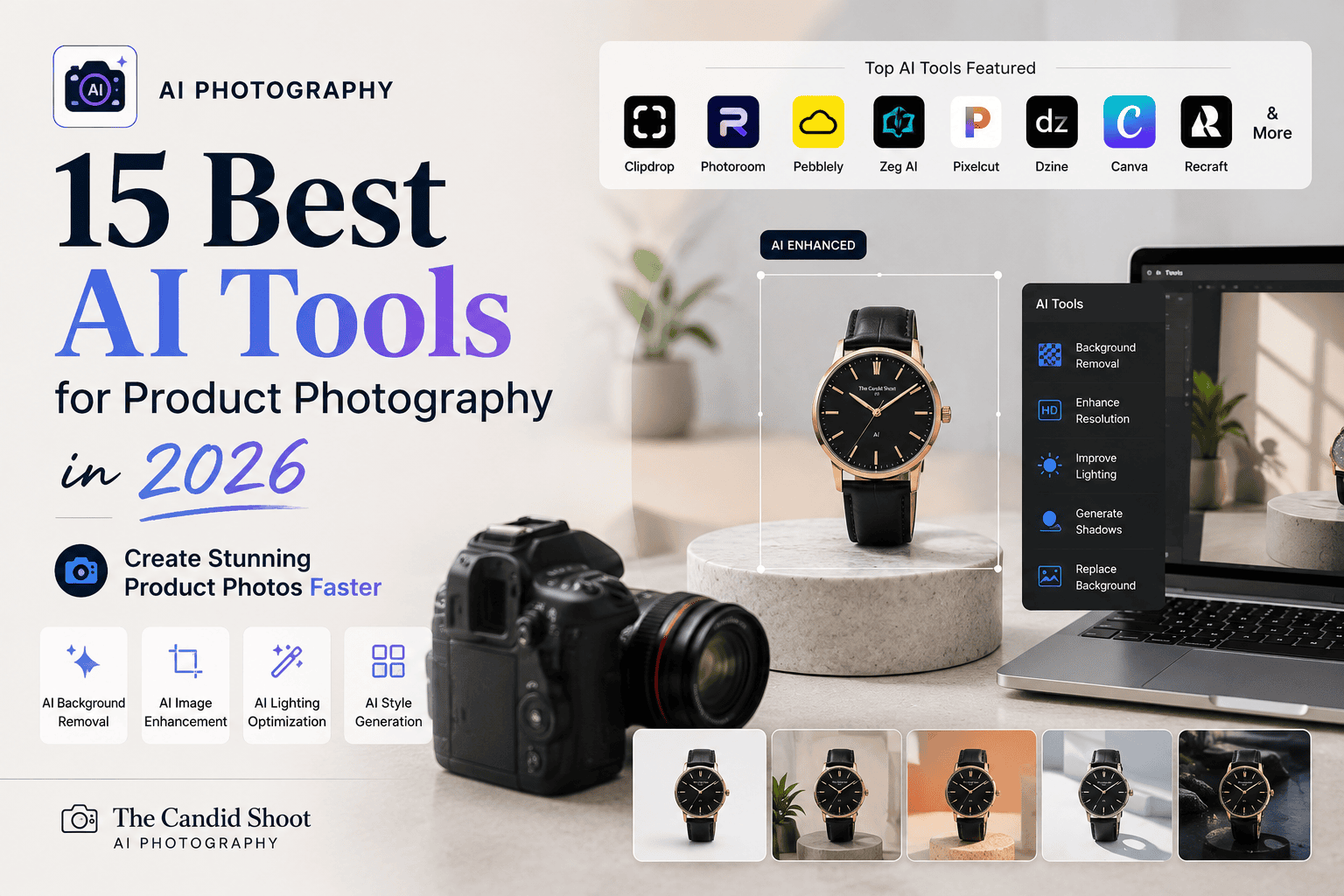
Discover the best AI tools for product photography in 2026. Compare features, pricing, pros, cons, and the top software for creating professional eCommerce product images.
Table of Contents
Introduction
Creating professional product photos no longer requires an expensive studio, advanced photography skills, or hours of manual editing. Thanks to recent advances in artificial intelligence, today’s AI tools for product photography can automatically remove backgrounds, generate realistic lifestyle scenes, enhance image quality, eliminate unwanted objects, and even create marketing-ready product images from a single photo.
Whether you’re selling on Amazon, Etsy, Shopify, WooCommerce, eBay, or your own website, AI-powered software can dramatically reduce production time while helping you create consistent, high-quality product images that attract customers and improve conversions.

However, not every AI tool delivers the same results. Some platforms specialize in background removal, while others focus on AI-generated product scenes, image enhancement, batch editing, or complete eCommerce workflows. Choosing the right software depends on your products, budget, and business goals.
In this comprehensive guide, we’ve tested and compared the best AI tools for product photography available in 2026. You’ll discover each tool’s strengths, pricing, ideal use cases, advantages, limitations, and practical recommendations to help you choose the best solution for your online store or photography business.
About This Guide
At The Candid Shoot, we evaluate photography software through practical, real-world testing rather than relying solely on feature lists. Every recommendation is based on usability, editing quality, AI accuracy, workflow efficiency, value for money, and relevance for photographers, content creators, and eCommerce businesses.
For this guide, we assessed AI product photography tools across several common workflows, including:
- Background removal
- AI-generated product scenes
- Image enhancement
- Object removal
- Product retouching
- Lifestyle image creation
- Batch editing
- Marketplace image preparation
- Marketing content creation
We also considered ease of use, pricing, customer support, export quality, and integration with popular eCommerce platforms to ensure our recommendations are useful for beginners and professionals alike.
Quick Answer
If you’re looking for the best AI tool for product photography, Photoroom is currently our top recommendation for most online sellers because it combines fast background removal, AI-generated backgrounds, batch editing, and marketplace-ready templates in an intuitive interface.
For professional photographers and designers, Adobe Photoshop AI offers the most advanced editing capabilities, while Canva AI is an excellent choice for creating product graphics and promotional content. Sellers who want realistic AI-generated product scenes will appreciate Pebblely and Flair AI, whereas Topaz Photo AI remains one of the best solutions for sharpening images and reducing digital noise.
The ideal tool depends on your workflow, budget, and the type of products you sell, which is why this guide compares each platform in detail.
What Are AI Tools for Product Photography?
AI tools for product photography are software applications that use artificial intelligence and machine learning to automate tasks traditionally performed by photographers and photo editors.
Instead of manually removing backgrounds, correcting lighting, cleaning up imperfections, or creating marketing visuals, these tools analyze your images and perform many of these tasks automatically.
Modern AI product photography software can help you:
- Remove backgrounds instantly.
- Replace backgrounds with realistic environments.
- Generate lifestyle product scenes.
- Improve image sharpness.
- Reduce digital noise.
- Correct colors automatically.
- Remove unwanted objects.
- Upscale low-resolution images.
- Create social media marketing graphics.
- Prepare product images for online marketplaces.
These capabilities enable businesses to create professional-quality visuals faster and more cost-effectively than traditional editing workflows.
Why AI Is Transforming Product Photography
Artificial intelligence is reshaping product photography by making professional editing faster, more accessible, and significantly more affordable.
Previously, creating high-quality product images often required:
- Studio lighting
- Professional cameras
- Photography experience
- Advanced editing software
- Hours of post-processing
Today, AI automates many of these processes, allowing businesses of all sizes to produce polished product photos using only a smartphone and the right software.
For eCommerce brands, this means:
- Faster product launches
- Lower production costs
- Consistent branding
- Improved customer trust
- Higher conversion potential
Rather than replacing photographers, AI helps them work more efficiently by eliminating repetitive editing tasks and accelerating production.
Benefits of Using AI Tools for Product Photography
Businesses adopting AI-powered product photography software gain several practical advantages beyond simple photo editing.
Faster Editing Workflows
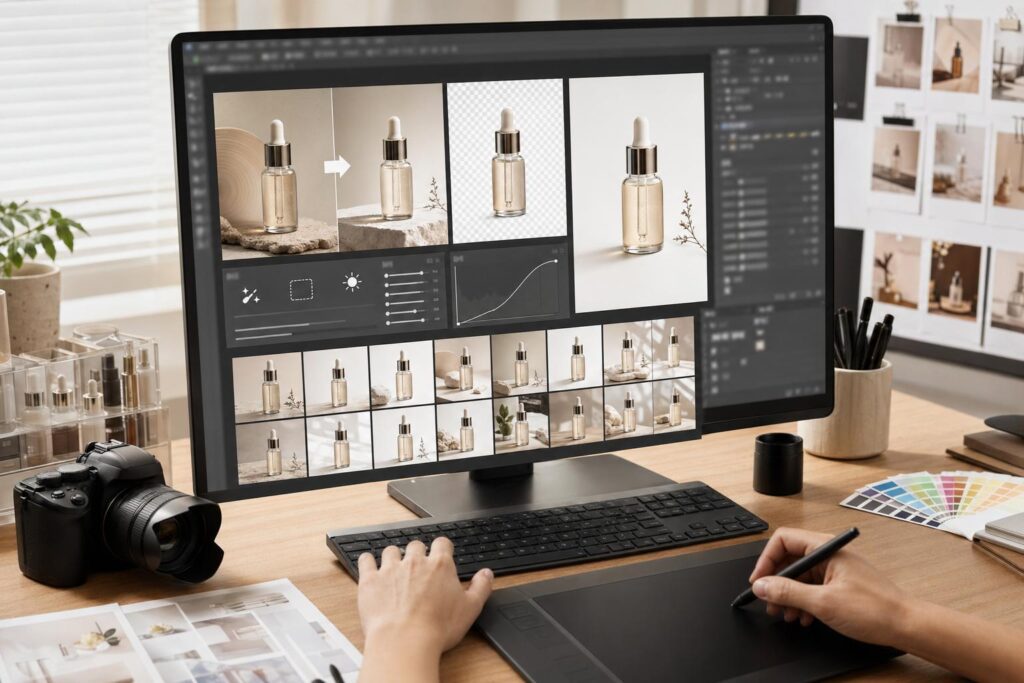
Tasks that once required hours of manual editing—such as background removal, object cleanup, and color correction—can now be completed within minutes.
Lower Photography Costs
Many small businesses can create professional product images without renting studio space or hiring dedicated editing services, making AI a cost-effective option for startups and growing brands.
Improved Image Consistency
Maintaining a consistent visual style across hundreds of product listings strengthens brand recognition and creates a more professional shopping experience.
Better Marketplace Compliance
Many AI tools automatically generate clean, high-resolution images suitable for marketplaces like Amazon, Etsy, Shopify, WooCommerce, and eBay, reducing the time spent preparing listing photos.
Increased Productivity
Automating repetitive editing tasks allows photographers, designers, and business owners to focus on creative work, product development, and marketing rather than manual image processing.
How We Tested These AI Tools
To provide balanced recommendations, we evaluated each platform using the same product photography workflow.
Our testing focused on:
- AI background removal accuracy
- Product edge detection
- AI-generated backgrounds
- Image enhancement quality
- Ease of use
- Editing speed
- Batch processing capabilities
- Export quality
- Mobile and desktop performance
- Overall value for money
We tested these tools using a variety of products, including jewelry, clothing, cosmetics, electronics, home décor, handmade crafts, and food packaging to understand how well each platform performs across different product categories.
Best AI Tools for Product Photography at a Glance
| Tool | Best For | Free Plan | Our Rating |
|---|---|---|---|
| Photoroom | Overall Product Photography | ✅ | ⭐⭐⭐⭐⭐ 4.9/5 |
| Adobe Photoshop AI | Professional Editing | ❌ | ⭐⭐⭐⭐⭐ 4.9/5 |
| Canva AI | Marketing & Product Graphics | ✅ | ⭐⭐⭐⭐⭐ 4.8/5 |
| Pebblely | AI Product Backgrounds | Limited | ⭐⭐⭐⭐⭐ 4.8/5 |
| Clipdrop | AI Editing | Limited | ⭐⭐⭐⭐☆ 4.7/5 |
| Flair AI | Lifestyle Product Scenes | Limited | ⭐⭐⭐⭐☆ 4.7/5 |
| Topaz Photo AI | Image Enhancement | Trial | ⭐⭐⭐⭐⭐ 4.8/5 |
| Luminar Neo | Creative Product Editing | Trial | ⭐⭐⭐⭐☆ 4.7/5 |
| Remove.bg | Background Removal | Limited | ⭐⭐⭐⭐☆ 4.7/5 |
| Pixelcut | Mobile Product Photography | ✅ | ⭐⭐⭐⭐⭐ 4.8/5 |
| Mokker AI | Product Mockups | Limited | ⭐⭐⭐⭐☆ 4.6/5 |
| Booth AI | AI Product Photos | Trial | ⭐⭐⭐⭐☆ 4.6/5 |
| Claid.ai | Enterprise eCommerce | Demo | ⭐⭐⭐⭐⭐ 4.8/5 |
| ProductScope AI | Amazon Sellers | Limited | ⭐⭐⭐⭐☆ 4.6/5 |
| Dzine AI | Creative AI Design | Limited | ⭐⭐⭐⭐☆ 4.6/5 |
1. Photoroom – Best Overall AI Tool for Product Photography
Best For
Small businesses, Etsy sellers, Amazon sellers, Shopify stores, and content creators looking for a fast, beginner-friendly AI product photography solution.
Key Features
- AI Background Removal
- AI Product Background Generation
- Batch Editing
- Magic Retouch
- Shadows and Reflections
- Instant Resizing
- Marketplace Templates
- Team Collaboration
- Mobile & Desktop Support
Photoroom has become one of the most popular AI product photography platforms because it simplifies nearly every stage of the editing process. Users can upload a product image, remove the background automatically, generate professional-looking scenes, and export marketplace-ready visuals within minutes.
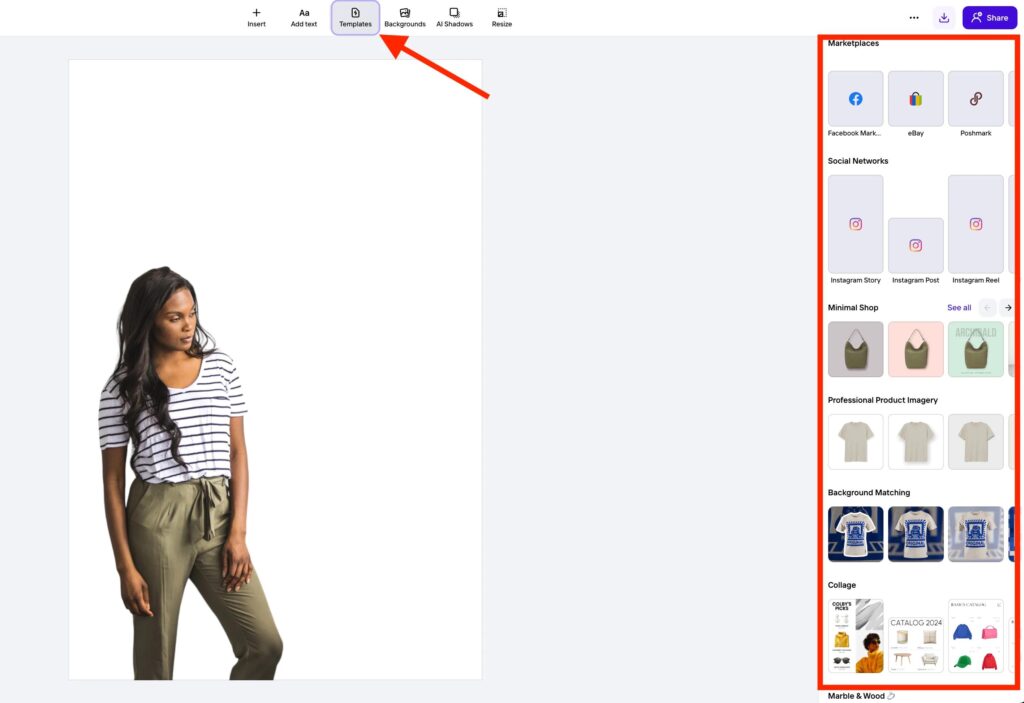
The software is particularly effective for businesses that frequently update product catalogs or publish new listings across multiple eCommerce platforms. Its clean interface and AI-powered automation make it easy for beginners to achieve professional results without extensive editing experience.
Pros
- Excellent AI background removal
- Extremely easy to use
- Fast batch editing
- High-quality AI backgrounds
- Great mobile app
- Ideal for eCommerce sellers
Cons
- Some advanced features require a paid subscription
- Limited manual editing compared to Photoshop
Pricing
- Free plan available
- Premium subscription unlocks advanced AI features, higher export quality, and additional editing tools
Our Experience
During testing, Photoroom consistently delivered accurate background removal and realistic AI-generated product scenes. Its speed and ease of use make it one of the best choices for sellers who need professional product images without investing in complex editing software.
Our Rating: ⭐⭐⭐⭐⭐ 4.9/5
2. Adobe Photoshop AI – Best for Professional Product Retouching
Best For
Professional photographers, commercial studios, designers, advertising agencies, and businesses requiring advanced editing precision.
Key Features
- Generative Fill
- Generative Expand
- AI Object Removal
- AI Selection Tools
- Advanced Layer Editing
- Professional Color Correction
- Content-Aware Editing
- Smart Masking
- RAW File Support (via Adobe Camera Raw)
Adobe Photoshop AI continues to set the industry standard for professional photo editing. Its AI-powered features streamline complex workflows while preserving the precision and creative control that experienced photographers expect.
For product photography, Photoshop AI excels at detailed retouching, compositing, advanced masking, and preparing premium-quality marketing images for print and digital campaigns. While it has a steeper learning curve than beginner-friendly tools, its capabilities are unmatched for high-end commercial work.
Pros
- Industry-leading AI editing tools
- Exceptional image quality
- Powerful retouching and compositing
- Seamless Adobe ecosystem integration
- Suitable for complex commercial projects
Cons
- Subscription-based pricing
- Higher learning curve
- More advanced than many casual users require
Pricing
Available through an Adobe Creative Cloud subscription with ongoing updates and access to the latest AI features.
Our Experience
Photoshop AI delivered the highest-quality results during testing, especially for intricate product retouching, color accuracy, and creative compositing. For professionals who demand complete control, it remains the benchmark against which other AI editing tools are measured.
Our Rating: ⭐⭐⭐⭐⭐ 4.9/5
Capturing high-quality product photos is only part of building a successful online store. If you’re selling handmade products, our Etsy Product Photography Tips guide shares practical techniques for creating images that attract buyers and increase conversions. Once your photos are ready, explore our Canva AI Photo Editor Review to learn how AI simplifies product graphics and marketing materials, or read our Photoshop AI Review for advanced retouching workflows. For a broader overview of today’s AI-powered creative landscape, don’t miss our AI Photography Guide: 35 Powerful Tools, Tips & Techniques, which brings together the best software for photographers and content creators.
For readers interested in exploring these platforms further, the official Photoroom website provides tutorials, pricing, and product photography templates for eCommerce sellers. Professionals seeking advanced editing capabilities can also explore Adobe Photoshop to learn more about Generative Fill, AI-powered selections, and commercial retouching tools used across the photography industry.
3. Canva AI – Best for Product Marketing & Social Media Graphics
Best For
Small businesses, Shopify stores, Etsy sellers, bloggers, digital marketers, and content creators who need professional product images and promotional graphics.
Key Features
- AI Background Remover
- Magic Edit
- Magic Eraser
- Magic Expand
- AI Image Generator
- Brand Kit
- Product Templates
- Social Media Templates
- Presentation Builder
- Cloud Collaboration
Canva AI has evolved into a complete visual content platform that combines AI-powered photo editing with graphic design, making it an excellent choice for businesses that need more than simple product photos.
In addition to removing backgrounds and enhancing product images, Canva enables users to create promotional banners, Instagram posts, Pinterest Pins, advertisements, catalogs, email graphics, and website visuals from one workspace.
For businesses without professional designers, Canva dramatically simplifies content creation while maintaining a polished and consistent brand identity.
Pros
- Extremely beginner-friendly
- Powerful AI editing tools
- Excellent templates
- Cloud-based collaboration
- Great value for businesses
Cons
- Limited RAW photo editing
- Advanced retouching is less powerful than Photoshop
Pricing
- Free Plan Available
- Canva Pro unlocks advanced AI features, premium templates, and Brand Kit.
Our Experience
Canva AI impressed us with its balance of simplicity and functionality. While it isn’t designed for complex photo manipulation, it excels at preparing product images for websites, marketplaces, and marketing campaigns.
Our Rating: ⭐⭐⭐⭐⭐ 4.8/5
4. Pebblely – Best AI Tool for Lifestyle Product Photography
Best For
Shopify stores, Amazon sellers, Etsy shops, beauty brands, food businesses, and lifestyle product photography.
Key Features
- AI Lifestyle Backgrounds
- Product Scene Generation
- AI Shadows
- Multiple Product Support
- Brand Color Customization
- Instant Marketing Visuals
- Batch Processing
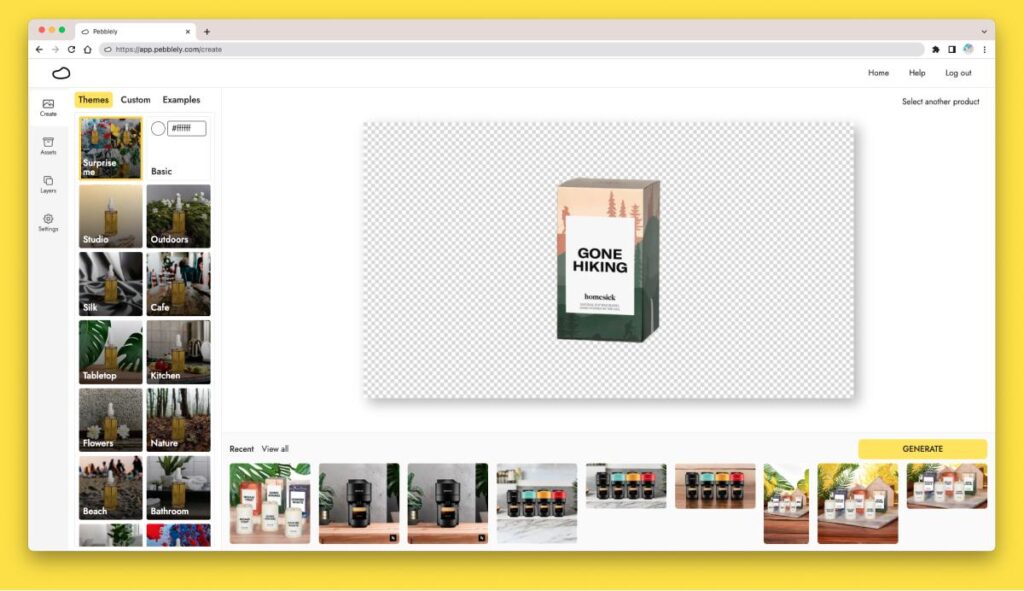
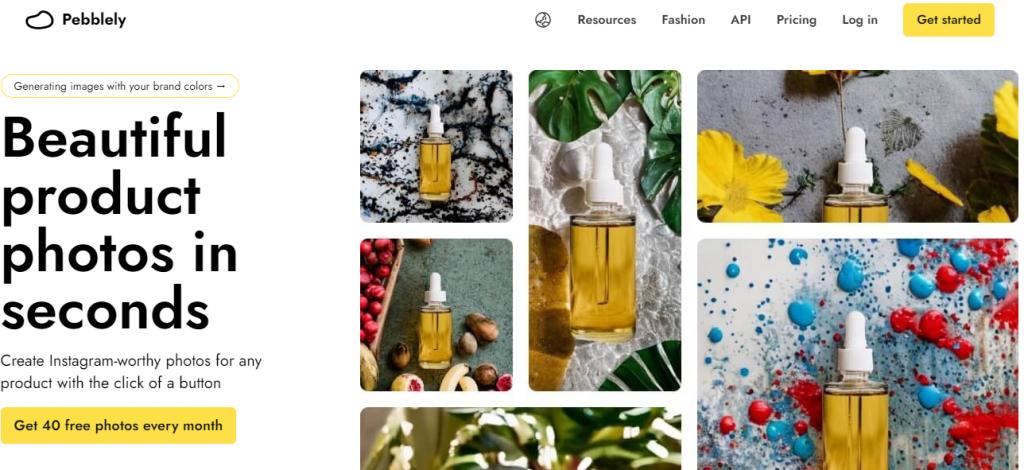
Pebblely specializes in transforming ordinary product photos into professional marketing visuals by generating realistic AI backgrounds.
Instead of photographing products in expensive studio environments, sellers can upload a single product image and instantly generate attractive lifestyle scenes suitable for advertising and online stores.
The platform works especially well for:
- Cosmetics
- Jewelry
- Fashion Accessories
- Food Products
- Home Decor
- Handmade Crafts
Pros
- Excellent AI scene generation
- Saves studio photography costs
- Beginner friendly
- Fast processing
Cons
- Limited manual editing
- AI scenes occasionally need refinement
Pricing
Free plan with limited credits.
Premium subscriptions provide additional AI generations and commercial usage.
Our Experience
Pebblely consistently produced realistic backgrounds that significantly improved product presentation. It’s one of the easiest ways to create premium-looking marketing visuals without hiring a professional photographer.
Our Rating: ⭐⭐⭐⭐⭐ 4.8/5
5. Clipdrop – Best AI Editing Toolkit
Best For
Photographers, designers, agencies, marketers, and digital creators looking for multiple AI editing tools in one platform.
Key Features
- Background Removal
- Cleanup Tool
- Relight AI
- Image Upscaler
- Replace Background
- AI Image Generator
- Object Removal
- Stable Diffusion Integration
Clipdrop combines several advanced AI tools into one creative workspace, making it useful for both product photography and general image editing.
Its AI Cleanup feature performs exceptionally well at removing unwanted objects, while Relight AI can dramatically improve poorly lit product photos without requiring reshoots.
Pros
- Powerful AI editing
- Excellent cleanup tool
- Great lighting adjustments
- High-quality exports
Cons
- Premium subscription required for advanced features
- Fewer templates than Canva
Pricing
Limited free plan available.
Premium plan unlocks full editing capabilities.
Our Experience
Clipdrop produced excellent editing results across various product categories and proved especially useful for fixing images captured under less-than-ideal lighting conditions.
Our Rating: ⭐⭐⭐⭐☆ 4.7/5
6. Flair AI – Best for AI Product Marketing Images
Best For
Brands creating advertising campaigns, product launches, and promotional visuals.
Key Features
- AI Product Scenes
- AI Fashion Photography
- Brand Templates
- Collaborative Workspace
- Marketing Campaign Creation
- AI Styling
- Instant Product Visuals
Unlike traditional editing software, Flair AI focuses on producing marketing-ready product photography using artificial intelligence.

Businesses can quickly create:
- Hero banners
- Website product images
- Social media advertisements
- Promotional campaigns
- Lifestyle product photography
without organizing expensive photoshoots.
Pros
- Excellent advertising visuals
- High-quality AI product scenes
- Fast creative workflow
- Easy collaboration
Cons
- Not intended for advanced retouching
- Smaller template library than Canva
Pricing
Free trial available.
Subscription required for commercial use.
Our Experience
Flair AI is particularly valuable for brands launching new products or running seasonal campaigns where visually engaging marketing assets are essential.
Our Rating: ⭐⭐⭐⭐☆ 4.7/5
7. Topaz Photo AI – Best AI Image Enhancement Software
Best For
Professional photographers, eCommerce businesses, print production, and image quality enhancement.
Key Features
- AI Sharpen
- AI Denoise
- AI Upscale
- Face Recovery
- RAW Processing
- Batch Enhancement
- Noise Reduction
Topaz Photo AI is built around one primary objective: improving image quality.
Instead of generating new scenes or creating marketing graphics, it specializes in recovering detail, sharpening slightly soft images, reducing digital noise, and increasing image resolution.
This makes it especially valuable for businesses that need crisp, high-resolution product photos for large displays or print catalogs.
Pros
- Best AI sharpening
- Excellent denoise technology
- Industry-leading image enhancement
- Outstanding print quality
Cons
- No graphic design tools
- Higher price than beginner software
Pricing
Paid software with free trial.
Our Experience
Topaz Photo AI consistently produced the sharpest and cleanest product images in our testing, making it an excellent companion to other AI editing platforms.
Our Rating: ⭐⭐⭐⭐⭐ 4.8/5
8. Luminar Neo – Best Creative AI Photo Editor
Best For
Professional photographers, product photographers, agencies, and creative studios.
Key Features
- AI Relight
- AI Background Removal
- AI Sky Replacement
- Layer Editing
- Portrait Enhancement
- RAW Editing
- Presets
- Batch Processing
Luminar Neo blends traditional photo editing with creative AI enhancements, giving photographers greater artistic control while still automating repetitive editing tasks.
Its AI-powered lighting adjustments and creative enhancement tools make it particularly useful for premium product photography where visual impact matters.
Pros
- Excellent creative editing
- Powerful AI enhancement
- RAW support
- User-friendly interface
Cons
- Less focused on eCommerce workflows
- Smaller template ecosystem than Canva
Pricing
Subscription and perpetual license options available.
Our Experience
Luminar Neo performed exceptionally well when enhancing premium product photography, particularly luxury products where lighting, color, and atmosphere significantly influence perceived value.
Our Rating: ⭐⭐⭐⭐☆ 4.7/5
Quick Comparison of Reviewed Tools
| Tool | Best For | AI Backgrounds | AI Enhancement | Marketing Graphics | Our Rating |
|---|---|---|---|---|---|
| Canva AI | Marketing Content | ✅ | ✅ | ⭐⭐⭐⭐⭐ | ⭐⭐⭐⭐⭐ 4.8 |
| Pebblely | Lifestyle Scenes | ✅ | ⭐⭐⭐⭐ | ⭐⭐⭐⭐⭐ | ⭐⭐⭐⭐⭐ 4.8 |
| Clipdrop | AI Editing | ✅ | ⭐⭐⭐⭐⭐ | ⭐⭐⭐⭐ | ⭐⭐⭐⭐☆ 4.7 |
| Flair AI | Product Advertising | ✅ | ⭐⭐⭐⭐ | ⭐⭐⭐⭐⭐ | ⭐⭐⭐⭐☆ 4.7 |
| Topaz Photo AI | Image Quality | ❌ | ⭐⭐⭐⭐⭐ | ⭐⭐ | ⭐⭐⭐⭐⭐ 4.8 |
| Luminar Neo | Creative Editing | ✅ | ⭐⭐⭐⭐⭐ | ⭐⭐⭐ | ⭐⭐⭐⭐☆ 4.7 |
Every business has different product photography needs, so choosing the right AI software depends on your workflow. If you’re comparing complete editing platforms, our Canva AI Photo Editor Review explains how Canva combines AI editing with graphic design for eCommerce and marketing. Photographers looking for advanced retouching should read our Photoshop AI Review, while our Topaz Photo AI Review explores industry-leading AI sharpening and noise reduction. If your goal is building a complete AI-powered editing workflow, our Best AI Photo Editing Software and Best AI Photo Editors guides compare today’s leading solutions in greater detail.
If you’d like to explore these tools directly, the official websites for Canva, Pebblely, Clipdrop, Flair AI, Topaz Labs, and Luminar Neo provide detailed feature overviews, pricing information, tutorials, and free trials where available. Reviewing the official documentation can help you compare capabilities before selecting the platform that best matches your product photography workflow.
9. Remove.bg – Best AI Background Removal Tool
Best For
eCommerce sellers, photographers, designers, marketplaces, and businesses that need fast and accurate background removal.
Key Features
- One-click Background Removal
- High-resolution Downloads
- API Integration
- Batch Processing
- Transparent PNG Export
- Photoshop Plugin
- Desktop Application
Remove.bg is one of the most recognized AI tools for removing backgrounds automatically. Unlike complete editing platforms, it focuses on doing one job exceptionally well—extracting subjects with speed and accuracy.
It’s particularly useful for businesses preparing white-background product photos for Amazon, Shopify, Etsy, and WooCommerce.
Pros
- Extremely fast processing
- Excellent edge detection
- High-quality transparent exports
- Easy integration with business workflows
Cons
- Limited editing tools
- Requires another editor for advanced enhancements
Pricing
Free previews available.
Paid credits unlock high-resolution exports and commercial usage.
Our Experience
During testing, Remove.bg consistently delivered clean cutouts, even with products featuring complex edges such as jewelry, plants, and transparent packaging.
Our Rating: ⭐⭐⭐⭐☆ 4.7/5
10. Pixelcut – Best Mobile AI Product Photography App
Best For
Small businesses, influencers, online sellers, and entrepreneurs editing product photos directly from their smartphones.
Key Features
- AI Background Removal
- AI Product Background Generator
- Magic Eraser
- AI Shadows
- Batch Editing
- Instant Resize
- Marketplace Templates
- Mobile App
Pixelcut is designed for users who want professional-looking product photos without opening desktop editing software.
Its mobile-first approach makes it incredibly convenient for creating Amazon listings, Shopify product images, Etsy photos, and social media advertisements while on the go.
Pros
- Outstanding mobile experience
- Excellent AI automation
- Beginner-friendly
- Fast processing
Cons
- Desktop version has fewer advanced features
- Limited manual editing controls
Pricing
Free version available.
Premium subscription unlocks additional AI features and higher export quality.
Our Experience
Pixelcut is one of the strongest mobile AI product photography solutions available today. We found it especially useful for quick product launches and social commerce.
Our Rating: ⭐⭐⭐⭐⭐ 4.8/5
11. Mokker AI – Best AI Product Mockup Generator
Best For
Fashion brands, cosmetic companies, accessories, consumer products, and online advertising.
Key Features
- AI Product Mockups
- Lifestyle Scene Generation
- Brand Customization
- AI Templates
- Product Campaign Creation
Mokker AI specializes in transforming simple product images into professional marketing mockups.
Instead of photographing products in multiple environments, users can generate studio-quality scenes using artificial intelligence.
Pros
- Excellent marketing visuals
- Huge template library
- Quick product scene generation
Cons
- Limited traditional editing tools
- Best suited for marketing rather than retouching
Pricing
Free credits available.
Subscription plans unlock premium templates and commercial usage.
Our Experience
Mokker AI dramatically reduces the time required to produce advertising visuals, making it an excellent option for online brands with frequent marketing campaigns.
Our Rating: ⭐⭐⭐⭐☆ 4.6/5
12. Booth AI – Best AI Product Photography Generator
Best For
Startups, DTC brands, agencies, and businesses creating product advertisements.
Key Features
- AI Product Photography
- Lifestyle Scene Generation
- Marketing Images
- Advertising Assets
- Product Campaign Creation
Booth AI focuses on generating realistic product photographs using artificial intelligence.
Rather than editing existing photographs, businesses can upload reference images and quickly create new promotional visuals for different audiences and campaigns.
Pros
- Fast AI image generation
- Excellent promotional content
- Great for product launches
Cons
- Less control than traditional editing
- Premium plans can become expensive for high-volume users
Pricing
Free trial available.
Paid subscription required for commercial projects.
Our Experience
Booth AI produced visually appealing advertising images that significantly reduced the need for expensive lifestyle product photography sessions.
Our Rating: ⭐⭐⭐⭐☆ 4.6/5
13. Claid.ai – Best Enterprise AI Product Photography Platform
Best For
Large retailers, enterprise eCommerce businesses, agencies, and marketplaces.
Key Features
- AI Image Enhancement
- Product Background Generation
- Batch Processing
- API Integration
- Marketplace Optimization
- Automatic Quality Improvement
Claid.ai is designed for businesses managing thousands of product images.
Its AI-powered automation focuses on maintaining consistency while improving image quality across entire product catalogs.
Pros
- Enterprise-ready
- Powerful automation
- API integrations
- Excellent image quality
Cons
- Pricing better suited to larger businesses
- More features than small sellers typically need
Pricing
Custom enterprise pricing.
Our Experience
For businesses managing extensive product catalogs, Claid.ai provides one of the most scalable AI photography workflows currently available.
Our Rating: ⭐⭐⭐⭐⭐ 4.8/5
14. ProductScope AI – Best for Amazon Sellers
Best For
Amazon FBA businesses, private label brands, and marketplace optimization.
Key Features
- Amazon Listing Images
- AI Product Photography
- Product Research
- Listing Optimization
- AI Image Editing
- Marketing Assets
ProductScope AI combines AI photography with Amazon-specific optimization tools.
This makes it especially valuable for sellers who want to improve both their listing images and product visibility.
Pros
- Amazon-focused workflow
- Product photography automation
- Listing optimization tools
- Beginner-friendly
Cons
- Less useful outside Amazon
- Limited creative editing
Pricing
Free plan available with premium upgrades.
Our Experience
ProductScope AI is one of the strongest AI solutions specifically designed for Amazon sellers looking to streamline product listings.
Our Rating: ⭐⭐⭐⭐☆ 4.6/5
15. Dzine AI – Best Creative AI Design Platform
Best For
Creative agencies, designers, marketing teams, and content creators.
Key Features
- AI Image Generation
- AI Product Compositing
- Smart Editing
- Creative Templates
- Marketing Graphics
Previously known as Stylar AI, Dzine AI emphasizes creative flexibility and visual storytelling.
It combines AI-assisted editing with design tools that allow brands to create distinctive product campaigns without extensive manual work.
Pros
- Highly creative workflows
- Strong AI image generation
- Modern interface
Cons
- Learning curve for advanced features
- Less specialized for marketplace image requirements
Pricing
Free plan with paid upgrades.
Our Experience
Dzine AI impressed us with its ability to generate eye-catching promotional visuals, making it a strong option for brands focused on creative advertising.
Our Rating: ⭐⭐⭐⭐☆ 4.6/5
AI Product Photography Tools Comparison
| Tool | Best For | Ease of Use | AI Editing | Product Scenes | Overall Rating |
|---|---|---|---|---|---|
| Photoroom | Overall Winner | ⭐⭐⭐⭐⭐ | ⭐⭐⭐⭐⭐ | ⭐⭐⭐⭐⭐ | 4.9/5 |
| Photoshop AI | Professional Editing | ⭐⭐⭐⭐ | ⭐⭐⭐⭐⭐ | ⭐⭐⭐ | 4.9/5 |
| Canva AI | Marketing Graphics | ⭐⭐⭐⭐⭐ | ⭐⭐⭐⭐ | ⭐⭐⭐⭐ | 4.8/5 |
| Pebblely | Lifestyle Images | ⭐⭐⭐⭐⭐ | ⭐⭐⭐⭐ | ⭐⭐⭐⭐⭐ | 4.8/5 |
| Pixelcut | Mobile Editing | ⭐⭐⭐⭐⭐ | ⭐⭐⭐⭐ | ⭐⭐⭐⭐ | 4.8/5 |
| Topaz Photo AI | Image Enhancement | ⭐⭐⭐⭐ | ⭐⭐⭐⭐⭐ | ⭐⭐ | 4.8/5 |
| Claid.ai | Enterprise | ⭐⭐⭐⭐ | ⭐⭐⭐⭐⭐ | ⭐⭐⭐⭐ | 4.8/5 |
| Clipdrop | AI Editing | ⭐⭐⭐⭐ | ⭐⭐⭐⭐⭐ | ⭐⭐⭐ | 4.7/5 |
| Luminar Neo | Creative Editing | ⭐⭐⭐⭐ | ⭐⭐⭐⭐⭐ | ⭐⭐⭐ | 4.7/5 |
| Remove.bg | Background Removal | ⭐⭐⭐⭐⭐ | ⭐⭐⭐⭐ | ⭐ | 4.7/5 |
| Flair AI | Advertising | ⭐⭐⭐⭐ | ⭐⭐⭐⭐ | ⭐⭐⭐⭐⭐ | 4.7/5 |
| Mokker AI | Mockups | ⭐⭐⭐⭐ | ⭐⭐⭐⭐ | ⭐⭐⭐⭐⭐ | 4.6/5 |
| Booth AI | AI Photos | ⭐⭐⭐⭐ | ⭐⭐⭐⭐ | ⭐⭐⭐⭐ | 4.6/5 |
| ProductScope AI | Amazon | ⭐⭐⭐⭐ | ⭐⭐⭐⭐ | ⭐⭐⭐ | 4.6/5 |
| Dzine AI | Creative Design | ⭐⭐⭐⭐ | ⭐⭐⭐⭐ | ⭐⭐⭐⭐ | 4.6/5 |
Best AI Tool by Use Case
Best Overall
🥇 Photoroom
Best for Amazon Sellers
🥇 ProductScope AI
Best for Etsy Sellers
🥇 Photoroom
Best for Shopify Stores
🥇 Pebblely
Best Mobile App
🥇 Pixelcut
Best Professional Editor
🥇 Adobe Photoshop AI
Best AI Image Enhancement
🥇 Topaz Photo AI
Best Marketing Graphics
🥇 Canva AI
Best Enterprise Solution
🥇 Claid.ai
Free vs Paid AI Product Photography Tools
Choose Free Tools If:
- You’re starting an online store.
- You have a limited budget.
- You edit a small number of products.
- Basic AI features meet your needs.
Choose Paid Tools If:
- You upload products daily.
- You manage hundreds of SKUs.
- You need batch editing.
- You require premium AI backgrounds.
- You want faster workflows and advanced automation.
Choosing the right software is only one part of creating high-converting product listings. Once you’ve selected your preferred platform, our Etsy Product Photography Tips guide will help you capture better product images before editing. If you’re looking for an all-in-one creative workspace, read our Canva AI Photo Editor Review, while our Photoshop AI Review explains why Adobe remains the industry standard for advanced retouching. To compare more editing platforms, explore our Best AI Photo Editors, Best AI Photo Editing Software, and AI Image Enhancer guides for detailed recommendations tailored to different workflows.
Before choosing a platform, it’s worth exploring the official websites of Remove.bg, Pixelcut, Mokker AI, Booth AI, Claid.ai, ProductScope AI, and Dzine AI. Their documentation, pricing pages, tutorials, and free trials provide the latest information about supported features, AI capabilities, and commercial licensing, helping you make a well-informed decision based on your business requirements.
How to Choose the Right AI Tool for Product Photography
Selecting the best AI tool for product photography depends on your business size, product category, budget, and editing workflow. Rather than choosing the software with the longest feature list, focus on the platform that solves your biggest challenges while fitting naturally into your content creation process.
Choose Photoroom If…
Photoroom is the ideal choice for entrepreneurs, Etsy sellers, Shopify store owners, and Amazon merchants who need a simple, reliable solution for creating professional product images. Its AI-powered background removal, scene generation, and batch editing make it perfect for businesses that publish new listings frequently.
Choose Adobe Photoshop AI If…
If you’re a professional photographer, agency, or commercial retoucher, Adobe Photoshop AI offers unmatched precision. Features like Generative Fill, advanced masking, layer-based editing, and RAW support make it the best option for premium product photography projects.
Choose Canva AI If…
Canva AI is perfect for businesses that create marketing materials alongside product photos. In addition to AI editing, it helps design social media posts, banners, presentations, advertisements, and promotional graphics from a single platform.
Choose Pebblely or Flair AI If…
These tools are excellent for creating realistic lifestyle backgrounds and promotional product scenes without organizing expensive photoshoots. They’re especially valuable for cosmetics, jewelry, fashion accessories, home décor, and food products.
Choose Topaz Photo AI If…
If your priority is improving image quality, sharpening details, reducing noise, and upscaling product images, Topaz Photo AI is one of the strongest choices available.
Choose Pixelcut If…
For businesses that edit product images directly from a smartphone, Pixelcut provides one of the fastest and most user-friendly mobile workflows.
Common Mistakes to Avoid
Even the best AI software cannot compensate for poor product photography practices. Avoid these common mistakes to achieve professional-looking results.
Using Low-Quality Source Images
AI performs best when working with sharp, well-lit photos. Starting with blurry or underexposed images often limits the quality of the final output.
Overusing AI Effects
Artificial backgrounds and excessive enhancements can make product photos appear unrealistic. Aim for clean, natural-looking edits that accurately represent the product.
Ignoring Brand Consistency
Maintain consistent lighting, colors, backgrounds, and image styles across your catalog to strengthen brand identity and improve the shopping experience.
Choosing the Wrong Tool
A background removal tool won’t replace professional retouching software, and an AI image enhancer isn’t designed to generate marketing graphics. Match the software to your specific workflow.
Forgetting Marketplace Requirements
Platforms like Amazon, Etsy, and Shopify each have image guidelines. Always ensure your AI-generated images meet the technical and policy requirements before publishing.
The Future of AI Product Photography
Artificial intelligence is evolving rapidly, and the next generation of product photography tools will go far beyond simple editing.
In the coming years, we can expect:
- AI-generated 360° product views
- Virtual product staging
- Interactive shopping experiences
- Personalized product images based on customer preferences
- Automatic A/B testing for product photos
- AI-powered video generation from product images
- Real-time image optimization for different marketplaces
- Smarter brand-consistent image generation
Rather than replacing photographers, these technologies will allow creators to focus more on storytelling, branding, and creative direction while AI handles repetitive production tasks.
Final Verdict
After comparing fifteen of the most popular AI tools for product photography, one thing is clear: there is no single platform that’s perfect for every business. Each tool excels in different areas, whether it’s background removal, AI-generated lifestyle scenes, image enhancement, or marketing design.
For most online sellers, Photoroom stands out as the best all-around solution thanks to its balance of speed, ease of use, and eCommerce-focused features.
Businesses that require advanced editing and complete creative control should consider Adobe Photoshop AI, while Canva AI remains an outstanding choice for combining product photography with marketing content creation.
If your priority is improving image quality, Topaz Photo AI is hard to beat. For realistic AI-generated product scenes, Pebblely and Flair AI are among the strongest options available.
Overall Winner
🥇 Photoroom
Overall Rating: ⭐⭐⭐⭐⭐ 4.9/5
Conclusion
High-quality product photography plays a critical role in attracting customers, building trust, and increasing online sales. Fortunately, today’s AI-powered tools make professional-looking product images accessible to businesses of every size.
Whether you’re launching a new Etsy shop, managing a Shopify store, optimizing Amazon listings, or creating marketing campaigns for an established brand, AI can dramatically reduce editing time while improving image consistency and visual appeal.
The best tool ultimately depends on your workflow, but investing in the right AI platform can save countless hours and help your products stand out in an increasingly competitive marketplace.
Frequently Asked Questions
What is the best AI tool for product photography?
Photoroom is our top overall recommendation because it combines AI background removal, scene generation, batch editing, and marketplace-ready templates in one beginner-friendly platform.
Can AI create professional product photos?
Yes. Modern AI tools can remove backgrounds, enhance lighting, generate realistic product scenes, sharpen images, and prepare marketing-ready visuals suitable for eCommerce stores.
Which AI tool is best for Amazon sellers?
ProductScope AI and Photoroom are excellent choices for Amazon sellers because they streamline listing image creation and marketplace optimization.
Which AI software is best for Etsy sellers?
Photoroom, Canva AI, and Pebblely are especially useful for Etsy businesses because they simplify background removal, lifestyle scene creation, and promotional graphics.
Is Canva AI good for product photography?
Yes. Canva AI is ideal for editing product photos and creating complementary marketing materials such as social media posts, advertisements, catalogs, and banners.
Can AI remove product backgrounds automatically?
Absolutely. Tools like Remove.bg, Photoroom, Canva AI, and Pixelcut use AI to detect subjects and remove backgrounds in just a few seconds.
Which AI tool creates lifestyle product backgrounds?
Pebblely and Flair AI are among the best options for generating realistic lifestyle scenes without requiring traditional studio photography.
Is Photoshop AI still worth it?
Yes. Adobe Photoshop AI remains the industry standard for advanced retouching, compositing, and commercial product photography.
Are free AI product photography tools enough?
Free plans are suitable for beginners and small catalogs. Growing businesses often benefit from paid plans that include batch editing, premium AI features, and higher export quality.
Can AI improve blurry product photos?
Yes. Topaz Photo AI specializes in sharpening images, reducing noise, and improving overall image quality using advanced AI models.
Which AI tool is best for Shopify?
Pebblely, Canva AI, and Photoroom integrate well into Shopify-focused workflows by creating polished product images and marketing assets.
Do AI product photography tools support batch editing?
Many platforms—including Photoroom, Canva AI, Pixelcut, and Claid.ai—offer batch editing features that significantly reduce processing time for large product catalogs.
Call to Action
Ready to elevate your product photography? Start by choosing the AI tool that matches your workflow, then build a consistent editing process that reflects your brand identity.
At The Candid Shoot, we publish in-depth reviews, comparisons, tutorials, and practical photography guides to help creators, photographers, and eCommerce businesses stay ahead of the latest AI innovations. Explore our growing collection of resources to find the best software, improve your photography skills, and create product images that convert more visitors into customers.
Related Articles
For a complete understanding of AI-powered photography and editing, continue with these expert guides:
- AI Photography Guide: 35 Powerful Tools, Tips & Techniques
- Best AI Photo Editors
- Best AI Photo Editing Software
- Canva AI Photo Editor Review
- Photoshop AI Review
- Topaz Photo AI Review
- AI Background Removers
- AI Image Enhancer
AI software delivers the best results when paired with strong photography fundamentals. If you’re photographing handmade products, don’t miss our Etsy Product Photography Tips guide for practical shooting techniques that complement AI editing. For broader software comparisons, explore our Best AI Photo Editors and Best AI Photo Editing Software articles. If your workflow involves advanced retouching or marketing design, our Photoshop AI Review, Canva AI Photo Editor Review, Topaz Photo AI Review, and AI Photography Guide: 35 Powerful Tools, Tips & Techniques provide deeper insights into the strengths of each platform.
To compare features, pricing, tutorials, and free trials, visit the official websites of the platforms reviewed in this guide, including Photoroom, Adobe Photoshop, Canva, Pebblely, Topaz Labs, Pixelcut, Remove.bg, and Claid.ai. Reviewing the latest official documentation ensures you have the most up-to-date information before selecting the best AI solution for your product photography workflow.


Leave a Reply