
Candid photography is all about capturing real, unposed moments filled with emotion and authenticity. However, many photographers fall into the trap of overediting, stripping the image of its natural charm. In this guide, we’ll explore how to enhance candid photos while keeping them realistic, crisp, and visually appealing.
Whether you’re planning a pre-wedding session, a romantic outdoor shoot, or capturing everyday moments together, understanding the right poses can make your photos look more natural and memorable. Explore these couple pose ideas to discover creative, candid, and romantic poses for every type of photoshoot.
Whether you’re photographing an engagement session or a casual couple shoot, following professional photography best practices can help create more natural interactions and consistently stronger images.
Why Natural Enhancement Matters
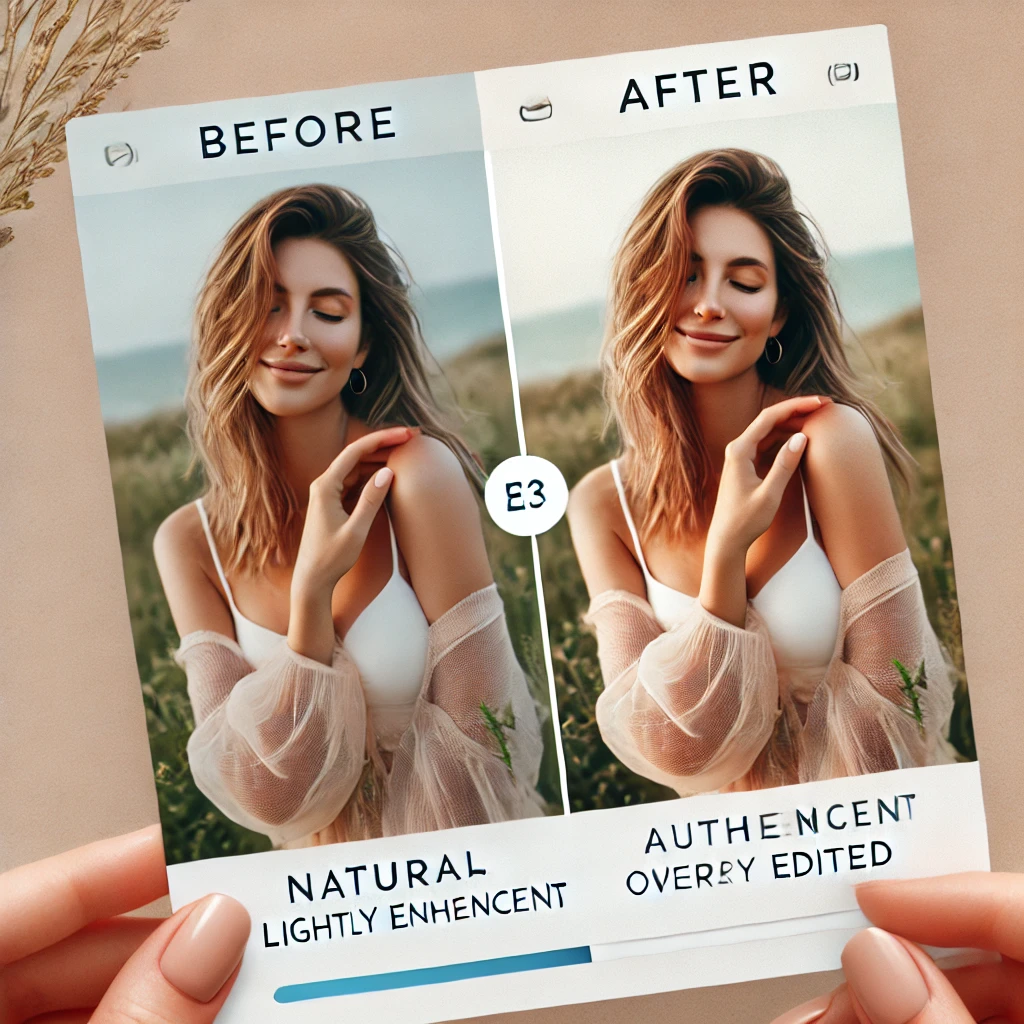
Overediting can lead to unnatural skin tones, excessive sharpness, and loss of the true essence of the moment. Proper enhancement retains:
- Authenticity – Keeping the emotions real.
- Depth – Maintaining true colors and shadows.
- Visual Harmony – Balanced contrast and exposure without artificial filters.
Understanding the Basics of Candid Photography Enhancement
1. Mastering Light and Exposure
Proper exposure is the foundation of a well-enhanced candid shot. To avoid excessive edits:
- Use natural light whenever possible.
- Adjust white balance to maintain realistic skin tones.
- Reduce overexposure or underexposure in-camera rather than in post-processing.
- Utilize soft shadows to add depth and warmth.
2. Composition Over Correction
A well-composed shot needs minimal adjustments. Use these techniques:
- Rule of Thirds: Position the subject at intersection points.
- Leading Lines: Use natural elements to draw focus to the subject.
- Frame Within a Frame: Add creative layers using windows, doors, or natural surroundings.
Post-Processing Techniques for Subtle Enhancements
1. Color Correction Without Overdoing It
Editing should improve, not alter, the photo’s natural tones.
- Adjust highlights and shadows gently.
- Fine-tune contrast for a soft, balanced look.
- Use selective color grading to maintain a realistic palette.
2. Skin Retouching for a Natural Glow
When enhancing portraits:
- Reduce blemishes without erasing natural skin texture.
- Avoid excessive smoothing that results in plastic-looking skin.
- Use dodge and burn tools to subtly shape light and shadows.
3. Enhancing Details Without Artificial Sharpness
- Sharpen the eyes to bring out expression, but keep it subtle.
- Reduce noise while preserving textures.
- Use radial filters to subtly guide attention to the subject.
Best Tools for Natural Photo Enhancement
1. Lightroom
- Best for basic color correction and light adjustments.
- Offers subtle skin smoothing without extreme retouching.
- Features selective editing tools for localized enhancements.
2. Photoshop
- Ideal for in-depth retouching without overprocessing.
- Provides advanced layering options to retain original details.
3. Capture One
- Offers professional-grade color control with minimal distortion.
- Great for handling RAW files while maintaining sharpness.
4. Mobile Editing Apps (For On-the-Go Enhancements)
- Snapseed – Precise control over exposure and color balance.
- VSCO – Classic film-like enhancements with minimal processing.
- Lightroom Mobile – Portable yet powerful for quick refinements.
Avoiding Common Overediting Mistakes
1. Overusing Presets and Filters
- Adjust presets to match the image instead of applying them universally.
- Avoid heavy HDR effects that create unrealistic lighting.
2. Overexposing or Over-Saturating Colors
- Keep saturation levels subtle for a natural feel.
- Maintain proper contrast without losing shadow details.
3. Over-sharpening Details
- Apply sharpening selectively to avoid an artificial, grainy effect.
Workflow for Enhancing Candid Photos Naturally
- Import the Photo into a RAW editor like Lightroom or Capture One.
- Adjust Exposure & White Balance to correct lighting issues.
- Fine-Tune Colors by making minor hue and saturation adjustments.
- Enhance Key Details like the eyes and main focal points.
- Use Subtle Retouching for skin or minor distractions.
- Apply Final Adjustments for contrast, sharpness, and vignetting.
- Export with Minimal Compression to retain quality.
Final Thoughts
Enhancing candid photos should be about subtlety. The goal is to make minor tweaks that bring out the best in your image without altering its essence. By mastering lighting, composition, and natural editing techniques, you can elevate your candid photography to a professional level while preserving authenticity.
By following these tips, you’ll achieve beautifully enhanced candid shots that feel real, captivating, and timeless.
Would you like additional recommendations on camera settings or gear to enhance candid photos? Let us know in the comments!
-

Best AI Photo Editors for Batch Editing in 2026: 6 Top Tools
-

Best Cameras for Travel Photography in 2026: Top 10 Picks
-

Best Cameras for Sports Photography in 2026: Top 10 Picks
-

Best Cameras for Wildlife Photography in 2026
-
Best AI Photo Editors for Batch Editing in 2026: 6 Top Tools
Discover the best AI photo editors for batch editing in 2026. Compare Lightroom, Aftershoot, Narrative Select, Luminar Neo, and more.
-
Best Camera for Wedding Photography in 2026
Discover the 10 best camera for wedding photography in 2026. Compare autofocus, low-light performance, image quality, battery life, and features to find the right camera






Leave a Reply