
Discover the best AI RAW photo editing software in 2026. Compare Lightroom, ON1, DxO, Capture One, and Luminar Neo for RAW editing, noise reduction, masking, and sharpening.
Table of Contents
Introduction
RAW photography gives photographers much more control over an image than a finished JPEG. However, that extra flexibility also creates a more demanding editing workflow.
Modern AI-powered RAW photo editing software aims to reduce that workload by automating tasks such as noise reduction, masking, subject selection, exposure correction, sharpening, color enhancement, and other repetitive adjustments.
The best AI RAW photo editor should therefore do more than make an image look impressive with one click. It should preserve the flexibility of the original RAW file while helping photographers reach a polished result faster.
In this guide, we compare the best AI RAW photo editing software in 2026, including Lightroom, ON1 Photo RAW, DxO PhotoLab, Capture One, Luminar Neo, and other relevant options.
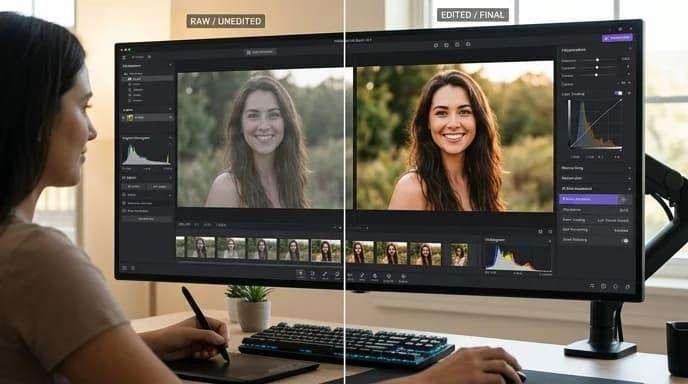
We’ll look at their RAW processing capabilities, AI features, image quality, workflow, ease of use, and suitability for different types of photographers.
Quick Answer: What Is the Best AI RAW Photo Editing Software?
Adobe Lightroom is our best overall choice for photographers who want a mature RAW workflow combined with powerful AI-assisted editing and extensive organization capabilities.
However, it isn’t automatically the best option for everyone.
ON1 Photo RAW is an excellent choice for photographers who want RAW processing, AI tools, layers, masking, organization, and other editing features inside one application. Its current 2026.4 release combines RAW processing with tools such as NoNoise AI, TackSharp AI, Resize AI, Brilliance AI, and Super Select AI.
DxO PhotoLab is particularly attractive when RAW image quality, optical corrections, and advanced noise reduction are priorities.
Capture One remains a strong choice for photographers who prioritize professional color control and studio-oriented RAW workflows.
Luminar Neo is better suited to photographers who want an accessible interface with extensive AI-powered creative and enhancement tools.
Our Overall Ranking
| Software | Best For | AI Capability | RAW Processing | Ease of Use |
|---|---|---|---|---|
| Adobe Lightroom | Best overall | ⭐⭐⭐⭐⭐ | ⭐⭐⭐⭐⭐ | ⭐⭐⭐⭐⭐ |
| ON1 Photo RAW | Best all-in-one alternative | ⭐⭐⭐⭐⭐ | ⭐⭐⭐⭐⭐ | ⭐⭐⭐⭐ |
| DxO PhotoLab | Best image quality | ⭐⭐⭐⭐ | ⭐⭐⭐⭐⭐ | ⭐⭐⭐⭐ |
| Capture One | Best color control | ⭐⭐⭐⭐ | ⭐⭐⭐⭐⭐ | ⭐⭐⭐⭐ |
| Luminar Neo | Best for beginners | ⭐⭐⭐⭐⭐ | ⭐⭐⭐⭐ | ⭐⭐⭐⭐⭐ |
| ACDSee Photo Studio Ultimate | Best Windows alternative | ⭐⭐⭐⭐ | ⭐⭐⭐⭐ | ⭐⭐⭐⭐ |
The right choice ultimately depends on how you shoot and what you expect from your RAW workflow.
What Is RAW Photo Editing?
A RAW file contains minimally processed image data captured directly by a camera’s sensor.
Unlike a JPEG, a RAW file generally gives you considerably more flexibility when adjusting:
- Exposure
- White balance
- Highlights
- Shadows
- Color
- Contrast
- Detail
- Noise
- Dynamic range
This flexibility is one of the biggest reasons professional photographers prefer RAW for important work.
For example, imagine photographing a wedding outdoors where the bride’s dress is slightly overexposed.
A JPEG may have already processed and compressed much of the available information.
A RAW file gives you significantly more room to adjust the exposure and recover highlight information.
The same principle applies to underexposed shadows, incorrect white balance, and other problems.
Why Use AI for RAW Photo Editing?
Traditional RAW editing requires photographers to perform many adjustments manually.
That can become extremely time-consuming when you’re processing hundreds or thousands of photographs.
AI can assist by recognizing the contents of an image and automatically making targeted decisions.
For example, an AI-powered editor may recognize:
- A person
- A face
- Hair
- Sky
- Background
- Subject
- Landscape
- Architectural elements
It can then use that information to create selections, masks, adjustments, or enhancements.
This is especially valuable for photographers who need to process large collections quickly.
AI Can Help With
Noise reduction
AI can identify image noise while attempting to preserve genuine detail.
Masking
AI can automatically identify subjects, people, skies, or backgrounds.
Sharpening
AI can improve perceived detail and recover certain types of softness.
Exposure
AI can analyze an image and suggest or apply tonal adjustments.
Color
AI-assisted tools can automatically balance color and tone.
Upscaling
AI can generate additional pixels to increase image resolution.
Retouching
AI can simplify tasks such as removing distractions or improving portraits.
The goal isn’t necessarily to eliminate manual editing.
Instead, the most useful AI tools reduce repetitive work while allowing the photographer to retain creative control.
AI RAW Editing vs Traditional RAW Editing
The biggest difference isn’t that AI completely replaces traditional editing.
Instead, AI adds an intelligent layer on top of conventional RAW controls.
Traditional editing might require you to manually:
- Select the subject.
- Create a mask.
- Adjust exposure.
- Correct white balance.
- Reduce highlights.
- Increase shadows.
- Adjust saturation.
- Sharpen important details.
- Reduce noise.
- Fine-tune the final image.
An AI-assisted workflow may automate several of these steps.
For example:
AI Subject Detection → Automatic Mask → Exposure Adjustment → Color Correction → Noise Reduction → Manual Fine-Tuning
This can dramatically reduce the amount of repetitive work.
However, automation isn’t always perfect.
A professional photographer may still want to adjust the AI-generated result manually.
That is why the best AI RAW editing software should provide both automation and control.
What Makes a Good AI RAW Photo Editor?
Not every application marketed as an AI photo editor is equally useful for RAW photography.
A strong RAW editing application should perform well in several areas.
1. RAW File Support
The software must support the cameras and RAW formats you actually use.
This is the first thing to check before purchasing.
A tool with impressive AI features is useless if it doesn’t properly support your camera’s RAW files.
Camera support can also change as manufacturers release new models, so always check the software developer’s current compatibility list.
2. RAW Image Quality
AI features are only useful if the underlying RAW processing produces high-quality images.
Look for software that preserves:
- Fine detail
- Natural colors
- Highlight information
- Shadow detail
- Texture
- Tonal transitions
A photograph shouldn’t look artificially processed simply because AI was used.
3. AI Noise Reduction
Noise reduction is one of the most valuable AI applications for RAW photographers.
High-ISO photographs can contain significant luminance and color noise.
Traditional noise reduction often involves balancing two competing goals:
Remove noise
while
Preserving detail
AI-powered noise reduction attempts to distinguish genuine image information from unwanted noise.
This can be particularly valuable for:
- Wedding photography
- Wildlife photography
- Sports photography
- Concert photography
- Night photography
- Indoor events
- Astrophotography
ON1 Photo RAW 2026.4, for example, includes NoNoise AI, which is designed to remove noise while preserving detail.
4. AI Masking
Masking is another area where AI can save enormous amounts of time.
Instead of manually drawing around a person, photographer, animal, sky, or background, AI can identify the subject automatically.
A good AI masking system should allow you to refine the automatically generated selection.
This is important because automatic selections aren’t always perfect.
Hair, transparent objects, foliage, and complex edges can still challenge AI systems.
5. AI Sharpening
RAW files often require sharpening as part of the development process.
AI sharpening can go beyond traditional edge enhancement by attempting to distinguish genuine detail from blur or softness.
This can be especially useful when processing:
- Wildlife photographs
- Sports images
- Portraits
- Wedding photographs
- High-ISO images
- Older RAW files
For severe blur, however, a dedicated AI sharpening application may still outperform a general-purpose RAW editor.
6. AI Color and Tone Adjustment
AI can also assist with global image adjustments.
Instead of manually adjusting:
- Exposure
- Contrast
- Highlights
- Shadows
- Temperature
- Tint
- Saturation
an AI system can analyze the photograph and suggest a starting point.
ON1 Photo RAW 2026.4, for example, includes Brilliance AI, which automatically works with exposure, color, and tone while considering important image areas.
The best approach is to treat these automatic adjustments as a starting point rather than assuming the AI knows your creative intention.
Best AI RAW Photo Editing Software: Our Top Picks
1. Adobe Lightroom — Best Overall
Best for: Professional photographers, enthusiasts, wedding photographers, portrait photographers, and anyone who wants a complete RAW workflow.
Lightroom remains one of the most comprehensive solutions for photographers who want RAW development, image organization, non-destructive editing, and AI-assisted tools within the same ecosystem.
Its biggest advantage isn’t necessarily one individual AI feature.
It’s the combination of:
- RAW processing
- Cataloging
- Organization
- Presets
- Masking
- AI-assisted editing
- Noise reduction
- Color correction
- Local adjustments
- Cloud integration
- Export tools
This makes Lightroom particularly effective for photographers processing large collections.
Why We Recommend Lightroom
The strength of Lightroom is workflow.
You can import your RAW files, organize them, rate and cull them, apply adjustments, create masks, synchronize edits, and export finished images without constantly switching applications.
For wedding and event photographers, that efficiency can matter as much as the quality of an individual AI feature.
Best For
- Professional photographers
- Wedding photographers
- Portrait photographers
- Event photographers
- Large RAW catalogs
- Photographers already using Adobe
Main Advantage
Complete RAW workflow
Main Disadvantage
Subscription-based ecosystem
If you want a mature RAW workflow and don’t mind Adobe’s ecosystem, Lightroom remains our strongest overall recommendation.
2. ON1 Photo RAW — Best All-in-One AI RAW Editor
Best for: Photographers who want RAW processing and extensive AI tools in one application.
ON1 Photo RAW is particularly interesting because it combines RAW development with AI-powered editing, masking, retouching, layers, effects, and photo organization.
The current Photo RAW 2026.4 release describes itself as an all-in-one RAW editor combining RAW processing, AI tools, traditional editing, and photo management.
Its AI toolkit includes:
- NoNoise AI
- TackSharp AI
- Resize AI
- Brilliance AI
- Super Select AI
- AI-assisted masking
- AI-powered restoration tools
ON1 says its current software supports browsing, editing, retouching, layers, masks, and exporting within the same application.
Why We Recommend ON1 Photo RAW
The biggest advantage is consolidation.
Instead of using one application for RAW processing, another for sharpening, another for noise reduction, and another for advanced editing, ON1 attempts to bring many of these capabilities together.
This can make it particularly attractive to photographers looking for an alternative to the Lightroom + Photoshop combination.
Best For
- Lightroom alternatives
- AI-heavy editing workflows
- Photographers who want one application
- RAW photographers who need layers and masking
- Photographers who prefer a perpetual-license option
Main Advantage
Powerful all-in-one workflow
Main Disadvantage
Large feature set can require a learning period
3. DxO PhotoLab — Best for RAW Image Quality
Best for: Photographers who prioritize RAW processing, optical corrections, and noise reduction.
DxO PhotoLab takes a different approach from AI-first photo editors.
Its strength is its emphasis on RAW development and image quality, particularly when paired with DxO’s camera and lens correction technologies.
For photographers who want to extract as much quality as possible from a RAW file before applying creative edits, DxO is an important option to consider.
Best For
- Landscape photographers
- Wildlife photographers
- Technical image quality
- High-ISO photography
- Lens correction
- Professional RAW development
Main Advantage
Excellent RAW and optical processing
Main Disadvantage
Less focused on broad AI creative editing than some competitors

4. Capture One — Best for Professional Color Control
Best for: Commercial, studio, portrait, and professional photographers who prioritize color accuracy and detailed RAW control.
Capture One has long been associated with professional RAW processing and color management.
Its appeal comes from the combination of:
- RAW development
- Color grading
- Tethered shooting
- Layers
- Masking
- Local adjustments
- Professional workflow tools
AI-assisted features have increasingly become part of modern photography software, but Capture One’s core strength remains its professional editing environment rather than simply maximizing the number of AI buttons.
Best For
- Studio photographers
- Commercial photographers
- Portrait photographers
- Product photographers
- Professional color workflows
Main Advantage
Advanced color control
Main Disadvantage
Can have a steeper learning curve for beginners
5. Luminar Neo — Best for Easy AI Editing
Best for: Beginners and photographers who want powerful AI tools without a complicated interface.
Luminar Neo approaches RAW editing differently.
Rather than focusing primarily on traditional RAW development, it combines RAW editing with a large collection of AI-powered enhancement and creative tools.
This makes it attractive to photographers who want to achieve sophisticated-looking results without learning every technical aspect of RAW processing.
Best For
- Beginners
- Hobby photographers
- Creative portrait editing
- Landscape enhancement
- Quick AI adjustments
Main Advantage
Easy-to-use AI tools
Main Disadvantage
Less focused on professional catalog-based RAW workflows than Lightroom
6. ACDSee Photo Studio Ultimate — Best Windows Alternative
Best for: Windows photographers who want RAW development, organization, layers, and AI tools in one application.
ACDSee Photo Studio Ultimate is another serious alternative for photographers who don’t want to rely exclusively on Adobe.
Its 2026 edition includes RAW development and AI-assisted tools such as AI Denoise, AI-based masking features, Face Edit, and Sky Replacement.
It also provides a broader photo-management workflow rather than functioning solely as an AI enhancement tool.
Best For
- Windows photographers
- Photo organization
- RAW editing
- AI-assisted retouching
- Users seeking an Adobe alternative
Main Advantage
Feature-rich Windows workflow
Main Disadvantage
Windows-only
Best AI RAW Photo Editing Software at a Glance
| Software | Best For | RAW Editing | AI Tools | Overall |
|---|---|---|---|---|
| Lightroom | Overall workflow | ⭐⭐⭐⭐⭐ | ⭐⭐⭐⭐⭐ | ⭐⭐⭐⭐⭐ |
| ON1 Photo RAW | All-in-one editing | ⭐⭐⭐⭐⭐ | ⭐⭐⭐⭐⭐ | ⭐⭐⭐⭐⭐ |
| DxO PhotoLab | Image quality | ⭐⭐⭐⭐⭐ | ⭐⭐⭐⭐ | ⭐⭐⭐⭐½ |
| Capture One | Color control | ⭐⭐⭐⭐⭐ | ⭐⭐⭐⭐ | ⭐⭐⭐⭐½ |
| Luminar Neo | Beginners | ⭐⭐⭐⭐ | ⭐⭐⭐⭐⭐ | ⭐⭐⭐⭐ |
| ACDSee Ultimate | Windows users | ⭐⭐⭐⭐ | ⭐⭐⭐⭐ | ⭐⭐⭐⭐ |
The most important point is that AI capability alone should not determine your choice.
RAW processing quality, camera support, workflow speed, organization, masking, export options, and editing control all matter.
Why RAW Editing Still Matters in the Age of AI
AI has made photo editing significantly easier, but it hasn’t made RAW files irrelevant.
In fact, AI can make RAW files even more valuable.
AI tools work with the information available in the original photograph.
Starting with a high-quality RAW file gives the editing software more information to work with than a heavily compressed JPEG.
Consider a photograph taken at sunset.
The RAW file may contain useful information in:
- Bright clouds
- Dark foreground areas
- Skin tones
- Subtle color transitions
- Shadow regions
A JPEG may already have compressed or discarded some of that information.
With RAW, you have more flexibility before AI enhancement is applied.
A practical workflow can therefore look like:
RAW Capture → RAW Development → AI Noise Reduction → AI Masking → Color Correction → AI Sharpening → Final Export
This is one reason professional photographers continue to build their workflows around RAW capture rather than relying entirely on computational JPEG processing.
What Should You Look for in AI RAW Editing Software?
Before choosing software, ask yourself five questions.
Does It Support My Camera?
Always check current RAW compatibility.
Does It Preserve Detail?
AI processing should enhance the image without destroying natural texture.
Does It Save Time?
The best AI feature is one that genuinely reduces repetitive editing work.
Does It Give Me Control?
Automatic results should be adjustable.
Does It Fit My Workflow?
A powerful application isn’t useful if it slows down your entire photography process.
The best AI RAW editor is ultimately the one that lets you process your photographs faster without sacrificing the control and image quality that made you choose RAW in the first place.
Lightroom vs ON1 Photo RAW vs DxO PhotoLab
These three applications are among the strongest choices for photographers who want serious RAW processing combined with modern AI-assisted tools.
However, they approach the workflow differently.
Lightroom emphasizes an established catalog-based workflow and broad editing ecosystem.
ON1 Photo RAW focuses on bringing RAW development, AI enhancement, layers, masking, and other editing tools together in one application.
DxO PhotoLab puts exceptional RAW image quality, optical corrections, and machine-learning-based noise reduction at the center of its workflow.
Your choice should therefore depend on whether you prioritize workflow, all-in-one editing, or maximum RAW image quality.
Adobe Lightroom: Deep Dive
Lightroom remains one of the easiest recommendations for photographers who need to process large numbers of RAW photographs.
Its strength comes from combining image management and editing rather than treating them as separate tasks.
A typical Lightroom workflow can include:
- Importing RAW files
- Organizing photographs
- Rating and flagging images
- Applying presets
- Creating masks
- Adjusting exposure
- Correcting color
- Reducing noise
- Sharpening
- Synchronizing edits
- Exporting finished photographs
This makes it especially useful for photographers who regularly process entire shoots rather than individual images.
AI Masking in Lightroom
AI-assisted masking is one of Lightroom’s most useful features.
Instead of manually drawing around a subject, photographers can use automated selections to isolate important areas of an image.
This becomes particularly useful for:
- Portraits
- Weddings
- Landscapes
- Real-estate photography
- Product photography
For example, a photographer can isolate a subject and adjust exposure or color without changing the entire frame.
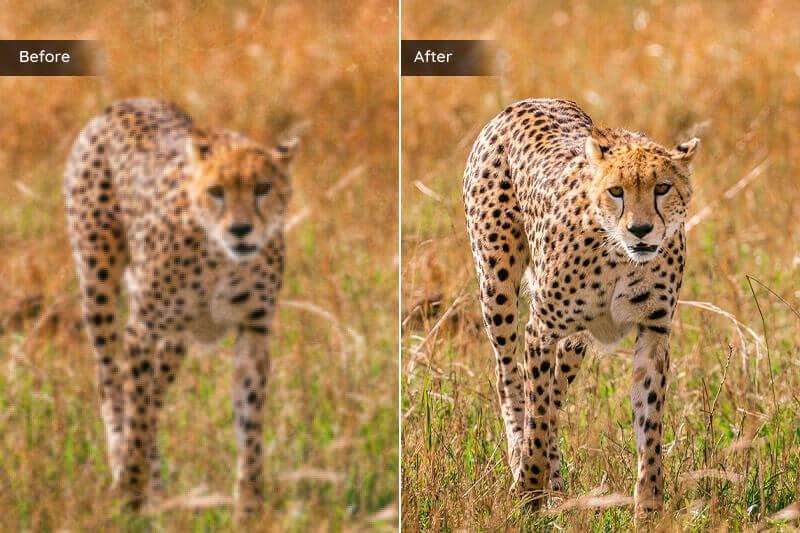
Adobe’s current Lightroom guidance also emphasizes that AI-assisted edits can have an order of operations, meaning photographers should follow the application’s recommended workflow when working with AI edits.
Lightroom for Large RAW Catalogs
Lightroom is particularly strong when you have thousands of photographs.
Wedding photographers, event photographers, and travel photographers can benefit from having organization and editing in the same ecosystem.
This is one of the biggest reasons Lightroom remains difficult to replace even when competing applications offer individual AI features that may be more specialized.
Lightroom’s Biggest Advantage
Workflow maturity.
It isn’t necessarily the most specialized AI application in every category, but it provides a remarkably complete environment for managing and editing RAW photographs.
ON1 Photo RAW: Deep Dive
ON1 Photo RAW is one of the most interesting alternatives for photographers who want to reduce their dependence on multiple editing applications.
Its current Photo RAW 2026.4 release combines RAW processing with a broad collection of AI-powered editing tools. ON1 lists features including NoNoise AI, TackSharp AI, Resize AI, Brilliance AI, and Super Select AI.
NoNoise AI
Noise reduction is particularly important when editing RAW files captured at high ISO settings.
ON1’s NoNoise AI is designed to reduce noise while preserving important image detail.
This can be useful for:
- Wedding receptions
- Indoor events
- Wildlife
- Sports
- Concerts
- Night photography
TackSharp AI
TackSharp AI addresses image sharpness and softness.
This makes ON1 interesting for photographers who want sharpening capabilities inside the same application used for RAW development.
However, specialized applications may still provide more advanced solutions for extremely difficult blur.
Resize AI
Upscaling is another useful part of an AI RAW workflow.
A photographer may need to produce a larger version of a photograph for:
- Prints
- Posters
- Portfolio images
- Client displays
- Large-format output
AI enlargement can help increase output resolution while attempting to preserve believable detail.
Super Select AI
AI-powered selection can reduce the amount of manual masking required when making localized adjustments.
Instead of spending several minutes creating a complicated selection, the photographer can begin with an AI-generated selection and refine it manually.
Why Choose ON1 Photo RAW?
The main attraction is consolidation.
A photographer can potentially handle:
RAW Development + Noise Reduction + Sharpening + Masking + Layers + Upscaling + Effects
without constantly moving between different applications.
That makes ON1 particularly attractive to photographers looking for a Lightroom alternative.
DxO PhotoLab: Deep Dive
DxO PhotoLab takes a more image-quality-focused approach to RAW processing.
Its current PhotoLab 9 platform combines RAW development with machine-learning-based DeepPRIME noise reduction, camera and lens correction modules, AI Masks, local adjustments, and sharpening technologies.
DeepPRIME Noise Reduction
DeepPRIME is one of DxO’s most important technologies.
Rather than treating noise reduction as a simple blur or smoothing operation, DxO uses machine learning during RAW processing to reduce noise while attempting to preserve image information.
The latest PhotoLab 9.6 update adds DeepPRIME XD3 support for Bayer sensors alongside existing support for supported X-Trans sensors.
This makes DxO particularly interesting for photographers who regularly work at high ISO.
Why RAW Processing Matters Here
Noise reduction and demosaicing are fundamental stages of RAW conversion.
DxO’s DeepPRIME technology combines these processes with machine learning to produce cleaner images while retaining detail and color information.
That makes DxO different from a simple AI filter applied after a photograph has already been developed.
Lens Sharpness Optimization
DxO also uses camera-and-lens-specific correction data.
Rather than applying identical sharpening across an entire image, its optical modules can apply corrections based on the characteristics of supported camera and lens combinations.
This is particularly valuable for photographers who care about extracting maximum optical performance from their equipment.
AI Masks
PhotoLab’s AI masking system can identify subjects and areas such as:
- Sky
- Face
- Hair
- Subject
Photographers can then apply local adjustments to those areas.
DxO also allows AI Masks to work together with other masking methods, giving photographers more control over complex selections.
Why Choose DxO PhotoLab?
Choose DxO if your priority is:
RAW quality first, AI convenience second.
It’s especially compelling for photographers who shoot:
- Wildlife
- Landscape
- Night photography
- High-ISO events
- Travel
- Detailed nature photography
Capture One: Deep Dive
Capture One is particularly popular among photographers who prioritize professional color control and studio workflows.
It isn’t simply trying to compete by adding as many AI features as possible.
Instead, its AI-assisted features are designed to speed up specific repetitive tasks while maintaining detailed editing control.
AI People Masking
Capture One’s current assisted editing tools can automatically identify areas such as:
- Skin
- Hair
- Eyes
- Facial features
This can significantly reduce the manual work required for portrait and fashion editing.
For photographers working on large portrait sessions, that can make a substantial difference.
AI Crop
Capture One also provides AI Crop functionality.
This can be useful when a photographer needs consistent compositions across a large collection of photographs.
For example, if dozens of portraits need to follow the same crop style, AI-assisted cropping can reduce repetitive manual work.
AI Noise Reduction
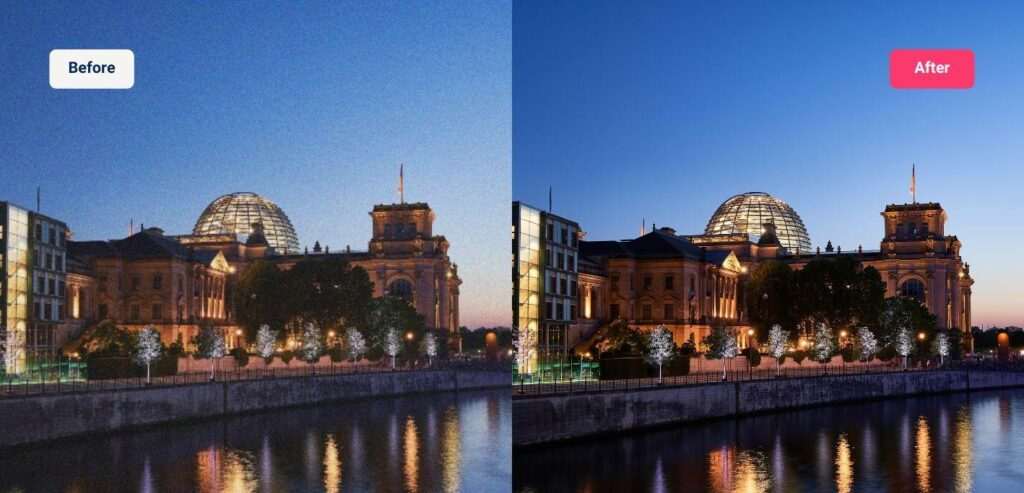
Capture One’s May 2026 update introduced Enhanced Denoise with AI noise reduction for high-ISO images.
The tool provides an Impact control so photographers can determine how aggressively the image should be cleaned. Capture One says the system is designed to preserve natural skin tones and texture while reducing noise.
This makes Capture One more competitive for photographers who regularly process high-ISO RAW files.
Assisted Review
Another interesting addition is Assisted Review.
Capture One says this feature can flag photographs with issues such as:
- Closed eyes
- Missed focus
- Exposure problems
This can help photographers identify images that need attention before spending time editing them.
For high-volume workflows, this type of AI assistance may ultimately save more time than a flashy one-click enhancement.
Luminar Neo: Deep Dive
Luminar Neo takes a more approachable approach to AI-powered photo editing.
Instead of requiring photographers to understand every technical aspect of RAW development, it places a large number of AI-assisted adjustments within a relatively accessible interface.
This makes it particularly appealing to:
- Beginners
- Hobby photographers
- Content creators
- Social media photographers
- Portrait photographers
Where Luminar Neo Excels
Luminar Neo is attractive when you want to make substantial visual improvements without building a highly technical editing workflow.
AI tools can assist with areas such as:
- Portrait enhancement
- Sky replacement
- Object removal
- Relighting
- Background adjustments
- Creative effects
- Image enhancement
However, photographers who primarily care about technically precise RAW development may prefer Lightroom, DxO PhotoLab, or Capture One.
Best Use Case
Think of Luminar Neo as:
RAW editing + accessible AI enhancement + creative editing
rather than a purely technical RAW development environment.
ACDSee Photo Studio Ultimate: Deep Dive
ACDSee Photo Studio Ultimate is worth considering for Windows users who want a broader photography workflow.
It combines:
- RAW development
- Photo organization
- Layer-based editing
- AI-assisted tools
- Retouching
- Masking
This can make it a useful alternative for photographers who want to manage and edit their images without relying entirely on Adobe.
AI Denoise and Masking
Modern versions include AI-assisted noise reduction and masking features, allowing photographers to automate some of the more repetitive editing tasks.
The main appeal is breadth.
Rather than being a specialist AI application, ACDSee attempts to provide a complete photography environment.
Best For
Windows photographers who want a broad all-in-one application.
Which AI RAW Editor Has the Best AI Noise Reduction?
If noise reduction is your highest priority, the shortlist becomes much smaller.
Our Ranking
1. DxO PhotoLab
Best for demanding RAW files and high-ISO image quality.
2. ON1 Photo RAW
Best if you want noise reduction integrated into a broader AI editing workflow.
3. Capture One
A strong choice for photographers who want AI noise reduction combined with professional color and RAW control.
4. Lightroom
Excellent for photographers who want noise reduction integrated into a mature catalog-based workflow.
Why DxO Gets the Edge
DxO’s DeepPRIME technology is deeply integrated into its RAW processing pipeline rather than being treated simply as a generic after-the-fact filter.
Its current DeepPRIME 3 and DeepPRIME XD3 technologies use machine learning for noise reduction and detail extraction, with XD3 aimed at demanding high-ISO files.
Which AI RAW Editor Has the Best Masking?
For photographers who frequently make selective adjustments, masking can be more important than automatic global enhancement.
Strong Options
Lightroom
Excellent for general photography and large catalogs.
Capture One
Particularly strong for people and portrait masking.
DxO PhotoLab
Excellent combination of AI Masks and detailed local adjustments.
ON1 Photo RAW
Strong all-in-one masking and AI selection workflow.
Best Choice by Photographer
Wedding photography: Lightroom or Capture One
Portrait photography: Capture One
Landscape photography: Lightroom or DxO PhotoLab
Wildlife photography: DxO PhotoLab or Lightroom
General photography: Lightroom or ON1 Photo RAW
Which AI RAW Editor Is Best for High-ISO Photography?
High-ISO photography creates a difficult combination of problems.
You want:
Less noise + preserved detail + accurate color + natural texture
Aggressive noise reduction can remove detail.
Aggressive sharpening can emphasize noise.
That means the RAW processing engine matters enormously.
Best Options
DxO PhotoLab is our first choice for photographers whose primary concern is extracting high-quality results from difficult high-ISO RAW files.
ON1 Photo RAW is a strong alternative for photographers who want noise reduction combined with broader AI editing.
Capture One is increasingly compelling for high-ISO workflows because of its Enhanced Denoise feature.
Best AI RAW Editing Software for Wildlife Photography
Wildlife photography presents some of the hardest RAW editing challenges.
You may be dealing with:
- High ISO
- Fast shutter speeds
- Long lenses
- Low light
- Fine feathers
- Fur
- Small subjects
- Complex backgrounds
A good wildlife workflow therefore needs excellent noise reduction and detail preservation.
Our Recommendation: DxO PhotoLab
DxO is particularly strong here because of its combination of:
- DeepPRIME noise reduction
- Lens-specific corrections
- RAW processing
- AI masking
- Detail optimization
Its DeepPRIME XD3 technology is specifically designed for challenging high-ISO RAW files and detail recovery.
Alternative: Lightroom
Lightroom remains an excellent choice if catalog management and a broader photography workflow are more important than maximum specialized RAW processing.
Best AI RAW Editing Software for Wedding Photography
Wedding photographers face a completely different challenge.
The issue isn’t usually editing one perfect photograph.
It’s processing hundreds or thousands of photographs consistently and efficiently.
A good wedding workflow needs:
- Fast culling
- RAW processing
- Batch editing
- Consistent color
- AI masking
- Noise reduction
- Portrait adjustments
- Presets
- Organization
- Fast export
Our Recommendation: Lightroom
Lightroom’s mature catalog and batch-editing workflow make it particularly suitable for large wedding collections.
Alternative: Capture One
Capture One is worth considering for photographers who prioritize color control, portrait masking, and professional studio-style workflows.
Its current assisted editing features include AI people masking, Match Look, AI Crop, and other automation tools.
Alternative: ON1 Photo RAW
ON1 is attractive when you want more editing functionality available inside one application.
Best AI RAW Editing Software for Portrait Photography
Portrait photographers often need precise control over skin, eyes, hair, clothing, and background.
That makes AI masking particularly valuable.
Our Recommendation: Capture One
Capture One’s people masking tools can identify skin, hair, eyes, and facial features, making localized portrait adjustments significantly faster.
Lightroom
Lightroom is an excellent alternative when catalog management and batch processing are equally important.
Luminar Neo
Luminar Neo can be attractive for photographers who prioritize fast AI-powered portrait enhancement and creative results over highly technical RAW control.
Best AI RAW Editing Software for Landscape Photography
Landscape photographers often prioritize:
- Dynamic range
- Color accuracy
- Fine detail
- Noise reduction
- Lens correction
- Local adjustments
- Sky selection
Our Recommendation: DxO PhotoLab
DxO’s combination of RAW processing, optical corrections, DeepPRIME, and AI masking makes it particularly compelling for technically demanding landscape work.
Lightroom
Lightroom remains the easier choice if you also need a strong catalog and broader workflow.
ON1 Photo RAW
ON1 can be attractive for photographers who want layers, effects, AI selections, and other creative tools alongside RAW processing.
Best AI RAW Editing Software for Beginners
Beginners don’t necessarily need the software with the most features.
They need software that makes it easy to understand what each adjustment does.
Our Recommendation: Luminar Neo
Luminar Neo’s AI-oriented workflow can help beginners achieve significant improvements without mastering every technical RAW adjustment immediately.
Lightroom
Lightroom is the better long-term choice if you want to develop professional RAW editing skills and build a large organized photography library.
ON1 Photo RAW
ON1 sits somewhere between the two, providing a broad set of features while still offering automated AI assistance.
AI RAW Editing: Automation vs Creative Control
One of the most important decisions is how much automation you actually want.
Maximum Automation
Choose:
Luminar Neo
It’s designed around accessible AI-powered editing.
Balanced Automation and Control
Choose:
Lightroom or ON1 Photo RAW
Both allow AI to speed up editing while keeping conventional controls available.
Maximum Technical Control
Choose:
DxO PhotoLab or Capture One
These applications are particularly attractive to photographers who want detailed control over RAW processing and local adjustments.
The ideal balance depends on your experience.
A beginner may appreciate automation.
A professional may prefer AI to handle repetitive work while retaining complete control over the final result.
Should AI Edit Your RAW Files Automatically?
AI automation is useful, but photographers should avoid treating automatic editing as the final answer.
A better approach is:
AI creates the starting point.
The photographer makes the final decision.
For example, an AI system might correctly identify a face and create a mask.
But it doesn’t know whether you want that face brighter, darker, warmer, cooler, softer, or more dramatic.
That remains a creative decision.
The strongest RAW workflows therefore combine:
AI efficiency + human judgment
rather than attempting to eliminate human involvement entirely.
The Best AI RAW Workflow for Photographers
A reliable workflow can be structured into several stages.
Stage 1: Import
Bring the original RAW files into your editing environment.
Stage 2: Cull
Remove technically unusable images before spending time editing them.
Look for:
- Missed focus
- Severe motion blur
- Closed eyes
- Duplicate frames
- Poor composition
- Accidental shots
AI-assisted review tools can help with this stage. Capture One’s Assisted Review, for example, can flag issues such as closed eyes, missed focus, and exposure problems.
Stage 3: RAW Development
Start with:
- Exposure
- White balance
- Highlights
- Shadows
- Contrast
- Color
Stage 4: AI Noise Reduction
Apply AI denoising when the image requires it.
Don’t automatically denoise every photograph at maximum strength.
Stage 5: AI Masking
Create targeted selections for:
- Subject
- Face
- Sky
- Background
- Clothing
- Hair
Stage 6: Local Adjustments
Fine-tune the areas selected by AI.
Stage 7: Sharpening
Apply appropriate sharpening based on the final output.
Stage 8: Color Grading
Apply your creative look after the technical corrections are complete.
Stage 9: Export
Export according to the intended destination:
- Website
- Client gallery
- Portfolio
- Social media
This workflow prevents AI from becoming an uncontrolled collection of automatic effects.
Does AI RAW Editing Reduce Image Quality?
Not necessarily.
In many situations, AI can improve the final image considerably.
However, poor AI settings can introduce:
- Plastic-looking skin
- Artificial textures
- Haloing
- Over-sharpening
- Lost detail
- Incorrect masks
- Strange colors
- Generated-looking fine detail
The solution isn’t to avoid AI.
The solution is to inspect the result at 100% and compare it with the original RAW file.
A good AI edit should make the photograph better without making the editing obvious.
RAW Editing Still Requires a Good Original File
AI can recover or enhance some information, but it cannot completely compensate for every shooting mistake.
A severely out-of-focus photograph remains difficult.
A massively underexposed RAW file may contain too much noise.
A photograph with severe motion blur may not contain enough usable detail.
AI should therefore be viewed as an enhancement technology rather than a replacement for good photography.
The better the original capture, the more useful the AI processing usually becomes.
AI RAW Photo Editing Features Compared
Choosing an AI RAW editor becomes easier when you stop looking at software as a single package and compare the features that actually affect your workflow.
A photographer processing 50 portraits has very different requirements from someone processing 2,000 wedding photographs or hundreds of wildlife images.
Here are the most important areas to compare.
AI Noise Reduction Comparison
Noise reduction is one of the biggest reasons photographers are moving toward AI-powered RAW editing.
Traditional noise reduction generally involves reducing unwanted luminance and color variations while trying to preserve detail.
AI-based systems attempt to make a more intelligent distinction between noise and genuine image information.
Best Options
DxO PhotoLab is our top choice when maximum RAW image quality and high-ISO processing are the priority. Its DeepPRIME technology uses machine learning for noise reduction and detail extraction directly within the RAW workflow.
ON1 Photo RAW is an excellent alternative when you want AI denoising alongside sharpening, enlargement, masking, and other editing tools. Its current version includes NoNoise AI and TackSharp AI.
Capture One is also increasingly compelling for high-ISO workflows. Its May 2026 update introduced Enhanced Denoise with AI noise reduction and an Impact control for adjusting the strength of the result.
Best Choice by Situation
| Situation | Best Choice |
|---|---|
| Maximum RAW noise reduction | DxO PhotoLab |
| Noise reduction + complete editing | ON1 Photo RAW |
| High-ISO portraits | Capture One |
| Large wedding catalogs | Lightroom |
| Beginner-friendly workflow | Luminar Neo |
AI Masking Comparison
AI masking can save more time than many automatic enhancement features.
Instead of manually tracing a subject, modern editors can identify important areas automatically.
Common AI selections include:
- Subject
- Person
- Face
- Hair
- Sky
- Background
- Clothing
- Landscape elements
Lightroom
Lightroom is a strong all-purpose option for photographers who want AI-assisted selections integrated into a large RAW catalog workflow.
Capture One
Capture One is particularly attractive for portrait and commercial photographers because its assisted editing tools can identify people and facial areas such as skin, hair, and eyes.
DxO PhotoLab
DxO PhotoLab 9 provides AI Masks for subjects such as sky, face, and hair, and allows those masks to be combined with other local-adjustment tools.
ON1 Photo RAW
ON1’s Super Select AI is designed to make selections easier while working alongside its masking and layer-based workflow.
Winner
For general-purpose masking, Lightroom and ON1 are excellent choices.
For portrait-focused masking, Capture One is particularly compelling.
For technical RAW editing plus AI masks, DxO PhotoLab is an excellent choice.
AI Sharpening Comparison
AI sharpening isn’t identical across all applications.
Some software focuses on normal RAW sharpening, while others attempt to recover detail from slightly soft or blurred photographs.
ON1 Photo RAW
ON1’s TackSharp AI is designed to restore crisp detail to slightly soft or blurred images.
DxO PhotoLab
DxO combines sharpening with its RAW development and optical correction technologies.
Its current PhotoLab 9 also allows Lens Sharpness Optimization and DeepPRIME to be used locally.
Lightroom
Lightroom is highly capable for conventional RAW sharpening and output sharpening, but photographers dealing with severe blur may benefit from a dedicated AI sharpening application.
Our Recommendation
For normal RAW sharpening: Lightroom or DxO PhotoLab.
For slightly soft images: ON1 Photo RAW.
For severe blur recovery: consider dedicated software such as Topaz Photo in addition to your RAW editor.
This distinction is important.
A RAW editor doesn’t necessarily need to be the best application for every specialized image-recovery task.
AI Color Correction
Color is one of the areas where human judgment remains extremely important.
AI can analyze an image and suggest corrections, but the software doesn’t know your intended visual style.
For example, a wedding photographer may intentionally want warm skin tones.
A landscape photographer may prefer deeper greens.
A commercial photographer may need highly accurate product colors.
Lightroom
Best for photographers who want a mature combination of automatic assistance and manual color control.
Capture One
Excellent for photographers who prioritize detailed color control and professional color workflows.
ON1 Photo RAW
Brilliance AI provides automatic exposure, color, and tone adjustments while considering important image areas.
Luminar Neo
Best suited to photographers who want fast, visually noticeable AI enhancement rather than highly technical color management.
AI Culling and Photo Review
Editing isn’t the only part of RAW photography that can benefit from AI.
Choosing which photographs deserve editing can take enormous amounts of time.
This is particularly true for:
- Weddings
- Sports
- Wildlife
- Events
- Fashion
- School photography
AI-assisted review can identify obvious problems before you start editing.
Capture One’s Assisted Review, for example, can flag portraits with closed eyes, missed focus, or exposure issues and surface those images directly in the Browser.
This type of feature can be more valuable to a professional photographer than a simple one-click enhancement.
If you’re processing thousands of images, saving seconds on every photograph can translate into hours of saved work.
Batch Editing and AI
Batch editing is essential for professional photographers.
Imagine photographing a wedding and returning with 2,500 RAW files.
You don’t want to manually edit every image from scratch.
Instead, you might:
- Correct one photograph.
- Create a consistent look.
- Apply the adjustment to a group.
- Use AI masks where necessary.
- Fine-tune individual photographs.
- Export the final collection.
Lightroom
One of Lightroom’s biggest advantages is its mature batch-processing workflow.
Capture One
Capture One is strong for professional sessions where consistent color and style are important.
ON1 Photo RAW
ON1 combines batch-friendly editing with its broader AI toolset.
DxO PhotoLab
DxO is particularly strong when image quality and consistent RAW processing matter across a collection.
The best software for batch editing isn’t necessarily the application with the most AI features.
It’s the one that lets you apply consistent decisions quickly while still correcting exceptions individually.
AI RAW Editing for Professional Photographers
Professional photographers usually have different priorities from casual users.
A professional application needs to handle:
- Large catalogs
- Consistent color
- RAW compatibility
- Batch editing
- Metadata
- Fast previews
- Reliable exports
- Presets
- Non-destructive editing
- Local adjustments
- Client deadlines
Wedding Photographer
Best overall: Lightroom
Alternative: Capture One or ON1 Photo RAW
Commercial Photographer
Best overall: Capture One
Alternative: Lightroom
Wildlife Photographer
Best overall: DxO PhotoLab
Alternative: Lightroom
Portrait Photographer
Best overall: Capture One
Alternative: Lightroom
Landscape Photographer
Best overall: DxO PhotoLab
Alternative: Lightroom or ON1 Photo RAW
Beginner Photographer
Best overall: Luminar Neo
Alternative: Lightroom
AI RAW Editing for Beginners
If you’ve never edited RAW photographs before, don’t buy software simply because it has the longest AI feature list.
You need to understand the basics first.
A beginner-friendly RAW editor should make it easy to learn:
- Exposure
- White balance
- Contrast
- Highlights
- Shadows
- Saturation
- Sharpening
- Noise reduction
- Cropping
- Masking
AI can then help automate some of the repetitive work.
Best Beginner Choice: Luminar Neo
Luminar Neo is approachable because many of its tools are designed around visual results.
Best Long-Term Choice: Lightroom
If your goal is to develop professional photography editing skills, Lightroom may be the better long-term investment.
It gives you a mature RAW workflow while still providing AI-assisted tools.
AI RAW Editing Without a Subscription
Subscription cost is an important consideration for photographers.
Some users prefer paying monthly for continuous updates.
Others prefer purchasing software outright and upgrading only when necessary.
Subscription-Oriented Workflow
Adobe Lightroom is particularly attractive if you want an established ecosystem with ongoing updates and cloud-connected services.
Perpetual-License Options
ON1 Photo RAW and DxO PhotoLab can be attractive to photographers who prefer ownership-style licensing options.
DxO explicitly markets PhotoLab 9 with no subscription requirement, while ON1 positions Photo RAW as an application you can own rather than relying exclusively on a subscription model.
However, licensing terms and upgrade policies can change.
Always check the developer’s current pricing before purchasing.
How Much Computer Power Do You Need for AI RAW Editing?
AI processing can be considerably more demanding than basic photo adjustments.
This is especially true for:
- AI noise reduction
- AI sharpening
- AI masking
- AI enlargement
- Generative tools
Your experience can therefore depend heavily on your computer.
For Basic RAW Editing
A modern mid-range computer with sufficient RAM and a fast SSD is usually adequate.
For Heavy AI Processing
A more capable CPU, GPU, and sufficient memory can make AI operations considerably more comfortable.
For Large Professional Workflows
Prioritize:
- Fast SSD storage
- Plenty of RAM
- Modern CPU
- Capable GPU
- Reliable backup storage
The software itself should also be considered.
An AI tool that produces excellent results but takes several minutes to process every image may be impractical for a photographer handling thousands of files.
AI RAW Editing on Mac vs Windows
Most major RAW editors now support both major desktop platforms, but individual features and hardware requirements can vary.
Mac Users
Lightroom, Capture One, DxO PhotoLab, ON1 Photo RAW, and Luminar Neo are all relevant options.
Windows Users
The same major applications are available, with additional Windows-focused alternatives such as ACDSee Photo Studio Ultimate.
ACDSee’s 2026 edition remains Windows-only and combines RAW development, organization, editing, masking, and AI tools.
Before Buying
Always check:
- Operating system version
- CPU requirements
- GPU requirements
- RAM requirements
- Supported camera RAW formats
- Available storage
AI features can have different hardware requirements from traditional editing tools.
AI RAW Editing and Storage
RAW photography creates another problem that is often overlooked:
Storage.
A single RAW file can be significantly larger than a JPEG.
A professional photographer may therefore accumulate hundreds of gigabytes—or even terabytes—of photographs.
A practical setup should include:
Primary SSD
For active projects and fast editing.
Secondary storage
For larger photo libraries.
Backup
For protecting original RAW files.
A useful rule is:
Your RAW photographs are the original assets. Treat them as valuable source files rather than temporary images.
AI editing should also remain non-destructive whenever possible.
This allows you to revisit the original image and change your decisions later.
AI RAW Editing vs Dedicated AI Photo Enhancers
This distinction is extremely important.
A RAW editor is designed to develop and manage photographs from the original camera file.
A dedicated AI enhancer is generally designed to solve a particular image problem.
For example:
RAW Editor
Lightroom
RAW development + catalog + masking + color + organization
AI Enhancement Tool
Topaz Photo
Sharpening + denoising + enhancement + upscaling
This means photographers don’t necessarily need to choose one or the other.
A professional workflow can use both.
For example:
Camera RAW → Lightroom → Topaz Photo → Lightroom → Final Export
This can be particularly useful when a photograph needs specialized AI recovery that the primary RAW editor doesn’t handle as well.
Can AI RAW Software Replace Photoshop?
For many photographers, it can reduce the need to open Photoshop frequently.
But it doesn’t completely replace Photoshop for every workflow.
RAW editors are particularly strong at:
- RAW development
- Cataloging
- Color correction
- Exposure
- Batch editing
- Masking
- Noise reduction
- Sharpening
Photoshop remains valuable for more complex pixel-level work such as:
- Advanced compositing
- Complex retouching
- Layer-heavy manipulation
- Detailed object editing
- Graphic design
- Precise pixel-level corrections
A photographer who mainly develops RAW files may rarely need Photoshop.
A commercial retoucher may still depend on it heavily.
Can AI RAW Software Replace Lightroom?
This is a more realistic question.
Yes, depending on your workflow.
Consider ON1 Photo RAW If:
You want an all-in-one Lightroom alternative with RAW processing, AI tools, layers, masking, and photo management. ON1 explicitly positions Photo RAW as a Lightroom and Photoshop alternative contained within one application.
Consider DxO PhotoLab If:
Image quality, optical correction, and advanced RAW processing matter more than catalog-centric workflow features.
Consider Capture One If:
Professional color control, studio photography, and tethered workflows are major priorities.
Consider Luminar Neo If:
You prioritize accessible AI editing over advanced catalog management.
The answer therefore isn’t simply:
“Which software is better?”
It’s:
“Which workflow fits your photography?”
Lightroom vs ON1 Photo RAW
This is one of the most important comparisons for photographers considering an Adobe alternative.
| Feature | Lightroom | ON1 Photo RAW |
|---|---|---|
| RAW processing | Excellent | Excellent |
| AI tools | Excellent | Excellent |
| Noise reduction | Excellent | Excellent |
| AI sharpening | Good | Excellent |
| AI masking | Excellent | Excellent |
| Layers | Limited compared with full editors | Yes |
| Photo organization | Excellent | Excellent |
| All-in-one editing | Good | Excellent |
| Adobe ecosystem | Yes | No |
| Subscription-free option | No | Yes |
| Best for | Complete workflow | Adobe alternative |
Winner for Workflow
Lightroom
Winner for All-in-One Editing
ON1 Photo RAW
Winner for Adobe Alternative
ON1 Photo RAW
Winner for Catalog-Based Professional Workflow
Lightroom
Lightroom vs DxO PhotoLab
This comparison is less about which application has more features.
It’s about priorities.
| Feature | Lightroom | DxO PhotoLab |
|---|---|---|
| RAW processing | ⭐⭐⭐⭐⭐ | ⭐⭐⭐⭐⭐ |
| AI noise reduction | ⭐⭐⭐⭐½ | ⭐⭐⭐⭐⭐ |
| Lens corrections | ⭐⭐⭐⭐ | ⭐⭐⭐⭐⭐ |
| AI masking | ⭐⭐⭐⭐⭐ | ⭐⭐⭐⭐⭐ |
| Catalog workflow | ⭐⭐⭐⭐⭐ | ⭐⭐⭐⭐ |
| Color control | ⭐⭐⭐⭐⭐ | ⭐⭐⭐⭐⭐ |
| Batch workflow | ⭐⭐⭐⭐⭐ | ⭐⭐⭐⭐ |
| High-ISO quality | ⭐⭐⭐⭐½ | ⭐⭐⭐⭐⭐ |
| Ease of learning | ⭐⭐⭐⭐⭐ | ⭐⭐⭐⭐ |
| Best for | Complete workflow | Image quality |
Choose Lightroom If:
You want one of the most complete photography management and editing ecosystems.
Choose DxO If:
You care most about extracting maximum quality from difficult RAW files.
DxO PhotoLab 9’s combination of DeepPRIME, optical corrections, AI Masks, and local RAW adjustments makes it particularly strong for image-quality-focused photographers.
Lightroom vs Capture One
This comparison is especially important for professional photographers.
| Feature | Lightroom | Capture One |
|---|---|---|
| RAW processing | ⭐⭐⭐⭐⭐ | ⭐⭐⭐⭐⭐ |
| Color control | ⭐⭐⭐⭐⭐ | ⭐⭐⭐⭐⭐ |
| AI masking | ⭐⭐⭐⭐⭐ | ⭐⭐⭐⭐⭐ |
| Portrait workflow | ⭐⭐⭐⭐⭐ | ⭐⭐⭐⭐⭐ |
| Catalog management | ⭐⭐⭐⭐⭐ | ⭐⭐⭐⭐½ |
| Studio workflow | ⭐⭐⭐⭐ | ⭐⭐⭐⭐⭐ |
| AI noise reduction | ⭐⭐⭐⭐½ | ⭐⭐⭐⭐½ |
| Beginner friendly | ⭐⭐⭐⭐⭐ | ⭐⭐⭐⭐ |
| Professional control | ⭐⭐⭐⭐⭐ | ⭐⭐⭐⭐⭐ |
Choose Lightroom If:
You want broad workflow flexibility and a huge photography ecosystem.
Choose Capture One If:
You prioritize professional color control, studio work, tethering, and detailed local editing.
Capture One’s current AI-assisted workflow includes people masking, AI Crop, Enhanced Denoise, and Assisted Review, making it substantially more automation-focused than earlier versions.
What Is the Best AI RAW Editor for Batch Processing?
For photographers processing very large collections, we would rank the major options approximately as follows:
🥇 Lightroom
Best combination of organization, batch editing, presets, synchronization, and RAW development.
🥈 Capture One
Excellent for professional sessions where consistency and color are critical.
🥉 ON1 Photo RAW
Strong all-in-one alternative with AI features integrated into the editing workflow.
4. DxO PhotoLab
Excellent image quality, particularly when processing technically demanding RAW files.
5. ACDSee Photo Studio Ultimate
Strong option for Windows users who want editing and organization together.
The difference becomes increasingly important as your image volume grows.
Editing 20 photographs is one thing.
Editing 2,000 photographs is an entirely different problem.
Best AI RAW Editor for Different Budgets
Instead of focusing only on the cheapest application, consider the total value of the workflow.
Best for Professional Investment
Lightroom
The combination of RAW editing, cataloging, AI tools, and ecosystem makes it a strong long-term professional choice.
Best All-in-One Value
ON1 Photo RAW
Especially attractive if you want RAW processing and extensive AI editing without building a multi-application workflow.
Best for Image Quality
DxO PhotoLab
Particularly compelling for high-ISO and technically demanding RAW files.
Best for Professional Color
Capture One
A strong investment for studio, commercial, and portrait photographers.
Best for Beginners
Luminar Neo
A straightforward entry point for photographers who want AI-assisted editing.
When AI RAW Editing Is Not the Best Choice
AI isn’t always necessary.
If your RAW file is already:
- Properly exposed
- Low noise
- Correctly focused
- Correctly white-balanced
- Properly composed
then you may not need aggressive AI enhancement.
Sometimes a simple RAW workflow is better.
For example:
Exposure → White Balance → Contrast → Color → Crop → Sharpen → Export
can produce an excellent image without applying multiple AI effects.
AI should solve a problem.
Don’t use it simply because the button exists.
Common AI RAW Editing Mistakes
Overusing AI Enhancement
If every image receives maximum AI enhancement, your portfolio may start to look artificial.
Trusting Automatic Masks Blindly
Always inspect complex edges such as:
- Hair
- Fingers
- Leaves
- Fences
- Transparent objects
Excessive Noise Reduction
Removing too much noise can also remove genuine texture.
Excessive Sharpening
AI sharpening can create halos and unnatural micro-detail.
Ignoring the Original RAW
Always keep the original file.
Editing Before Culling
Don’t spend time processing photographs you won’t deliver.
Using Multiple AI Tools for the Same Problem
Running several sharpening or denoising applications sequentially can produce worse results rather than better ones.
A Professional AI RAW Editing Workflow
For photographers who want a practical system, this workflow is a strong starting point:
1. Capture RAW
Preserve maximum editing flexibility.
2. Import
Bring the photographs into your RAW editor.
3. AI-Assisted Culling
Remove technically poor photographs.
4. Basic RAW Correction
Fix exposure, white balance, highlights, shadows, and color.
5. AI Noise Reduction
Use only when the image needs it.
6. AI Masking
Select subjects, faces, skies, or backgrounds.
7. Local Corrections
Fine-tune the AI-generated masks manually.
8. AI Sharpening
Apply appropriate detail enhancement.
9. Creative Color
Apply your intended style.
10. Final Inspection
Check important images at 100%.
11. Export
Create the appropriate file for its final destination.
This approach keeps AI working for the photographer rather than controlling the entire edit.
AI RAW Photo Editing Software: Pricing and Value
Price matters, but the cheapest RAW editor isn’t necessarily the best value.
A professional photographer should consider how much time the software saves, how many applications are required, whether AI tools are included, and whether the workflow can handle the photographer’s entire library.
Adobe Lightroom
Lightroom is best viewed as a complete photography ecosystem rather than simply an AI RAW editor.
Its value comes from combining:
- RAW development
- Photo organization
- AI-assisted masking
- Noise reduction
- Presets
- Batch editing
- Cloud services
- Export tools
- Integration with other Adobe applications
For photographers already working inside the Adobe ecosystem, Lightroom can provide excellent value because it eliminates the need to build a separate workflow around multiple applications.
ON1 Photo RAW
ON1 Photo RAW is particularly interesting for photographers who want an all-in-one alternative.
The current Photo RAW 2026.4 combines RAW processing, organization, layers, masks, AI sharpening, AI denoising, AI enlargement, and other editing tools in one application. ON1 also offers a non-subscription version, although it has additional subscription products and upgrade options.
This makes ON1 particularly attractive to photographers who dislike paying for several different applications.
DxO PhotoLab
DxO PhotoLab is best judged primarily by image quality rather than the number of creative effects it offers.
Its DeepPRIME processing, optical correction modules, AI Masks, and localized RAW adjustments make it especially valuable for photographers who frequently work with demanding RAW files.
Capture One
Capture One’s value is particularly strong for professional photographers who prioritize:
- Color accuracy
- Tethered shooting
- Studio workflows
- Portrait editing
- Local adjustments
- Professional RAW processing
It is less about having the largest collection of AI effects and more about providing a controlled professional environment.
Luminar Neo
Luminar Neo can be attractive when ease of use and AI-powered creative editing are more important than building a highly technical RAW workflow.
It’s particularly suitable for photographers who want noticeable improvements without spending years learning every aspect of professional RAW development.
ACDSee Photo Studio Ultimate
ACDSee is worth considering for Windows users who want photography management and editing tools in one environment.
Its appeal is breadth rather than specialization.
Best AI RAW Photo Editing Software: Our Final Ranking
After comparing RAW processing, AI capabilities, workflow, image quality, ease of use, and professional applications, our overall ranking is:
1. Adobe Lightroom — Best Overall
Lightroom remains our best overall AI RAW photo editing software.
It offers the strongest balance between:
- RAW processing
- AI editing
- Organization
- Batch processing
- Masking
- Presets
- Workflow
- Professional usability
Its biggest advantage is that it works exceptionally well when you’re processing large numbers of photographs.
Best for: Most photographers
2. ON1 Photo RAW — Best All-in-One Alternative
ON1 Photo RAW is our best all-in-one alternative to Lightroom.
Its combination of RAW processing, AI tools, layers, masks, organization, sharpening, noise reduction, and enlargement makes it unusually comprehensive. ON1’s current version also emphasizes non-destructive editing and integrated AI tools.
Best for: Photographers who want extensive AI tools without juggling multiple applications
3. DxO PhotoLab — Best for RAW Image Quality
DxO PhotoLab is our choice for photographers who care most about RAW image quality and high-ISO processing.
Its DeepPRIME technology, optical corrections, AI Masks, and local RAW adjustments give it a particularly strong technical foundation.
Best for: Wildlife, landscape, travel, and high-ISO photographers
4. Capture One — Best for Professional Color
Capture One remains an excellent choice for professionals who need detailed color control and a sophisticated studio workflow.
Best for: Commercial, studio, portrait, and professional photographers
5. Luminar Neo — Best for Beginners
Luminar Neo is the easiest recommendation for photographers who want to take advantage of AI without immediately learning a highly technical RAW workflow.
Best for: Beginners, hobbyists, and creative photographers
6. ACDSee Photo Studio Ultimate — Best Windows Alternative
ACDSee is a solid choice for Windows photographers who want RAW processing, organization, editing, and AI-assisted features in one application.
Best for: Windows photographers looking for an Adobe alternative
Best AI RAW Photo Editing Software by Use Case
Different photographers should make different choices.
| Photographer Type | Best Software | Why |
|---|---|---|
| Overall | Lightroom | Best complete workflow |
| Wedding | Lightroom | Batch editing and organization |
| Wildlife | DxO PhotoLab | Excellent RAW and high-ISO processing |
| Landscape | DxO PhotoLab | Detail and optical corrections |
| Portrait | Capture One | Color and people masking |
| Commercial | Capture One | Professional color workflow |
| Beginner | Luminar Neo | Accessible AI editing |
| All-in-one | ON1 Photo RAW | RAW + AI + layers + organization |
| Windows alternative | ACDSee Ultimate | Broad Windows workflow |
| AI enhancement | ON1 Photo RAW | Strong integrated AI toolkit |
Best AI RAW Editor for Most Photographers
If you don’t have a highly specialized requirement, Adobe Lightroom is the safest overall recommendation.
It gives you the tools required for almost every stage of a photography workflow.
You can:
- Import RAW files
- Organize your library
- Cull photographs
- Apply presets
- Correct exposure
- Adjust color
- Create AI masks
- Reduce noise
- Sharpen images
- Process batches
- Export finished photographs
That combination is difficult to beat.
The software doesn’t have to be the absolute winner in every individual AI category to be the best overall product.
It simply needs to provide the strongest complete workflow.
Best AI RAW Editor for Photographers Who Hate Subscriptions
If avoiding subscriptions is a major priority, ON1 Photo RAW deserves serious consideration.
ON1 currently offers Photo RAW as an outright purchase option with no subscription required for the standalone application, alongside other subscription products.
The advantage is that you can get:
- RAW processing
- AI masking
- Noise reduction
- Sharpening
- Upscaling
- Layers
- Effects
- Photo organization
inside one application.
For photographers who want an Adobe alternative without sacrificing advanced editing capabilities, ON1 is one of the strongest choices.
Best AI RAW Editor for High-ISO Photos
DxO PhotoLab gets our recommendation for high-ISO photography.
The reason is its focus on RAW image quality and DeepPRIME processing.
DxO’s current PhotoLab platform combines machine-learning-based noise reduction with optical corrections and local adjustment capabilities. Its newer AI Masks also allow targeted adjustments to areas such as faces, hair, and skies.
This combination makes it particularly useful for:
- Wildlife
- Night photography
- Concerts
- Indoor events
- Sports
- Wedding receptions
Best AI RAW Editor for Professional Photographers
There isn’t one universal winner for professionals.
Wedding Photographer
Lightroom
The ability to manage and process large collections is extremely important.
Commercial Photographer
Capture One
Professional color control and studio workflows are major advantages.
Wildlife Photographer
DxO PhotoLab
RAW quality, noise reduction, and optical corrections are particularly valuable.
Portrait Photographer
Capture One
AI-assisted people masking combined with professional color control makes it a strong choice.
Multi-Genre Photographer
Lightroom
Its broad workflow makes it the safest choice when you shoot multiple genres.
Best AI RAW Photo Editing Software for Beginners
If you’re completely new to RAW editing, don’t choose software based solely on its AI feature count.
Start with the fundamentals.
Learn:
- Exposure
- White balance
- Highlights
- Shadows
- Contrast
- Color
- Cropping
- Noise reduction
- Sharpening
- Masking
Then introduce AI tools gradually.
Our Recommendation
Luminar Neo is the easiest entry point for photographers who want accessible AI editing.
Lightroom is the better long-term choice if you want to build professional RAW editing and catalog-management skills.
ON1 Photo RAW is a strong middle ground for photographers who want extensive capabilities without relying entirely on the Adobe ecosystem.
How to Get the Most From AI RAW Editing
The biggest mistake is assuming that more AI automatically means better photographs.
Instead, use AI selectively.
Use AI When It Saves Time
Good examples include:
- Automatic subject masking
- Noise reduction
- Batch adjustments
- AI culling
- Sky selection
- Portrait selections
- Detail enhancement
Don’t Use AI Just Because It’s Available
If a simple manual adjustment produces the desired result, use the simpler method.
This keeps your workflow predictable and prevents excessive processing.
Always Inspect Important Images
Check important photographs at 100% magnification.
Look for:
- Artificial textures
- Halos
- Over-sharpening
- Wax-like skin
- Incorrect masks
- Lost fine detail
- Strange color transitions
AI should make your editing easier, not create another layer of problems to fix.
Can AI Recover a Bad RAW Photograph?
AI can improve some technically imperfect photographs, but there are limits.
It can help with:
- Moderate noise
- Slight softness
- Some exposure problems
- Certain distracting objects
- Poorly selected subjects
- Low-resolution output
However, AI cannot reliably turn every failed photograph into a professional image.
A photograph that is:
- Completely out of focus
- Extremely motion-blurred
- Severely clipped
- Heavily underexposed
- Missing important information
may remain unusable.
The best strategy is still to get the photograph right in camera.
AI should enhance a strong capture rather than become a replacement for good photography.
AI RAW Editing vs JPEG Editing
If you’re deciding whether to shoot RAW or JPEG, AI doesn’t eliminate the advantages of RAW.
RAW gives your editor more original image information to work with.
This is particularly valuable when you need to recover:
- Highlights
- Shadows
- White balance
- Color
- Fine tonal information
JPEG is already processed and compressed by the camera.
That doesn’t make JPEG bad.
JPEG is extremely useful when you need:
- Smaller files
- Fast sharing
- Minimal editing
- Immediate delivery
- Simple workflows
But if you’re planning serious AI-assisted post-processing, RAW generally gives you more flexibility.

Frequently Asked Questions
What is the best AI RAW photo editing software in 2026?
Adobe Lightroom is our best overall choice because it combines RAW processing, AI-assisted editing, organization, masking, batch processing, and a mature professional workflow.
However, DxO PhotoLab is better for photographers who prioritize RAW image quality and high-ISO processing, while ON1 Photo RAW is an excellent all-in-one alternative.
Is Lightroom an AI RAW photo editor?
Yes.
Lightroom combines traditional RAW development with AI-assisted features such as masking and other automated editing capabilities.
Its biggest advantage is that these tools operate inside a complete photography workflow rather than functioning as isolated AI effects.
Is ON1 Photo RAW better than Lightroom?
Lightroom is better for catalog-based workflows and broad professional photography management.
ON1 Photo RAW is better suited to photographers who want an all-in-one application combining RAW editing, AI tools, layers, masks, effects, and organization. ON1 specifically positions Photo RAW as a single application for browsing, editing, retouching, layers, masks, and exporting.
The better choice depends on your workflow.
Is DxO PhotoLab good for RAW editing?
Yes.
DxO PhotoLab is particularly strong for RAW image quality.
Its DeepPRIME noise reduction, optical corrections, AI Masks, and local adjustment tools make it a strong choice for photographers who want technically excellent RAW processing.
What is the best AI RAW editor for noise reduction?
DxO PhotoLab is our top choice for photographers who prioritize RAW noise reduction and image quality.
ON1 Photo RAW is a strong alternative if you want noise reduction integrated with a broader AI editing workflow.
What is the best AI RAW editor for portraits?
Capture One is our top choice for professional portrait photographers because of its combination of RAW processing, color control, and AI-assisted people masking.
Lightroom is an excellent alternative for photographers who also need extensive catalog and batch-processing capabilities.
What is the best AI RAW editor for wildlife photography?
DxO PhotoLab is our top choice.
Wildlife photographers often need high-ISO noise reduction, detail preservation, lens corrections, and precise RAW processing.
DxO’s DeepPRIME processing and lens-specific corrections make it particularly well suited to this type of work.
Can AI edit RAW files automatically?
Yes.
Modern AI-powered RAW editors can automate or assist with tasks such as:
Subject selection
Masking
Noise reduction
Sharpening
Color adjustments
Exposure adjustments
Culling
Upscaling
However, automatic results should be treated as a starting point.
Human review remains important for professional photography.
Does AI RAW editing destroy image quality?
It can if used excessively.
Aggressive noise reduction and sharpening can produce unnatural textures, halos, or loss of detail.
The best approach is to apply AI selectively and inspect important photographs at 100%.
Do professional photographers use AI photo editing?
Yes.
AI is increasingly useful for repetitive tasks such as masking, noise reduction, culling, sharpening, and other workflow improvements.
Professional photographers generally benefit most when AI reduces repetitive work while leaving creative decisions under human control.
Can AI RAW software replace Photoshop?
For many photographers, it can reduce how frequently Photoshop is needed.
RAW editors are excellent for developing and managing photographs.
Photoshop remains valuable for advanced compositing, detailed pixel editing, complex retouching, and layer-heavy projects.
Can AI RAW software replace Lightroom?
Yes, depending on your workflow.
ON1 Photo RAW, DxO PhotoLab, Capture One, Luminar Neo, and other applications can replace Lightroom for certain photographers.
However, Lightroom remains difficult to beat when you need a combination of RAW development, organization, batch processing, AI tools, and a mature photography ecosystem.
Why Trust The Candid Shoot?
At The Candid Shoot, our goal is to help photographers make practical decisions about cameras, photography software, AI tools, and editing workflows.
For software comparisons, we don’t judge a product solely by how many AI features it advertises.
We consider factors that actually affect photographers:
- RAW processing
- AI capabilities
- Image quality
- Workflow efficiency
- Batch editing
- Masking
- Noise reduction
- Sharpening
- Ease of use
- Professional applications
- Overall value
We also distinguish between a specialized AI enhancement application and a complete RAW editing platform.
That distinction matters because the software that produces the best sharpening result isn’t necessarily the best software for managing and editing an entire photography workflow.
Our recommendations are therefore based on the intended use case rather than simply declaring one application the winner in every category.
How We Evaluated the Best AI RAW Photo Editing Software
To create this comparison, we evaluated the software across several practical categories.
RAW Processing
How well the application handles RAW development and fundamental image adjustments.
AI Features
How useful the AI tools are for real-world photography workflows.
Noise Reduction
How effectively the software handles high-ISO and low-light images while preserving detail.
Masking
How accurately and efficiently AI can identify subjects and important image areas.
Sharpening
How well the software enhances detail without producing obvious artifacts.
Workflow
How easily photographers can move from importing and organizing photographs to editing and exporting them.
Batch Processing
How effectively the application handles large photography sessions.
Ease of Use
How quickly a photographer can become productive.
Professional Suitability
Whether the software can realistically support demanding professional workflows.
Value
Whether the capabilities justify the overall cost and complexity of the application.
Our Final Verdict
Adobe Lightroom is the best overall AI RAW photo editing software for most photographers in 2026.
It isn’t because Lightroom wins every individual AI category.
Instead, it provides the most balanced combination of RAW development, AI-assisted editing, organization, masking, batch processing, presets, and professional workflow.
But photographers with specialized requirements should consider other options.
Choose Lightroom If:
You want the best complete photography workflow.
Choose ON1 Photo RAW If:
You want an all-in-one Lightroom alternative with extensive AI tools, layers, masks, sharpening, denoising, and enlargement in one application.
Choose DxO PhotoLab If:
RAW image quality, high-ISO noise reduction, and optical corrections are your highest priorities.
Choose Capture One If:
Professional color control, portrait editing, and studio workflows matter most.
Choose Luminar Neo If:
You want accessible AI-powered editing without a steep technical learning curve.
Choose ACDSee Photo Studio Ultimate If:
You’re a Windows photographer looking for a broad RAW editing and photo-management alternative.
Conclusion
AI has changed RAW photo editing, but it hasn’t changed the fundamental role of the photographer.
The best software doesn’t make creative decisions for you.
It removes repetitive work so you can spend more time making those decisions yourself.
For most photographers, Lightroom remains the strongest overall choice because it combines RAW development, organization, AI-assisted editing, and batch processing into a mature workflow.
For photographers who want an all-in-one alternative, ON1 Photo RAW is one of the most compelling options available.
For photographers who prioritize technical image quality, particularly when working with high-ISO RAW files, DxO PhotoLab deserves serious consideration.
Professional portrait and commercial photographers should look closely at Capture One, while beginners and creative photographers may prefer the accessible AI workflow offered by Luminar Neo.
Ultimately, there is no single AI RAW editor that is perfect for everyone.
The right choice is the software that fits your camera, your photography genre, your editing style, your computer, and the number of photographs you process.
AI should make your workflow faster—not take control away from your photography.
Related AI Photography Guides
- AI Photography Guide: 35 Powerful Tools, Tips & Techniques for Stunning Photos
- 15 Best AI Photo Editors in 2026
- 15 Best AI Image Enhancers in 2026
- Topaz Photo AI Review (2026): 12 Powerful AI Features That Make It Worth Buying
- Luminar Neo Review (2026): Is This AI Photo Editor Worth Buying?
- 15 Best AI Photo Retouching Tools in 2026
Official AI RAW Editing Software Resources
- Adobe Lightroom – Official RAW Photo Editing Software
- ON1 Photo RAW – Official AI RAW Photo Editing Software
- DxO PhotoLab – Official RAW Photo Editing Software
- Capture One – Official Professional RAW Photo Editor
- Luminar Neo – Official AI Photo Editing Software
These official resources support the claims in the article about Lightroom’s AI masking, ON1’s integrated AI tools, and DxO’s DeepPRIME/RAW workflow.
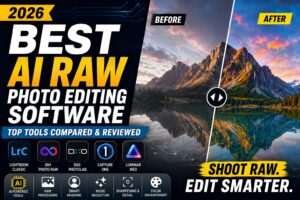


Leave a Reply