
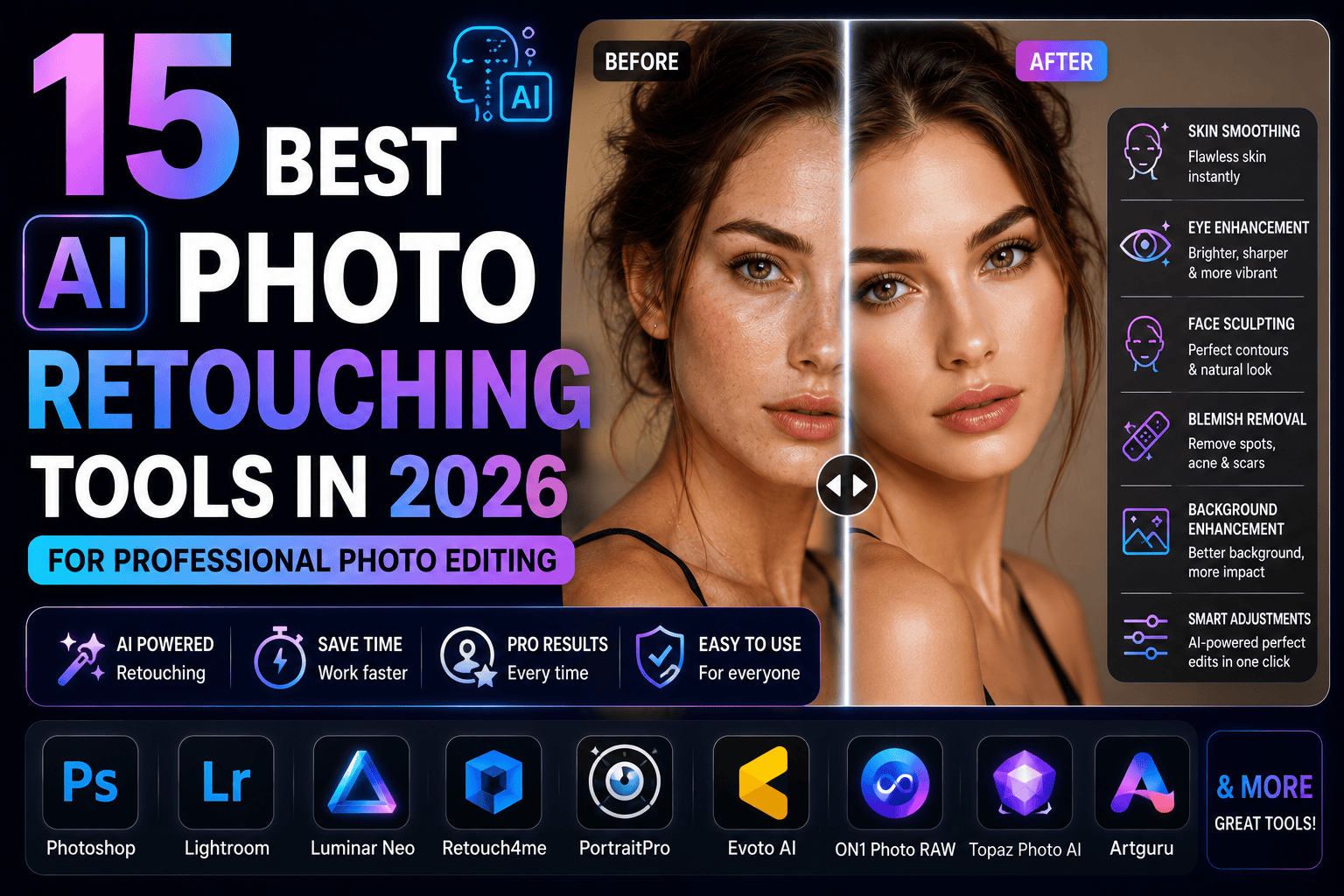
Discover the 15 best AI photo retouching tools in 2026. Compare AI software for portrait retouching, skin smoothing, object removal, face enhancement, and professional photo editing.
Table of Contents
Introduction
Professional photo retouching has traditionally required advanced editing skills, hours of manual work, and powerful software. Today, artificial intelligence is transforming that process by automating many of the most time-consuming editing tasks. From smoothing skin and removing blemishes to enhancing facial features and eliminating unwanted objects, modern AI photo retouching tools can deliver professional-quality results in just a few clicks.
Whether you’re a portrait photographer, wedding photographer, fashion editor, content creator, or social media influencer, AI-powered retouching software can significantly speed up your workflow while maintaining natural-looking results. These tools analyze facial features, lighting, textures, and colors to apply intelligent adjustments that enhance photos without making them appear overly edited.
Many AI retouching platforms now include advanced capabilities such as skin refinement, teeth whitening, eye enhancement, hair retouching, background cleanup, and generative editing. Some even support batch processing, allowing photographers to edit hundreds of images consistently and efficiently.
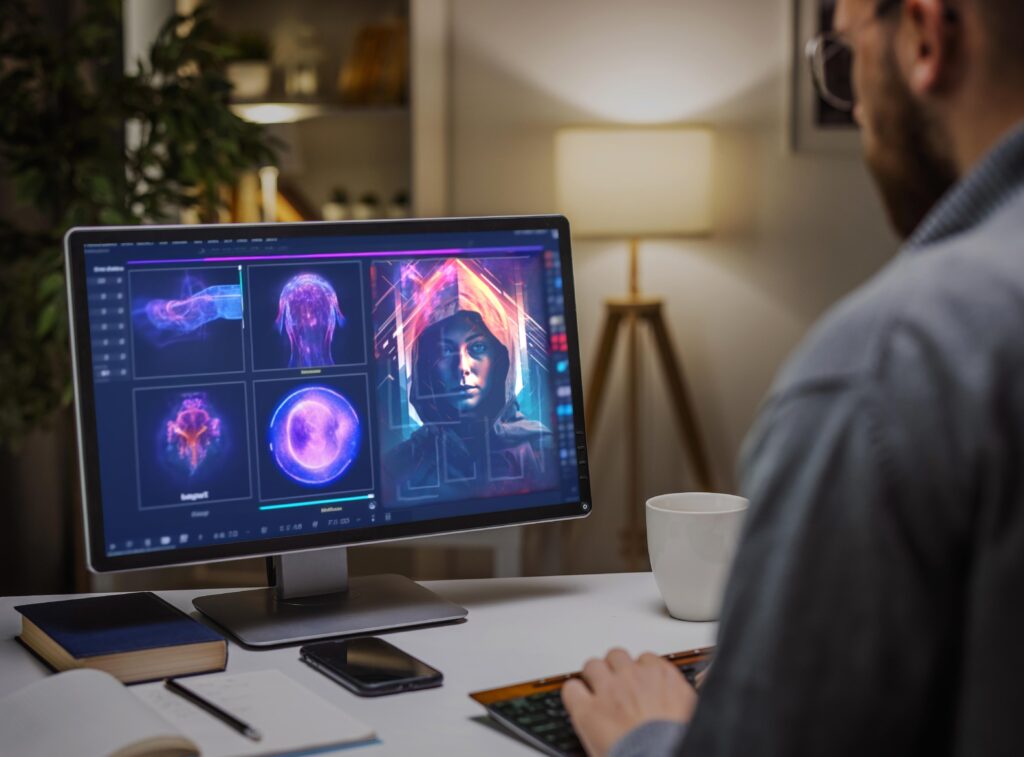
In this guide, we’ll explore the 15 Best AI Photo Retouching Tools in 2026, comparing their features, advantages, pricing, and ideal use cases. Whether you’re looking for a simple one-click portrait enhancer or professional retouching software for commercial photography, this article will help you choose the right AI solution.
AI photo restoration is just one application of modern artificial intelligence in photography. To explore how AI is transforming image capture, editing, enhancement, workflow automation, and creative storytelling, read our AI Photography Guide: 35 Powerful Tools, Tips & Techniques.
What Are AI Photo Retouching Tools?
AI photo retouching tools are software applications that use artificial intelligence and machine learning to automatically enhance photographs. Instead of manually editing every detail, these tools recognize facial features, skin textures, lighting conditions, and image imperfections, then apply intelligent corrections while preserving a natural appearance.
Unlike traditional editing software that requires manual brushing and masking, AI-powered retouching automates many repetitive tasks, making professional-quality editing faster and more accessible.
Common AI retouching features include:
- Skin smoothing
- Blemish removal
- Wrinkle reduction
- Eye enhancement
- Teeth whitening
- Hair refinement
- Object removal
- Background cleanup
- Noise reduction
- AI sharpening
- Face enhancement
- Color correction
These tools are widely used in:
- Portrait photography
- Wedding photography
- Fashion photography
- Beauty photography
- Commercial photography
- Corporate headshots
- Social media content
- Product photography
- Editorial publishing
Modern AI retouching software combines automation with manual controls, allowing photographers to fine-tune edits while maintaining complete creative control over the final image.
Adobe Photoshop continues to lead professional photo restoration with AI-powered Neural Filters, Generative Fill, and advanced retouching tools that simplify complex restoration projects.
Benefits of Using AI Photo Retouching Tools
AI retouching software offers significant advantages for photographers, designers, and content creators. Here are the key benefits.
Save Hours of Editing Time
Manual retouching often requires careful work with healing brushes, clone tools, and layer masks. AI automates these repetitive tasks, reducing editing time from hours to just minutes.
This is especially valuable for photographers working with large batches of images.
Adobe Firefly combines AI-powered image generation with Photoshop integration, making it a trusted solution for creating commercially safe images and professional creative assets.
Produce Natural-Looking Portraits
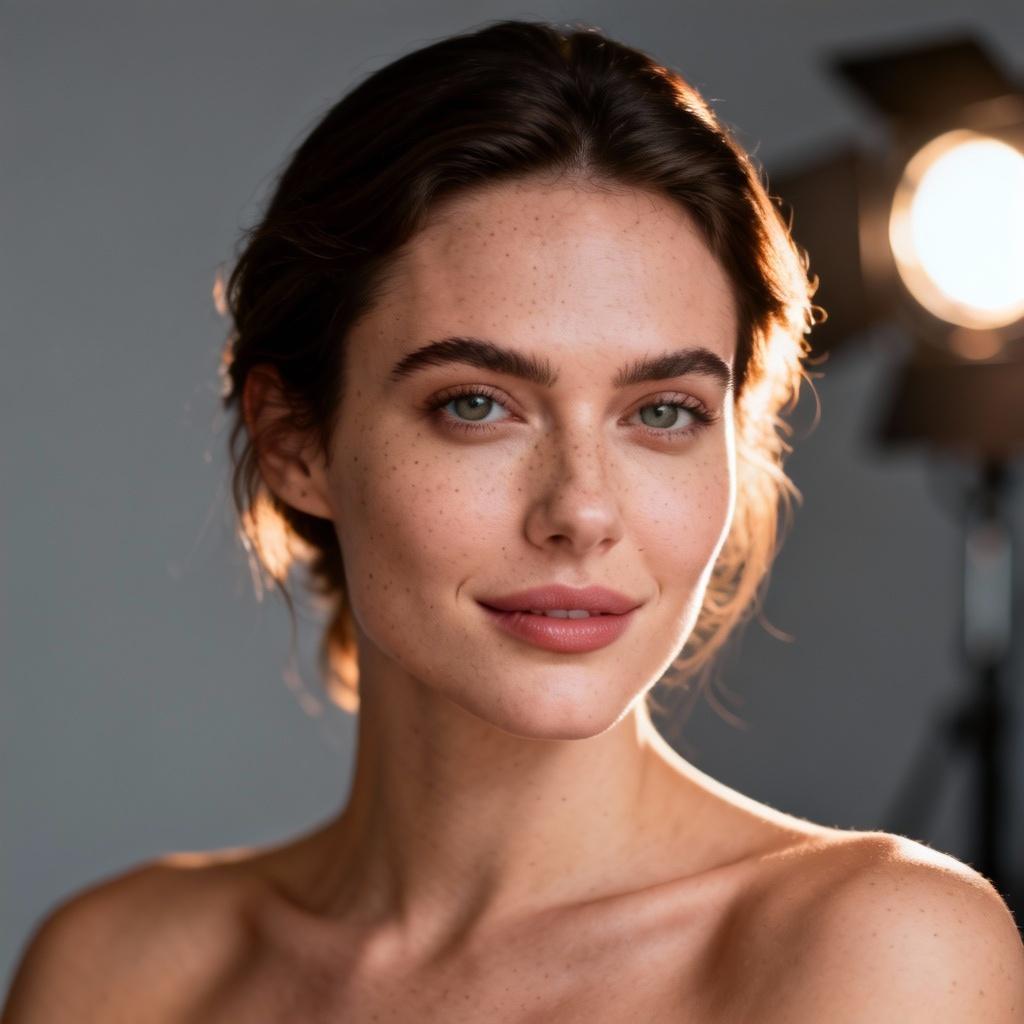
The best AI retouching tools enhance facial features while preserving realistic skin texture. Rather than creating an artificial “plastic” appearance, modern AI applies subtle improvements that keep portraits looking authentic.
Natural enhancements include:
- Soft skin smoothing
- Even skin tone
- Brightened eyes
- Enhanced facial details
- Balanced lighting
Improve Workflow Efficiency
Wedding, event, and portrait photographers often edit hundreds of images from a single session. AI-powered batch processing ensures consistent edits across an entire gallery, helping photographers deliver client work more quickly.
Remove Distractions Instantly
Many AI retouching tools can intelligently remove unwanted elements such as:
- Power lines
- Dust spots
- Stray hairs
- Background distractions
- Skin imperfections
- Random objects
- Photobombers
This reduces the need for detailed manual editing.
Enhance Image Quality
Beyond facial retouching, AI software can also:
- Reduce image noise
- Sharpen details
- Improve lighting
- Correct exposure
- Enhance colors
- Upscale image resolution
These improvements result in cleaner, more professional photographs.
Suitable for Every Skill Level
AI retouching software is designed for both beginners and professionals.
Beginners can rely on one-click enhancements, while experienced editors can combine AI automation with manual adjustments for complete creative control.
How We Chose the Best AI Photo Retouching Tools
To create this list, we evaluated each tool based on its retouching capabilities, ease of use, editing quality, and overall value for photographers.
Retouching Quality
We tested each platform for its ability to perform realistic:
- Skin smoothing
- Blemish removal
- Wrinkle reduction
- Eye enhancement
- Facial refinement
The highest-rated tools produced clean, natural-looking results without excessive smoothing.
AI Features
We compared advanced AI capabilities such as:
- Generative Fill
- AI masking
- Face detection
- Object removal
- Background replacement
- AI sharpening
- Portrait enhancement
- Batch processing
Ease of Use
Professional editing software should be powerful yet intuitive. We considered:
- User interface
- Learning curve
- Editing workflow
- Automation
- Mobile and desktop compatibility
Performance and Speed
Fast processing is essential for photographers managing large projects. We evaluated how efficiently each tool handled high-resolution images and bulk editing tasks.
Pricing and Value
We compared:
- Free plans
- Subscription costs
- One-time purchase options
- Export quality
- Feature availability
The tools included in this guide offer strong value for beginners, enthusiasts, and professional photographers alike.
1. Adobe Photoshop (Best Overall AI Photo Retouching Tool)
Adobe Photoshop remains the industry standard for professional photo retouching. Recent AI-powered features, including Generative Fill, Remove Tool, and Neural Filters, have transformed Photoshop into one of the most advanced AI retouching platforms available.
Its AI tools can intelligently remove unwanted objects, smooth skin, adjust facial expressions, and repair damaged areas while preserving realistic textures. Combined with Photoshop’s traditional editing capabilities, it offers unmatched flexibility for photographers and retouchers.
Key AI Features
- Generative Fill
- Remove Tool
- Neural Filters
- AI Skin Retouching
- Portrait Enhancement
- Object Removal
- AI Selection Tools
- Generative Expand
Pros
- Industry-leading editing tools
- Exceptional AI retouching quality
- Powerful non-destructive workflow
- Extensive plugin support
- Frequent feature updates
Cons
- Subscription required
- Steeper learning curve for beginners
Best For
- Professional photographers
- Portrait retouchers
- Wedding photographers
- Fashion photographers
- Commercial studios
2. Luminar Neo (Best AI Portrait Retouching Tool)
Skylum Luminar Neo is one of the best AI photo retouching tools for photographers who want professional portrait enhancements without spending hours editing. Its dedicated AI modules automatically analyze facial features and apply intelligent adjustments while maintaining a natural appearance.
Features like Skin AI, Face AI, and Body AI simplify complex retouching tasks, making Luminar Neo especially popular among portrait, wedding, and fashion photographers.
Key AI Features
- Skin AI
- Face AI
- Body AI
- Relight AI
- Enhance AI
- GenErase
- AI Background Removal
Pros
- Excellent portrait retouching
- Beginner-friendly interface
- Natural-looking skin enhancements
- Powerful AI automation
- Non-destructive editing
Cons
- Premium subscription for full features
- Some AI tools require additional downloads
Best For
- Portrait photographers
- Wedding photographers
- Fashion photographers
- Content creators
- Professional editors
3. Evoto AI (Best AI Photo Retouching Tool for Professional Studios)
Evoto AI is built specifically for professional portrait photographers and high-volume studios. It automates complex retouching tasks such as skin smoothing, facial contouring, makeup enhancement, and background adjustments while preserving natural facial textures.
One of Evoto AI’s biggest strengths is its batch editing capability, allowing photographers to apply consistent retouching across hundreds of images from weddings, fashion shoots, or corporate sessions.
Key AI Features
- AI Skin Retouching
- Face Reshaping
- Makeup Enhancement
- Teeth Whitening
- Eye Enhancement
- Background Replacement
- Batch Processing
- AI Color Correction
Pros
- Extremely fast workflow
- Excellent batch editing
- Professional-quality portrait retouching
- Natural facial enhancements
- Intuitive interface
Cons
- Credit-based pricing model
- Primarily designed for portrait photography
Best For
- Portrait studios
- Wedding photographers
- Fashion photographers
- School photographers
- High-volume editing businesses
4. Retouch4me (Best AI Plugin for Portrait Retouching)
Retouch4me is a collection of AI-powered plugins designed for Adobe Photoshop and Adobe Lightroom. Instead of replacing existing workflows, it enhances them by automating time-consuming retouching tasks such as skin cleanup, dodge and burn, eye enhancement, and portrait finishing.
Professional retouchers appreciate its ability to preserve realistic skin texture while dramatically reducing editing time.
Key AI Features
- AI Skin Cleanup
- Dodge & Burn
- Eye Brilliance
- Teeth Whitening
- Fabric Cleanup
- Heal Tool
- Batch Processing
Pros
- Professional-quality results
- Maintains natural skin texture
- Works with Photoshop and Lightroom
- Significant time savings
- Excellent plugin ecosystem
Cons
- Requires compatible editing software
- Individual plugins can become expensive
Best For
- Professional retouchers
- Wedding photographers
- Beauty photographers
- Commercial portrait studios
5. Topaz Photo AI (Best AI Tool for Image Enhancement and Retouching)
Topaz Photo AI combines portrait retouching with advanced image enhancement features such as sharpening, noise reduction, and AI-powered face recovery. While it isn’t exclusively a portrait retouching application, it significantly improves image quality before final editing.
Photographers working with high-ISO images or slightly soft portraits will find Topaz Photo AI especially useful.
Key AI Features
- AI Sharpen
- AI Denoise
- Face Recovery
- Image Upscaling
- Subject Detection
- RAW Image Enhancement
- Batch Processing
Pros
- Outstanding image quality improvements
- Excellent face recovery
- Fast AI processing
- Simple workflow
- High-resolution output
Cons
- Limited beauty retouching features
- Premium pricing
Best For
- Wildlife photographers
- Portrait photographers
- Event photographers
- Wedding professionals
6. Canva AI (Best AI Retouching Tool for Social Media Creators)
Canva includes AI-powered editing tools that allow users to remove backgrounds, erase unwanted objects, enhance portraits, and quickly prepare images for websites, presentations, and social media.
Although Canva is primarily known as a graphic design platform, its growing collection of AI features makes it an excellent option for creators seeking fast and simple photo retouching.
Key AI Features
- Magic Edit
- Magic Eraser
- AI Background Removal
- Portrait Enhancement
- AI Filters
- One-Click Design Integration
Pros
- Extremely easy to use
- Browser-based editing
- Great for social media content
- Affordable pricing
- Excellent template library
Cons
- Limited advanced portrait retouching
- Best suited for light editing
Best For
- Bloggers
- Influencers
- Marketing teams
- Small businesses
- Social media managers
7. Fotor AI (Best AI Photo Retouching Tool for Beginners)
Fotor provides an easy-to-use AI retouching experience with one-click enhancements for portraits, beauty edits, and image quality improvements. Users can quickly smooth skin, remove blemishes, whiten teeth, and improve facial details without prior editing experience.
Key AI Features
- AI Portrait Enhancer
- Skin Smoothing
- Blemish Removal
- Teeth Whitening
- AI Makeup
- AI Background Removal
- AI Upscaling
Pros
- Beginner-friendly
- Fast cloud processing
- Affordable plans
- No advanced editing skills required
- Mobile and desktop access
Cons
- Limited manual controls
- Free plan includes restrictions
Best For
- Beginners
- Students
- Content creators
- Casual photographers
8. Pixlr AI (Best Browser-Based AI Retouching Tool)
Pixlr combines browser-based editing with AI-powered retouching tools, making it convenient for users who don’t want to install desktop software. It includes background removal, object cleanup, AI enhancement, and generative editing features.
Key AI Features
- AI Background Removal
- Object Removal
- AI Image Enhancement
- Generative Fill
- Smart Selection
- AI Filters
Pros
- No installation required
- Easy-to-use interface
- Affordable pricing
- Cloud-based editing
- Quick processing
Cons
- Internet connection required
- Advanced features require premium access
Best For
- Bloggers
- Designers
- Students
- Small businesses
9. PhotoDiva (Best AI Portrait Beautification Tool)
PhotoDiva specializes in portrait enhancement with AI-powered beauty retouching tools. It automatically smooths skin, removes blemishes, brightens eyes, reshapes facial features, and applies subtle makeup adjustments while preserving a realistic appearance.
Key AI Features
- Skin Smoothing
- Facial Sculpting
- Eye Enhancement
- Teeth Whitening
- AI Makeup
- Portrait Lighting
Pros
- Simple interface
- Natural-looking results
- Excellent for beginners
- Fast processing
Cons
- Primarily portrait-focused
- Fewer advanced editing tools
Best For
- Portrait photographers
- Beauty photographers
- Social media creators
- Beginners
10. AirBrush (Best Mobile AI Retouching App)
AirBrush is a popular mobile application designed for portrait retouching, selfies, and social media photography. Its AI automatically improves facial features while giving users manual control over beauty adjustments.
Key AI Features
- Skin Smoothing
- Acne Removal
- Teeth Whitening
- Face Slimming
- Makeup Filters
- AI Portrait Enhancement
- Background Editing
Pros
- Excellent mobile experience
- Beginner-friendly
- Fast editing
- Great selfie enhancements
- Affordable subscription
Cons
- Limited desktop functionality
- Less suitable for professional studio workflows
Best For
- Influencers
- Mobile photographers
- Social media creators
- Casual users
11. Face26 (Best AI Tool for Face Enhancement)
Face26 specializes in enhancing portraits by improving facial details, sharpening blurry faces, restoring old photos, and increasing image resolution. Its AI automatically detects faces and applies intelligent improvements while maintaining natural skin textures.
Key AI Features
- AI Face Enhancement
- Portrait Sharpening
- Photo Restoration
- Image Upscaling
- Color Enhancement
- AI Noise Reduction
Pros
- Excellent facial enhancement
- Beginner-friendly
- Fast cloud processing
- Great for old and blurry portraits
Cons
- Limited manual editing tools
- Premium subscription required for advanced features
Best For
- Portrait photographers
- Family photo restoration
- Content creators
- Casual users
12. Picsart AI (Best AI Retouching Tool for Content Creators)
Picsart combines AI-powered retouching, image generation, and creative editing into one platform. Users can smooth skin, remove blemishes, erase unwanted objects, replace backgrounds, and create eye-catching social media content with minimal effort.
Key AI Features
- AI Skin Retouching
- AI Remove Object
- AI Background Replacement
- AI Beauty Filters
- AI Image Enhancement
- AI Generative Fill
Pros
- Beginner-friendly
- Mobile and desktop support
- Extensive creative tools
- Affordable pricing
Cons
- Some premium features require a subscription
- Less advanced than professional desktop software
Best For
- Social media creators
- Bloggers
- Influencers
- Small businesses
13. Aperty (Best AI Portrait Editing Software)
Aperty is designed specifically for portrait photographers who want natural-looking retouching with minimal manual effort. It uses AI to analyze facial features, skin textures, lighting, and expressions to create polished portraits while preserving realism.
Key AI Features
- AI Skin Smoothing
- Face Enhancement
- Eye Brightening
- Teeth Whitening
- AI Makeup
- Batch Portrait Editing
- Portrait Presets
Pros
- Designed for portrait professionals
- High-quality natural results
- Fast batch editing
- Easy workflow
Cons
- Portrait-focused only
- Subscription pricing
Best For
- Portrait photographers
- Wedding photographers
- Beauty photographers
- Studio professionals
14. Remini (Best AI Mobile Photo Retouching App)
Remini is one of the most popular AI-powered mobile applications for improving portrait quality. Originally known for restoring blurry photos, it now offers AI beauty enhancements, face sharpening, and image quality improvements suitable for portraits and selfies.
Key AI Features
- AI Face Enhancement
- Portrait Sharpening
- AI Denoising
- Image Upscaling
- Beauty Enhancement
- Old Photo Restoration
Pros
- Outstanding face recovery
- Extremely easy to use
- Excellent mobile app
- Fast AI processing
Cons
- Free version includes limitations
- Better suited for enhancement than advanced retouching
Best For
- Mobile photographers
- Influencers
- Casual users
- Family photo enhancement
15. ChatGPT Image Generation (Best AI Tool for Retouching Concepts & Creative Planning)
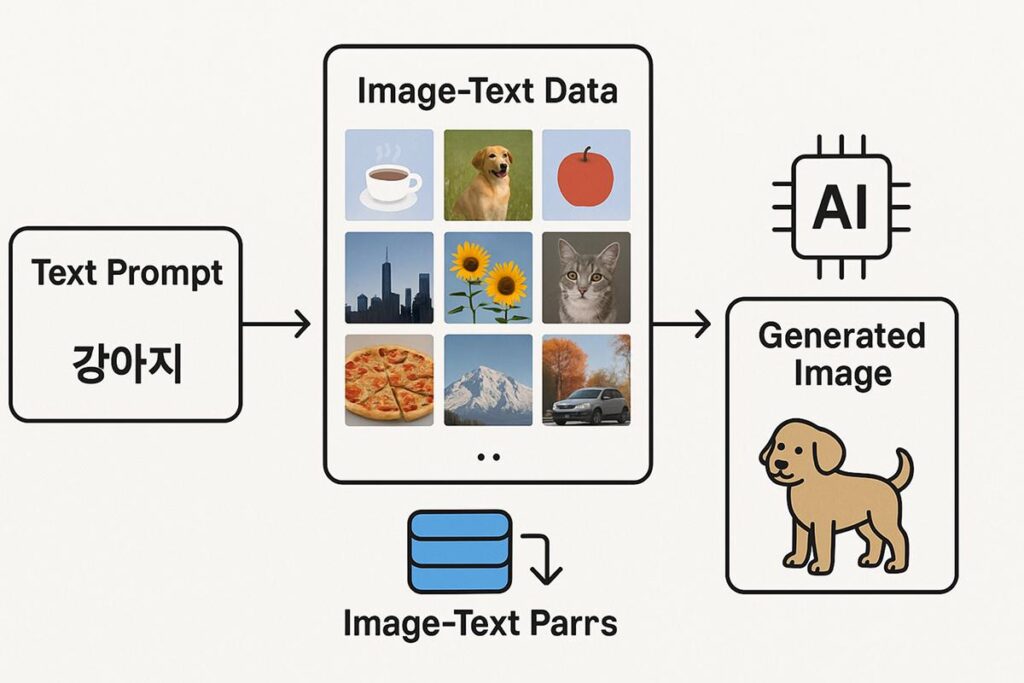
ChatGPT complements traditional retouching workflows by helping photographers visualize editing concepts, generate lighting references, create beauty mood boards, and explore creative portrait ideas. While it doesn’t directly retouch uploaded photos like dedicated editing software, it is an excellent companion for planning edits, testing visual styles, and producing concept imagery.
Key AI Features
- Portrait Concept Visualization
- Beauty Mood Boards
- Lighting References
- Creative Prompt Assistance
- Image Editing Guidance
- Marketing Visual Creation
Pros
- Excellent for planning portrait edits
- Conversational prompt refinement
- Generates creative references quickly
- Useful alongside professional retouching software
Cons
- Not a dedicated portrait retouching application
- Best used to complement editing workflows
Best For
- Portrait photographers
- Creative directors
- Marketing teams
- Photography educators
Free vs Paid AI Photo Retouching Tools
Selecting the right AI photo retouching software often comes down to your editing requirements, experience level, and budget.
Free AI Retouching Tools
- Canva AI (Free Plan)
- Pixlr AI (Free Plan)
- Fotor AI (Free Plan)
- Picsart AI (Limited Plan)
- AirBrush (Basic Features)
Advantages
- No upfront cost
- Great for beginners
- Suitable for occasional editing
- Easy to learn
Limitations
- Feature restrictions
- Watermarks on some exports
- Lower export quality
- Limited batch processing
Paid AI Retouching Tools
- Adobe Photoshop
- Luminar Neo
- Evoto AI
- Retouch4me
- Topaz Photo AI
- Aperty
- Remini Premium
Advantages
- Professional-quality retouching
- Faster workflows
- Batch editing support
- Higher-resolution exports
- Advanced AI automation
- Commercial-ready results
Limitations
- Subscription or one-time purchase cost
- Learning curve for advanced tools
How to Choose the Right AI Photo Retouching Tool
Before investing in AI software, consider the following factors.
Your Photography Style
Portrait and fashion photographers benefit from dedicated beauty-retouching tools, while event and wedding photographers may prioritize batch editing and consistent results.
Editing Features
Choose software that includes the features you use most, such as:
- Skin smoothing
- Blemish removal
- Object removal
- Face enhancement
- Background replacement
- AI sharpening
Ease of Use
Beginners may prefer one-click retouching tools, while professionals often need advanced manual controls for fine-tuning.
Batch Processing
If you edit large galleries, look for software that can apply consistent adjustments to hundreds of photos simultaneously.
Export Quality
Ensure the software supports high-resolution exports suitable for printing, client delivery, and commercial projects.
Budget
Free tools are ideal for casual editing, while premium software offers greater flexibility, superior quality, and professional workflow features.
Tips for Better AI Photo Retouching
To achieve natural, professional-looking results:
- Preserve realistic skin texture instead of over-smoothing.
- Remove only temporary blemishes unless the client requests otherwise.
- Enhance eyes subtly without making them appear unnatural.
- Match skin tones consistently across an entire photo session.
- Use AI as a starting point, then refine manually if needed.
- Compare before-and-after versions regularly.
- Zoom in to inspect facial details and fine textures.
- Edit non-destructively whenever possible.
- Apply consistent adjustments to maintain a cohesive gallery.
- Export images in high resolution for professional delivery.
Conclusion
AI photo retouching tools have transformed modern photo editing by making professional-quality enhancements faster, smarter, and more accessible. Tasks that once required extensive manual work—such as skin smoothing, blemish removal, facial enhancement, and object cleanup—can now be completed in minutes while preserving natural detail.
Adobe Photoshop remains the gold standard for professionals seeking maximum control, while Luminar Neo and Evoto AI offer powerful AI-driven portrait retouching with streamlined workflows. Retouch4me integrates seamlessly into professional editing pipelines, and Topaz Photo AI excels at improving image clarity, sharpness, and facial detail. Beginners and content creators will appreciate the simplicity of Canva AI, Fotor AI, Pixlr AI, and AirBrush.



The best AI photo retouching tool ultimately depends on your workflow, budget, and photography style. By combining intelligent AI automation with thoughtful manual refinement, photographers can produce polished images that retain authenticity while dramatically reducing editing time.
As AI continues to evolve, photo retouching will become even more efficient, enabling photographers to focus less on repetitive edits and more on creativity, storytelling, and delivering exceptional client experiences.
Frequently Asked Questions
What are the best AI photo retouching tools in 2026?
Some of the best AI photo retouching tools include Adobe Photoshop, Luminar Neo, Evoto AI, Retouch4me, Topaz Photo AI, Canva AI, Fotor AI, and Remini. Each offers different strengths depending on your editing needs.
Can AI automatically retouch portraits?
Yes. Modern AI software can automatically smooth skin, remove blemishes, enhance facial features, brighten eyes, whiten teeth, and improve portrait quality while preserving natural-looking results.
Which AI tool is best for skin retouching?
Luminar Neo, Evoto AI, Retouch4me, and Adobe Photoshop are among the best AI tools for realistic skin retouching, offering intelligent skin smoothing and texture preservation.
Are AI photo retouching tools suitable for professional photographers?
Absolutely. Many professionals use AI to speed up repetitive editing tasks while maintaining full creative control through manual adjustments and non-destructive workflows.
Is there free AI photo retouching software?
Yes. Canva AI, Pixlr AI, Fotor AI, and Picsart AI offer free plans with basic retouching features, making them suitable for beginners and occasional users.
Can AI remove blemishes and wrinkles?
Yes. Most modern AI retouching tools can automatically detect and reduce temporary blemishes, wrinkles, acne, and skin imperfections while preserving realistic facial texture.
Why You Can Trust The Candid Shoot
At The Candid Shoot, we don’t just write about photography—we actively explore cameras, editing software, AI-powered tools, and real-world photography workflows to create practical, experience-driven guides for photographers and content creators.
Our editorial approach focuses on evaluating tools based on factors that matter in everyday use, including image quality, ease of use, AI capabilities, workflow efficiency, pricing, and overall value. Instead of relying solely on marketing claims, we compare features, study official documentation, monitor software updates, and assess how these tools fit different photography styles, from portraits and weddings to landscapes, product photography, and social media content.
Every recommendation is created with one goal: helping readers choose the right tools for their specific needs, whether they’re beginners learning photography or professionals looking to streamline their editing workflow.
As artificial intelligence continues to reshape photography, The Candid Shoot is committed to publishing accurate, up-to-date, and practical content that enables photographers to make informed decisions with confidence.
Our Editorial Process
To maintain accuracy and reliability, every software guide published on The Candid Shoot is developed using a consistent research process.
Our evaluations consider:
- AI features and real-world usefulness
- Editing quality and output consistency
- Ease of use for beginners and professionals
- RAW editing performance
- Portrait and landscape editing capabilities
- Workflow efficiency
- Pricing and overall value
- Software updates and long-term support
- Compatibility across Windows, macOS, and mobile platforms
Whenever significant features, pricing, or AI capabilities change, we review and update our articles to keep them relevant and accurate.
Our Photography & AI Coverage
The Candid Shoot covers a wide range of photography and AI-related topics, including:
- AI Photo Editors
- AI Image Enhancement
- AI Photo Restoration
- AI Product Photography
- Portrait Photography
- Couple Photography
- Camera Reviews
- Photography Tutorials
- Photography Gear
- Photo Editing Workflows
- AI Photography Tools
- Creative Photography Techniques
Our goal is to help photographers capture better images, edit more efficiently, and stay informed about the latest advancements in photography and artificial intelligence.
Elevate Your Portrait Editing with AI
AI photo retouching tools have made it easier than ever to produce polished, professional-quality images without spending hours on manual edits. Whether you’re editing portraits, wedding galleries, fashion shoots, or social media content, the right AI software can streamline your workflow while preserving a natural look.
To build a complete AI-powered photography toolkit, explore our AI Photography Guide, Best AI Photo Editors, Best AI Photo Editing Software, Best AI Image Enhancers, AI Image Generator, and AI Photo Restoration Software. Together, these resources will help you create, edit, enhance, restore, and retouch stunning images with confidence.



Leave a Reply