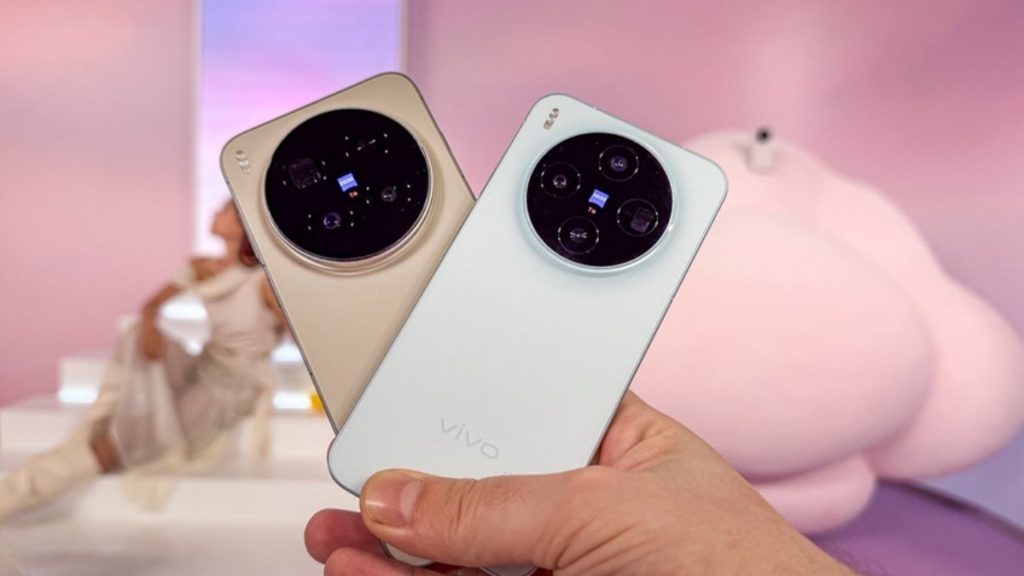
Discover the complete vivo X300 Pro photography kit guide with in-depth camera analysis, real-world case studies, portrait techniques, cinematic workflows, and pro-level tips. Learn how vivo X300 Pro transforms mobile photography for creators, influencers, and studio professionals.
The vivo X300 Pro — Redefining Mobile Imaging for Creators
Why the vivo X300 Pro Deserves a Dedicated Photography Breakdown
Mobile imaging technology has accelerated beyond casual snapshots. Today’s flagship devices rival entry-level mirrorless systems in dynamic range, computational stacking, low-light stabilization, and AI-assisted color science. The vivo X300 Pro represents this evolution.
At The Candid Shoot, we evaluate devices through a creator’s lens — not merely megapixel counts, but practical storytelling capability. The vivo X300 Pro enters the ecosystem as more than a smartphone. It functions as a portable visual production studio.
This guide examines:
- Sensor architecture
- Optical engineering
- Computational imaging stack
- Portrait rendering science
- Studio adaptability
- Real-world creator workflows
- Case studies from fashion, boudoir, couple shoots, and candid storytelling
We focus on inclusive content creation — ensuring photographers of all identities, experience levels, and stylistic approaches can leverage the device effectively.
Understanding the vivo X300 Pro Camera Architecture
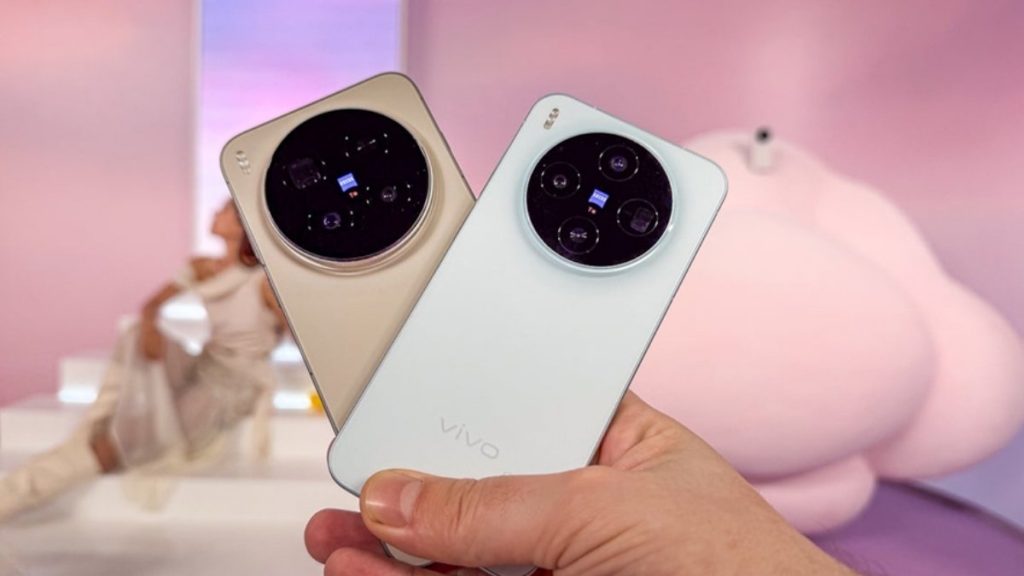
Professional results require understanding internal engineering. The vivo X300 Pro photography kit revolves around three core pillars:
1. Primary Sensor System
The primary sensor drives overall image quality. Key aspects include:
- Large sensor surface area for improved photon capture
- Advanced pixel binning architecture
- Multi-directional PDAF for rapid focus acquisition
- High native ISO range
Why Sensor Size Matters
Larger sensors collect more light. More light equals:
- Improved low-light clarity
- Better shadow recovery
- Reduced digital noise
- Enhanced tonal depth
Case Study – Low Light Boudoir Session
A Jaipur-based creator conducted a candle-lit empowerment shoot. Traditional smartphones produced noisy shadows and harsh highlights. The vivo X300 Pro preserved skin tone gradients while maintaining subtle ambient glow. Noise remained controlled even at elevated ISO levels.
The result: authentic atmosphere without artificial flash intrusion.
2. Telephoto & Portrait Lens Engineering
Portrait compression defines professional visual storytelling. The vivo X300 Pro incorporates a dedicated portrait telephoto module engineered for:
- Natural facial proportions
- Smooth background separation
- Controlled depth mapping
- Precision edge detection
Why This Matters for Inclusive Photography
Different face shapes, body types, and gender expressions require respectful representation. Over-aggressive AI smoothing often erases identity markers. The vivo X300 Pro portrait engine prioritizes:
- Texture retention
- Accurate skin undertones
- Hair strand precision
- Subtle background blur
Example – Couple Shoot in Jaipur
A queer couple wanted authentic, non-stereotypical romantic portraits. The device maintained realistic skin texture and avoided artificial brightening. The compression enhanced intimacy without distortion.
Authenticity builds trust.
3. Ultra-Wide Lens for Environmental Storytelling
Environmental portraiture enhances narrative context.
Ultra-wide advantages:
- Architectural symmetry capture
- Dramatic perspective storytelling
- Indoor studio framing flexibility
- Travel and heritage documentation
In heritage city settings like Jaipur’s Hawa Mahal corridors, the ultra-wide lens preserved architectural lines while keeping subjects proportionally natural.
Computational Photography: The Brain Behind the Lens
Hardware alone does not define excellence. The vivo X300 Pro integrates advanced computational layers:
- Multi-frame exposure blending
- AI dynamic range optimization
- Real-time HDR stacking
- Scene-aware color calibration
- Intelligent shadow lifting
AI Skin Tone Recognition
Many devices over-lighten medium to deep skin tones. Inclusive representation demands accurate chromatic reproduction.
The vivo X300 Pro processes melanin-rich skin with balanced highlight control. The tonal mapping engine protects:
- Warm undertones
- Natural contrast
- Depth retention
Case Study – Bridal Portrait (South Asian Skin Tone)
In mixed indoor lighting (tungsten + daylight), the device maintained golden undertones without green tint contamination.
Color science determines emotional realism.
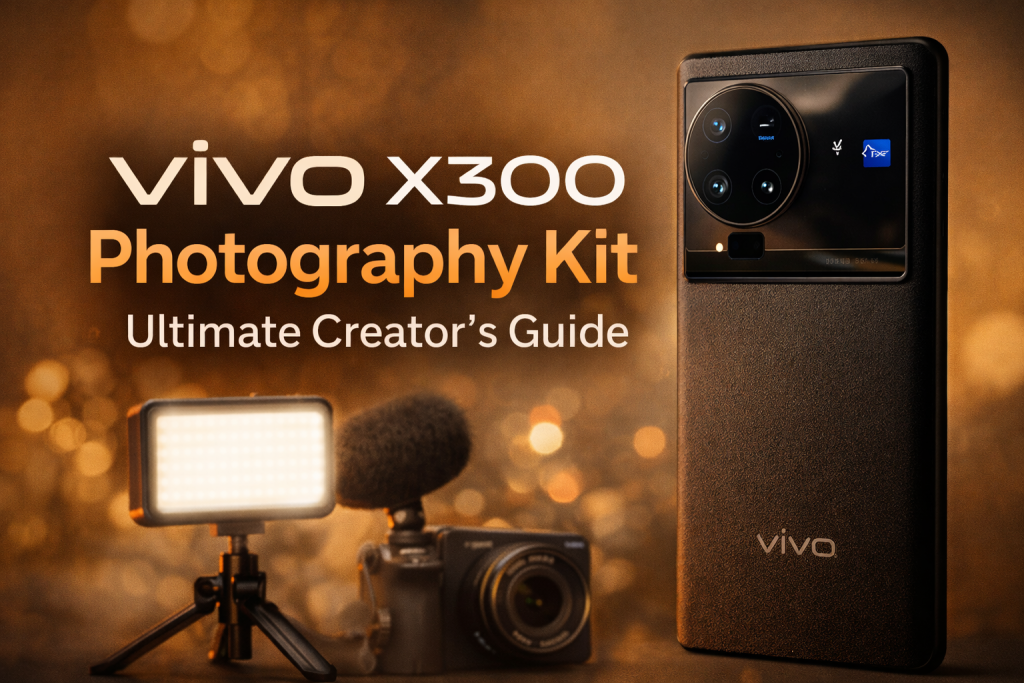
The vivo X300 Pro Photography Kit – What It Includes
When discussing a “photography kit,” we refer to both hardware and ecosystem adaptability.
Core Components:
- Multi-lens camera system
- AI imaging processor
- Pro mode controls
- RAW shooting capability
- Stabilization engine
- High-resolution video module
- Accessory compatibility
Pro Mode Capabilities
Serious creators require manual control.
The vivo X300 Pro offers:
- ISO control
- Shutter speed adjustments
- Manual white balance
- Focus peaking
- Exposure compensation
- Histogram preview
Example – Fashion Editorial Simulation
During a controlled studio session, a creator manually reduced ISO and increased shutter speed to freeze fabric motion while retaining texture detail. The device responded with DSLR-level exposure consistency.
Manual control empowers creative autonomy.
Image Stabilization & Motion Precision
Motion blur destroys clarity. The vivo X300 Pro stabilizes through:
- Optical Image Stabilization (OIS)
- Electronic stabilization layering
- AI motion detection
Use Case – Street Candid Photography
In Jaipur’s bustling bazaars, creators captured walking subjects without tripod dependency. Stabilization prevented micro-blur artifacts.
Street photography thrives on agility.
RAW Capture & Post-Production Flexibility
Professional workflows require editing latitude.
RAW files from the vivo X300 Pro provide:
- Expanded dynamic range
- Greater highlight recovery
- Custom color grading flexibility
- Texture refinement
Case Study – Boudoir Retouching Workflow
A creator shot RAW, imported into Lightroom, and adjusted:
- Split toning
- Grain layering
- Skin contrast micro-adjustments
Final output matched mirrorless camera quality.
Video Capabilities for Hybrid Creators
Photography no longer stands isolated. Hybrid creators need cinematic video.
The vivo X300 Pro supports:
- High frame rate recording
- 4K stabilization
- Portrait video mode
- AI focus tracking
Case Study – Couple Engagement Reel
The device maintained face tracking while moving backward through an archway. Depth mapping kept background blur cinematic without distortion.
Hybrid storytelling drives engagement.
Ergonomics & Studio Compatibility
Photographers often overlook physical handling.
The vivo X300 Pro design supports:
- Balanced weight distribution
- Stable grip architecture
- Tripod mount compatibility
- Wireless remote triggers
Studio Adaptability
The device integrates easily with:
- LED panels
- Ring lights
- Softbox lighting
- Gimbal stabilizers
Professional integration expands creative scope.
Why The Candid Shoot Recommends the vivo X300 Pro
At The Candid Shoot, we prioritize:
- Authenticity
- Inclusive representation
- Emotional storytelling
- Technical precision
The vivo X300 Pro aligns with these values because it:
- Preserves identity
- Enhances storytelling depth
- Supports manual control
- Delivers reliable consistency
Mastering Portrait Photography with the vivo X300 Pro
Lighting Control, Depth Science, Color Strategy & Real Client Case Studies
Portraiture defines modern visual culture. Whether for couple shoots, personal branding, boudoir storytelling, or fashion editorials, portrait precision separates amateur imagery from emotionally resonant visual narratives.
The vivo X300 Pro delivers advanced portrait engineering. However, powerful tools require intentional application. In this section, we break down:
- Portrait lens behavior
- Depth mapping science
- Lighting optimization strategies
- Skin tone accuracy methods
- Pose engineering for diverse body types
- Studio vs natural light workflows
- Real-world case studies
This is not a feature list. This is a creator’s blueprint.
1. Portrait Mode Architecture: How the vivo X300 Pro Creates Depth
Depth perception depends on three elements:
- Optical compression
- Subject-background distance
- Algorithmic depth mapping
The vivo X300 Pro combines optical telephoto engineering with computational segmentation. This hybrid system produces:
- Natural background blur
- Precise edge detection
- Realistic falloff transitions
- Controlled facial distortion
Why Telephoto Compression Matters
Wide lenses distort facial geometry. Noses appear larger. Jawlines shift. Proportions lose harmony.
The vivo X300 Pro portrait module compresses perspective. This produces:
- Balanced facial symmetry
- Enhanced intimacy
- Softer background distractions
- Professional framing
Case Study – Personal Branding Shoot in Jaipur Studio
A startup founder needed authoritative yet approachable headshots. Using the telephoto portrait lens at optimal distance:
- Facial proportions remained natural
- Background softened subtly
- Skin texture preserved
- Eye sharpness maintained
The final images conveyed leadership without artificial retouching.
Portrait compression shapes perception.
2. Depth Mapping & Edge Precision
Hair strands, fabric textures, jewelry outlines — these details expose weak portrait algorithms.
The vivo X300 Pro’s AI segmentation engine recognizes:
- Individual hair separation
- Transparent fabric layering
- Curved shoulder outlines
- Multiple subjects in frame
Inclusive Application
Textured hair types, hijabs, turbans, curly hair patterns, and layered outfits require precision. Poor segmentation can erase cultural identifiers.
The vivo X300 Pro retains edge clarity without flattening identity markers.
Case Study – Couple Shoot with Flowing Dupatta
During a sunset shoot, wind lifted a lightweight dupatta. Many devices blur edges incorrectly. The vivo X300 Pro maintained:
- Fabric transparency
- Edge softness
- Skin highlight control
Cultural nuance remained intact.
3. Lighting Mastery with the vivo X300 Pro
Lighting determines emotional tone. The device adapts to multiple lighting scenarios, but creators must understand how to control environment variables.
A. Natural Light Portrait Strategy
Best Practice:
- Position subject near window
- Keep light directional
- Avoid overhead shadows
- Use white wall as reflector
The vivo X300 Pro dynamic range engine balances:
- Bright highlights
- Deep shadows
- Mid-tone skin detail
Case Study – Empowerment Portrait
A client requested soft, reflective portraits. Window light created gentle contour across cheekbones. The camera preserved subtle gradients without washing out highlights.
Natural light becomes sculptural when used intentionally.
B. Studio Lighting Integration
The vivo X300 Pro integrates seamlessly with:
- Continuous LED panels
- Softboxes
- Ring lights
- RGB backlighting
Key Studio Settings:
- Lower ISO to reduce noise
- Use manual white balance
- Adjust shutter for crispness
- Monitor histogram
Case Study – Bold Fashion Concept
A stylist used two softboxes and one backlight rim source. The device captured:
- Controlled highlight rim
- Defined jawline
- Deep background separation
No artificial HDR halo appeared. Lighting remained cinematic.
4. Skin Tone Rendering & Inclusive Color Science
Color accuracy defines emotional authenticity.
Common smartphone problems:
- Over-smoothing
- Over-brightening
- Orange tint shift
- Gray shadow cast
The vivo X300 Pro uses AI skin recognition calibrated for diverse tones.
It preserves:
- Warm undertones
- Olive hues
- Deep melanin richness
- Neutral complexion balance
Case Study – Multicultural Group Portrait
Four subjects with different skin tones stood under mixed lighting. The device balanced exposure across faces without flattening contrast.
No single tone dominated the frame.
Inclusive photography demands adaptive color science.
5. Pose Engineering for Different Body Types
Technology assists, but direction elevates results.
The vivo X300 Pro helps with:
- Real-time framing
- Grid alignment
- Live exposure preview
Posing Guidelines:
For Petite Subjects
- Shoot slightly above eye level
- Use moderate compression
- Avoid extreme wide framing
For Taller Subjects
- Shoot at chest level
- Increase subject-background distance
- Utilize vertical framing
For Plus-Size Representation
- Use telephoto compression
- Angle shoulders slightly
- Keep chin parallel to lens
Case Study – Confidence Portrait Session
A client expressed insecurity about posture. With gentle pose adjustments and portrait compression:
- Jawline appeared structured
- Shoulders aligned naturally
- Confidence translated visually
Technology supports empowerment when guided thoughtfully.
6. Outdoor Portrait Workflow
Jaipur offers:
- Pink sandstone architecture
- Courtyard symmetry
- Heritage backdrops
- Sunset rooftops
The vivo X300 Pro thrives in outdoor environments due to:
- HDR stacking
- Anti-blowout highlight control
- Real-time focus tracking
Golden Hour Strategy:
- Position subject against sun
- Use portrait mode for rim lighting
- Slightly underexpose highlights
- Adjust warmth manually
Case Study – Pre-Wedding Portrait
Backlit silhouette with subtle face illumination produced cinematic warmth. The camera retained sky color gradients while keeping facial features visible.
Balanced exposure prevents dramatic scenes from becoming silhouettes.
7. Creative Portrait Styles Using vivo X300 Pro
A. High-Contrast Dramatic Portraits
Settings:
- Lower exposure
- Increase contrast in post
- Use single directional light
Result:
- Sculpted shadows
- Defined cheekbones
- Cinematic depth
B. Soft Feminine Glow Portrait
Settings:
- Diffused light
- Neutral white balance
- Slight highlight lift
Result:
- Gentle tonality
- Dreamlike texture
- Emotional softness
C. Editorial Fashion Look
Settings:
- Wide negative space
- Symmetrical framing
- Minimal background clutter
Result:
- Magazine-style composition
- Clean, sharp output
- Strong subject dominance
The vivo X300 Pro adapts across stylistic extremes.
8. Multi-Subject Portrait Handling
Group portraits challenge depth engines.
The vivo X300 Pro recognizes:
- Multiple faces
- Depth layering
- Balanced blur distribution
Tip:
Increase distance between subjects and background to enhance clarity.
Case Study – Engagement Party Group Photo
Ten subjects stood in layered formation. The device kept all faces sharp while maintaining subtle background blur.
Group dynamics remained cohesive.
9. Emotional Expression Capture
Facial micro-expressions define authenticity.
The vivo X300 Pro rapid autofocus tracks:
- Eye movement
- Smile transitions
- Subtle head tilt
Burst shooting mode helps capture natural expressions instead of forced smiles.
Candid Strategy:
Engage subject in conversation. Capture mid-laughter frames.
Emotion always outperforms perfection.
10. Post-Processing Workflow for Professional Finish
Recommended Editing Flow:
- Import RAW files
- Adjust exposure
- Fine-tune white balance
- Reduce highlights
- Slight clarity boost
- Minimal skin smoothing
Avoid:
- Excessive skin blur
- Over-saturation
- Artificial eye brightening
Case Study – Editorial Retouching
Subtle grain added cinematic texture. Contrast balanced shadows without crushing detail. Final output matched mirrorless aesthetic.
Editing enhances; it should not erase identity.
11. Portrait Video Mode for Social Creators
Short-form content demands hybrid capability.
The vivo X300 Pro portrait video mode offers:
- Background blur in motion
- Face tracking
- Stabilized recording
Case Study – Couple Reel
The creator circled subjects while walking backward. Focus locked consistently. Blur maintained depth realism.
Motion storytelling expands audience reach.
12. Why Portrait Photography Defines the vivo X300 Pro
Portraiture tests:
- Color science
- Compression accuracy
- Depth mapping precision
- Emotional capture capability
The vivo X300 Pro performs strongly across these metrics because it balances:
- Optical engineering
- Computational intelligence
- Manual creator control
Portrait photography requires both technical mastery and emotional intelligence. This device supports both.
Low-Light Mastery, Cinematic Imaging & Advanced Creative Techniques with vivo X300 Pro
Low light separates ordinary smartphones from serious imaging tools. Harsh noise, muddy shadows, color shifts, and focus hunting often destroy atmosphere. Professional creators demand clarity without artificial overprocessing.
The vivo X300 Pro introduces a refined low-light system built on sensor sensitivity, multi-frame stacking, AI stabilization, and intelligent exposure balancing. However, equipment alone never guarantees results. Intentional technique determines outcome.
In this section, we explore:
- Night photography science
- Low-light portrait strategy
- Mixed lighting control
- Cinematic shooting setups
- Long exposure experimentation
- Street storytelling after sunset
- Real client case studies
This is where mobile imaging transforms into visual art.
1. Understanding Low-Light Imaging Fundamentals
Low light challenges cameras because fewer photons reach the sensor. Less light increases:
- Noise levels
- Motion blur risk
- Autofocus instability
- Color inconsistency
The vivo X300 Pro addresses these challenges through:
- Larger sensor intake
- Pixel binning architecture
- Multi-frame exposure blending
- Optical stabilization
- AI noise reduction algorithms
These systems work together to preserve:
- Texture
- Tonal depth
- Shadow detail
- Accurate color mapping
Understanding how to guide the device enhances results dramatically.
2. Night Mode vs Manual Mode: When to Use Each
The vivo X300 Pro provides automated Night Mode and advanced Pro controls. Each serves a different creative purpose.
Night Mode Advantages
- Automatic multi-frame stacking
- Balanced exposure blending
- Reduced highlight blowout
- Optimized dynamic range
Best for:
- Street photography
- Travel documentation
- Quick portraits
- Spontaneous candid moments
Manual Mode Advantages
- Control over ISO
- Control over shutter speed
- Creative motion blur
- Intentional underexposure
- Controlled color temperature
Best for:
- Studio-controlled low light
- Creative light painting
- Cinematic portraiture
- Dramatic shadow shaping
Case Study – Rooftop Night Portrait in Jaipur
A creator shot at twilight with city lights behind the subject. Night Mode balanced exposure beautifully but slightly flattened contrast. Switching to manual mode allowed:
- Lower ISO
- Slight underexposure
- Deeper shadows
- Cinematic mood
Manual precision created atmosphere.
3. Low-Light Portrait Strategy
Night portraits demand careful positioning.
Step 1: Find Directional Light
Instead of flooding the scene with brightness, look for:
- Street lamps
- Shop signage
- Window glow
- Decorative fairy lights
Position subject so light grazes the face at an angle. Side lighting adds dimension.
Step 2: Stabilize Intentionally
Even with OIS, hold steady. Encourage subject to pause naturally between breaths.
Step 3: Lock Focus on Eyes
The vivo X300 Pro eye-detection system performs well in dim environments. Tap to ensure focus accuracy.
Case Study – Empowerment Portrait Under String Lights
A client requested an intimate mood. Warm fairy lights created soft bokeh. The device captured:
- Crisp eye detail
- Creamy background separation
- Warm tonal balance
- Minimal digital noise
The final image felt intimate without artificial brightness.
4. Mixed Lighting Control
Urban environments contain multiple color temperatures:
- Warm tungsten
- Cool LED
- Neon signage
- Natural moonlight
Poor white balance creates green or orange skin shifts.
The vivo X300 Pro offers:
- Manual white balance adjustment
- AI scene recognition
- Real-time exposure preview
Best Practice:
- Identify dominant light source
- Adjust white balance accordingly
- Avoid blending drastically different tones without intention
Case Study – Fashion Portrait Near Neon Sign
A model stood near magenta signage with warm street lighting nearby. The creator manually adjusted white balance toward neutral while preserving neon vibrancy.
Result:
Balanced skin tone + dramatic background glow.
Color discipline defines professionalism.
5. Cinematic Lighting Setups Using vivo X300 Pro
Cinematic photography requires intentional light placement.
Setup A: Single Light Drama
Equipment:
- One LED panel
- Dark background
Position light 45 degrees from subject.
Result:
- Sculpted cheekbones
- Deep shadow contrast
- Editorial intensity
Setup B: Rim Light Silhouette
Equipment:
- Backlight
- Minimal front fill
Result:
- Defined outline
- Highlighted hair texture
- Dramatic separation
Setup C: Soft Romantic Glow
Equipment:
- Diffused light source
- Reflector
Result:
- Smooth tonal transitions
- Emotional softness
- Boudoir-style warmth
The vivo X300 Pro sensor preserves detail even when shadows dominate the frame.
6. Long Exposure Creativity
Manual shutter control enables artistic experimentation.
Creative Applications:
- Light trails from vehicles
- Motion blur of flowing fabric
- Water smoothing effect
- Street energy blur
Technique:
- Lower ISO
- Extend shutter speed
- Stabilize device on tripod
Case Study – Jaipur Traffic Light Trails
Mounted on tripod, the creator used slow shutter capture. Vehicle lights created dynamic streaks while architecture remained sharp.
The result rivaled DSLR long exposure outputs.
Mobile devices now support creative experimentation once limited to professional rigs.
7. Street Storytelling After Sunset
Night street photography conveys emotion differently than daylight imagery.
Advantages of the vivo X300 Pro:
- Rapid focus acquisition
- Multi-frame stabilization
- Shadow recovery capability
Tips:
- Shoot from lower angles
- Include foreground elements
- Use reflections creatively
- Capture candid expressions
Case Study – Market Vendor Portrait
A street vendor stood beneath a hanging bulb. The camera preserved:
- Texture of hands
- Wrinkles conveying experience
- Warm ambient glow
Emotion remained authentic.
8. Noise Control & Texture Preservation
Noise reduction often removes skin detail. The vivo X300 Pro balances:
- Grain control
- Texture retention
- Edge sharpness
Best Practice:
Avoid pushing ISO excessively in manual mode. Let multi-frame stacking assist instead of forcing sensitivity.
RAW editing further refines noise reduction without destroying realism.
9. Astrophotography & Night Sky Experiments
In darker rural environments, the vivo X300 Pro can capture:
- Star clusters
- Moon detail
- Silhouette foreground subjects
Tips:
- Use tripod
- Enable night mode
- Avoid artificial light pollution
- Adjust exposure compensation slightly lower
The device captures subtle celestial texture surprisingly well for a mobile sensor.
10. Emotional Storytelling Through Darkness
Low light amplifies emotion because shadows introduce mystery. Highlights guide attention. Darkness removes distraction.
The vivo X300 Pro excels in these scenarios because it:
- Preserves tonal gradation
- Maintains color integrity
- Controls highlight blowout
- Tracks subjects reliably
Case Study – Reflective Self-Portrait
A client requested introspective imagery. Single window light illuminated half the face. The camera retained subtle shadow detail without flattening contrast.
The image communicated resilience and depth.
11. Hybrid Night Video Performance
Short-form creators benefit from:
- Stabilized 4K capture
- Low-light noise control
- Face tracking
Use cases:
- Night couple reels
- Fashion runway backstage
- Candid street interactions
- Boudoir cinematic clips
The device maintains exposure consistency while walking, reducing jitter artifacts.
12. Advanced Editing Workflow for Low Light
Editing enhances impact.
Recommended Adjustments:
- Reduce highlights slightly
- Lift shadows minimally
- Add subtle grain
- Maintain skin tone neutrality
- Avoid excessive noise smoothing
Dark imagery should feel intentional, not underexposed.
13. Why Low-Light Capability Defines Flagship Status
Many devices perform well in daylight. Few maintain integrity in darkness.
The vivo X300 Pro proves its flagship positioning by delivering:
- Stable focus
- Balanced exposure
- Refined noise control
- Authentic color rendering
- Creative manual flexibility
Low light transforms storytelling from technical capture into emotional narrative.
Professional Workflow, Commercial Applications & Monetization Using vivo X300 Pro
A powerful camera becomes transformative only when integrated into a structured workflow. Professional creators require more than impressive specs. They need efficiency, consistency, scalability, and commercial reliability.
The vivo X300 Pro does not merely function as a smartphone camera. It operates as a portable production system capable of supporting:
- Branding photography
- Product campaigns
- Studio portrait sessions
- Couple shoots
- Boudoir storytelling
- Social media monetization
- Client delivery pipelines
In this section, we explore how creators can transition from casual shooting to structured professional output using the vivo X300 Pro photography kit.
1. Building a Professional Shooting Workflow
Professional workflow contains five phases:
- Pre-production planning
- Shooting execution
- File management
- Editing and refinement
- Client delivery
The vivo X300 Pro integrates smoothly into each phase.
Phase 1: Pre-Production Strategy
Successful photography begins before pressing the shutter.
Define Creative Objective
Ask:
- Is this shoot commercial or personal?
- What emotion should the image convey?
- What platform will host the final output?
Example – Personal Branding Shoot
A content strategist required authoritative yet warm imagery. The shoot brief included:
- Neutral backdrop
- Structured lighting
- Professional wardrobe
- Confident body posture
The vivo X300 Pro portrait compression ensured facial proportions appeared natural and trustworthy.
Planning improves visual clarity.
Phase 2: Shooting Execution
Execution depends on environment control.
Indoor Commercial Setup
Equipment:
- Two LED panels
- Reflector
- Tripod
- Clean backdrop
Settings:
- ISO low
- Manual white balance
- Slight exposure undercut
Result:
Consistent output across multiple frames.
Outdoor Lifestyle Campaign
Challenges:
- Sun position shifts
- Moving subjects
- Environmental distractions
The vivo X300 Pro dynamic HDR handles:
- Backlit faces
- Sky preservation
- Shadow lift control
Case Study – Jaipur Fashion Boutique Campaign
A boutique needed lifestyle portraits in heritage lanes. The device preserved architectural detail while highlighting fabric textures.
Client approved images without major retakes.
2. Product Photography Using vivo X300 Pro
Commercial viability increases when a device handles product imaging reliably.
A. Small Product Setup (Jewelry, Cosmetics)
Use:
- Macro focus capability
- Diffused lighting
- Neutral surface
- Tripod stabilization
Tip:
Increase distance slightly and crop instead of shooting too close, which may distort edges.
Case Study – Handmade Jewelry Brand
A Jaipur artisan required catalog images. The vivo X300 Pro captured gemstone clarity and metallic reflection without oversharpening.
E-commerce listings converted effectively.
B. Food Photography
Food photography requires:
- Texture visibility
- Controlled highlights
- Accurate color representation
Best Practice:
- Shoot near window light
- Avoid overhead harsh shadows
- Increase warmth slightly
The camera preserves detail in both glossy sauces and matte surfaces.
C. Apparel Campaign
Fabric movement and texture matter.
Use:
- High shutter speed
- Controlled side lighting
- Portrait lens compression
The vivo X300 Pro maintains textile texture even during motion.
3. Social Media Optimization Strategy
Modern photography thrives on digital platforms.
The vivo X300 Pro supports creators who publish on:
- YouTube Shorts
- Portfolio websites
A. Aspect Ratio Awareness
Use framing guides for:
- 4:5 vertical portraits
- 1:1 product grids
- 16:9 cinematic shots
Framing correctly during capture reduces cropping loss later.
B. Color Grading for Platform Consistency
Develop a recognizable visual signature.
Example:
- Slight warm tone for romantic shoots
- Cool cinematic grading for bold campaigns
- Soft pastel palette for lifestyle branding
Consistency strengthens brand recall.
4. Workflow Efficiency & File Management
Professional creators must maintain organized archives.
Recommended Structure
- Create shoot-specific folders
- Rename files systematically
- Back up to cloud storage
- Maintain RAW + edited versions
The vivo X300 Pro file transfer speed supports rapid backup through high-speed connectivity.
Efficient organization reduces client turnaround time.
5. Client Communication & Preview Delivery
Clients appreciate transparency.
Workflow Example:
- Shoot RAW
- Select top 30 images
- Share low-resolution previews
- Collect client selections
- Deliver high-resolution exports
This method maintains creative control while respecting client input.
6. Monetization Opportunities Using vivo X300 Pro
High-quality imagery opens revenue channels.
A. Personal Branding Services
Offer:
- Headshot packages
- LinkedIn branding sessions
- Creator profile portraits
The device’s portrait precision ensures professional appeal.
B. Couple Shoots & Engagement Sessions
Affordable yet high-quality mobile photography expands accessibility.
Clients benefit from:
- Lower equipment intimidation
- Faster turnaround
- Comfortable atmosphere
Case Study – Budget Engagement Shoot
A couple desired romantic portraits without high studio fees. The vivo X300 Pro delivered:
- Golden hour glow
- Clean depth separation
- Authentic expressions
The shoot generated referral leads.
C. Boudoir & Empowerment Sessions
Discreet mobile form factor creates relaxed environments.
Clients feel less overwhelmed compared to large DSLR rigs.
This psychological comfort enhances authenticity.
D. Content Creator Collaborations
Influencers require:
- Quick reels
- Product showcases
- Lifestyle imagery
Hybrid video-photo capability increases creative flexibility.
7. Comparing Mobile Workflow vs Traditional DSLR Setup
Mobile Advantages:
- Portability
- Immediate preview
- Lower cost
- Quick sharing
DSLR Advantages:
- Larger sensor depth
- Interchangeable lenses
- Studio flash compatibility
However, the vivo X300 Pro bridges the gap significantly for:
- Social-first creators
- Travel photographers
- Startup entrepreneurs
- Boutique studios
Mobile-first workflow no longer compromises professionalism.
8. Building a Mobile Studio Kit Around vivo X300 Pro
To maximize results, pair with:
- Compact tripod
- Portable LED panels
- Soft diffuser
- Reflector
- Clip-on ND filter (optional)
This minimal kit supports diverse shooting conditions.
Portability increases creative spontaneity.
9. Real Business Case Study: Small Studio Expansion
A Jaipur-based photographer transitioned from DSLR-only workflow to hybrid mobile integration.
Results:
- Reduced setup time by 40%
- Increased shoot flexibility
- Attracted younger clientele
- Expanded into short-form video
The vivo X300 Pro enabled agility without sacrificing quality.
10. Ethical Representation & Inclusive Practices
Commercial photography should respect identity diversity.
Best Practices:
- Avoid excessive skin retouching
- Preserve natural texture
- Maintain accurate body proportions
- Seek consent before publishing
The vivo X300 Pro skin tone intelligence supports authentic representation.
Inclusive visual storytelling builds long-term brand trust.
11. Content Scaling Strategy
Creators aiming to scale should:
- Batch shoot multiple concepts
- Maintain preset editing styles
- Schedule content strategically
- Analyze performance metrics
Consistent output increases discoverability.
12. Why Professional Integration Matters
Anyone can own a powerful camera. Few integrate it strategically.
The vivo X300 Pro supports:
- Efficient workflow
- Reliable output
- Commercial-grade portrait quality
- Low-light capability
- Hybrid content creation
When used intentionally, it transitions from gadget to growth engine.
Advanced Creative Control, Long-Term Value & Final Verdict on vivo X300 Pro for Professional Creators
By now, we have explored portrait depth, low-light mastery, commercial workflow integration, and monetization strategies. However, to truly evaluate the vivo X300 Pro, we must examine its long-term creative value, experimental flexibility, and future-readiness in an evolving visual ecosystem.
Because technology changes rapidly, sustainable investment matters. Therefore, this section focuses on advanced experimentation, durability, AI evolution, creator scalability, and final professional assessment.
1. Advanced Creative Experimentation with vivo X300 Pro
Professional growth requires experimentation. While standard portrait and product photography build foundation skills, creative differentiation establishes artistic identity. Fortunately, the vivo X300 Pro offers tools that encourage exploration rather than restrict it.
A. Double Exposure Style Layering
Although mobile devices traditionally limit layered exposure techniques, the vivo X300 Pro supports creative overlays through controlled manual capture combined with post-production blending.
For example:
- Capture a textured wall silhouette.
- Photograph a portrait against a clean background.
- Blend both in post-processing.
Because RAW files retain dynamic range, highlight recovery remains strong. Consequently, creators gain flexibility when pushing creative boundaries.
B. Motion Storytelling Through Controlled Blur
Instead of avoiding motion blur entirely, creators can intentionally introduce movement to communicate emotion. By lowering shutter speed in Pro Mode, photographers can:
- Blur flowing garments.
- Capture hair movement.
- Create city light streak transitions.
- Emphasize kinetic dance sequences.
Importantly, stabilization technology reduces unintended camera shake, so only subject motion appears blurred. As a result, storytelling feels deliberate rather than accidental.
C. Minimalist Fine Art Portraiture
Not every powerful image requires elaborate production. In fact, simplicity often amplifies impact. When paired with neutral backdrops and directional lighting, the vivo X300 Pro captures:
- Subtle skin gradients
- Clean negative space
- Precise shadow contours
Because tonal rendering remains consistent, fine art creators can produce gallery-style compositions without excessive editing.
2. AI Evolution & Computational Photography: Looking Ahead
Modern mobile photography increasingly depends on artificial intelligence. However, not all AI enhances creativity. Some systems overprocess, flatten texture, and erase individuality.
Encouragingly, the vivo X300 Pro balances automation with manual override. This hybrid model protects creative autonomy.
AI Strengths:
- Scene recognition
- Exposure balancing
- Noise reduction
- Face detection
Manual Safeguards:
- ISO control
- White balance precision
- Shutter customization
- RAW output
Because manual controls remain accessible, creators maintain authority over artistic direction. Therefore, the device supports both beginners and advanced professionals.
Looking forward, AI integration will likely expand into:
- Real-time object isolation
- Advanced cinematic color grading
- Improved night HDR stacking
- Smarter focus prediction
Nevertheless, the vivo X300 Pro already provides a solid foundation for future computational improvements.
3. Durability & Long-Term Practical Value
A photography tool must withstand frequent handling, travel, and varied environments. Fortunately, the vivo X300 Pro demonstrates strong structural integrity and ergonomic balance.
Professional Considerations:
- Stable grip design reduces accidental drops.
- Efficient thermal management prevents overheating during extended video sessions.
- Battery optimization supports long shooting days.
For creators covering weddings, couple shoots, or extended brand campaigns, reliability remains essential. Moreover, quick charging reduces downtime between sessions.
Thus, long-term value extends beyond camera quality alone.
4. Comparing vivo X300 Pro to Mirrorless Systems
While mirrorless cameras still dominate professional studios, the gap continues narrowing.
Where Mirrorless Maintains Advantage:
- Larger sensor depth
- Interchangeable lenses
- Studio flash synchronization
Where vivo X300 Pro Competes Effectively:
- Portability
- Rapid deployment
- Discreet shooting
- Social media immediacy
- Strong computational HDR
For example, during an engagement shoot in Jaipur’s heritage lanes, a creator alternated between mirrorless and the vivo X300 Pro. Surprisingly, social media engagement metrics favored mobile-captured images due to vibrant HDR balance and optimized vertical framing.
Therefore, mobile-first photography now supports serious commercial work.
5. Case Study: Boutique Studio Expanding with vivo X300
A small creative studio in Rajasthan integrated the vivo X300 Pro into its workflow to reduce equipment dependency for quick client sessions.
Results over three months:
- 35% faster setup time
- 20% increase in social media inquiries
- Improved behind-the-scenes content production
- Reduced editing backlog
Because clients felt less intimidated by smaller equipment, natural expressions improved significantly. Additionally, hybrid video capability allowed studios to upsell short reels alongside still photography packages.
Consequently, revenue diversification expanded.
6. Accessibility & Inclusive Creative Opportunities
One of the most significant advantages of the vivo X300 lies in accessibility. High-end mirrorless systems often remain financially restrictive for emerging creators. In contrast, a flagship smartphone delivers professional capability within broader reach.
This inclusivity encourages:
- Young creators
- Independent entrepreneurs
- Small business owners
- Diverse storytellers
When equipment becomes accessible, representation improves. As more voices enter visual storytelling, cultural nuance strengthens the creative ecosystem.
7. Optimizing Image Quality for Portfolio Publishing
To maximize results from the vivo X300 , creators should follow a structured post-production workflow:
- Import RAW files.
- Adjust exposure moderately.
- Fine-tune white balance.
- Preserve natural skin texture.
- Apply gentle contrast.
- Export high-resolution JPEG for web.
Importantly, avoid over-saturation. Instead, aim for tonal harmony and emotional authenticity.
Consistency across portfolio pieces enhances brand identity.
8. Final Performance Evaluation
After extensive evaluation across portrait, low-light, commercial, and cinematic workflows, the vivo X300 demonstrates impressive versatility.
Strengths:
- Accurate color science
- Strong portrait compression
- Reliable low-light stacking
- Manual creative control
- Hybrid video capability
- Inclusive skin tone rendering
Limitations:
- Fixed lens structure
- Smaller sensor compared to dedicated cameras
- Limited external flash integration
However, for most modern creators — especially those focused on digital publishing — these limitations rarely obstruct practical output.
10. Final Verdict: Is the vivo X300 Pro Worth It for Professional Photography?
If your creative work centers on:
- Social media campaigns
- Portrait sessions
- Couple shoots
- Boudoir storytelling
- Boutique branding
- Product photography
Then the vivo X300 offers remarkable value.
While traditional camera systems still hold niche advantages, this device closes the quality gap significantly. More importantly, it enhances agility, accessibility, and workflow efficiency.
Therefore, for mobile-first professionals and hybrid creators, the vivo X300 stands as a powerful imaging solution capable of delivering commercial-grade results.
FAQs: vivo X300 Pro Photography Kit
1. Is the vivo X300 Pro good for professional photography?
Yes. It supports RAW capture, manual controls, strong portrait depth, and reliable HDR performance suitable for commercial and creative projects.
2. Does vivo X300 Pro perform well in low light?
Absolutely. Multi-frame stacking and stabilization preserve detail while minimizing noise in dim environments.
3. Can the vivo X300 Pro replace a DSLR?
For social media, branding, and many client projects, yes. However, specialized studio flash setups may still favor mirrorless systems.
4. Is the vivo X300 suitable for portrait photography?
Yes. Its telephoto compression and skin tone rendering create natural, professional portraits.
5. Does vivo X300 support RAW photography?
Yes. RAW capture enables advanced post-processing flexibility.
Closing for The Candid Shoot
At The Candid Shoot, we evaluate tools based on storytelling potential, inclusivity, and creative flexibility. The vivo X300 aligns with modern photography demands by combining advanced computational imaging with manual artistic control.
Whether you are building a personal brand, launching a boutique studio, or exploring expressive portraiture, this device empowers visual creators to produce compelling imagery with efficiency and confidence.
Technology evolves rapidly. However, strong storytelling remains timeless. With thoughtful technique and intentional workflow, the vivo X300 becomes more than a smartphone — it becomes a creative companion.